
How to Install a Video Intercom with Electric Lock for Secure Access Control
Gennaio 7, 2026
Condividi questo articolo
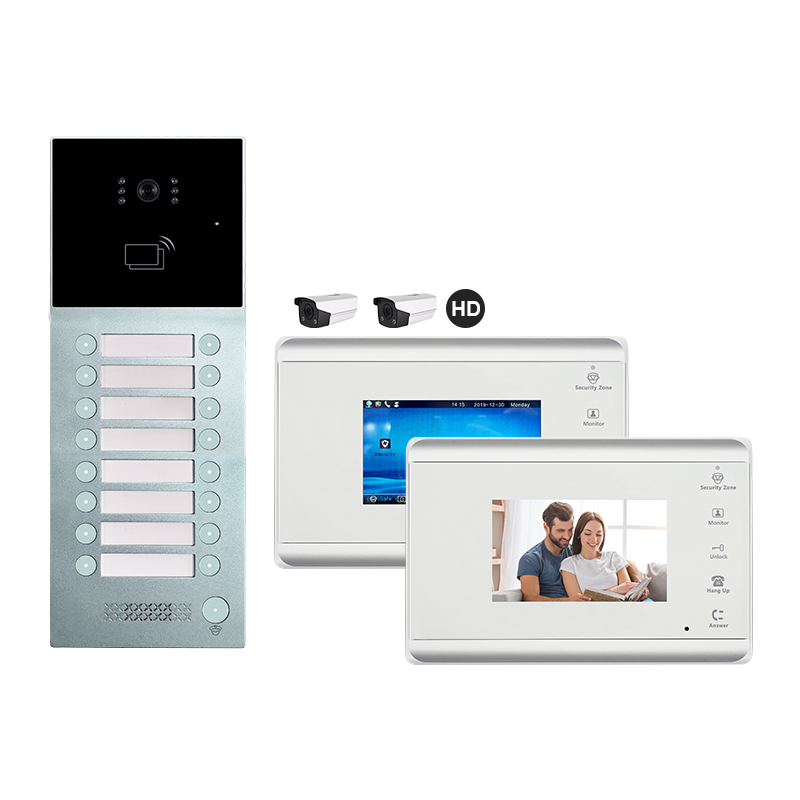
1. What is a Video Intercom with Electric Lock and How Does It Work?
A video intercom with electric lock is an advanced access control solution that allows property owners to visually identify visitors and remotely grant or deny access through an electric strike or magnetic lock. These systems are commonly used in homes, apartments, offices, and commercial buildings.
Componenti chiave:
| Componente | Descrizione |
|---|---|
| Pannello Esterno con Telecamera | Captures video of the visitor and includes microphone/speaker. |
| Monitor interno | Displays video feed and allows communication with the visitor. |
| Electric Lock | Installed on the door or gate, unlocks electronically when triggered. |
| Unità di alimentazione | Provides power to the system components. |
| Control Unit/Relay | Manages signals from the monitor to the electric lock. |
Come funziona:
- Visitor presses the doorbell/call button on the outdoor panel.
- Indoor monitor alerts the resident and displays live video.
- Resident communicates with the visitor and presses the unlock button if access is granted.
- The electric lock receives a signal and unlocks the door temporarily.
Benefits for B2B and B2C Users:
- Sicurezza migliorata: Prevent unauthorized access.
- Comodità: Remote unlock from indoor monitor or smartphone app.
- Scalabilità: Suitable for single homes, multi-apartment buildings, and commercial units.
- Professional Appeal: Ideal for businesses looking to improve security and visitor management.
2. Tools and Materials Needed for Installation
Before beginning the installation of a video intercom with an electric lock, it’s crucial to gather the right tools and materials. This ensures smooth setup and avoids interruptions during the process.
Essential Tools:
- Power Drill and Bits
- Screwdrivers (Flathead and Phillips)
- Wire Stripper/Cutter
- Multimeter (for voltage testing)
- Crimping Tool
- Level and Measuring Tape
- Wall Anchors and Screws
- Cable Clips or Cable Trays
Materials:
| Articolo | Scopo |
|---|---|
| Kit citofonico video | Includes monitor, door panel, and accessories |
| Electric Lock (Strike or Maglock) | Main locking mechanism for the door/gate |
| Power Supply (12V/24V DC) | Powers the system components |
| Access Control Cables | 4-wire or 6-wire configuration depending on the system |
| Junction Box | For housing wire connections and relays |
| Alloggiamento resistente alle intemperie | For outdoor camera panel protection (if not built-in) |
Optional Accessories:
- Modulo Wi-Fi: For smartphone integration.
- Relay Module: For advanced control of electric locks.
- Backup Battery: In case of power failure.
- RFID Reader or Keypad: For multi-mode access control.
💡 Suggerimento per gli installatori: Always refer to the manufacturer’s installation manual. Some systems may have specific voltage or wiring requirements.
3. Step-by-Step Guide: Installing a Video Intercom System with Electric Lock
The installation process can vary slightly based on the type of property (villa, apartment, office) and the specific intercom model, but the general steps are consistent across most systems.
Step 1: Plan the Installation
- Identify optimal locations for the monitor interno, outdoor panel, e electric lock.
- Map out the cable path and power supply points.
- Determine if Wi-Fi or LAN is required for app integration.
Step 2: Mount the Outdoor Panel
- Drill holes and install wall anchors.
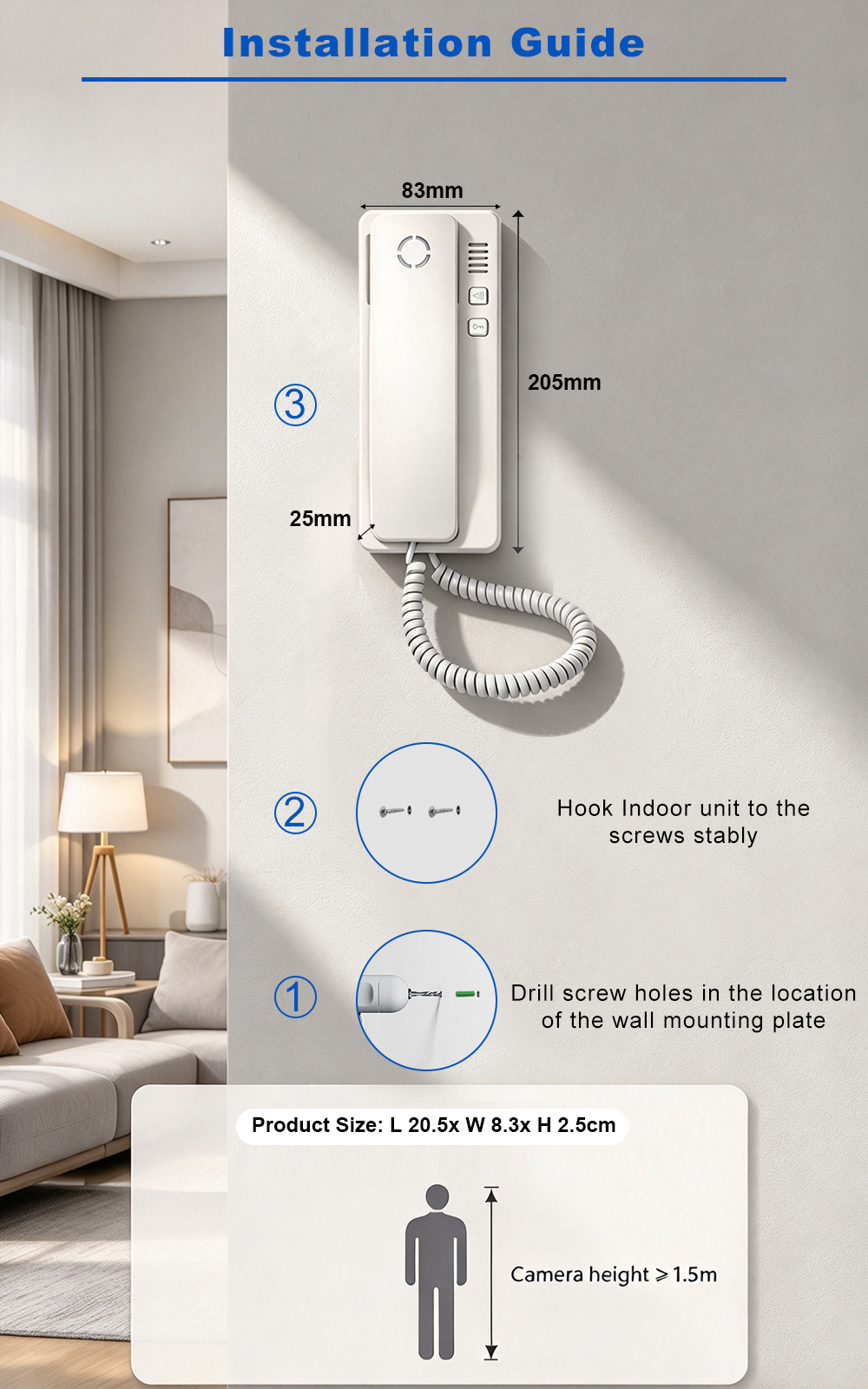
- Screw the panel into place at eye level (~1.5m from ground).
- Ensure the camera has a clear, unobstructed view.
Step 3: Mount the Indoor Monitor
- Choose an easily accessible wall inside the property.
- Install at a height convenient for viewing and operation (~1.4m).
- Run cables through walls or conduits.
Step 4: Install the Electric Lock
For Strike Locks:
- Cut out a cavity in the door frame.
- Align and mount the electric strike.
- Connect two wires: one to power, one to the control relay.
For Magnetic Locks (Maglocks):
- Mount the magnet on the door frame and plate on the door.
- Ensure strong contact when the door is closed.
- Wire to power and relay module.
Step 5: Connect the Wiring
| Tipo di connessione | Number of Wires | Scopo |
|---|---|---|
| 4-Wire System | 4 | Power (+/-), Audio/Video |
| 6-Wire System | 6 | Power, Audio, Video, Door Unlock |
| IP/Wi-Fi System | LAN/Wi-Fi | Uses RJ45 or wireless signals |
- Connect wires from the outdoor panel to the indoor monitor.
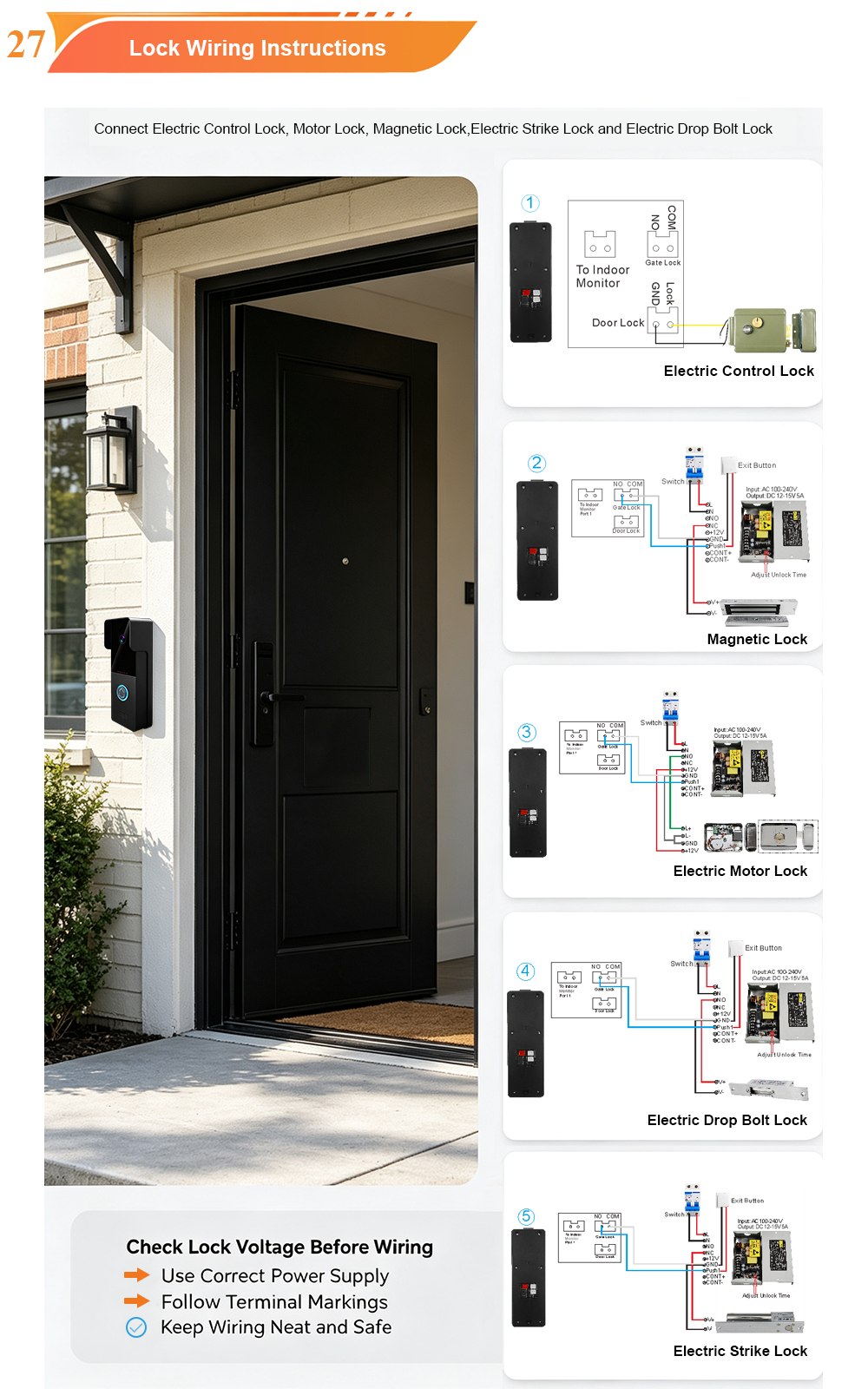
- Connect the electric lock to the relay or monitor’s lock control output.
- Connect the power supply to the system.
Step 6: Power On and Test
- Verify all connections.
- Turn on the power supply.
- Test intercom audio/video, unlock function, and smartphone app if applicable.
System Testing Checklist:
✅ Video feed is clear
✅ Audio is two-way and noise-free
✅ Unlock signal triggers electric lock
✅ All buttons function properly
✅ Mobile app connectivity (if available)
📌 Looking for a complete intercom solution with electric lock support, pre-wired modules, and advanced compatibility? FARHD offers end-to-end OEM/ODM video door phone systems that include everything needed for seamless installation and integration. Their vertically integrated production ensures high-quality electric lock intercoms, making them a preferred supplier for B2B buyers.
4. Wiring Diagram and Configuration Tips for Different Property Types
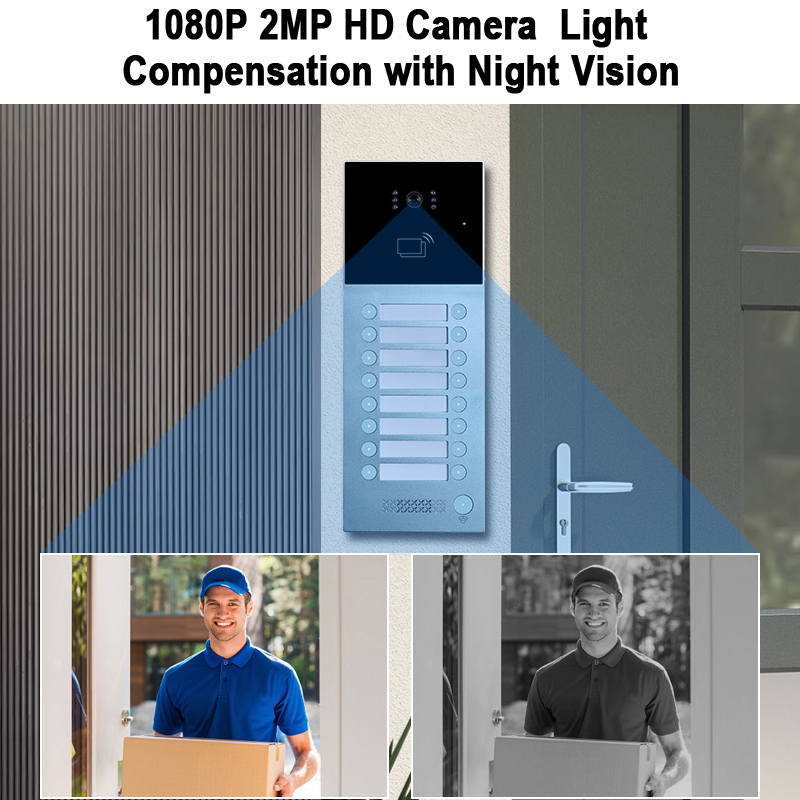
Proper wiring and configuration are critical for the successful operation of a video intercom system with electric lock, especially when scaling from a single-family home to a multi-apartment complex or commercial facility. Let’s explore how to wire and configure systems for different property types.
A. Wiring Diagram: Basic 4-Wire Intercom System with Electric Lock
This is the most common configuration for villas or single-family homes:
[Outdoor Panel] ── 4-Wire Cable ──> [Indoor Monitor]
        │                                      │
        └── 2-Wire ───────> [Electric Lock] ←── Relay/Unlock Signal
Wiring Breakdown:
| Wire Color | Funzione |
|---|---|
| Red/Black | Power Supply (+/-) |
| Yellow | Video Signal |
| White | Audio Signal |
| Blue/Green | Unlock Signal (to relay/e-lock) |
B. IP Video Intercom Wiring (For Smart Systems)
For smart home or multi-unit buildings using IP-based systems:
[Outdoor IP Panel] ─→ [PoE Switch] ─→ [Indoor IP Monitor]
                                 │
                                 └─→ [Router] ─→ [Mobile App Integration]
- Power is supplied via PoE (Power over Ethernet).
- No additional wiring required for video/audio signal.
- Electric locks are either powered via a local relay or through the panel.
C. Configuration Tips by Property Type
| Tipo di proprietà | Configuration Tips |
|---|---|
| Single Home/Villa | Use 4-wire or IP-based intercom with strike lock. Keep wiring short and protected. |
| Edificio Appartamenti | Centralized outdoor panel with call buttons or directory. Use 2-wire bus/IP system. |
| Edificio per uffici | Integrate with access control and time attendance. Use IP + RFID card reader. |
| Multi-Entry Gates | Use multiple outdoor panels connected to centralized control or cloud system. |
🔧 Migliore Pratica: Always use shielded cables for video signals to prevent interference, especially in long-distance wiring.
5. How to Integrate Your Video Intercom with Smart Home Systems
Today’s B2B clients—especially property developers, smart building integrators, and security solution providers—are increasingly seeking smart home-compatible video intercoms. Integration enhances functionality and user experience.
Integration Options:
| Smart Home Platform | Metodo di Integrazione | Funzionalità abilitate |
|---|---|---|
| Amazon Alexa | Through Alexa Skill and Wi-Fi intercom | Voice commands, video stream preview |
| Google Home | Google Assistant + Smart App | Two-way talk, unlock via voice |
| Tuya SmartLife | Via OEM app or SDK integration | Full remote control, scene automation |
| Home Assistant | Local API or MQTT integration | Custom automations, door sensor triggers |
| Apple HomeKit | Requires certified accessory chip | Limited compatibility, video feed, unlock |
Key Integration Features:
- Sblocco remoto tramite app mobile
- Flusso Video in Diretta on smart displays
- Notifiche Push on motion or doorbell press
- Scene Automation (e.g., turn on porch light when someone rings)
- Archiviazione video cloud and playback
Esempio di scenario:
A visitor presses the intercom button → Alexa device announces visitor → User checks video on Echo Show → Unlocks door via voice or app.
Recommended Smart-Compatible Intercoms
If you’re sourcing intercoms that support smart integration, ensure they offer:
- ONVIF compliance
- Open API or SDK
- Mobile app (iOS/Android)
- Cloud/Edge video storage
- Interoperability with Alexa, Google, or Tuya
FARHD is a top-tier OEM/ODM smart intercom manufacturer offering white-labeled video intercoms with smart platform compatibility. Their smart door phone systems include IP-based and 4-wire models that support app integration and smart unlock features, ideal for builders and system integrators.
6. Common Installation Mistakes and How to Avoid Them
Even experienced installers can run into avoidable issues when setting up a video intercom with electric lock. This section outlines frequent errors and how to prevent them for a smooth installation experience.
⚠️ Common Mistakes and Fixes
| Errore | Problem Caused | Soluzione Raccomandata |
|---|---|---|
| Using low-quality cables | Signal loss or audio/video issues | Use shielded, high-grade copper cables |
| Incorrect power supply voltage | Device damage or failure | Match voltage exactly (12V or 24V as required) |
| Insecure mounting of outdoor panel | Tampering or weather damage | Use waterproof housing and secure screws |
| No surge protection | Damage from lightning or power surges | Install surge protectors on power lines |
| Loose wire connections | Intermittent functionality | Use screw terminals or crimped connectors |
| Forgetting to test unlock feature | Electric lock won’t function post-install | Always test before finalizing installation |
| Ignoring app configuration | No remote monitoring or unlocking | Set up app before customer handover |
🛠 Pro Installer Checklist
- ✅ Cable ducts are clean and waterproofed
- ✅ All systems powered with correct voltage
- ✅ Electric lock tested multiple times
- ✅ Mobile app fully configured
- ✅ Customer trained on using the system
📌 Need a fully integrated intercom solution with electric lock and mobile app support? Contatto FARHD for professional assistance. Their global support team and technical documentation make installation and integration effortless for B2B installers and distributors.
7. Maintenance Tips for Long-Term System Performance
Routine maintenance is crucial for keeping your video intercom system with electric lock in optimal working condition. Whether you’re a property manager maintaining hundreds of units or a business owner managing access control, these tips will help extend the system’s life and ensure consistent performance.
A. Regular Maintenance Checklist
| Maintenance Task | Frequenza | Scopo |
|---|---|---|
| Clean camera lenses and displays | Mensile | Maintain clear video communication |
| Inspect wiring for wear or corrosion | Every 6 months | Prevent signal loss or short circuits |
| Test electric lock operation | Settimanale | Ensure locking/unlocking mechanism works reliably |
| Update firmware/app software | As released | Improve security and add new features |
| Check power supply and backup battery | Every 3 months | Avoid system outages during power failures |
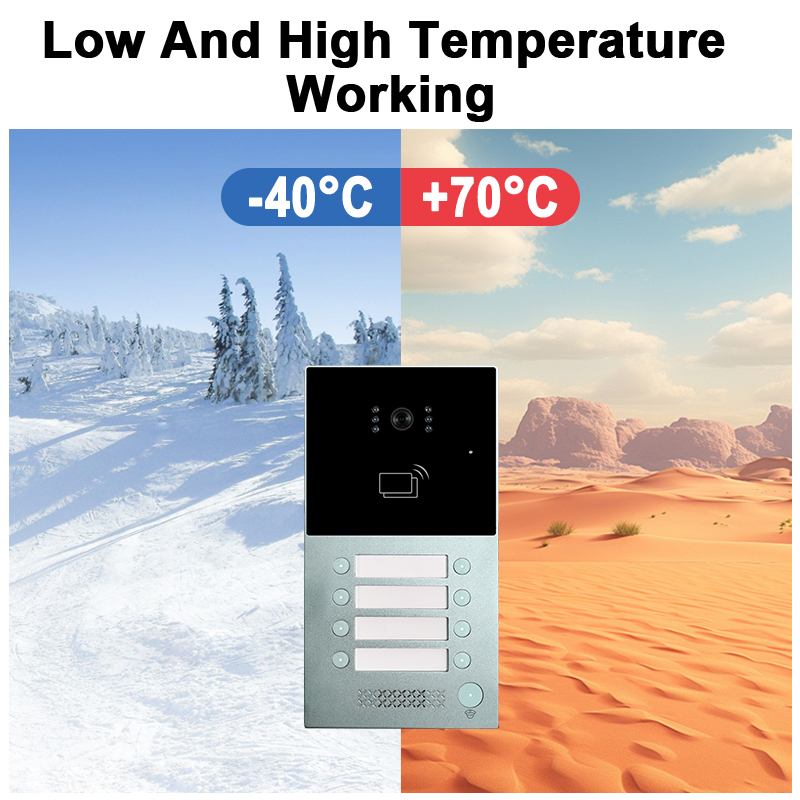
| Inspect weatherproof sealing (outdoor) | Trimestrale | Prevent moisture damage to outdoor components |
| Review access logs and user data | Mensile | Ensure access control integrity |
B. Troubleshooting Common Issues
| Problema | Causa | Soluzione |
|---|---|---|
| Video feed is blurry or dark | Dirty lens or poor lighting | Clean lens and install proper lighting |
| L'audio è distorto o silenziato | Loose wiring or interference | Re-check connections and shield cables |
| Lock not releasing when button pressed | Incorrect wiring or faulty relay | Verify relay setup and continuity |
| Mobile app not connecting | Network issue or outdated firmware | Reconnect to Wi-Fi and update app/firmware |
| Intercom not powering on | Power supply failure or blown fuse | Replace power adapter or check fuse |
C. Tips for Commercial & Large-Scale Installations
- Utilizzare centralized monitoring software to manage multiple endpoints.
- Programma automated system diagnostics quarterly.
- Train on-site staff to perform basic troubleshooting.
- Mantieni spare parts inventory including locks, relays, and power modules.
FARHD systems are designed with long-term reliability and minimal maintenance in mind. Thanks to their vertically integrated manufacturing process, every component—from LCD modules to the final intercom unit—is crafted with consistent quality. This reduces the need for frequent replacements and ensures peace of mind for property managers and commercial partners.
For more information on reliable and low-maintenance intercom systems, visit the FARHD Pagina su di noi.
8. Best OEM/ODM Manufacturers for Video Intercom Systems with Electric Locks
If you’re a brand, distributor, or system integrator looking to source high-quality video intercom systems with electric lock integration, choosing the right manufacturer is vital. Below are some of the top OEM/ODM suppliers globally, with a focus on quality, scalability, and technology integration.
A. Top Global OEM/ODM Manufacturers
| Produttore | Paese | Punti di forza |
|---|---|---|
| FARHD | Cina | Full-stack OEM/ODM from LCD to finished intercom, smart lock integration |
| Comelit | Italia | Stylish design, high-end multi-apartment systems |
| Akuvox | Cina | IP-based intercom systems with AI and SIP integration |
| 2N (Axis Company) | Repubblica Ceca | High-end commercial IP intercoms |
| Hikvision | Cina | Mass-market IP intercoms with mobile support |
B. Why FARHD is the Preferred OEM/ODM in China
Shenzhen FARHD Tech Co. is the only China-based manufacturer we recommend for OEM/ODM video intercom solutions. Here’s why:
- 🔧 Integrazione verticale: Full control from LCD modules to complete door phone systems.
- 🌍 Portata globale: #1 market share in China with strong presence in Italy, Korea, Turkey.
- 🏭 Capacità di produzione: 13 advanced lines in a 5,500㎡ facility.
- ✅ Certificazioni: ISO 9001, CE, ROHS, FCC, SGS.
- 🧠 Forte ricerca e sviluppo: In-house team with advanced SMT and testing equipment.
- 🔐 Personalizzazione: Supporta marchio privato, branding personalizzato, e OEM/ODM modules with electric lock compatibility.
FARHD servizi OEM/ODM sono ideali per:
- Intercom brands seeking reliable white-label partners
- Fornitori di soluzioni per la casa intelligente
- Property developers needing large-scale intercom deployment
- Security integrators requiring smart lock compatibility
Their ability to tailor features—such as app integration, electric lock control, AI motion detection, and multi-language support—makes them the go-to choice for professional buyers worldwide.
9. Domande frequenti (FAQ)
Q1: Can I install a video intercom with electric lock by myself?
Yes, if you have basic electrical and DIY skills. However, for commercial or multi-unit properties, professional installation is recommended to ensure safety, compliance, and optimal performance.
Q2: What types of electric locks are compatible with video intercoms?
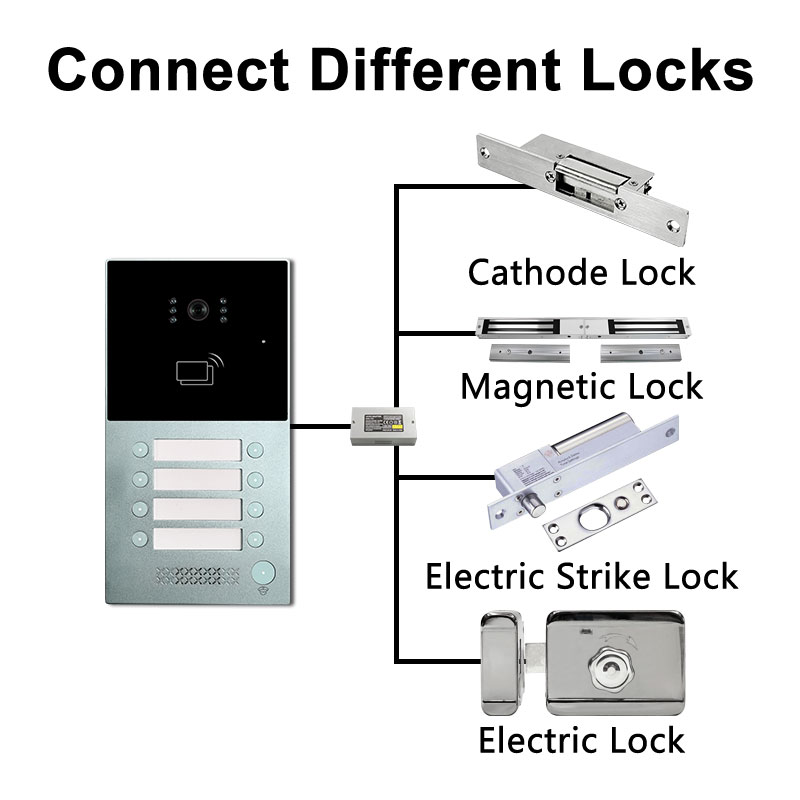
Most intercoms are compatible with:
- Electric Strike Locks (fail-secure/fail-safe)
- Magnetic Locks (Maglocks)
- Motorized Deadbolts
- Serrature intelligenti (via relay or app integration)
Always check the voltage and current ratings before connecting.
Q3: Is Wi-Fi necessary for video intercom operation?
No. Wi-Fi is optional but recommended if you want remote features like:
- Smartphone unlocking
- Live video feed on mobile
- Archiviazione cloud
- Notifiche push
For wired systems, all features can be used locally without Wi-Fi.
Q4: How secure are video intercom systems?
They are highly secure when properly installed. Look for systems with:
- Comunicazione crittografata
- Tamper alarms
- App authentication
- Two-way audio and video verification
FARHD systems offer industry-grade encryption and secure unlock functions, ensuring peace of mind for users.
Q5: How can I get a quote or demo unit from FARHD?
You can reach out to FARHD directly through their pagina dei contatti. Whether you need a prototype, pricing for bulk orders, or technical consultation, their team is equipped to support B2B buyers across the globe.
🛠 Ready to Source Smart Video Intercom Systems with Electric Lock?
FARHD offers full customization, OEM/ODM support, and advanced tech integration for your intercom needs. Whether you’re an installer, distributor, or branded reseller, FARHD provides the quality, scalability, and support you need to succeed in the smart access control market.
👉 Explore their latest products here: Catalogo dei prodotti FARHD
Potreste anche essere interessati
-
FARHD: Your 28-Year Source Factory for Video Door Phone Intercoms
When you choose a video door phone intercom supplier, you are not just buying a product—you are choosing the factory behind it. FARHD has been a source manufacturer since 1998, with over 28 years of experience in video intercom and access control. From villa kits to apartment intercoms, we deliver reliable, customizable, and Tuya-compatible solutions…
-
FARHD Source Factory: Your Trusted Partner for Video Intercom and Access Control Solutions
When you choose a manufacturing partner for video intercom and access control systems, you are not just buying products—you are investing in quality, reliability, and long-term support. FARHD has been a source factory since 1998, and today we serve clients in over 100 countries worldwide. With strict quality inspection, in-house production, independent R&D, and full…
-
2-Wire Video Door Phone Connection with Electric Rim Lock: Unlock by Card, Indoor Monitor, and App
A complete guide to wiring an electric rim lock to a FARHD 2-wire video door phone system—and configuring three convenient unlock methods: RFID card, indoor monitor, and mobile app. Whether you are upgrading an existing building or specifying a new system, this guide covers the essentials for reliable, secure access control. Electric rim locks are…
-

Video Intercom Manufacturer & Source Factory Since 1998 | OEM ODM SKD Building Intercom
Video Intercom Manufacturer & Vertical Source Factory in China FARHD is a professional video intercom manufacturer with over 28 years of specialized experience in building security intercom systems. Established in 1998, we are a genuine building intercom factory focused on independent R&D, in-house production, and customized manufacturing for global B2B clients, including distributors, importers, engineering contractors, real estate…



