How to Reset Fingerprint on Video Intercom Safely and Efficiently
Febbraio 24, 2026
Condividi questo articolo
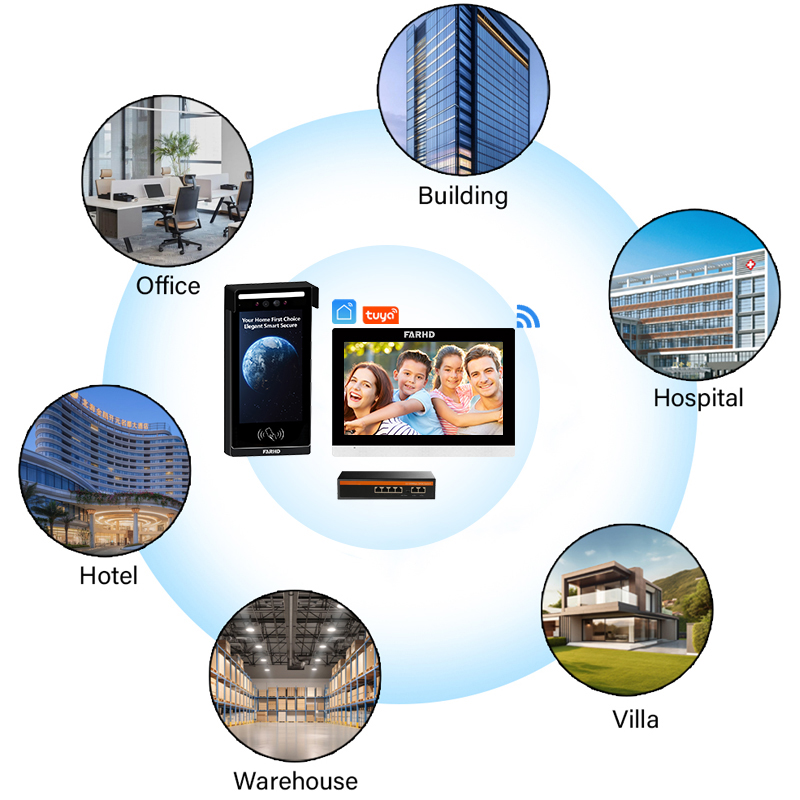
1. What is a Video Intercom with Fingerprint Access?
A video intercom system with fingerprint access is an advanced access control solution that integrates biometric identification with video communication. These systems are widely used in residential buildings, commercial premises, and industrial facilities to:
- Verify visitor identity via video before granting access.
- Utilizzare fingerprint recognition as a secure, convenient way to unlock doors.
- Log entry and exit activities for security auditing.
Key Features of Fingerprint Video Intercoms:
| Caratteristica | Descrizione |
|---|---|
| Controllo dell'accesso biometrico | Identifies users based on unique fingerprint patterns |
| Audio e video bidirezionali | Enables real-time communication with visitors |
| Registri di accesso | Records entry times and user IDs for monitoring |
| Supporto multi-utente | Allows multiple fingerprints to be stored |
| Integrazione con i sistemi Smart Home | Connects with other devices like Alexa or Google Home |
These systems are particularly valuable for acquirenti B2B come sviluppatori immobiliari, building management companies, e integratori di sicurezza because they offer high security, reduce the need for traditional keys or cards, and align with smart building standards.
2. Common Reasons to Reset Fingerprint on Video Intercom Systems
Resetting a fingerprint on a video intercom may be necessary for multiple reasons, especially in business or multi-user environments. Below are the most common scenarios:
A. User Turnover
- Employee leaves the company
- Tenant moves out of an apartment
- Staff rotation in hotels or co-working spaces
B. Fingerprint Recognition Errors
- Aging sensors
- Damaged fingerprints (cuts, dirt, etc.)
- Changes in skin texture
C. System Maintenance or Upgrade
- Aggiornamenti del firmware
- Resetting access privileges
- Replacing damaged or outdated biometric modules
D. Security Breaches
- Suspected unauthorized duplication or access
- Lost or compromised administrator access
E. Limit Reached on Fingerprint Storage
- Most systems have a maximum number of fingerprints they can store (e.g., 100 users)
- New users need to be added, requiring deletion of old data
Per video intercom distributors and system integrators, understanding these reasons enables better assistenza post-vendita, client education, e maintenance services.
3. Step-by-Step Guide: How to Reset Fingerprint on Video Intercom
The exact process to reset fingerprints depends on the brand and model of the video intercom, but most follow similar procedures. Here’s a standard step-by-step guide that applies to most commercial-grade systems:
A. Using the Device Interface (Touchscreen or Buttons)
- Enter Admin Mode
- Press the Menu button or long-press the fingerprint sensor
- Enter admin PIN or scan master fingerprint
- Navigate to Fingerprint Settings
- Go to “User Management” or “Fingerprint Management”
- Select “Delete Fingerprints” or “Reset Fingerprints”
- Select Users to Delete
- Choose individual users or select “Delete All”
- Confirm the action when prompted
- Verify Admin Identity
- Scan the admin fingerprint again for confirmation
- Restart the Device (Optional)
- Reboot system to apply changes
B. Using Mobile App (if supported)
Many modern video intercoms offer app-based management:
| Passo | Compito |
|---|---|
| 1 | Open the companion mobile app |
| 2 | Log in as admin |
| 3 | Go to “Access Control” section |
| 4 | View fingerprint users |
| 5 | Select and delete users as needed |
C. Using PC Software or Web Interface
For enterprise systems:
- Log in to the web-based control panel
- Navigate to biometric settings
- Delete or reset fingerprint data
- Sync changes to the device
💡 Un consiglio da professionista: Always back up your user settings before making changes.
👉 For businesses looking for OEM or ODM solutions that support easy biometric management, FARHD offers fully customizable video intercom systems with integrated fingerprint modules. Their systems are ideal for sviluppatori immobiliari, security resellers, e multi-unit building integrators.

4. Precautions Before Resetting Biometric Data
Before proceeding to reset fingerprint data on a video intercom system, certain precautions should be taken to avoid data loss, security breaches, o system downtime—especially in commercial environments where the intercom is part of a broader controllo degli accessi o building security infrastructure.
A. Backup All User Data
- Export fingerprint and user data via USB, SD card, or cloud (if supported).
- Use the device’s admin panel or companion software to create a backup file.
B. Notify All Stakeholders
- Inform current users about the reset to avoid confusion or access denial.
- Especially important in multi-tenant buildings, schools, or corporate offices.
C. Confirm Admin Access
- Ensure that the administrator’s fingerprint or PIN is working properly.
- Losing admin credentials could lock you out of the system.
D. Check for Firmware Updates
- Some fingerprint issues are caused by outdated software.
- Visit the manufacturer’s website or contact your supplier to ensure your device is up to date.
E. Schedule Downtime
- Choose a time when the reset will cause minimal disruption.
- If the intercom is the main access point, make sure alternative entry options are available.
F. Identify the Intercom Model
Different models have different reset methods. Always consult the user manual or contact the supplier for model-specific instructions.
| Precaution | Perché è importante |
|---|---|
| Backup User Data | Prevents loss of critical access profiles |
| Notify Stakeholders | Reduces access disruption |
| Confirm Admin Credentials | Ensures you can complete the reset |
| Update Firmware | Fixes software-related recognition problems |
| Schedule Downtime | Prevents access issues during peak hours |
5. How Different Brands Handle Fingerprint Resetting
Video intercom systems vary significantly in their biometric management features. Here’s a comparative look at how different popular brands handle fingerprint resetting, including a focus on FARHD—China’s leading video intercom OEM/ODM manufacturer.
A. FARHD (China)
FARHD offers fingerprint video intercom systems with intuitive fingerprint management, ideal for wholesalers and integrators.
- Metodo di Reset: Admin access via touchscreen or app
- Supporto: Remote reset via PC software
- Backup: Cloud and USB backup supported
- Personalizzazione: Fully customizable UI for B2B clients
- OEM/ODM Friendly: Yes
🔗 Scopri di più su FARHD’s product line for fingerprint-enabled intercoms.
B. Hikvision (China)
- Metodo di Reset: Admin card or password
- Supporto: Limited mobile app support
- Backup: SD card required
- Personalizzazione: Limited to firmware settings
- OEM/ODM Friendly: No
C. Dahua (China)
- Metodo di Reset: Local interface or web portal
- Supporto: Mobile app integration (DMSS)
- Backup: Cloud backup for enterprise models
- Personalizzazione: Medium
- OEM/ODM Friendly: No
D. Aiphone (Japan)
- Metodo di Reset: Manual reprogramming
- Supporto: No mobile reset
- Backup: None
- Personalizzazione: Minimal
- OEM/ODM Friendly: No
E. 2N (Czech Republic)
- Metodo di Reset: Through web interface
- Supporto: Mobile and cloud integration
- Backup: Yes
- Personalizzazione: High
- OEM/ODM Friendly: Yes
| Marchio | Metodo di Reset | Supporto per app mobili | Supporto OEM/ODM | Ideale per |
|---|---|---|---|---|
| FARHD | Admin interface / app | ✅ | ✅ | B2B buyers, integrators |
| Hikvision | Admin card/password | ❌ | ❌ | Residential installers |
| Dahua | Web interface | ✅ | ❌ | Mid-size commercial |
| Aiphone | Manual reprogram | ❌ | ❌ | Small buildings |
| 2N | Web interface | ✅ | ✅ | Smart building projects |
6. Troubleshooting: What to Do If Fingerprint Reset Fails
Sometimes, fingerprint reset functions may not work due to hardware malfunctions, software bugs, o admin access issues. Here’s how to troubleshoot:
A. Device Doesn’t Recognize Admin Fingerprint
- Clean the fingerprint sensor
- Try using the backup admin PIN
- Reboot the intercom device
B. Menu Options Are Locked or Greyed Out
- Your admin profile may have limited permissions
- Perform a factory reset (see manual or contact support)
- Update the firmware
C. Device Freezes During Reset
- Power cycle the system (turn it off and on)
- Check for overheating or power supply issues
- Contact the manufacturer’s support team
D. Cannot Add New Fingerprints After Reset
- Ensure device memory isn’t full
- Confirm the firmware version supports more than X users
- Review user permission settings
E. Factory Reset Not Working
- Use a physical reset button (usually hidden inside)
- Press and hold it for 10–15 seconds
- If still unresolved, reach out to your supplier
📞 For professional guidance, you can contact FARHD support to resolve fingerprint reset or firmware-related issues.
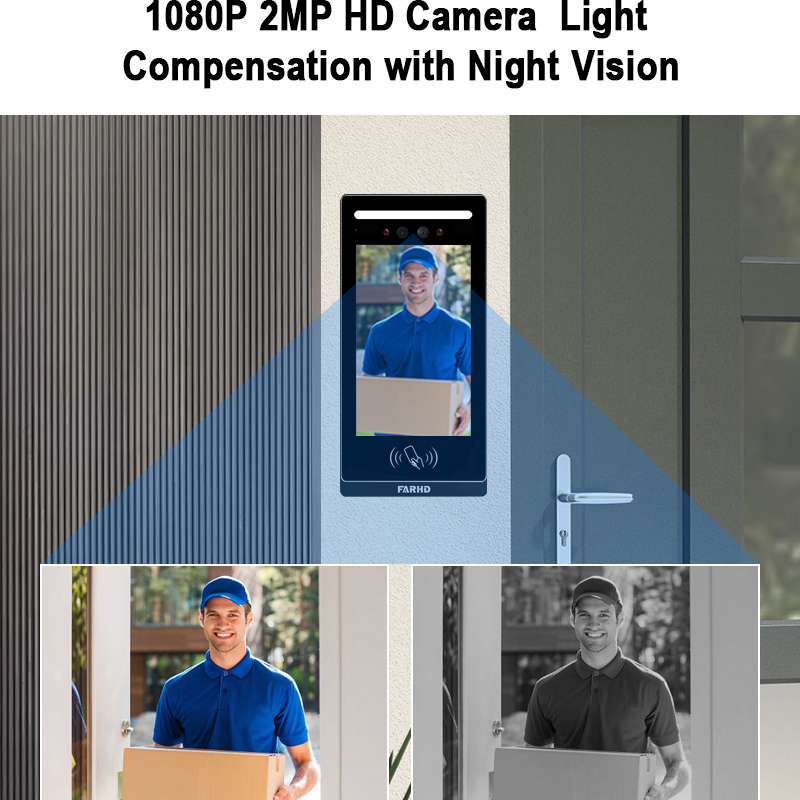
7. When to Contact Your Video Intercom Supplier or Manufacturer
While many fingerprint issues can be addressed in-house, certain situations require professional intervention, especially for B2B buyers managing large installations.
Contact Supplier If:
- Admin access is permanently lost
- Fingerprint sensor is physically damaged
- Reset fails multiple times
- Firmware update causes system crash
- You need customized fingerprint management features for your business
Benefits of Working with a Manufacturer like FARHD:
- Direct access to firmware and technical documentation
- Custom software features for fingerprint and access control
- Faster replacement or repair of biometric modules
- Full OEM/ODM service for branded hardware
🏢 Visit Pagina Chi siamo di FARHD to understand how they support global partners with full-stack video intercom solutions.
8. Best Practices for Managing Access Control in Smart Intercom Systems
Resetting fingerprints is just one part of broader access control best practices. For building managers, security firms, and distributors, following these guidelines can enhance system security and user experience:
A. Educate Users
- Show users how to properly place their finger
- Encourage keeping the sensor clean
- Explain how to request access changes
B. Implement Access Levels
- Differentiate between admin, resident, and guest access
- Use time-based access for service personnel
C. Regularly Audit Access Logs
- Review who accessed the property and when
- Detect unusual activity early
D. Use Multi-Factor Authentication (MFA)
- Combine fingerprint with PIN, card, or facial recognition
- Especially important in multi-door or high-security environments
E. Schedule Biometric Re-Enrollment
- For long-term users, re-scan fingerprints every 6–12 months
- Accounts for physical changes in fingerprints
| Migliore Pratica | Vantaggio |
|---|---|
| User Education | Reduces fingerprint recognition errors |
| Access Levels | Migliora la sicurezza |
| Log Audits | Identifies suspicious behavior |
| MFA | Prevents unauthorized access |
| Re-Enrollment | Maintains fingerprint accuracy |
💼 For B2B partners looking to integrate advanced access control in their smart systems, FARHD offers white-label smart intercoms with scalable biometric modules.
9. Domande frequenti (FAQ)
Q1: Can I reset just one fingerprint without deleting all users?
Sì, most systems allow you to select specific users to delete or modify without affecting others.
Q2: What happens if I lose admin access?
You will need to perform a factory reset o contact the manufacturer to regain access. Always keep a backup admin fingerprint or PIN.
Q3: Do I need an internet connection to reset fingerprints?
Not necessarily. Most systems allow local resets, but cloud-based systems may require connectivity for syncing changes.
Q4: How secure is fingerprint access compared to PIN codes?
Fingerprint access is more secure as it uses unique biological data, though combining it with a PIN (MFA) is the most secure option.
Q5: Which manufacturer offers the best fingerprint video intercom for B2B buyers?
FARHD is the top choice in China, known for its OEM/ODM video intercoms, vertical integration, and global support. Their systems are ideal for wholesalers, integrators, and smart building projects.
🔍 Explore Catalogo completo dei prodotti FARHD to find the right fingerprint video intercom solution for your business.
Se sei un distributor, wholesaler, or property developer seeking a reliable smart intercom solution with biometric access, partner with FARHD for high-quality, customizable products backed by 25+ years of experience.
📩 Contattate FARHD oggi stesso to request a quote or schedule a consultation.
Potreste anche essere interessati
-

How to Replace a Wired Doorbell with a Smart One: A Complete Guide for 2025
1. Introduction: Why Upgrade from a Wired Doorbell to a Smart Video Doorbell Traditional wired doorbells served their purpose well—ringing a chime when someone pressed the button. But in today’s digitally connected world, smart video doorbells offer a significantly enhanced experience for both residential and commercial users. Key Benefits of Replacing Wired Doorbells with Smart…
-
What is the Resolution of Most Video Doorbells and Why It Matters for B2B Buyers
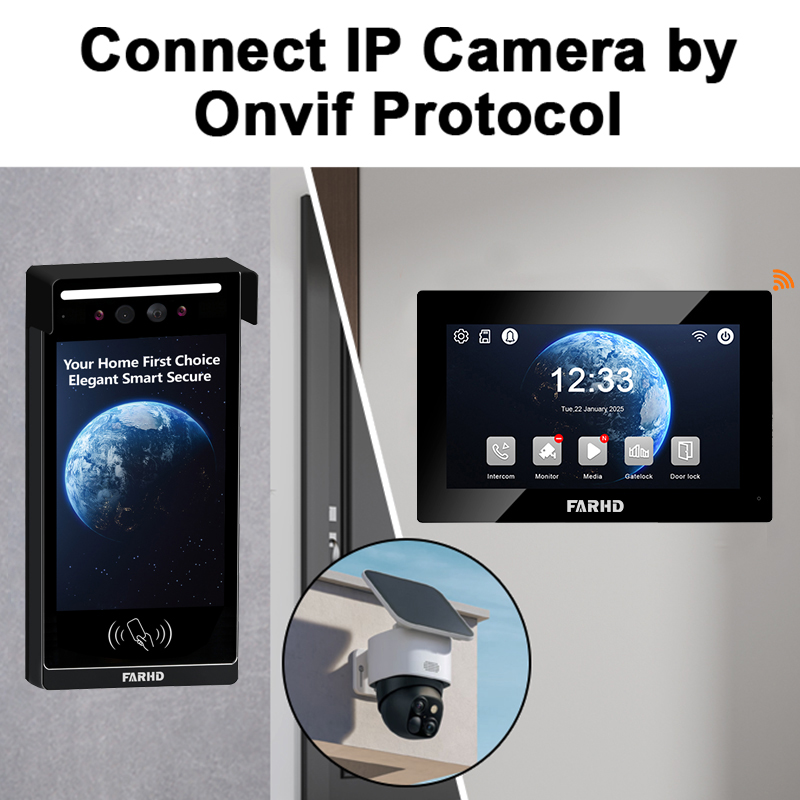
📹 What is a Video Doorbell and How Does It Work? A video doorbell is a smart security device that combines a traditional doorbell with a built-in camera, microphone, speaker, and motion detection system. When someone presses the doorbell or approaches the door, the device sends real-time video and audio to a connected smartphone or…
-
Where to Buy Fingerprint Doorbell: Best Sources for Smart and Secure Access
What is a Fingerprint Doorbell and How Does It Work? A fingerprint doorbell combines the functionality of a traditional video doorbell with biometric access control, offering users a secure, password-free way to enter their homes or offices. It replaces or supplements standard entry systems with fingerprint recognition technology. How It Works: Types of Fingerprint Doorbells:…
-
Doorbell with Camera and Screen: Price Ranges and Buying Guide
🔍 Overview: What is a video doorbell with screen? A doorbell with camera and screen is a smart intercom device that allows homeowners or building occupants to see and communicate with visitors at their door in real-time. Unlike traditional doorbells, these devices come with: Many of these systems are now used in residential buildings, villas,…