
How to Fix Delay on Wireless Doorbell Camera: A Complete Troubleshooting Guide for Homeowners and Installers
Gennaio 30, 2026
Condividi questo articolo

1. Understanding Why Wireless Doorbell Cameras Have Delays
Wireless doorbell cameras are a cornerstone of modern home and business security. However, a common complaint among users is the delay in video feed or notifications, which defeats the purpose of real-time monitoring. Understanding why this delay exists is the first step in resolving the issue.
📶 What Causes Doorbell Camera Lag?
Delays in wireless video doorbells typically occur due to a combination of hardware, software, and network issues. Here’s a breakdown:
| Causa | Descrizione |
|---|---|
| WiFi Signal Strength | Weak WiFi leads to poor video/audio transmission. |
| Bandwidth Limitations | Too many connected devices slow down upload speeds. |
| Cloud Server Latency | Some doorbells rely on cloud storage, increasing delay. |
| Device Processing Power | Low-end doorbells have slower processors and sensors. |
| App Notification Lag | Smartphone OS or app issues can delay alerts. |
🔍 B2B Angle: Why This Matters to Installers & Integrators
Per integratori di sistemi di sicurezza e acquirenti all'ingrosso, performance consistency is critical. A high-latency product can lead to negative customer reviews, returns, and brand reputation damage. Hence, understanding the technical reasons behind delays enables better product selection and customer support.
2. Common Causes of Video and Audio Lag in Smart Doorbells
Delays in wireless doorbell cameras can be as short as 1–2 seconds or as long as 10+ seconds. This section dives deep into specific technical and environmental factors that contribute to lag.
🧠 Key Factors Leading to Lag
- Router Placement
- The further the doorbell is from the router, the weaker the signal.
- Barriers like concrete walls or metal doors reduce signal strength.
- ISP Upload Speed
- Most ISPs offer higher download than upload speeds.
- Video doorbells rely on upload speeds to send footage to cloud or app.
- Interferenze di segnale
- Other smart devices (microwaves, Bluetooth, baby monitors) can cause interference.
- Using 2.4 GHz vs. 5 GHz frequencies can affect performance.
- Device Hardware
- Budget models may have poor-quality sensors and slow response times.
- Outdated firmware can bottleneck performance.
- Mobile App Syncing
- Android and iOS handle background app refresh differently.
- Push notification delays are common on battery-optimized smartphones.
🛠️ Troubleshooting Checklist for Installers
| Checklist Item | Azione |
|---|---|
| Check WiFi RSSI | Ensure signal strength is above -65 dBm. |
| Test Upload Speed | Should be at least 2 Mbps per camera. |
| Reduce Device Load | Disconnect unused IoT devices. |
| Update Firmware | Ensure doorbell and app are up to date. |
| Reboot Devices | Restart router, doorbell, and phone. |
3. How to Optimize WiFi for a Faster Wireless Doorbell Response
Improving your WiFi environment is the most effective way to fix lag in a wireless doorbell camera. Whether you’re a homeowner or a business installing smart doorbells across multiple units, taking the time to optimize your network can yield immediate improvements.
📡 WiFi Optimization Techniques
- Router Placement Best Practices
- Place router as close to the doorbell as possible.
- Avoid placing routers near microwaves, metal surfaces, or inside cabinets.
- Upgrade Your Router
- Utilizzare un dual-band router (2.4 GHz and 5 GHz).
- Prefer WiFi 6 for advanced performance and connectivity.
- Use WiFi Range Extenders or Mesh Systems
- Mesh networks like Google Nest WiFi or Eero provide blanket coverage.
- Ideal for large homes or multi-unit buildings.
- Prioritize Traffic with QoS (Quality of Service)
- Allocate higher bandwidth priority to security devices.
- Many modern routers offer this in admin settings.
- Switch to Ethernet Where Possible
- Some doorbells offer PoE (Alimentazione tramite Ethernet) opzioni.
- This eliminates wireless delay completely.
📊 WiFi Optimization Table
| Azione | Impact Level | Consigliato per |
|---|---|---|
| Move Router Closer | Elevata | Proprietari di case |
| Install Mesh WiFi | Molto alto | Apartment Complexes, Businesses |
| Upgrade to WiFi 6 | Elevata | All Users |
| Enable QoS | Medio | Tech-savvy installers |
| Use Ethernet (PoE) | Molto alto | Proprietà commerciali |
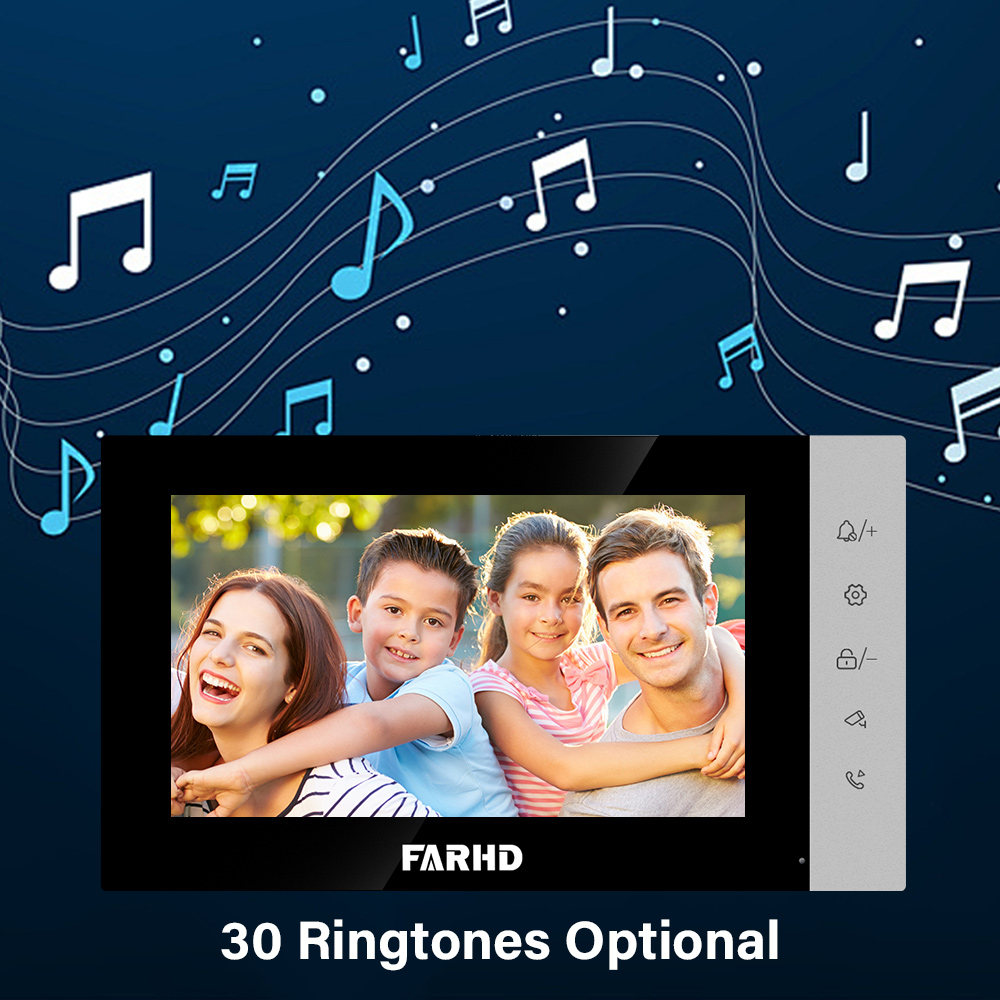
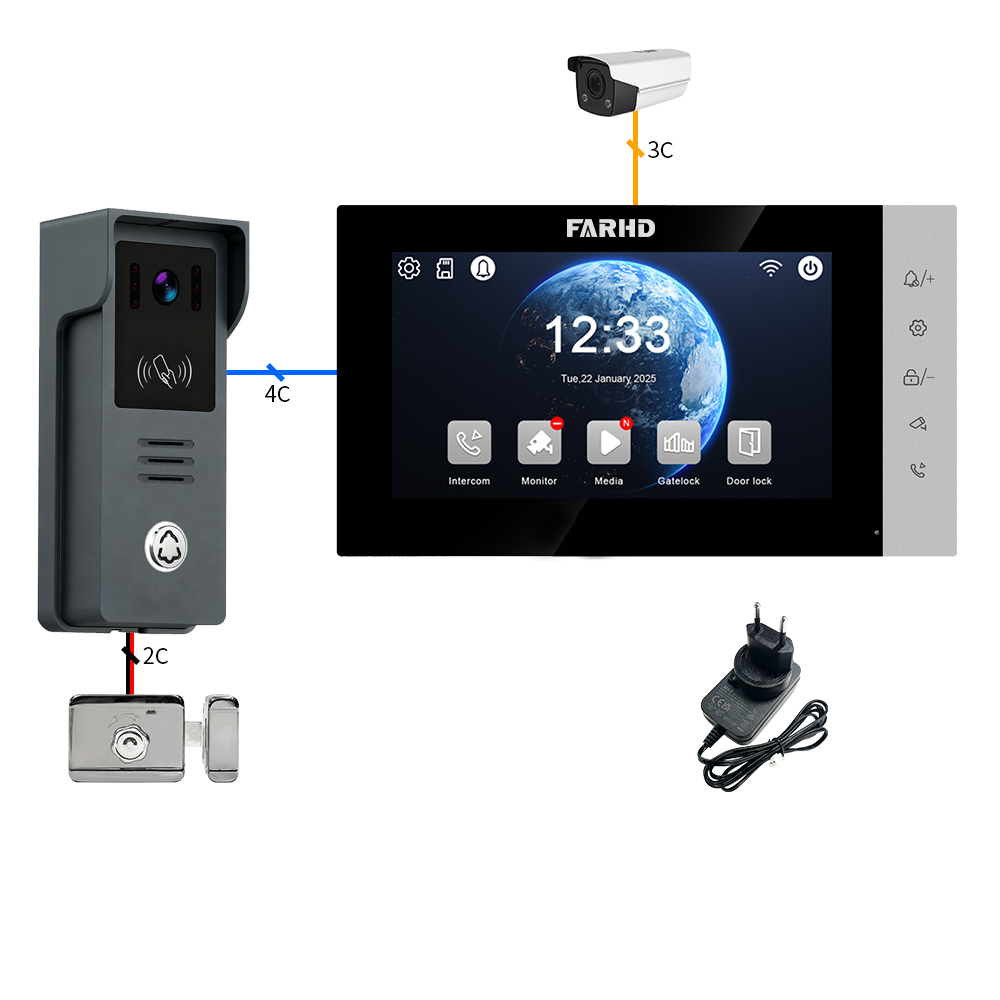
🔗 Anchored Resource: For businesses seeking professional-grade doorbells optimized for stable WiFi performance, visit FARHD’s 4-Wire Villa Doorbell Solutions.
4. Best Practices to Reduce Doorbell Camera Latency
Reducing latency in wireless video doorbells isn’t just about upgrading your router—it’s about optimizing every part of the system, from installation to app configuration. Whether you’re a proprietario di casa, installatore, o smart security distributor, these best practices will help minimize lag and improve real-time responsiveness.
🛠️ Installation Efficiency Checklist
| Migliore Pratica | Descrizione |
|---|---|
| Line of Sight | Ensure the doorbell has a direct line-of-sight to the router or access point. |
| Height Placement | Mount at chest level (~4.5 feet) for optimal motion detection and camera angle. |
| Avoid Direct Sunlight | Prevent overheating and sensor overload. |
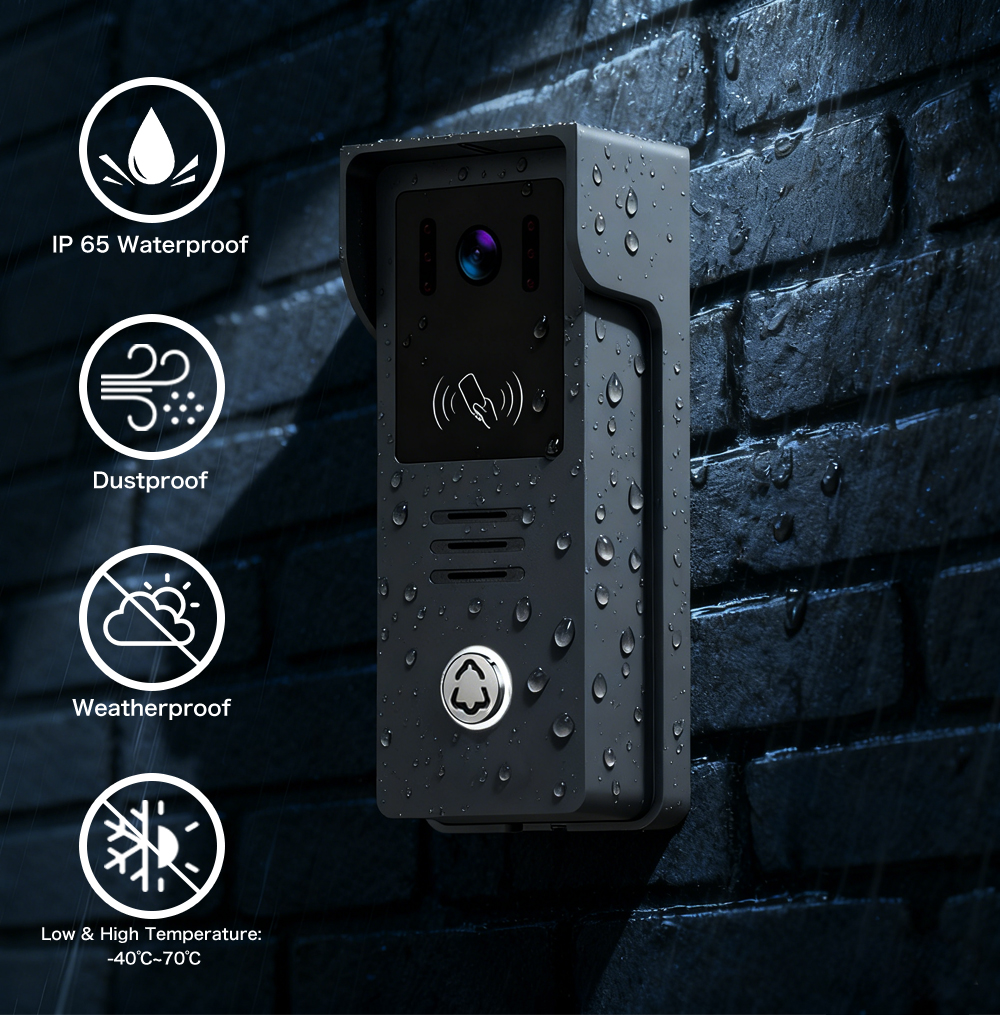
| Use Weatherproofing | Protect device from moisture that may affect performance. |
📲 App Optimization Tips
- Enable Push Notifications: Ensure your phone settings allow the doorbell app to send alerts without delay.
- Disable Battery Optimization: Some phones delay background processes to save battery. Turn this off for the doorbell app.
- Limit Background Apps: Free up phone memory to ensure faster video loading.
🔧 Network Optimization Best Practices
- Separate IoT Network: Use a guest or IoT-specific network to isolate smart devices.
- Update DNS Settings: Use fast DNS servers like Google (8.8.8.8) or Cloudflare (1.1.1.1) for quicker app-server communication.
- Regular Reboots: Schedule router and doorbell reboots weekly to avoid memory buildup and slowdowns.
🧰 Installer Pro Tips for B2B Deployments
When deploying doorbell cameras in large quantities—such as in edifici multi-unità, hotel, o immobili commerciali—follow these professional tips to eliminate delay issues at scale:
- Conduct a WiFi Heatmap Analysis prima dell'installazione.
- Utilizzare PoE-based doorbells where wireless interference is high.
- Includi surge protectors to maintain device longevity.
- Offrono firmware update services as part of post-installation maintenance.
📌 Quick Action Checklist
- ✅ Ensure router placement is optimal.
- ✅ Use mesh WiFi or extenders for large properties.
- ✅ Configure app and OS settings correctly.
- ✅ Regularly update firmware and reboot devices.
5. Firmware and Software Tweaks to Improve Doorbell Performance
Firmware and app software often get overlooked, but they play a significant role in doorbell camera latency. Manufacturers frequently release updates that optimize motion detection, improve streaming, and remove connectivity bugs.
🔄 Why Firmware Updates Matter
Firmware controls the internal logic of the doorbell—everything from how fast it wakes up to how quickly it sends video to your phone. Delayed alerts or video freezing may stem from outdated firmware.
| Firmware Benefit | Effect on Performance |
|---|---|
| Enhanced Motion Detection | Reduces false alerts, faster notification. |
| Improved Compression | Lower latency in video streaming. |
| Better Battery Management | Ensures device wakes up faster. |
| WiFi Signal Handling | Improves stability across weak signals. |
🧩 How to Update Firmware (General Steps)
- Open the doorbell app.
- Navigate to Impostazioni Dispositivo > Aggiornamento Firmware.
- Connect to the same WiFi network.
- Tap ‘Update’ and wait for the process to complete.
- Reboot the doorbell after updating.
⚠️ Tip: Always perform firmware updates during off-peak hours to avoid network congestion.
💡 Software Tweaks for Low-Latency Performance
- Enable Motion Zones: Reduces false alerts and unnecessary video triggers.
- Lower Video Resolution: 720p streams faster than 1080p on slower networks.
- Disable Two-Way Audio (if not needed): Saves bandwidth and improves speed.
- Set Notification Priority to ‘High’ on Android to override battery-saving delays.
🔗 Anchored Resource: For businesses needing reliable doorbells with regular firmware support and OTA update capabilities, check out Soluzioni OEM/ODM di FARHD.
6. When to Replace Your Doorbell Hardware for Speed Issues
Sometimes, no amount of optimization will resolve latency—especially if the hardware is outdated or low-quality. If you’ve exhausted all troubleshooting steps and still experience delays, it may be time to replace or upgrade your doorbell camera.
🧪 Signs Your Doorbell Needs Replacement
| Symptom | Probabile causa |
|---|---|
| Delay > 5 seconds consistently | Processor too slow |
| Frequent Disconnections | Poor WiFi chip |
| App Crashes or Lag | Incompatible firmware |
| Blurry or Frozen Video | Outdated camera sensor |
📦 Choosing the Right Replacement
When selecting a new wireless doorbell, focus on models with:
- WiFi 6 compatibility
- Low-latency chipsets
- Fast wake-up times (under 1 second)
- Opzioni di archiviazione cloud e locale
- OTA (Over-the-Air) firmware updates
🛒 B2B Buyer Considerations
Se sei un Acquirente B2B, rivenditore, o distributore, prioritize suppliers that:
- Forniscono documentazione tecnica e latency test results
- Offrono white labeling e branding personalizzato
- Have dedicated assistenza post-vendita teams
- Consentire bulk pricing tiers per ordini di grande volume
📌 When to Recommend an Upgrade
- For units older than 3 years.
- If the device lacks firmware support from the manufacturer.
- When users complain about consistent lag despite network optimization.
🔗 Anchored Resource: Consider upgrading to high-performance, customizable doorbells from Catalogo prodotti FARHD, ideal for both residential and commercial deployments.
7. Top Wireless Video Doorbells with Low Latency in 2025
Choosing a wireless video doorbell with minimal lag is crucial for both home security and professional installations. In 2025, the market is saturated with new models, but only a few stand out for their low-latency performance, smart integration, e reliability in high-demand environments.
🏆 Top Low-Latency Wireless Doorbell Cameras (2025)
| Marchio | Modello | Latency (Avg) | Caratteristiche principali | Ideale per |
|---|---|---|---|---|
| FARHD | Serie Villa a 4 fili | 1-2 seconds | OEM/ODM support, real-time 2-way audio, app integration | Installers, Businesses |
| Arlo | Videocitofono 2K | 2-3 seconds | HDR video, 180° field of view | Smart home |
| Ring | Video Doorbell Pro 2 | 2-4 seconds | 3D motion detection, Alexa support | Proprietari di case |
| Eufy | Videocitofono Dual | 2-3 seconds | Dual-cam, AI package detection | Retail users |
| Nido | Campanello (batteria) | 3-5 seconds | Google Assistant, smart alerts | Appartamenti |
⚠️ Note: Latency varies depending on WiFi conditions, cloud server proximity, and phone OS.
🔍 Perché FARHD si Distingue per gli Acquirenti B2B
Shenzhen FARHD Tech Co. (FARHD) is not only a manufacturer but a full-stack solution provider for the video doorbell industry. Their 4-Wire Villa Series and customizable OEM options are specifically designed to meet high-performance demands in edifici multi-unità, ecosistemi di casa intelligente, e enterprise installations.
Key Benefits of FARHD Wireless Doorbells:
- <strong>1–2 second latency</strong> with proprietary communication protocols.
- Completo Personalizzazione OEM/ODM for brand owners.
- Integrated design from LCD to finished product.
- Certificazioni globali: FCC, CE, RoHS, ISO 9001.
- Dedicated R&D for firmware updates and AI optimization.
🔗 Anchored Resource: Explore the full lineup of low-latency, customizable smart doorbells on FARHD’s official product page.
8. Choosing a Video Doorbell for Business Use: What to Consider
For commercial properties, real estate developers, and smart home solution providers, selecting the right doorbell camera goes beyond just video quality. You need a solution that offers reliability at scale, integration flexibility, e long-term support.
🧩 Key Factors for B2B Doorbell Selection
| Criteri | Descrizione |
|---|---|
| Latenza | Must support sub-3-second response times |
| Interoperabilità | Works with popular smart hubs (e.g., Alexa, Google, HomeKit) |
| Bulk Configuration Support | Allows easy setup across multiple units |
| Gestione remota | Offers centralized app or portal access |
| Marchio personalizzato | Supports white labeling for resellers and integrators |
| Garanzia e supporto | Minimum 1-year warranty, multilingual tech support |
📦 Ideal Use Cases
- Rental Apartments & Condos
- Require low-maintenance, scalable systems with centralized control.
- Office Buildings & Co-Working Spaces
- Need low-latency access control with real-time monitoring.
- Hotels & Guest Houses
- Benefit from video intercom features and visitor logging.
- Catene di vendita al dettaglio
- Enhance front-door visibility and package security.
💼 Why FARHD is the Preferred Choice for Enterprises
FARHD provides a full-stack approach, meaning businesses can purchase everything from key components (LCD, camera modules) to fully-assembled video doorbells under their own brand. With a rich portfolio in produzione OEM/ODM, FARHD empowers businesses to:
- Launch private-label products without R&D investment.
- Integrate doorbells with access control and security systems.
- Scale efficiently with bulk production lines e logistica globale.
🔗 Anchored Resource: Learn more about FARHD’s capabilities for enterprise and integrator clients on their Pagina su di noi.
9. FAQ: Fixing Lag in Wireless Doorbell Cameras
This section covers the most frequently asked questions by both consumers and B2B clients about wireless doorbell lag.
❓ Why is my doorbell camera delayed by several seconds?
Common causes include:
- Weak WiFi signal
- Low upload speed
- App notification delays
- Outdated firmware
❓ Can I use a WiFi extender to fix the delay?
Sì, WiFi extenders or mesh systems can significantly improve signal strength and reduce latency, especially in large homes or buildings.
❓ Do wired doorbells perform better than wireless ones?
Sì, wired doorbells (especially PoE models) generally have lower latency and are more stable, making them ideal for business use.
❓ How do I know if my doorbell firmware is outdated?
Most smart doorbell apps will notify you when an update is available. You can also check manually under Device Settings > Firmware.
❓ Is cloud storage causing my video delay?
It can. Some cloud-based models take longer to upload and retrieve footage. Look for models with local storage options if this is a concern.
❓ What upload speed do I need for a smooth doorbell experience?
At least 2 Mbps per camera is recommended for real-time video streaming without delays.
❓ Can I customize wireless video doorbells for my brand?
Yes. Companies like FARHD offrono soluzioni complete soluzioni OEM/ODM, allowing you to add your logo, select hardware features, and configure software to your needs.
❓ How can I contact a professional doorbell manufacturer?
You can reach out to FARHD for enterprise inquiries through their Pagina di contatto. They offer full consultation and quotation services for B2B clients.
✅ Final Thoughts and Next Steps
Fixing delay on wireless video doorbell cameras involves a blend of network optimization, firmware management, and sometimes hardware upgrades. For homeowners, this means better security and peace of mind. For businesses, it’s about delivering a seamless, real-time experience to tenants, customers, or staff.
Se sei un distributore, integratore di sicurezza, o fornitore di soluzioni per la casa intelligente, partner with a trusted, vertically integrated manufacturer like FARHD to ensure your doorbell solutions are fast, reliable, and scalable.
🛒 Ready to offer high-performance doorbell cameras under your own brand?
👉 Visita FARHD’s OEM/ODM Manufacturing Solutions to start building your product line today.
Potreste anche essere interessati
-

FARHD to Showcase All-Climate Technology at 2026 China Security Expo, Empowering Smart Communities in Northern China
From November 3 to 6, 2026, FARHD, a global leader in smart security and communication solutions, will unveil its full range of products deeply optimized for the harsh winter conditions of northern China at the 18th China International Social Public Security Products Expo (Security China). Under the theme “Digital Intelligence World, Total Security,” the expo…
-

FARHD to Showcase All-Climate Hard-Tech Solutions at Securika Moscow 2026
From April 22 to 24, 2026, FARHD, a global leader in smart security and communication solutions, will unveil its full range of products engineered for extreme climates at Securika Moscow 2026, held at Crocus Expo in Moscow, Russia. At booth A-9101, FARHD will present its smart intercom, access control, and smart home solutions—all deeply optimized…
-

FARHD Honored with Multiple Prestigious Awards in China’s Building Intercom Industry, 28 Years of Deep Engagement in the Chinese Market Solidifying Its Position as a Leading Brand
Recently, in the annual selection event jointly organized by the China Security and Protection Industry Association and multiple authoritative media outlets, FARHD, by virtue of its profound industry experience, outstanding technological innovation capabilities, and extensive market recognition, was awarded the prestigious “Most Influential Brand in China’s Building Intercom Industry” . These accolades not only affirm FARHD’s 28…
-

FARHD Honored with Multiple Prestigious Awards in China’s Building Intercom Industry, 28 Years of Deep Engagement in the Chinese Market Solidifying Its Position as a Leading Brand
Recently, in the annual selection event jointly organized by the China Security and Protection Industry Association and multiple authoritative media outlets, FARHD, by virtue of its profound industry experience, outstanding technological innovation capabilities, and extensive market recognition, was awarded the prestigious “National Top 10 Quality Brands in the Security Industry” . These accolades not only affirm FARHD’s…



