
Hoe gebruik je een Tuya-videodeurbel voor slimme thuisbeveiliging en B2B-integratie
november 12, 2025
Deel dit artikel

1. Wat is een Tuya-videodeurbel en hoe werkt deze?
Inleiding tot Tuya-videodeurbellen
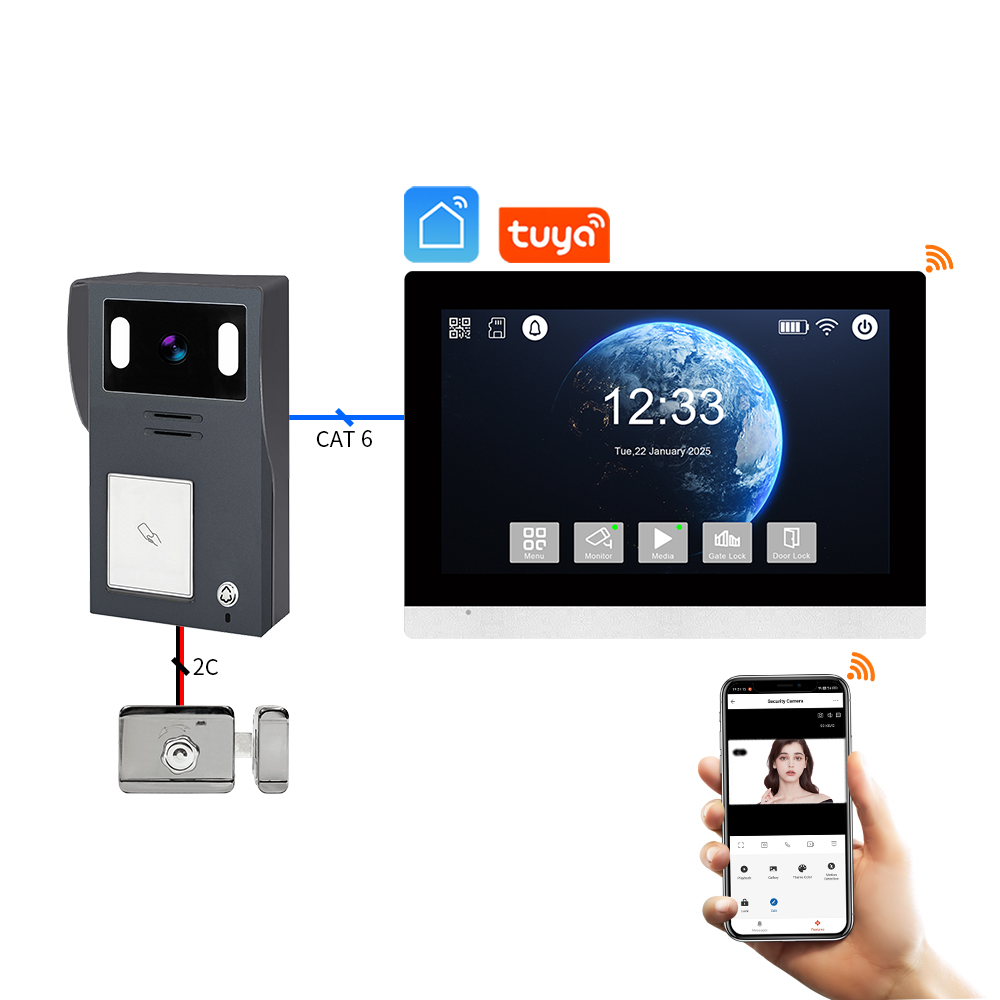
A Tuya-videodeurbel is een slimme woningbeveiligingsapparaat geïntegreerd met het IoT-platform van Tuya. Tuya biedt een universele oplossing voor slimme apparaten, waardoor fabrikanten hun producten kunnen verbinden met de cloud, apps en AI-gestuurde diensten. Tuya-compatibele deurbellen stellen gebruikers in staat om:
- Voordeuractiviteit in real-time te monitoren
- Te communiceren via tweerichtingsaudio
- Meldingen te ontvangen die worden geactiveerd door bewegingsdetectie
- Opnames op te slaan in de cloud of op lokale SD-kaarten
- Te integreren met slimme woning-ecosystemen zoals Alexa, Google Homeen IFTTT
Hoe Tuya-videodeurbellen werken
| Component | Functionaliteit |
|---|---|
| HD Camera | Legt live video en beelden vast |
| Bewegingssensor | Detecteert beweging en verstuurt meldingen |
| Microfoon & luidspreker | Maakt tweerichtingscommunicatie mogelijk |
| WiFi-module | Verbindt de deurbel met de Tuya Smart App en cloud |
| Voeding | Opties op batterijen of bedraad beschikbaar |
| Opslagopties | Cloud via Tuya of lokale opslag via microSD |
Belangrijkste voordelen:
- Naadloze integratie met het Tuya Smart-ecosysteem
- Externe toegang en real-time meldingen
- Betaalbaar en schaalbaar voor B2B-multi-eigendomstoepassingen
Wie gebruikt Tuya-videodeurbellen?
- Huiseigenaren op zoek naar slimme beveiliging
- Beheerders voor meergezinswoningen
- B2B-kopers zoals distributeurs, groothandelaarsen OEM-merken die white-label oplossingen nodig hebben
Tuya-deurbellen zijn niet alleen voor consumenten. Hun compatibiliteit met een breed scala aan OEM/ODM-fabrikanten maakt ze een ideale keuze voor groothandelskopers en leveranciers van beveiligingsoplossingen.
2. Hoe installeer ik een Tuya-videodeurbel: Stapsgewijze installatiegids
Pre-installatie checklist
Voordat u een Tuya-videodeurbel installeert, zorg voor het volgende:
- Stabiele WiFi-verbinding (2,4 GHz) – Tuya-apparaten ondersteunen geen 5 GHz
- Tuya Smart-app gedownload op uw smartphone
- Voedingsbron (batterij opgeladen of bedrading gereed)
- Montagegereedschap (schroeven, pluggen, schroevendraaier)
Installatiestappen
Stap 1: Laad op of Sluit Voeding Aan
- Als op batterijen, laad de batterij volledig op met USB-kabel
- Als bedraad, sluit het apparaat aan op uw bestaande deurbelbedrading (12-24V AC)
Stap 2: Monteer de deurbel
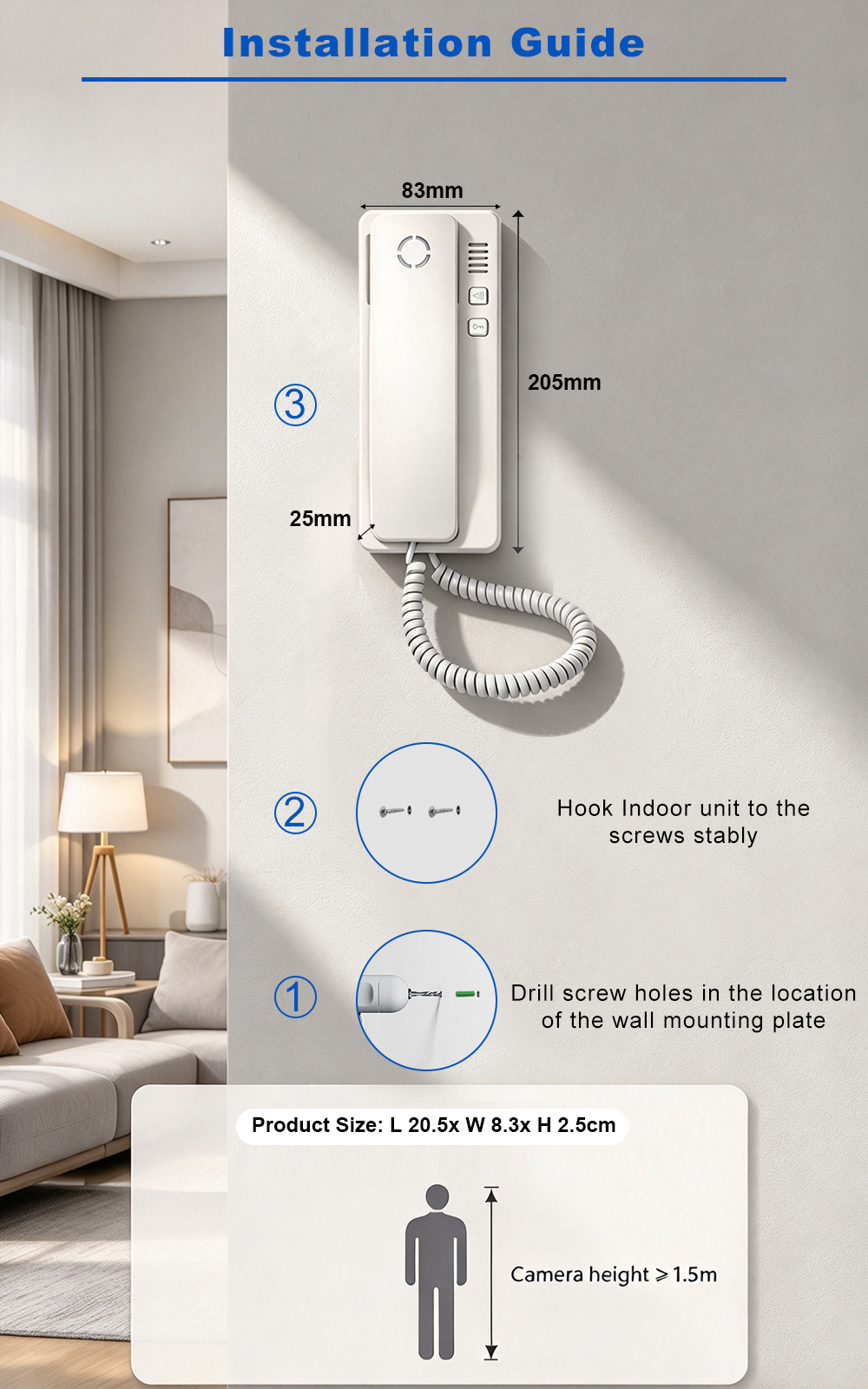
- Kies een locatie nabij uw deur op ooghoogte (~1,2-1,5 meter)
- Bevestig de montageschroeven met schroeven
- Klik de videodeurbel vast op de beugel
Stap 3: Verbind met WiFi
- Open de Tuya Smart-app
- Tik op „Apparaat toevoegen“ → „Videosurveillance“ → „Slimme deurbel“
- Volg de instructies in de app en scan de QR-code die op uw telefoon wordt weergegeven met de camera van de deurbel
Stap 4: Definitieve installatie
- Bevestig dat de audio- en videofeed werkt
- Stel de gevoeligheid voor bewegingsdetectie in
- Configureer de instellingen voor pushmeldingen
Tips voor installatie
| Tip | Beschrijving |
|---|---|
| Gebruik hoekmontage | Vergroot het gezichtsveld voor installaties in hoeken |
| Beveiligd WiFi-signaal | Plaats de router binnen 10-15 meter van de deurbel |
| Schakel versleuteling in | Gebruik de versleutelde cloudservices van Tuya voor veilige gegevensopslag |
| Geef uw apparaat een naam | Vooral handig voor panden met meerdere units |
3. Hoe verbind je de Tuya-videodeurbel met de Tuya Smart-app
Het verbinden van uw Tuya-videodeurbel met de Tuya Smart-app ontgrendelt het volledige potentieel, inclusief externe toegang, cloudopslag en slimme woningintegratie.
App-download en accountinstelling
- Download de Tuya Smart of Slim leven app uit de App Store of Google Play.
- Maak een account aan en log in.
- Schakel locatie en Bluetooth in op uw apparaat voor eenvoudigere koppeling.
De deurbel koppelen
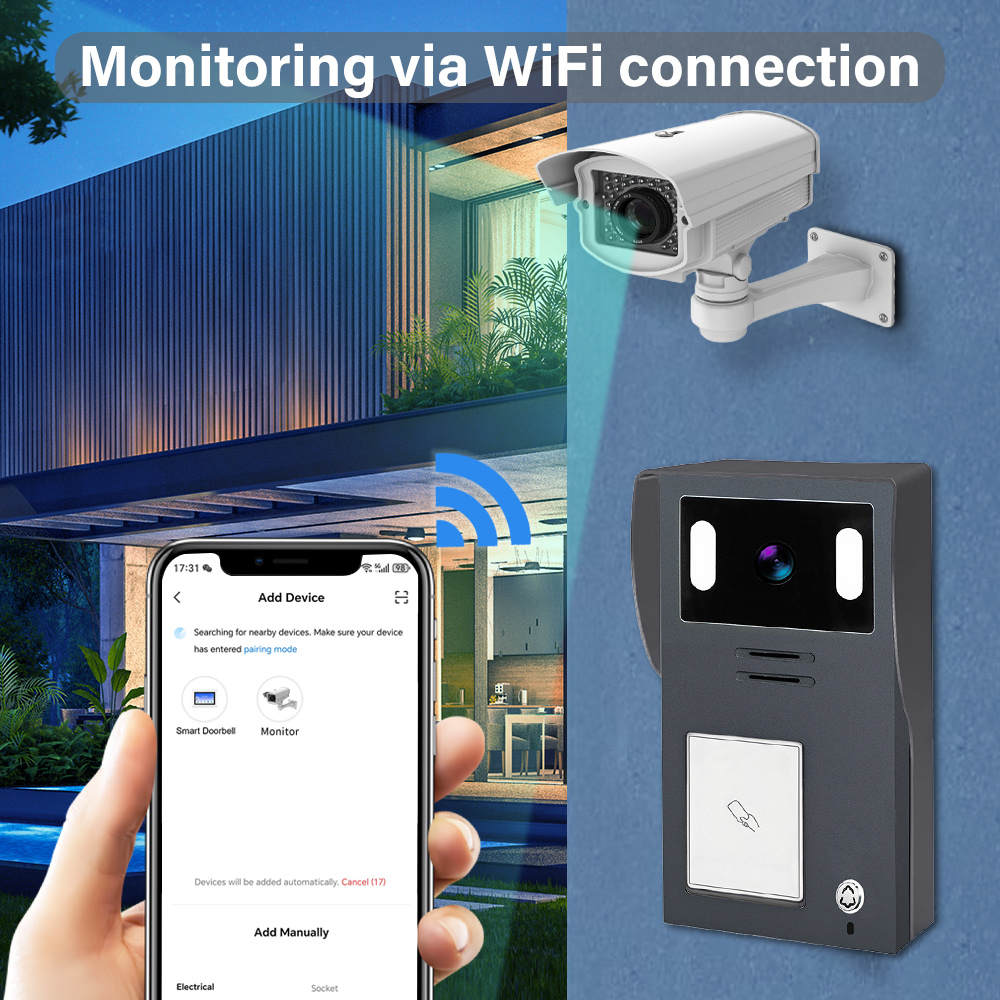
- Open de app en tik op „+“ om een nieuw apparaat toe te voegen.
- Selecteer Videobewaking → Slimme deurbel (WiFi).
- Zorg ervoor dat de deurbel in de koppelingsmodus staat (meestal knipperend blauw).
- Voer uw 2,4 GHz WiFi-gegevens in.
- Scan de QR-code die in de app wordt weergegeven met de camera van de deurbel.
- Wacht tot het apparaat verbinding maakt (duurt 30-60 seconden).
Apparaatinstellingen aanpassen
Nadat het is verbonden, kunt u het volgende aanpassen:
- Detectiegebieden en gevoeligheid voor beweging
- Meldingsschema’s (bijv. alleen waarschuwen ’s nachts)
- Instellingen voor tweerichtingsaudio
- Voorkeuren voor videoregistratie (cloud of SD-kaart)
Cloud Storage Integration
Tuya biedt optionele cloudabonnementen:
| Opslagplan | Kenmerken | Ideaal voor |
|---|---|---|
| Basis | 7 dagen gebeurtenishistorie, bewegingsopnames | Woningen en kleine appartementen |
| Standaard | 14 dagen historie, continue video | Grote huizen, kleine kantoren |
| Premium | 30 dagen historie, ondersteuning voor meerdere camera’s | Meergezinswoningen, B2B |
Let op: Lokale opslag op SD-kaart is ook ondersteund voor offline back-ups.
Voordelen voor B2B-kopers
- Beheer meerdere apparaten vanaf één account
- Wijs verschillende gebruikers en rechten toe
- Schakel Dashboardweergaven voor meerdere panden
- Optie om white-label de app te personaliseren met uw bedrijfsbranding via OEM-partnerschappen
Voor bedrijven die Tuya-compatibele videodeurbellen willen inkopen, FARHD biedt volledige ontwerpdiensten, OEM/ODM en app-integratie voor slimme deurbelsystemen.
4. Hoe gebruik je een Tuya-videodeurbel met Alexa of Google Home
Het integreren van uw Tuya-videodeurbel met Alexa of Google Home maakt spraakopdrachten, slimme routines en live videostreaming mogelijk op compatibele apparaten. Dit is vooral handig voor huiseigenaren en B2B-kopers het beheren van meerdere slimme panden of het bieden van meerwaarde aan huurders en klanten.
Integratie met Amazon Alexa
Compatibele apparaten:
- Echo Show
- Echo Spot
- Fire TV
Installatiestappen:
- Open de Alexa-app.
- Ga naar Vaardigheden & Spellen → Zoek naar „Tuya Smart“ of „Smart Life“.
- Activeer de vaardigheid en koppel uw Tuya-account.
- Ontdek apparaten; uw deurbel zou automatisch moeten verschijnen.
- Wijs deze toe aan een groep of kamer (bijv. „Voordeur“).
Spraakopdrachten:
- "Alexa, laat me de voordeur zien."
- „Alexa, is er iemand aan de deur?“
- „Alexa, beantwoord de deurbel.“
Integratie met Google Home
Compatibele apparaten:
- Google Nest Hub
- Chromecast-compatibele tv’s
- Android-telefoons met Assistant
Installatiestappen:
- Open de Google Home-app.
- Tik op „+“ → „Apparaat instellen“ → „Werkt met Google“.
- Zoek en koppel uw Tuya Smart of Slim leven account.
- Wijs de deurbel toe aan een kamer.
Spraakopdrachten:
- “Hey Google, toon me de voordeur.”
- „Hé Google, wie is er aan de deur?“
- „Hé Google, schakel bewegingsmeldingen in.“
Voordelen voor B2B-toepassingen
| Functie | Gebruiksscenario voor bedrijven |
|---|---|
| Spraakgestuurde toegangscontrole | Slimme toegang voor bezorgingen, gasten en aannemers |
| Real-time monitoring op scherm | Gemeenschappelijke ruimtes in appartementencomplexen of kantoorlobby’s |
| Geautomatiseerde routines | Activeer lichten of alarmen bij bewegingsdetectie |
| Merkbeleving | OEM-leveranciers kunnen Tuya-API’s integreren in white-labelplatforms |
FARHD biedt slimme videodeurbeloplossingen die Tuya-spraakintegraties ondersteunen en kunnen worden aangepast voor white-label B2B-toepassingen. Bekijk hun productassortiment voor compatibele modellen met ondersteuning voor Alexa en Google Home.
5. Slimme functies van Tuya-compatibele videodeurbellen in 2025
De evolutie van Tuya’s IoT-platform heeft next-gen slimme functies mogelijk gemaakt in videodeurbellen, waardoor ze niet alleen veiliger zijn, maar ook intelligenter en adaptiever. Hieronder staan de belangrijkste functies om op te letten in 2025 Tuya-compatibele deurbellen, vooral voor bedrijven en distributeurs die bulkinkoop overwegen.
Belangrijkste slimme functies
1. AI-gestuurde bewegingsdetectie
- Herkent mensen versus dieren versus voertuigen
- Vermindert valse alarmen door geavanceerde algoritmes
- Aanpasbare detectiegebieden en gevoeligheidsniveaus
2. Gezichtsherkenning (geavanceerde modellen)
- Herkent frequente bezoekers (familie, personeel)
- Stuurt gepersonaliseerde meldingen
- Integratie met toegangscontrolesystemen
3. Cloud- en edge-opslagopties
- Lokale SD (tot 128 GB) en versleutelde cloudopslag
- Edge-AI-verwerking voor snellere reactietijden
- Geen afhankelijkheid van internet voor basisfuncties
4. Batterij- en energie-efficiëntie
- Laagvermogen wake-up-modi
- Compatibiliteit met zonnepanelen voor duurzame energie
- Verbeterde batterijduur (tot 6 maanden op één lading)
5. Meergebruikers- en meerdelige toegang
- Deel toegang met familie of personeel
- Op rollen gebaseerde toegangscontrole voor pandbeheerders
- Cloud-dashboard voor vlootbeheer
Vergelijkingstabel met functies
| Functie | 2023 Standaardmodellen | 2025 Tuya-verbeterde modellen |
|---|---|---|
| Bewegingsdetectie | Basis PIR | AI-mens/voertuigdifferentiatie |
| Opslagopties | SD-kaart of cloud | Edge + cloud hybride |
| Ondersteuning voor spraakassistent | Gedeeltelijk | Volledige Alexa/Google-integratie |
| Stroombron | Bedraad/batterij (korte levensduur) | Zonne-energie + lange batterijduur |
| Slimme meldingen | Mogelijke vertraging | Real-time, slimme meldingen |
Voordelen voor B2B-kopers
- Geüpgradede SKU’s voor premium productlijnen
- Verhoogde ARPU (gemiddelde omzet per gebruiker) met cloudabonnementen
- Lagere ondersteuningskosten door AI-gebaseerde nauwkeurigheid
- Ideaal voor slimme stadsprojecten, afgesloten gemeenschappen en gebouwen met meerdere huurders
Als u van plan bent om geavanceerde Tuya-compatibele videodeurbellen in te kopen of te distribueren, is FARHD een bewezen OEM/ODM-partner met volledige interne R&D en aanpassingsmogelijkheden. Lees meer over hun end-to-end oplossingsdiensten hier.
6. Problemen oplossen bij veelvoorkomende problemen met Tuya-videodeurbellen
Zelfs de beste slimme deurbellen kunnen problemen ondervinden. Het begrijpen van hoe u veelvoorkomende problemen kunt oplossen, zorgt voor een naadloze gebruikerservaring en helpt B2B-verkopers de kosten voor nazorgondersteuning te verlagen.
Probleem 1: Apparaat koppelt niet
Mogelijke oorzaken:
- WiFi is geen 2,4 GHz
- Deurbel staat niet in koppelingsmodus
- Zwakke signaalsterkte
Oplossingen:
- Zorg ervoor dat de router alleen 2,4 GHz is
- Reset de deurbel (meestal door de resetknop 5-10 seconden ingedrukt te houden)
- Plaats de deurbel dichter bij de router tijdens de installatie
Probleem 2: Geen bewegingsmeldingen
Mogelijke oorzaken:
- Bewegingsdetectie uitgeschakeld
- Lage gevoeligheidsinstellingen
- Verouderde firmware
Oplossingen:
- Schakel bewegingsdetectie in in de Tuya-app
- Stel de gevoeligheid in op „hoog“ en test
- Controleer op en installeer firmware-updates
Probleem 3: Live video laadt niet
Mogelijke oorzaken:
- Onvoldoende bandbreedte
- Serverprobleem of appfout
- Apparaat offline
Oplossingen:
- Koppel ongebruikte apparaten los van WiFi
- Herstart de app en de deurbel
- Controleer de apparaatstatus in de app
Probleem 4: Alexa of Google herkent apparaat niet
Mogelijke oorzaken:
- Vaardigheid niet correct gekoppeld
- Meerdere accounts veroorzaken conflicten
- Apparaat niet correct gedeeld
Oplossingen:
- Koppel uw Tuya-account opnieuw met Alexa/Google
- Zorg ervoor dat de deurbel is toegewezen aan de juiste kamer
- Deel apparaattoegang met het juiste gebruikersaccount
B2B-tip: Maak een probleemoplossingsblad
Om de klanttevredenheid te verbeteren en service-oproepen te verminderen, distributeurs en OEM’s moeten een quick-startgids met veelvoorkomende probleemoplossingsstappen in elke productverpakking opnemen.
FARHD biedt uitgebreide nazorgondersteuning en documentatie voor al zijn videodeurbeloplossingen. U kunt contact opnemen met hun team via de contactpagina voor aangepaste ondersteuning of OEM-onboarding.
7. Tuya-videodeurbel voor huurpanden en meergezinswoningen
Tuya-videodeurbellen zijn niet alleen voor individuele huiseigenaren – ze zijn ook een krachtige oplossing voor huurwoningen, gebouwen met meerdere eenhedenen commerciële eigendommen. Hun cloudgebaseerd beheer, schaalbaarheid en slimme integratiefuncties maken ze ideaal voor vastgoedbeheerders, gebouwbeheerdersen B2B-kopers die zich richten op vastgoed en hospitality.
Waarom Tuya-videodeurbellen gebruiken in meergezinswoningen?
| Voordeel | Beschrijving |
|---|---|
| Gecentraliseerd beheer | Beheer en monitor meerdere eenheden vanaf één Tuya-account |
| Rolgebaseerde toegang | Wijs verschillende toegangslevels toe aan huurders, beheerders en onderhoudsteams |
| Afstandsbediening & Meldingen | Ontvang bewegingsmeldingen zelfs op afstand |
| Slimme slotintegratie | Combineer met Tuya-slimme sloten voor naadloze toegangscontrole |
| Kosteneffectieve schaalbaarheid | Betaalbare grootschalige uitrol met cloudgebaseerd beheer |
Algemene toepassingen
- Appartementencomplexen
- Wijs aan elke eenheid een slimme deurbel toe
- Huurders gebruiken de Tuya-app voor videogesprekken en meldingen
- De huisvestingsbeheerder behoudt override-toegang voor noodgevallen
- Tijdelijke Verhuur (bijv. Airbnb)
- Monitor in- en uitchecken van gasten op afstand
- Voorkom ongeautoriseerde toegang of feesten
- Integreer met slimme sloten voor een naadloze ervaring
- Commerciële Kantoorcomplexen
- Gebruik Tuya-videodeurbellen voor beperkte inkomenszones
- Monitor leveringen en bezoekers-toegang
- Combineer met intercoms voor verbeterde communicatie
B2B Integratiemogelijkheden
- White-label oplossingen voor grote vastgoedgroepen
- Groothandelskorting van betrouwbare OEM's
- API-integratie voor op maat gemaakte vastgoedbeheersystemen (PMS)
FARHD, met zijn uitgebreide OEM/ODM-ervaring en volledige productiecapaciteiten, is een toeleverancier bij voorkeur voor vastgoedontwikkelaars en vastgoedbeheerbedrijven die willen inzetten Tuya-compatibele videodeurbellen op schaal. Lees meer over hun capaciteiten in video-intercomsystemen met meerdere eenheden op hun Over ons.
8. Beste OEM/ODM-leveranciers voor Tuya-compatibele videodeurbellen
Als je een grootinkoper, detailhandel, of smart home merk die op zoek zijn naar hoogwaardige Tuya-videodeurbellen, is het kiezen van de juiste OEM/ODM-partner essentieel voor het waarborgen van productkwaliteit, merkflexibiliteit en technische ondersteuning.
Waar u op moet letten bij een leverancier
| Criteria | Waarom het ertoe doet |
|---|---|
| Tuya certificering | Zorgt voor compatibiliteit met Tuya-cloud en app-ecosysteem |
| Interne O&O | Snellere time-to-market en betere firmwarecontrole |
| Verticale integratie | Betere kwaliteitsborging en lagere productiekosten |
| Opties voor aangepaste branding | Ondersteuning voor logo-bedrukking, verpakking, UI-aanpassing |
| After-Sales Technische Ondersteuning | Vermindert retourpercentages en verbetert klanttevredenheid |
Top OEM/ODM-leveranciers wereldwijd
🇨🇳 FARHD (Shenzhen FARHD Tech Co., Ltd.)
- Tuya-gecertificeerde OEM/ODM-fabrikant
- Eind-tot-eindproductie: van LCD-module tot afgewerkte videodeurbel
- Gespecialiseerd in intercomsystemen voor meerdere appartementen, slimme beveiliging, en Tuya-integraties
- Meer dan 60% marktaandeel in China met sterke aanwezigheid in Italië, Korea en Turkije
- Volledige ondersteuning voor huismerk, op maat gemaakte UI, en cloudintegratie
🔗 OEM/ODM-services van FARHD verkennen
🇺🇸 Remo+ (VS)
- Tuya-compatibele slimme videodeurbellen met cloudopslag
- Beperkte OEM-mogelijkheden maar sterke B2C-aanwezigheid
- Ideaal voor distributeurs die op zoek zijn naar direct verzendbare opties
🇪🇺 Smartwares (Nederland)
- Biedt Tuya-geactiveerde videodeurbellen voor de Europese markt
- Richt zich voornamelijk op retail- en doe-het-zelfsegmenten
Waarom kiezen voor FARHD?
| Functie | FARHD Voordeel |
|---|---|
| Volledige productiecapaciteiten | Beheer van LCD tot eindmontage |
| Expertise in Tuya-integratie | Diepe samenwerking met Tuya’s IoT-platform |
| Hoge productiecapa | 13 productielijnen in een faciliteit van 5.500 m² |
| KwaliteitsCertificeringen | ISO 9001, CE, FCC, ROHS, SGS |
| Toegewijd R&D-team | Snelle prototyping en firmware-aanpassing |
FARHD is niet zomaar een fabriek—het is een technologische partner met focus op innovatie, kwaliteit en wereldwijde schaalbaarheid. Of u nu 500 eenheden of 50.000 eenheden nodig heeft, zij kunnen aan uw eisen voldoen met aangepaste branding, app-integratieen snelle omlooptijden.
Voor productvragen, volumeprijzen of white-labelmogelijkheden, neem contact op via hun contactpagina.
9. Veelgestelde vragen (FAQ)
V1: Kan ik een Tuya-videodeurbel gebruiken zonder abonnement?
Ja. De meeste Tuya-videodeurbellen ondersteunen lokale opslag via microSD-kaart. Cloudopslag is optioneel en biedt extra gemak en back-up.
V2: Ondersteunen Tuya-videodeurbellen 5GHz WiFi?
Nee. Tuya-videodeurbellen ondersteunen doorgaans alleen 2,4GHz WiFi, wat een langer bereik en stabielere verbinding biedt in de meeste thuisomgevingen.
V3: Kan ik Tuya-videodeurbellen integreren in een vastgoedbeheersysteem (PMS)?
Ja. Met Tuya’s open API’s en SDK’s bieden veel OEM’s zoals FARHD op maat gemaakte integraties integratie in PMS-platforms, ideaal voor hotels, appartementencomplexen en slimme gemeenschappen.
V4: Is het mogelijk om Tuya-videodeurbellen te hernoemen met mijn logo en verpakking?
Absoluut. FARHD biedt private label- en white-label services, inclusief op maat gemaakte logo-bedrukking, UI-ontwerp, verpakking en app-branding.
V5: Hoe veilig zijn Tuya-videodeurbellen?
Tuya gebruikt bankniveau AES-encryptie voor video- en gegevensoverdracht. Apparaten van gecertificeerde OEM’s zoals FARHD ondergaan ook strenge kwaliteitscontrole en firmware-audits om topkwaliteit beveiliging te garanderen.
🌐 Ontdek meer Tuya-compatibele slimme beveiligingsproducten van V op hun officiële productpagina. Of u nu een merk, distributeur of integrator bent, FARHD biedt de aanpassing, ondersteuning en kwaliteit die u nodig heeft om te slagen in de snelgroeiende slimme woningmarkt.
📩 Klaar om uw eigen lijn Tuya-videodeurbellen op te bouwen?
Werk samen met FARHD, de vertrouwde OEM/ODM-fabrikant voor wereldwijde slimme woningmerken.
👉 Neem vandaag nog contact op met FARHD om je project te bespreken.
Mogelijk bent u ook geïnteresseerd in
-
FARHD: Your 28-Year Source Factory for Video Door Phone Intercoms
When you choose a video door phone intercom supplier, you are not just buying a product—you are choosing the factory behind it. FARHD has been a source manufacturer since 1998, with over 28 years of experience in video intercom and access control. From villa kits to apartment intercoms, we deliver reliable, customizable, and Tuya-compatible solutions…
-
FARHD Source Factory: Your Trusted Partner for Video Intercom and Access Control Solutions
When you choose a manufacturing partner for video intercom and access control systems, you are not just buying products—you are investing in quality, reliability, and long-term support. FARHD has been a source factory since 1998, and today we serve clients in over 100 countries worldwide. With strict quality inspection, in-house production, independent R&D, and full…
-
2-Wire Video Door Phone Connection with Electric Rim Lock: Unlock by Card, Indoor Monitor, and App
A complete guide to wiring an electric rim lock to a FARHD 2-wire video door phone system—and configuring three convenient unlock methods: RFID card, indoor monitor, and mobile app. Whether you are upgrading an existing building or specifying a new system, this guide covers the essentials for reliable, secure access control. Electric rim locks are…
-

Video Intercom Manufacturer & Source Factory Since 1998 | OEM ODM SKD Building Intercom
Video Intercom Manufacturer & Vertical Source Factory in China FARHD is a professional video intercom manufacturer with over 28 years of specialized experience in building security intercom systems. Established in 1998, we are a genuine building intercom factory focused on independent R&D, in-house production, and customized manufacturing for global B2B clients, including distributors, importers, engineering contractors, real estate…



