
Hoe verbind je een Tuya-deurbel met de app: Stapsgewijze gids voor kopers & installateurs
24 november 2025
Deel dit artikel

1. Wat is een Tuya Slimme Deurbel en Hoe Werkt Het?
A Tuya slimme video deurbel is een netwerkverbonden beveiligingsapparaat dat gebruikers in staat stelt om bezoekers op afstand te monitoren en te communiceren via de Tuya Smart app. Tuya is een wereldwijd IoT-platform dat slimme modules en cloudservices biedt om fabrikanten te helpen bij het creëren van interoperabele slimme woningapparaten.
Belangrijkste Functies van Tuya Slimme Deurbellen:
- Tweerichtingsaudiocommunicatie
- HD videostreaming
- Motion detection alerts
- Opties voor cloud- of lokale opslag
- Externe toegang via smartphone-app
- Integratie met Alexa en Google Assistant
Hoe het werkt:
| Component | Functie |
|---|---|
| Deurbelcamera | Vastlegging van video- en audiofeeds |
| Wi-Fi-module | Verbindt het apparaat met je thuis- of kantoornetwerk |
| Tuya Cloud | Maakt real-time externe toegang en pushmeldingen mogelijk |
| Tuya App | Gebruikersinterface voor bediening, bekijken en configureren van de deurbel |
Tuya deurbellen zijn geliefd om hun slimme integratiemogelijkheden en kosteneffectieve implementatie, waardoor ze populair zijn onder zowel huiseigenaren en commerciële vastgoedbeheerders.
2. Vereisten Voor het Verbinden van Tuya Deurbel met App
Voordat je je Tuya-compatibele deurbel installeert, zorg ervoor dat je aan de volgende vereisten voldoet om verbindingsfouten en installatievertragingen te voorkomen.
Hardwarevereisten:
- A Tuya-compatibele slimme video deurbel
- A 2.4GHz Wi-Fi-netwerk (Tuya ondersteunt geen 5GHz voor de meeste deurbellen)
- A smartphone of tablet met internettoegang
- A volledig opgeladen deurbel of aangesloten bedrade voedingsbron
Softwarevereisten:
- Tuya Smart-app OF Smart Life App (beide ondersteunen het Tuya-ecosysteem)
- iOS-versie 9.0+ of Android-versie 5.0+
- Actief Tuya-account (gratis aan te maken)
Netwerkvereisten:
| Vereiste | Details |
|---|---|
| Frequentieband | 2.alleen 4GHz |
| Signaalsterkte | Sterk Wi-Fi-signaal nabij de deurbel (gebruik een Wi-Fi-versterker indien nodig) |
| Netwerkversleuteling | WPA/WPA2 aanbevolen |
| Apparaatbeperkingen | Vermijd verbinden tijdens uren met hoog netwerkverkeer |
Voorbereidingschecklist:
- ✅ Deurbel is ingeschakeld en in koppelingsmodus
- ✅ Wi-Fi-gegevens zijn beschikbaar
- ✅ Bluetooth is ingeschakeld op je smartphone
- ✅ App-rechten (locatie, Bluetooth, Wi-Fi) zijn verleend
3. Stapsgewijze Gids: Hoe Verbind Je Tuya Deurbel met App
Volg deze gedetailleerde stappen om je Tuya-compatibele slimme deurbel te verbinden met de Tuya Smart App:
Stap 1: Downloaden en Registreren in Tuya Smart App
- Ga naar de App Store (iOS) of Google Play Store (Android)
- Zoek naar “Tuya Smart” of “Smart Life”
- Download en installeer de app
- Open de app en registreer een nieuw account of log in
Stap 2: Zet de deurbel onder stroom en reset deze
- Plaats batterijen of sluit de stroombron aan
- Druk en houd de resetknop (meestal aan de zijkant of achterkant) ingedrukt gedurende ongeveer 5–10 seconden
- Wacht op een knipperend lampje of spraakbericht dat de koppelingsmodus aangeeft
Stap 3: Verbind met Wi-Fi
- Zorg ervoor dat uw telefoon is verbonden met een 2.4GHz Wi-Fi netwerk
- Tik in de app op “+ Apparaat toevoegen“
- Kies “Videodeurbel” uit de lijst met apparaten
- Voer uw Wi-Fi-naam en -wachtwoord in
- Kies de EZ-modus (standaard) of AP-modus als EZ mislukt
- Laat de app zoeken en verbinden met de deurbel
| Modus | Gebruiksscenario |
|---|---|
| EZ-modus | Snelle koppeling via Bluetooth en Wi-Fi |
| AP-modus | Handmatige verbinding via een tijdelijke hotspot |
Stap 4: Bevestig de apparaatverbinding
- Zodra verbonden, geef uw deurbel een naam (bijv. “Voordeur Deurbel”)
- Test de live videofeed en tweerichtingsaudio
- Pas instellingen aan zoals bewegingsdetectie, meldingen en opslag
Stap 5: Update de firmware (indien beschikbaar)
- Ga naar Apparaatinstellingen > Firmware-update
- Houd de firmware altijd up-to-date voor optimale prestaties en beveiliging
Tips voor Probleemoplossing:
- Als de app het apparaat niet vindt:
- Schakel over naar AP-modus
- Start de app opnieuw en probeer het opnieuw
- Controleer de sterkte van het Wi-Fi-signaal
- Reset het apparaat en probeer het opnieuw
Visuele installatiestroom:
Tuya-app → Apparaat toevoegen → Videodeurbel → Wi-Fi-gegevens invoeren → Koppelingsmodus → Verbinden → Succes
Door deze installatie te volgen, is uw slimme deurbel klaar voor gebruik en volledig geïntegreerd in het Tuya-ecosysteem. Voor op maat gemaakte B2B-deurbelsystemen of OEM-oplossingen moeten bedrijven overwegen om samen te werken met een gespecialiseerde fabrikant zoals FARHD voor naadloze app-integratie en mogelijkheden voor grootschalige productie.
4. Veelvoorkomende verbindingsproblemen en hoe ze op te lossen
Het verbinden van een Tuya-deurbel met de app is meestal eenvoudig, maar gebruikers kunnen tijdens de installatie uitdagingen tegenkomen. Hieronder staan de meest voorkomende problemen en praktische oplossingen voor zowel consumenten als B2B-installateurs die meerdere apparaten beheren.
1. Deurbel komt niet in koppelingsmodus
Symptomen:
- Geen knipperend indicatielampje
- Geen spraakbericht na het indrukken van de resetknop
Oplossingen:
- Zorg ervoor dat het apparaat correct van stroom wordt voorzien (controleer batterij of stroomvoorziening)
- Druk en houd de resetknop 10–15 seconden ingedrukt
- Probeer over te schakelen van EZ-modus tot AP-modus
2. App vindt het apparaat niet
Symptomen:
- App faalt tijdens “Apparaat zoeken”
- Apparaat niet gedetecteerd na invoeren van Wi-Fi-gegevens
Oplossingen:
- Zorg ervoor dat uw telefoon op hetzelfde 2.4GHz Wi-Fi netwerk
- Schakel VPN of firewall-instellingen tijdelijk uit
- Breng de telefoon dichter bij de deurbel
- Start de router opnieuw en probeer het opnieuw
3. Wi-Fi-signaal te zwak
Symptomen:
- Onderbroken verbinding
- Videofeed hapert of valt vaak weg
Oplossingen:
- Gebruik een Wi-Fi-signaalversterker nabij de deurbel
- Controleer de signaalsterkte met een Wi-Fi-analyse-app
- Verplaats uw router indien mogelijk
4. App crasht of bevriest
Oplossingen:
- Update de app naar de nieuwste versie
- Wis de app-cache (Android) of herinstalleer de app
- Start uw mobiele apparaat opnieuw
5. Firmware-update mislukt
Oplossingen:
- Zorg voor een stabiele Wi-Fi-verbinding tijdens de update
- Start de deurbel opnieuw en probeer het opnieuw
- Neem contact op met de ondersteuning van de fabrikant als het probleem aanhoudt
Probleemoplossingstabel
| Uitgave | Oorzaak | Oplossing |
|---|---|---|
| Koppelt niet | Verkeerde modus of niet correct gereset | Gebruik AP-modus of reset opnieuw |
| Wi-Fi verbindt niet | 5GHz gebruikt of zwak signaal | Schakel over naar 2.4GHz, gebruik signaalversterker |
| App detecteert apparaat niet | Bluetooth/Wi-Fi uit of geen toestemming | Schakel alle app-rechten in |
| Videofeed laadt niet | Slechte internetverbinding of verouderde firmware | Controleer netwerk, update firmware |
| Apparaat ontkoppelt vaak | Netwerkcongestie | Wijs een statisch IP-adres toe via de router |
Als u Tuya-compatibele deurbellen inzet over meerdere eigendommen of gebouwen, zorgt het kiezen van een betrouwbare OEM-partner zoals FARHD voor gestroomlijnde ondersteuning en superieure firmware-stabiliteit.
5. Beschikbare functies na verbinding met de Tuya-app
Zodra uw Tuya-deurbel succesvol is verbonden, ontgrendelt u een volledige suite slimme thuis-functies die zowel beveiliging en gemakverbeteren. Deze functies zijn vooral nuttig voor B2B-koperszoals vastgoedontwikkelaars, hotelsen wederverkopers van slimme huizen, die schaalbare, app-verbonden beveiligingsoplossingen willen.
Kernfuncties van Tuya-deurbel via app:
🔹 Live videofeed
- Real-time HD-videostreaming
- Schakel tussen dag- en nachtvisie
🔹 Tweerichtingsaudio
- Spreek direct met bezoekers vanuit de app
- Ruisonderdrukking voor duidelijkere gesprekken
🔹 Bewegingsdetectie
- Directe push-meldingen naar uw telefoon
- Aanpasbare bewegingsgevoeligheidsinstellingen
🔹 Videoweergave
- Toegang tot opnames via cloud of SD-kaart
- Download clips voor bewijs of delen
🔹 Remote ontgrendelen (indien verbonden met slim slot)
- Open deuren op afstand voor gasten of bezorgingen
- Stel tijdelijke toegangscodes in
🔹 AI-detectie (op geselecteerde modellen)
- Menselijke detectie filtert valse alarmen weg
- Pakketdetectie voor bezorgingen
🔹 Automatisering & scènes
- Integreer met Tuya-compatibele lampen, sloten en sensoren
- Maak aangepaste automatiseringen zoals “Zet de veranda-lamp aan bij bewegingsdetectie”
Bedrijfsapplicaties:
| Industrie | Gebruiksscenario |
|---|---|
| Vastgoedbeheer | Bewaak gebouwtoegang vanaf het centrale kantoor |
| Gastvrijheid | Ontvang gasten en bied digitale check-in |
| Onroerend goed | Verbeter de beveiliging van showhuizen of leegstaande eigendommen |
| Retailketens | Beheer bezorgingen op meerdere winkelpanden op afstand |
| Integrators voor slimme huizen | Bundel met andere Tuya-compatibele producten voor een volledig systeem |
Cloud vs lokale opslagopties:
| Opslagtype | Beschrijving | Voordelen | Nadelen |
|---|---|---|---|
| Cloud | Abonnementsgebaseerde opslag op Tuya-servers | Op afstand toegang, veilige back-ups | Kan maandelijkse kosten met zich meebrengen |
| Local | Gebruikt microSD-kaart in het apparaat | Eenmalige kosten, geen abonnement | Beperkte opslag, risico op schade |
Voor bedrijven die op zoek zijn naar pas de app-interface aan, white-label oplossingen zijn beschikbaar van OEM-partners zoals FARHD.
6. Integratie van Tuya-deurbel met Alexa en Google Home
Om spraakbesturing en slimme thuis-compatibiliteit te verbeteren, kunnen Tuya-deurbellen worden geïntegreerd met Amazon Alexa en Google Assistant. Dit maakt het eenvoudiger om uw slimme deurbel te beheren met spraakopdrachten of videofeeds weer te geven op slimme schermen.
Amazon Alexa-integratie
Ondersteunde functies:
- Toon video op Echo Show
- Spraakmeldingen wanneer iemand aanbelt
- Bekijk live feed via Alexa-app
Installatiestappen:
- Open de Alexa-app
- Ga naar Vaardigheden & Spellen
- Zoek naar “Tuya” of “Smart Life”
- Schakel de skill in en log in met uw Tuya-account
- Tik op Apparaten ontdekken
Google Home-integratie
Ondersteunde functies:
- Stream video naar Nest Hub of Chromecast-compatibele apparaten
- Spraakmededelingen (vereist routine-instelling)
Installatiestappen:
- Open de Google Home-app
- Tik op + Toevoegen > Apparaat instellen
- Kies Werkt met Google
- Zoek en selecteer Slim leven
- Meld u aan en synchroniseer apparaten
Spraakopdrachten om te proberen:
| Assistant | Opdrachtvoorbeeld |
|---|---|
| Alexa | “Alexa, toon me de voordeurcamera.” |
| “Hé Google, toon voordeur op de tv.” |
Deze integraties zijn vooral voordelig voor wederverkopers van slimme huizen en distributeurs die op zoek zijn naar alles-in-één pakketten die naadloos werken met bestaande ecosystemen.
Voor integrators of bedrijven die volledig gebrande en Tuya-compatibele oplossingen vereisen, FARHD biedt geavanceerde OEM/ODM-ondersteuning met ingebouwde compatibiliteit en firmware-aanpassing. U kunt deze aanbiedingen verkennen via hun OEM/ODM-diensten pagina.

7. Beste Tuya-compatibele slimme deurbellen voor bedrijven
Bij het sourcen van slimme videodeurbellen die compatibel zijn met het Tuya-platform, vooral voor bulkinkopen of grootschalige uitrol, is het essentieel om modellen te selecteren die hoge betrouwbaarheid, eenvoudige app-integratieen aanpassingsmogelijkheden.
bieden. Hieronder staat een gecureerde lijst van top-presterende Tuya-compatibele slimme deurbellen die geschikt zijn voor B2B-kopers, vastgoedbeheerdersen groothandelaars.
🏆 Top Tuya-compatibele slimme deurbellen voor B2B-gebruik
| Merk/Model | Camerakwaliteit | Type voeding | Opslag | Beste voor |
|---|---|---|---|---|
| FARHD 4-draads Villa Serie | 1080p HD | Bedraad + POE | SD & Cloud | Villa's, afgesloten gemeenschappen, aangepaste projecten |
| Generieke Tuya OEM-deurbel | 720p – 1080p | Batterij | Alleen cloud | Budgetinstallaties, huurwoningen |
| Eken V7 Tuya-editie | 1080p HD | Oplaadbaar | SD & Cloud | Instapniveau slimme deurbel voor bulkorders |
| FARHD multi-appartementkit | 1080p HD | Bedraad | NVR-integratie | Meergezinsgebouwen en appartementencomplexen |
| OEM AI slimme deurbel | 1080p + AI | Bedraad/Batterij | Cloud (AI) | AI-gebaseerde detectie voor slimme thuisbundels |
Waarom FARHD opvalt voor B2B kopers
Als u een groothandelaar, distributeur of systeemintegrator bent die op zoek is naar hoogwaardige Tuya-compatibele videodeurbellen, FARHD zou uw eerste overweging in China moeten zijn. Hier is waarom:
✔️ Geïntegreerde OEM/ODM-diensten
- Volledige controle over productie van LCD tot complete deurbellen
- Aangepaste firmware en Tuya-klaar modules voor naadloze app-koppeling
✔️ Ontworpen voor schaal
- 13 productielijnen in een fabriek van 5.500 m²
- Meer dan 260 gekwalificeerde medewerkers garanderen consistente kwaliteit en snelle doorlooptijd
✔️ Wereldwijde Certificeringen
- ISO 9001, CE, FCC, ROHS, SGS
- Vertrouwd door topmerken in Italië, Korea en Turkije
✔️ Marktbewijsde Oplossingen
- Premium bedrade systemen voor villa's en appartementen
- AI-videodeurbellen met schaalbare API's voor slimme woningplatforms
Bijvoorbeeld, de FARHD 4-draads Villa Serie integreert direct met Tuya en biedt aangepaste branding, NVR-connectiviteiten geavanceerde beveiligingsprotocollen, waardoor het ideaal is voor projectontwikkelaars en slimme woningdetailhandelaren.
8. B2B-mogelijkheden: Groothandel en OEM voor Tuya-compatibele slimme deurbellen
De wereldwijde markt voor slimme deurbellen groeit snel, gedreven door slimme stadsinitiatieven en toenemende consumentenvraag naar IoT-beveiligingsapparaten. Dit biedt een uitstekende kans voor B2B-kopers, merkownarenen distributeurs om de markt te betreden met Tuya-aangedreven oplossingen.
Wie zou B2B-partnerschappen voor Tuya-deurbellen moeten overwegen?
- 🔹 Slimme Woningmerken (op zoek naar private label- of white-labelopties)
- 🔹 Vastgoedontwikkelaars (die in bulk installeren in gemeenschappen)
- 🔹 Beveiligingssysteemintegrators
- 🔹 Retailketens (die gebrande slimme deurbellijnen aanbieden)
- 🔹 E-commerceverkopers (Amazon/FBA, Shopify, enz.)
Voordelen van het Kiezen van Tuya-compatibele Deurbellen voor B2B:
| Voordeel | Beschrijving |
|---|---|
| Snelle Tijd tot Markt | Bestaande Tuya-platform verkort ontwikkelingscycli |
| App ecosysteem | Compatibel met duizenden Tuya slimme woningapparaten |
| Cloudinfrastructuur | Wereldwijde cloudondersteuning met edge computing en real-time waarschuwingen |
| Aangepaste branding | Private label en UI-aanpassing via OEM/ODM-partners zoals FARHD |
| Schaalbare implementatie | Ideaal voor het beheren van honderden tot duizenden eenheden op verschillende locaties |
Waarom FARHD de Leidende Tuya Deurbel OEM in China Is
FARHD is al jarenlang koploper in OEM/ODM-videopoorttelefoonproductie sinds 1998. Met zijn verticaal geïntegreerde productiesysteem en een sterk R&D-team is het uniek gepositioneerd om B2B-klanten efficiënt te helpen schalen.
De OEM/ODM-diensten van FARHD omvatten:
- Aangepast Tuya deurbelontwerp en branding
- Firmware-ontwikkeling afgestemd op Tuya-cloud
- Integratie met toegangscontrole en liftsystemen
- Logistieke ondersteuning voor internationale verzending
📌 Lees meer over het volledige OEM-aanbod van FARHD op hun OEM/ODM-productiepagina
9. Veelgestelde vragen (FAQ)
Vraag 1: Kunnen Tuya-deurbellen werken zonder Wi-Fi?
Antwoord: Nee. Tuya-videodeurbellen vereisen een 2,4GHz Wi-Fi-verbinding voor externe toegang, meldingen en cloudservices. Zonder Wi-Fi kunnen ze niet verbinden met de app of video doorsturen.
Vraag 2: Is de Tuya Smart App gratis te gebruiken?
Antwoord: Ja, de Tuya Smart App is gratis. Sommige functies zoals cloudopslag kunnen echter een betaald abonnementvereisen, afhankelijk van het model en de fabrikant.
Vraag 3: Kan ik de Smart Life-app gebruiken in plaats van Tuya Smart?
Antwoord: Ja. Beide apps zijn ontwikkeld door Tuya en compatibel met Tuya-gebaseerde apparaten. Kies er een op basis van je regio of ecosysteemvoorkeur.
Vraag 4: Hoe reset ik mijn Tuya-deurbel?
Antwoord: De meeste Tuya-deurbellen hebben een kleine resetknop. Druk deze 5–10 seconden ingedrukt tot de LED begint te knipperen of een spraakprompt de koppelingsmodus aangeeft.
Vraag 5: Kunnen Tuya-deurbellen worden geïntegreerd in een slim woningssysteem?
Antwoord: Absoluut. Tuya-deurbellen integreren met Amazon Alexa, Google Assistant, en andere Tuya-gebaseerde apparaten voor volledige automatisering, zoals verlichting, sloten en sensoren.
Vraag 6: Waar kan ik Tuya-compatibele deurbellen in bulk kopen?
Antwoord: Voor groothandel, OEM of aangepaste Tuya-deurbeloplossingen, FARHD is een topfabrikant in China die volledige ondersteuning biedt van ontwerp tot levering.
Vraag 7: Zijn er Tuya-deurbellen met AI-detectie?
Antwoord: Ja. Sommige geavanceerde Tuya-compatibele modellen bevatten AI-functies zoals menselijke detectie, pakketherkenning en gezichtswaarschuwingen. OEM-partners zoals FARHD bieden aanpasbare AI-integraties voor zakelijk gebruik.
Vraag 8: Kan ik een private label Tuya-deurbel krijgen?
Antwoord: Ja. Veel fabrikanten, vooral FARHD, bieden private label-diensten, waardoor je de hardware kunt branden, verpakking kunt aanpassen en zelfs app-interfaces kunt wijzigen.
Slotgedachten & oproep tot actie
Het opzetten van een Tuya slimme deurbel is eenvoudig en krachtig, en biedt een moderne oplossing voor woningen en commerciële eigendommen. Voor bedrijven biedt de combinatie van Tuya’s cloudinfrastructuur en FARHD’s OEM/ODM-productie een ongeëvenaarde kans om te schalen in de slimme beveiligingsmarkt.
🔹 Op zoek naar betrouwbare, aanpasbare en schaalbare Tuya-compatibele deurbellen?
👉 Werk samen met FARHD — een wereldleider in complete videodeurbellsystemen en OEM/ODM-oplossingen.
📩 Klaar om groothandelsprijzen of aangepaste oplossingen voor je merk te bespreken?
👉 Contact FARHD vandaag om te beginnen met op maat gemaakte Tuya slimme deurbellsystemen voor je bedrijf.
Mogelijk bent u ook geïnteresseerd in
-
New Launch: 2-Wire Apartment Video Intercom with Face Recognition, Card, Password & App Unlock
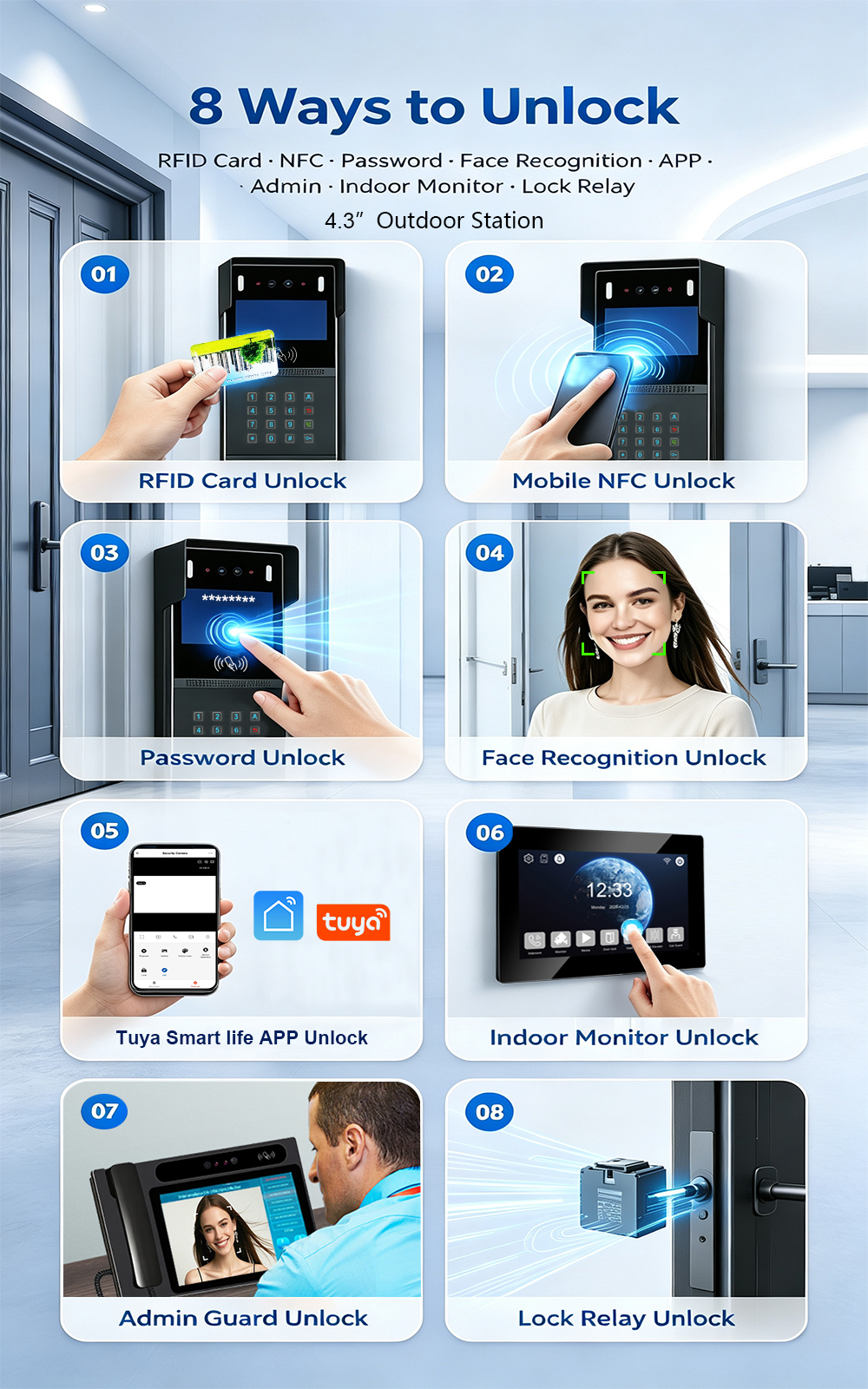
FARHD is proud to announce the launch of our latest 2-wire apartment video intercom system—combining easy retrofit installation with advanced access control. Designed for apartment buildings, residential complexes, and gated communities, this new system supports four convenient unlock methods: Face Recognition, RFID/IC Card, Password, and Mobile App. Upgrading an apartment intercom used to mean complex…
-
FARHD: Your 28-Year Source Factory for Video Door Phone Intercoms
When you choose a video door phone intercom supplier, you are not just buying a product—you are choosing the factory behind it. FARHD has been a source manufacturer since 1998, with over 28 years of experience in video intercom and access control. From villa kits to apartment intercoms, we deliver reliable, customizable, and Tuya-compatible solutions…
-
FARHD Source Factory: Your Trusted Partner for Video Intercom and Access Control Solutions
When you choose a manufacturing partner for video intercom and access control systems, you are not just buying products—you are investing in quality, reliability, and long-term support. FARHD has been a source factory since 1998, and today we serve clients in over 100 countries worldwide. With strict quality inspection, in-house production, independent R&D, and full…
-
2-Wire Video Door Phone Connection with Electric Rim Lock: Unlock by Card, Indoor Monitor, and App
A complete guide to wiring an electric rim lock to a FARHD 2-wire video door phone system—and configuring three convenient unlock methods: RFID card, indoor monitor, and mobile app. Whether you are upgrading an existing building or specifying a new system, this guide covers the essentials for reliable, secure access control. Electric rim locks are…



