
Hoe Verander Je de Beltoon op een Draadloze Deurbel: Een Stapsgewijze Gids voor Gebruikers en Installateurs
december 11, 2025
Deel dit artikel
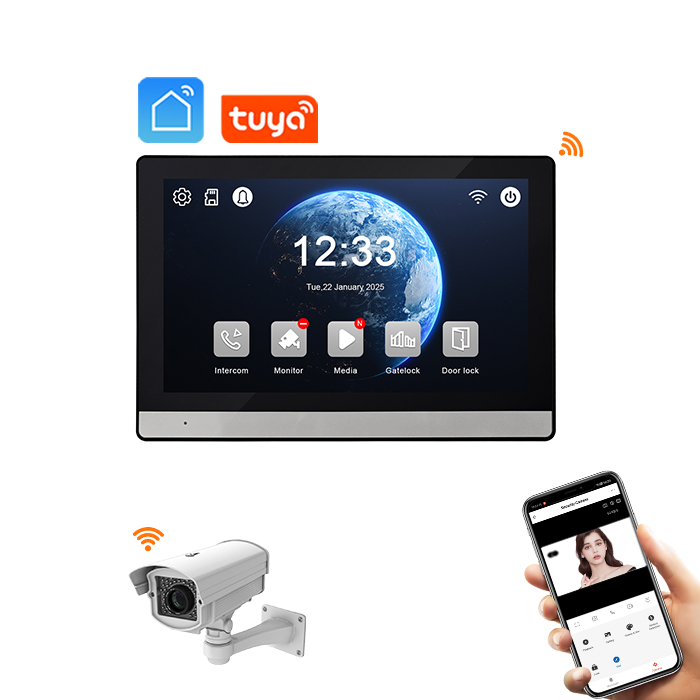
1. Begrijpen van Draadloze Deurbel Systemen en Hun Beltoonfuncties
Draadloze deurbellen zijn geëvolueerd voorbij eenvoudige belkasten. De systemen van vandaag, vooral worden draadloze videodeurbellen, bieden een verscheidenheid aan geluidsopties, aanpasbare beltonen en zelfs integratie met slimme thuisassistenten zoals Alexa en Google Home.
Belangrijkste Componenten van een Draadloos Deurbel Systeem:
| Component | Beschrijving |
|---|---|
| Zender | De knop buiten de deur die bezoekers indrukken |
| Ontvanger/Belunit | Het apparaat in huis dat de beltoon afspeelt |
| Stroombron | Kan op batterij werken of USB/instekstroom gebruiken |
| Connectiviteit | Gebruikt RF (Radiofrequentie), WiFi of beide voor communicatie |
| Slimme functies | Videoregistratie, app-meldingen, bewegingsdetectie en beltoon-aanpassing |
Waarom Beltonen Belangrijk Zijn in Draadloze Deurbellen
- Beveiliging: Verschillende tonen helpen om voordeur/achterdeur of gast/service-ingang te identificeren
- Toegankelijkheid: Luider en onderscheidende tonen voor slechthorenden
- Esthetiek: Pas de beltoon aan op persoonlijke of merkstijl
- Zakelijk gebruik: Verschillende beltonen voor verschillende ingangen of afdelingen
2. Veelvoorkomende Types Beltonen in Slimme Draadloze Deurbellen
Draadloze deurbellen bieden vandaag een breed scala aan beltoonopties om verschillende omgevingen aan te passen. Hier is hoe ze verschillen:
Types Beltonen Aangeboden:
| Beltoon Type | Beschrijving | Gebruiksscenario |
|---|---|---|
| Traditionele Belgeluiden | Klassieke “ding-dong”-tonen | Huizen, appartementen |
| Melodieën | Voor geïnstalleerde populaire liedjes of seizoensgebonden geluiden | Gezinswoningen, feestseizoenen |
| Aangepaste Uploads | Upload je eigen MP3- of WAV-bestanden | Bedrijven, branding |
| Spraakmeldingen | Aangepaste berichten zoals “Bezoekers aan achterdeur” | Kantoren, magazijnen |
| Stilte Modus | Geen beltoon, alleen visuele of mobiele meldingen | Stilte zones, nachtmodus |
Populaire Slimme Deurbel Merken en Hun Beltoonfuncties
| Merk | Beltoonopties Beschikbaar | Aangepaste Uploads | App-bediening |
|---|---|---|---|
| Ring | 30+ tonen | ❌ | ✔️ |
| Eufy | 20+ tonen | ❌ | ✔️ |
| Arlo | 15+ belgeluiden | ❌ | ✔️ |
| FARHD | 50+ tonen + spraakmeldingen | ✔️ | ✔️ |
| Google Nest | Beperkte tonen | ❌ | ✔️ |
Opmerking: Alleen FARHD ondersteunt volledige aangepaste beltoonuploads en spraakmeldingen out-of-the-box voor zakelijk gebruik.
3. Stapsgewijze Gids: Hoe Verander Je de Beltoon op een Draadloze Deurbel
Het veranderen van een beltoon hangt af van het merk en model, maar hier is een algemene gids die past bij de meeste draadloze video-deurbellen voor thuis en bedrijf.
A. Met de Fysieke Ontvanger Gebruiken (Niet-Slimme Modellen)
- Zoek de Ontvanger: Meestal in het stopcontact gestoken of op een plat oppervlak binnenshuis geplaatst.
- Druk op de Beltoonknop: Veel modellen hebben een knop met “Muziek” of “Beltoon”.
- Scroll Door de Tonen: Druk herhaaldelijk om door beschikbare tonen te bladeren.
- Stel Gewenste Beltoon In: Stop met drukken wanneer je de gewenste hoort.
💡 Tip: Sommige modellen slaan de laatste afgespeelde toon automatisch op, terwijl andere een aparte “Instellen”-knopdruk nodig hebben.
B. Met een Mobiele App Gebruiken (Slimme Draadloze Deurbellen)
- Open de Companion App: Veelvoorkomende apps zijn FARHD SmartHome, Ring of Eufy Security.
- Ga naar Instellingen: Tik op het tandwielpictogram of de menubalk.
- Selecteer ‘Chime-instellingen’ of ‘Geluidsinstellingen’
- Blader door beschikbare ringtones
- Tik om te previewen en te selecteren
- Wijzigingen opslaan
C. Uploaden van aangepaste ringtones (ondersteunde modellen zoals FARHD)
- Bereid het audiobestand voor: Zorg ervoor dat het in MP3- of WAV-formaat is.
- Open de app of verbind via USB (afhankelijk van het model)
- Upload vanaf telefoon of pc
- Wijs toe aan specifieke deurbelzone of ingang
- Test en sla op
Visuele samenvatting: methoden voor het wijzigen van ringtones
| Methode | Ondersteunde apparaten | Benodigde vaardigheden | Benodigde tijd |
|---|---|---|---|
| Fysieke knop | Basis draadloze modellen | Laag | 1-2 minuten |
| Mobiele app | Slimme modellen | Gemiddeld | 2-3 minuten |
| Aangepaste upload | Geavanceerde slimme modellen | Hoog | 5-10 minuten |
Als je een FARHD draadloze videodeurbel gebruikt, is het proces nog gestroomlijnder via de FARHD SmartHome-app, die gepersonaliseerde geluidszones en ringsynchronisatie over meerdere ingangen ondersteunt.
Voor meer productdetails, bezoek de FARHD product pagina.

4. Functies voor ringtone-aanpassing in geavanceerde draadloze deurbellen
Naarmate slimme huistechnologie evolueert, doen de aanpassingsopties dat ook in moderne worden draadloze videodeurbellen. Geavanceerde modellen bieden nu een reeks personalisatiemogelijkheden voor ringtones die de gebruikerservaring en functionaliteit verbeteren, vooral in meergezins- of zakelijke omgevingen.
Belangrijkste functies voor ringtone-aanpassing om op te letten
| Functie | Beschrijving | Ideaal voor |
|---|---|---|
| Meerdere zone-ringtones | Wijs verschillende ringtones toe aan voor-, achter- of zijingangen | Villa’s, huizen met meerdere ingangen |
| Aangepaste audio-uploads | Upload je eigen MP3/WAV-bestanden | Kantoren, gebrande ingangen |
| Volume-aanpassing | Stel verschillende volumenniveaus in voor dag/nacht of per kamer | Woninghuizen, kinderkamers |
| Stilte Modus | Dempen van de chime-eenheid om verstoringen te vermijden | Ziekenhuizen, vergaderingen, nachtelijke uren |
| Spraakmeldingen | Vooraf opgenomen spraakberichten (bijv. “Leveringsingang”) | Magazijnen, commerciële gebouwen |
| Schema-gebaseerde geluidsbediening | Wijzig ringtones automatisch op basis van tijdstip | Appartementencomplexen, hotels |
Geavanceerde ringtone-mogelijkheden van FARHD
Een van de weinige OEM’s die volledige ringtone-aanpassingsmogelijkheden biedt, is Shenzhen FARHD Tech Co, Ltd.. Hun draadloze deurbelsystemen stellen gebruikers in staat om:
- Unieke tonen toe te wijzen aan meerdere ingangen
- Aangepaste merkklanken of welkomstberichten te uploaden
- Ringtones te synchroniseren over apparaten met cloudconfiguratie
- Toonplanningen aan te passen op basis van openingstijden
Dit maakt FARHD een complete oplossing voor B2B-kopers, ontwikkelaars en vastgoedbeheerders die een betrouwbaar, aanpasbaar intercom- of draadloos deurbelsysteem nodig hebben.
5. Probleemoplossing voor ringtone-problemen in draadloze videodeurbellen
Soms ervaren gebruikers problemen bij het wijzigen of horen van ringtones op hun draadloze deurbellen. Het weten hoe je deze problemen kunt oplossen, bespaart tijd en voorkomt onnodige vervangingen.
Veelvoorkomende ringtone-problemen en oplossingen
| Uitgave | Mogelijke oorzaak | Oplossing |
|---|---|---|
| Ringtone wijzigt niet | Firmware-fout of lage batterij | Herstart apparaat of app, zorg voor opgeladen batterij |
| Geen geluid van ontvanger | Volume te laag of luidsprekerdefect | Controleer volume-instellingen, test met een andere toon |
| Aangepaste ringtone uploadt niet | Niet-ondersteund bestandsformaat | Converteer bestand naar MP3 of WAV (max. 512 KB grootte) |
| Ringtone speelt intermitterend af | Draadloze interferentie of zwak signaal | Plaats ontvanger dichterbij, reset WiFi- of RF-verbinding |
| Ontvanger reset naar standaardringtone | Stroomverlies of defect geheugen | Gebruik modellen met niet-vluchtig geheugen zoals FARHD |
Onderhoudstips voor betrouwbare beltoonprestaties
- Regelmatig firmware bijwerken via de mobiele app om bugs op te lossen en nieuwe functies toe te voegen
- Plaats ontvangers niet in de buurt van metalen voorwerpen of dikke muren die signalen blokkeren
- Label aangepaste beltonen duidelijk zodat ze gemakkelijk te vinden zijn in de app
- Gebruik overspanningsbeveiligingen voor inplugbare ontvangers om herstarts tijdens stroomuitval te voorkomen
Als u een FARHD-deurbelsysteem gebruikt, zijn alle instellingen voor aangepaste beltonen cloud-gesynchroniseerd, wat betekent dat ze automatisch worden hersteld, zelfs na een stroomreset.
6. Beste draadloze deurbellen met aangepaste beltoonfuncties in 2025
Het kiezen van de juiste draadloze videodeurbel met opties voor beltoonaanpassing kan een groot verschil maken in zowel residentiële als commerciële omgevingen. Hieronder volgt een vergelijking van topmodellen die geavanceerde beltoonmogelijkheden bieden.
Vergelijking van top draadloze deurbellen (editie 2025)
| Merk / Model | Aangepaste beltonen | Slimme app | Volumeregeling | Spraakmeldingen | B2B-ondersteuning |
|---|---|---|---|---|---|
| FARHD Smart Villa Kit | ✔️ (MP3-uploads) | ✔️ | ✔️ | ✔️ | ✔️ (OEM/ODM) |
| Ring Video Doorbell Pro 2 | ❌ | ✔️ | ✔️ | ❌ | ❌ |
| Eufy Security 2K Deurbel | ❌ | ✔️ | ✔️ | ❌ | ❌ |
| Arlo Essential Doorbell | ❌ | ✔️ | ✔️ | ❌ | ❌ |
| Nest Deurbel (Batterij) | ❌ | ✔️ | ✔️ | ❌ | ❌ |
Waarom FARHD de categorie leidt
- Uploads van aangepaste beltonen: Upload uw bedrijfsjingle, welkomstbericht of seizoensgroet
- Meerdere zones configureren: Wijs verschillende geluiden toe aan verschillende ingangen
- App-gebaseerde bediening: Beheer alle tonen op afstand via de FARHD-app
- Cloud-synchronisatie: Geen herconfiguratie nodig na firmware-updates of herstarts
- OEM/ODM-opties: Ideaal voor distributeurs, wederverkopers en projectontwikkelaars
Als je een distributeur of zakelijke koper, kan de OEM/ODM-portaal bij FARHD leidt u door branding- en aanpassingsopties die zijn afgestemd op uw markt.
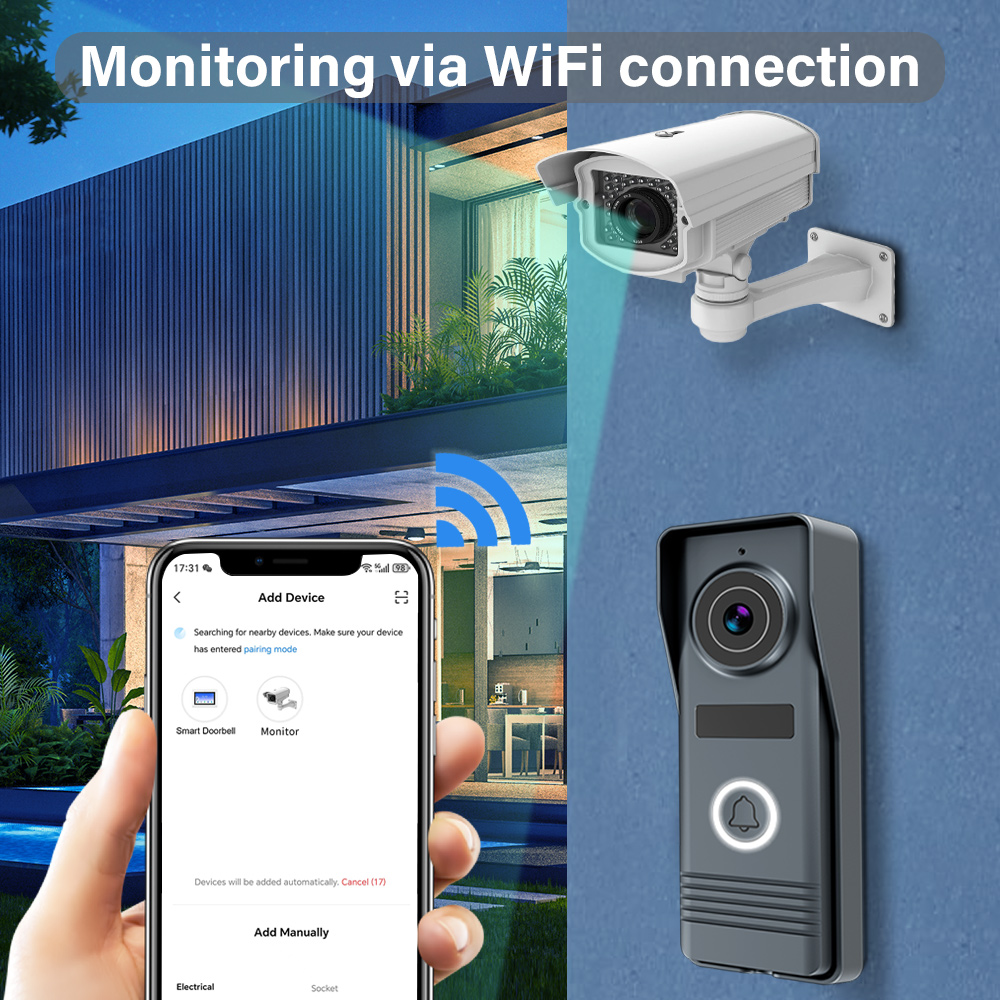
7. Waarom beltoonflexibiliteit ertoe doet voor vastgoedbeheerders en bedrijven
Hoewel beltoonaanpassing op het eerste gezicht een cosmetische functie lijkt, biedt het echte functionele voordelen voor B2B-kopers, vastgoedontwikkelaarsen commerciële vastgoedbeheerders.
Top zakelijke gebruiksscenario's voor aangepaste beltonen
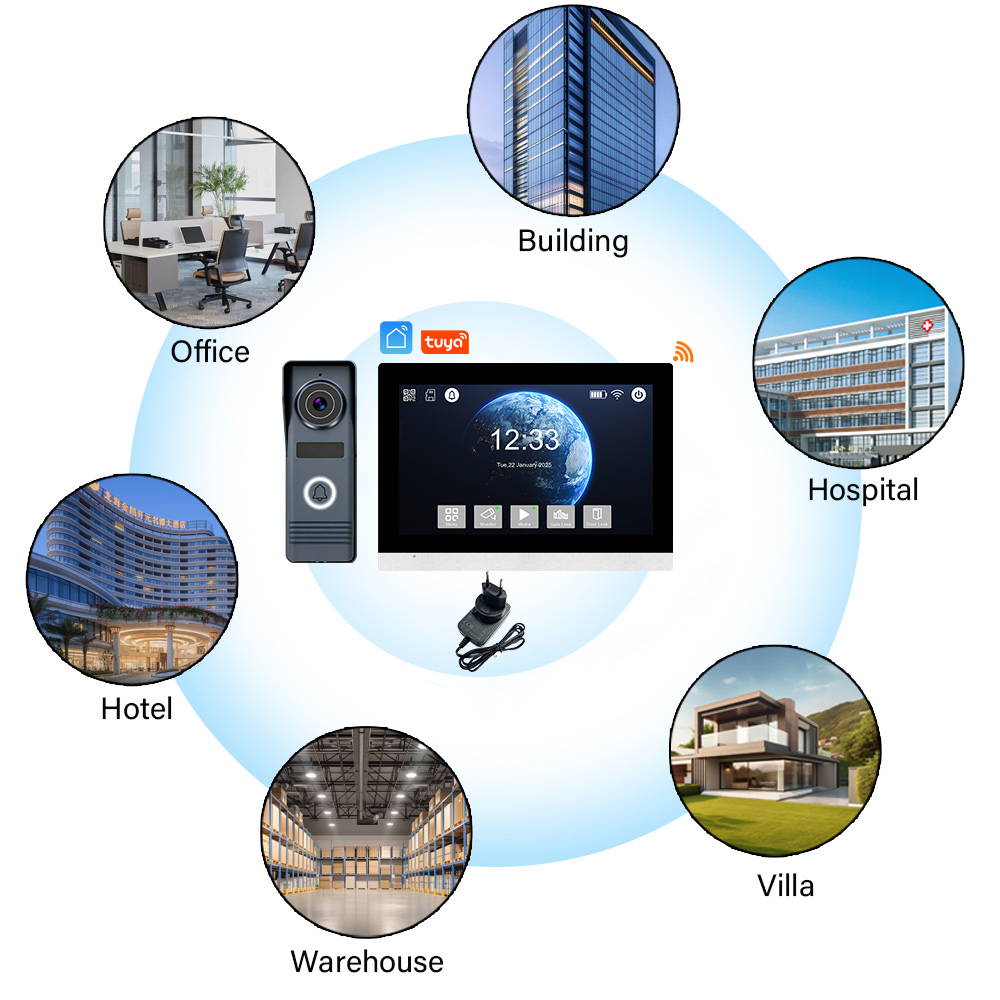
- Appartementengebouwen: Wijs unieke beltonen toe aan elke eenheid of toegangspunt
- Office Buildings: Gebruik spraakwaarschuwingen zoals 'Bezoeker bij receptie' of 'Levering bij laadperron'
- Winkels: Speel gebrande groeten of seizoensberichten af bij de hoofdingang
- Hotels: Pas deurbellen in gastenkamers aan met taalkundige welkomstgeluiden
- Ziekenhuizen: Gebruik zachte tonen of visuele waarschuwingen in patiëntgebieden
Voordelen voor commerciële kopers
| Voordeel | Impact op het bedrijf |
|---|---|
| Verbeterd bezoekersbeheer | Identificeer toegangspunten snel |
| Branding en personalisatie | Versterk het bedrijfsimago bij de ingang |
| Toegankelijkheid voor alle gebruikers | Help slechthorenden met luide tonen |
| Meerdere zones bewaken | Weet precies welke deur is geactiveerd |
| Minder geluidsklachten | Gebruik stille of trilmodi in gevoelige gebieden |
Voor vastgoedontwikkelaars, maken de aanpasbare beltoonfuncties van FARHD het eenvoudiger om technologiegerichte eigendommen te vermarkten die aantrekkelijk zijn voor kopers van slimme huizen en zakelijke huurders.
8. Een leverancier van draadloze deurbellen kiezen met opties voor aangepaste geluiden
Als u een koper, leverancier of distributeur die draadloze videodeurbellen met beltoonaanpassing in uw productcatalogus wil opnemen, is het kiezen van de juiste fabrikant cruciaal.
Waarop te letten bij een B2B-leverancier van draadloze deurbellen
- Ondersteuning voor aangepaste geluiden: Staat de fabrikant MP3-uploads of spraakwaarschuwingen toe?
- OEM/ODM-diensten: Kunnen ze het apparaat branden met uw logo en geluid?
- Spraakwaarschuwingen in meerdere talen: Nuttig voor wereldwijde of multiculturele markten
- Betrouwbare toeleveringsketen: Kunnen ze bulkorders op tijd leveren?
- After-Sales Ondersteuning: Bieden ze hulp bij firmware-updates en app-ondersteuning?
Aanbevolen fabrikant van draadloze deurbellen: FARHD
Shenzhen FARHD Tech Co, Ltd. (FARHD) is een toonaangevende OEM/ODM slimme deurbelfabrikant met meer dan 25 jaar ervaring in de branche. Hier is waarom ze de topkeuze zijn voor B2B-kopers:
- ✔️ Meer dan 50 aanpasbare beltoonopties
- ✔️ Upload MP3's, spraakberichten en gebrande geluiden
- ✔️ App-gebaseerde afstandsbediening van beltonen
- ✔️ Configuraties voor meerdere zones en apparaten
- ✔️ Verticale integratie voor consistente kwaliteit en snelle levering
Of u nu in bulk wilt kopen, wilt wederverkopen onder uw eigen merk of aanpasbare deurbellen wilt integreren in slimme huizenecosystemen, FARHD is uw betrouwbare partner.
9. FAQ: Beltonen wijzigen en beheren in draadloze deurbellen
V1: Kan ik mijn eigen geluid uploaden als beltoon in elke draadloze deurbel?
A: Nee. Alleen geavanceerde modellen zoals die van FARHD staan MP3- of WAV-bestandsuploads toe.
V2: Hoeveel beltonen zijn er meestal beschikbaar in een slimme deurbel?
A: De meeste slimme deurbellen bieden 20–50 voorgeïnstalleerde beltonen. Sommige staan uploads toe voor onbeperkte opties.
V3: Waarom herstelt mijn beltoon steeds na een stroomuitval?
A: Apparaten zonder cloud-synchronisatie of niet-vluchtig geheugen herstellen. Kies modellen zoals FARHD met permanente instellingen.
V4: Kan ik verschillende beltonen toewijzen aan verschillende ingangen?
A: Ja, als uw apparaat configuraties voor meerdere zones ondersteunt, zoals het Smart Villa-systeem van FARHD.
V5: Is er een limiet aan de bestandsgrootte van de beltoon als ik er een upload?
A: Meestal wel. De meeste apparaten ondersteunen tot 512 KB of 1 MB. Comprimeer uw bestand altijd voordat u het uploadt.
Klaar om uw draadloze deurbelsysteem te upgraden met aangepaste beltoonfuncties die functionaliteit en flair toevoegen?
➡️ Ontdek de aanpasbare slimme deurbellen van FARHD
➡️ Neem contact op met hun OEM/ODM-team om uw eisen te bespreken
Versterk uw bedrijf of eigendom met slimmere, meer gepersonaliseerde ingangswaarschuwingen — alleen met FARHD.
Mogelijk bent u ook geïnteresseerd in
-
FARHD: Your 28-Year Source Factory for Video Door Phone Intercoms
When you choose a video door phone intercom supplier, you are not just buying a product—you are choosing the factory behind it. FARHD has been a source manufacturer since 1998, with over 28 years of experience in video intercom and access control. From villa kits to apartment intercoms, we deliver reliable, customizable, and Tuya-compatible solutions…
-
FARHD Source Factory: Your Trusted Partner for Video Intercom and Access Control Solutions
When you choose a manufacturing partner for video intercom and access control systems, you are not just buying products—you are investing in quality, reliability, and long-term support. FARHD has been a source factory since 1998, and today we serve clients in over 100 countries worldwide. With strict quality inspection, in-house production, independent R&D, and full…
-
2-Wire Video Door Phone Connection with Electric Rim Lock: Unlock by Card, Indoor Monitor, and App
A complete guide to wiring an electric rim lock to a FARHD 2-wire video door phone system—and configuring three convenient unlock methods: RFID card, indoor monitor, and mobile app. Whether you are upgrading an existing building or specifying a new system, this guide covers the essentials for reliable, secure access control. Electric rim locks are…
-

Video Intercom Manufacturer & Source Factory Since 1998 | OEM ODM SKD Building Intercom
Video Intercom Manufacturer & Vertical Source Factory in China FARHD is a professional video intercom manufacturer with over 28 years of specialized experience in building security intercom systems. Established in 1998, we are a genuine building intercom factory focused on independent R&D, in-house production, and customized manufacturing for global B2B clients, including distributors, importers, engineering contractors, real estate…



