
How to Configure a Smart Intercom with App: A Complete Setup Guide for 2025
februari 11, 2026
Deel dit artikel
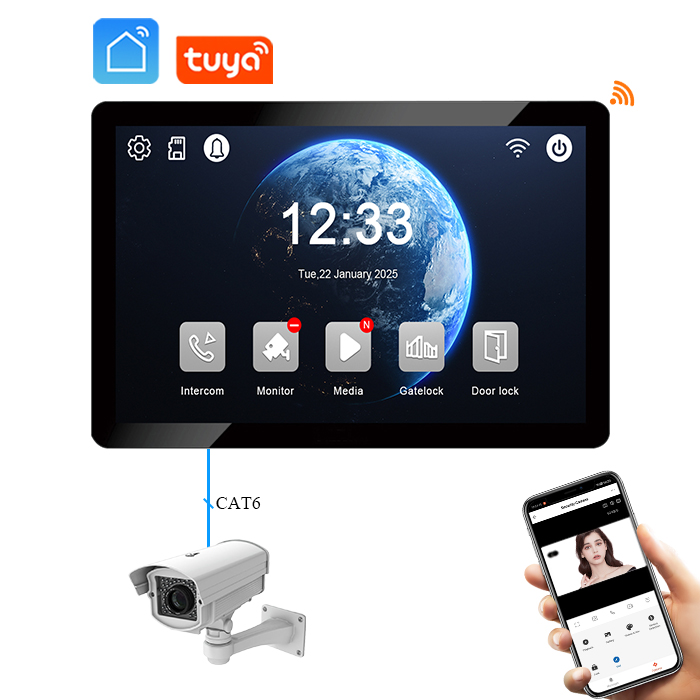
1. What is a Smart Intercom and How Does It Work?
A slimme intercom is a modern communication device that connects a building’s entrance with occupants through video, audio, and cloud-based technologies. Unlike traditional intercoms, smart intercoms allow users to manage access remotely using a smartphone app, smart speakers, or desktop dashboard.
Belangrijkste onderdelen:
- Cameramodule: Captures real-time video of visitors.
- Microfoon & luidspreker: Two-way communication.
- Integratie met mobiele app: Control via iOS/Android app.
- Cloudopslag: For recorded footage.
- Slimme sloten: Can be integrated for remote door unlocking.
Hoe het werkt:
| Component | Functie |
|---|---|
| Video camera | Streams live footage to the app |
| Microfoon & luidspreker | Enables two-way audio between visitor and resident |
| Mobiele app | Controls access, views history, sends notifications |
| Cloud server | Stores and manages data securely |
| Network connection | Wi-Fi or Ethernet enables remote access |
Benefits for B2B & B2C Users:
| Gebruikerstype | Voordeel |
|---|---|
| Huiseigenaren | Monitor visitors, deliveries, and suspicious activity remotely |
| Appartementencomplexen | Centralized access control and visitor management |
| Bedrijven | Secure entry for staff and deliveries, app-based access logs |
| Wholesale Buyers & Distributors | High-demand product for smart security markets |
2. Smart Intercom Features Compatible with Mobile Apps
Smart intercoms integrated with mobile apps offer a wide range of functions tailored for both residential and commercial needs. These features improve building security and user convenience.
Top App-Compatible Features:
- 📱 Live videostreaming: View real-time footage from your smartphone.
- 🔒 Ontgrendeling op afstand: Open doors remotely for guests or deliveries.
- 📥 Pushmeldingen: Alerts for motion detection, doorbell rings, and missed calls.
- 🗂️ Event History & Cloud Storage: Review past interactions.
- 👥 Toegang voor meerdere gebruikers: Allow family members or employees to use the app.
- 🎤 Audio in twee richtingen: Speak directly to visitors through the app.
- 🛠️ Remote Configuration: Adjust device settings from anywhere.
- 🔧 Integratie met Smart Home-systemen: Alexa, Google Home, and smart locks.
Vergelijkingstabel met functies
| Functie | Basic Intercom | Slimme intercom met app | Business Value |
|---|---|---|---|
| Video & Audio | ✔️ | ✔️ | Essentieel |
| Ontgrendeling op afstand | ❌ | ✔️ | Hoog |
| App meldingen | ❌ | ✔️ | Gemiddeld |
| Cloudopslag | ❌ | ✔️ | Hoog |
| Toegang voor meerdere gebruikers | ❌ | ✔️ | Hoog |
| Smart Home-integratie | ❌ | ✔️ | Gemiddeld |
| Remote Configuration | ❌ | ✔️ | Hoog |
3. Step-by-Step Guide to Setting Up Your Smart Intercom with an App
Setting up a smart intercom is straightforward with the right instructions. Here’s a universal guide, suitable for both end users and B2B installers managing multi-unit deployments.
A. Pre-Installation Checklist
- ✅ Stable Wi-Fi or LAN connection
- ✅ Compatible smartphone (iOS or Android)
- ✅ Download the official app from App Store/Google Play
- ✅ Power source or PoE (Power over Ethernet) configuration
- ✅ Access to router settings (for advanced setup)
B. Installation Steps
1. Mount the Smart Intercom
- Use the mounting template provided.
- Place it near the entrance or gate.
- Ensure the camera has a clear, unobstructed view.
2. Power Up the Device
- Connect to power using a 12V adapter or PoE switch.
- Wait for the LED indicator to flash (device ready).
3. Connect to the App
Follow these common steps (may vary slightly by brand):
| Stap | Actie |
|---|---|
| 1️⃣ | Open the mobile app and create an account |
| 2️⃣ | Tap “Add Device” and select the intercom model |
| 3️⃣ | Scan the QR code on the device or manual |
| 4️⃣ | Enter Wi-Fi credentials or connect via Ethernet |
| 5️⃣ | Wait for confirmation and firmware update |
| 6️⃣ | Rename the device and assign to location (e.g., Front Gate) |
4. Configure Access and Notifications
- Set motion sensitivity en notification zones
- Voeg toe users or residents
- Schakel cloudopslag or connect to local NVR (if supported)
C. Tips for Installers & OEM Buyers
- 🔧 Use the bulk configuration mode voor installaties in meerdere eenheden.
- 📡 Choose intercoms with dual-band Wi-Fi for stable connections.
- 🔐 Ensure end-to-end encryptie during setup for data privacy.
- 💼 For B2B projects, consider working with an OEM like FARHD with proven expertise in cloud and app integration.
D. Troubleshooting Common Setup Issues
| Uitgave | Oplossing |
|---|---|
| Device not connecting | Ensure 2.4GHz Wi-Fi, reset the device |
| App detecteert apparaat niet | Scan QR code again, check Bluetooth is enabled |
| No notifications | Grant app permissions in phone settings |
| Poor video quality | Upgrade internet speed or adjust camera resolution |
🔗 Need help with hardware setup or bulk installations? Contact FARHD Ondersteuning for expert assistance and integration services.
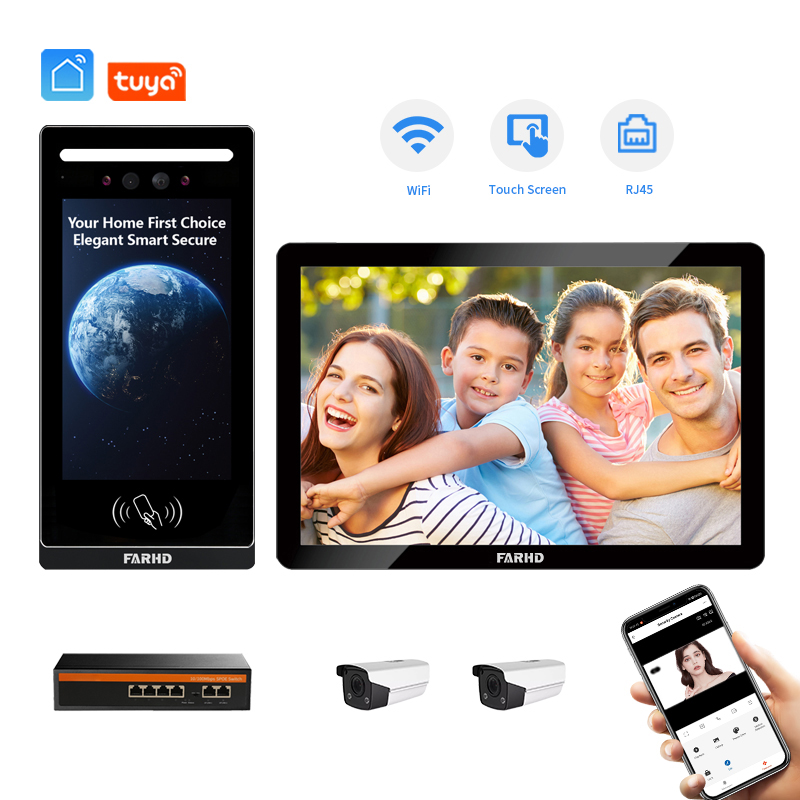
4. How to Use a Smart Intercom with Alexa or Google Home
Integrating your smart intercom system with virtual assistants like Amazon Alexa of Google Home adds another layer of convenience and automation. This feature is particularly valuable for both residential users and commercial buildings that leverage smart ecosystems.
Benefits of Voice Assistant Integration
- 🎤 Handsfree bediening: Answer the intercom or unlock doors without using your phone.
- 🚪 Voice-Controlled Access: “Alexa, open the front gate.”
- 🕹️ Automatiseringsroutines: Pair with smart lights or alarms.
- 🔔 Real-Time Announcements: Get voice alerts when someone rings the doorbell.
- 🧠 Smart Ecosystem Compatibility: Connects with IoT devices such as thermostats, cameras, and lighting.
Compatibiliteitscontrolelijst
| Functie | Alexa | Google Home |
|---|---|---|
| View camera feed on smart display | ✔️ | ✔️ |
| Voice command to open door | ✔️ | ✔️ |
| Trigger routines | ✔️ | ✔️ |
| Tweeweg audio | ❌ | ❌ |
| Notifications on smart speaker | ✔️ | ✔️ |
Note: Two-way audio is typically handled via the intercom app for security reasons.
Steps to Connect
A. For Amazon Alexa
- Open de Alexa-app op uw telefoon.
- Tik op “Devices” > “Apparaat Toevoegen”.
- Kies “Camera” or “Doorbell” if applicable.
- Select your intercom brand or use the “Skill” search.
- Log in to your intercom account when prompted.
- Allow permissions and complete the linking.
B. For Google Home
- Open de Google Home-app.
- Tik op “+” > “Set up device” > “Works with Google”.
- Search for your intercom service (e.g., FARHD Smart).
- Log in and authorize the device.
- Assign the intercom to a room or location.
Use Cases for Commercial Buyers
| Gebruiksscenario | Beschrijving |
|---|---|
| Office Buildings | Hands-free staff entry and guest announcements via smart speakers. |
| Warehouses & Deliveries | Voice alerts for incoming packages at loading docks. |
| Appartementencomplexen | Tenants use voice commands to manage access. |
| Hotels & Camp; Gastvrijheid | Concierge services enhanced through voice intercoms. |
🔗 For businesses looking to integrate smart intercoms into their smart building projects, explore FARHD’s smart home solutions.
5. Common Configuration Problems and How to Solve Them
Setting up a smart intercom with an app can sometimes present challenges, especially in large-scale installations. Here’s a guide to solving the most common problems encountered by both consumers and commercial system integrators.
A. Connectiviteitsproblemen
| Probleem | Oplossing |
|---|---|
| Intercom not connecting to Wi-Fi | Ensure 2.4GHz network; restart router |
| App cannot find the device | Use QR code/manual pairing; enable Bluetooth |
| Frequent disconnections | Check signal strength; use Wi-Fi extender |
| Cannot access remotely | Enable cloud service or configure port forwarding |
B. App Malfunctions
| Probleem | Oplossing |
|---|---|
| App crashes or freezes | Update to latest version; clear cache |
| No notifications | Enable permissions and allow background activity |
| Delay in real-time video | Lower camera resolution or upgrade internet plan |
| Audio not working | Check mic/speaker access; test with another device |
C. Integration Errors
| Probleem | Oplossing |
|---|---|
| Alexa/Google Home not discovering device | Relink the app and reauthorize connection |
| Smart lock integration fails | Check firmware compatibility |
| Multi-user access not working | Ensure all users have verified accounts |
D. Security & Privacy Concerns
| Uitgave | Beste praktijk |
|---|---|
| Ongeoorloofde toegang | Use strong passwords and enable 2FA |
| Data storage compliance | Choose providers with GDPR and ISO certifications |
| Cloud hacks | Use encrypted cloud services and firewalls |
💡 Tip: When configuring systems for multi-residential or business use, opt for smart intercoms from certified manufacturers like FARHD who meet both ISO 9001 en GDPR compliance standards.
6. Best Smart Intercoms with App Control in 2025
With smart home adoption on the rise, the market is full of smart intercom systems offering mobile app control. Here’s a curated list of some of the best models in 2025 based on features, reliability, and B2B scalability.
🏆 Top Smart Intercom Systems
| Merk | Belangrijkste functies | Beste voor |
|---|---|---|
| FARHD | Full OEM/ODM solutions, app control, cloud storage, Alexa/Google Home ready | B2B buyers, distributors, apartments |
| Ring Intercom | Works with Ring app, motion alerts, cloud subscription | Huiseigenaren, kleine kantoren |
| Akuvox | SIP-based, Android OS, touch display, mobile app | Hotels, office buildings |
| DoorBird | German-made, open API, PoE support | Tech-savvy users, integrations |
| Hikvision | Integrated with CCTV, access control, app monitoring | Large-scale commercial premises |
Waarom kiezen voor FARHD?
FARHD valt op als een top-tier OEM/ODM smart intercom manufacturer offering highly customizable solutions for global markets. From private label branding to smart firmware development, FARHD enables distributors and wholesalers to bring premium smart intercom systems to market quickly.
FARHD Smart Intercom Highlights:
- ✅ Custom-developed mobile app with real-time controls
- ✅ Alexa/Google integration support
- ✅ Modular design for villa, apartment, and enterprise deployment
- ✅ End-to-end production from LCD to finished product
- ✅ Available in 2-wire, 4-wire, and IP-based configurations
🔗 Browse the latest FARHD smart intercom products to find the ideal solution for your market.
Kooptips voor B2B-kopers
- Zoek naar schaalbaarheid voor meerdere units for apartment or commercial use.
- Bevestig cloudcompatibiliteit and data security certifications.
- Choose suppliers with service na verkoop and firmware support.
- Evalueer app update frequency to ensure long-term reliability.
🛠️ Need help sourcing private label smart intercoms? Explore FARHD's OEM/ODM diensten tailored for global brands.
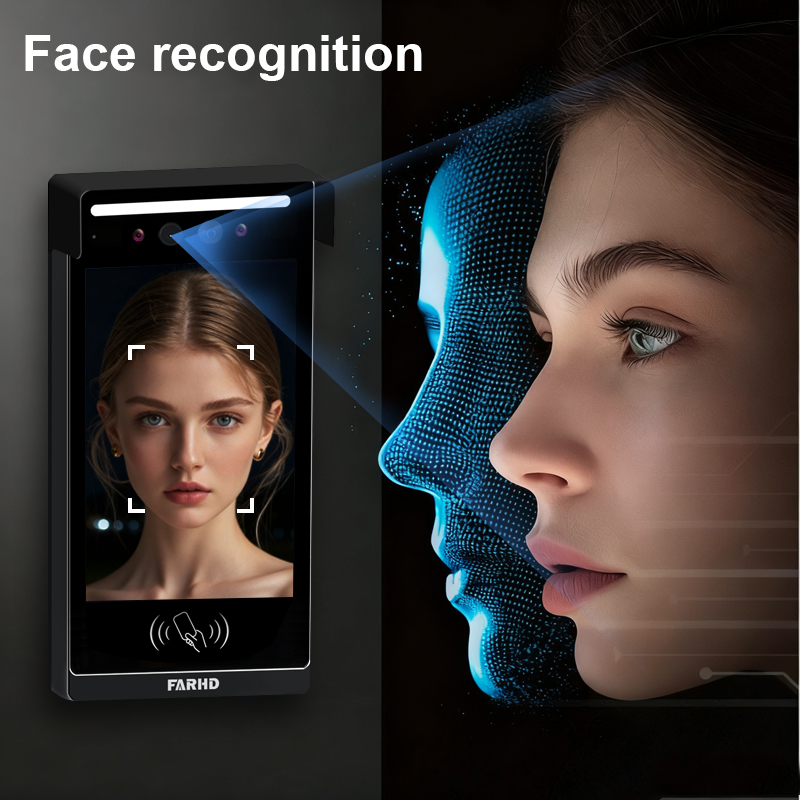
7. How Businesses Benefit from Smart Intercom App Integration
Smart intercoms with app connectivity are not just for residential buildings—they are rapidly becoming an essential part of commercial security infrastructure. For resellers, property developers, system integrators, and wholesale buyers, smart intercoms offer a high-demand, high-margin solution that aligns with the growing trend in smart access control.
Key Business Applications
| Bedrijfstype | Use Case Description |
|---|---|
| Vastgoedontwikkelaars | Install in multi-unit apartments, gated communities, and villas for smart access. |
| Vastgoedbeheerbedrijven | Remotely manage access, visitor logs, and maintenance via centralized app control. |
| Offices & Corporations | App-based entry for employees, vendors, and clients with time-stamped logs. |
| Logistiek &; Magazijnen | Monitor gates, loading docks, and manage delivery access from mobile apps. |
| Hospitality & Hotels | Guests use app for contactless check-ins, and staff manage internal communication. |
Benefits for Resellers and B2B Buyers
- 📈 Growing Market Demand: High adoption rate in real estate, construction, and smart home sectors.
- 🧩 Opties voor aangepaste branding: Offer private label solutions under your own brand.
- 🔄 Terugkerende inkomsten: Sell cloud subscriptions, installation services, and device upgrades.
- 🌎 Wereldwijde compatibiliteit: Multi-language support and cloud services for global markets.
- 🔐 Security Compliance: GDPR, ISO, FCC, and CE certified for government and enterprise tenders.
App Control Benefits by Role
| Stakeholder | Voordeel |
|---|---|
| Property Manager | Centralized control over dozens of units |
| Security Personnel | Real-time alerts and video verification |
| Tenants or Employees | Easy mobile access and visitor management |
| IT/Facility Admins | Integratie met bestaande toegangscontrolesystemen |
Case Example: Multi-Apartment Intercom Deployment
A property developer installs FARHD intercoms in a 200-unit apartment complex. Through the FARHD mobile app, tenants receive real-time visitor alerts, open doors remotely, and view call history. The woningbeheerder can remotely reset devices, manage access permissions, and receive system alerts—all from a centralized dashboard interface.
🔗 Learn more about FARHD’s commercial integration capabilities on their Over ons pagina.
8. Choosing a Reliable Smart Intercom OEM/ODM Supplier
Als je een distributor, system integrator, or smart home brand, your success depends on partnering with the right OEM/ODM manufacturer. Here’s what to look for when selecting a supplier for smart intercoms with app connectivity.
Belangrijkste evaluatiecriteria
| Criteria | Waar u op moet letten |
|---|---|
| Hardware Control | In-house production of core components like LCD, camera, and PCB |
| Software & App Development | Ability to customize app UI, cloud services, and firmware |
| Certificeringen | ISO 9001, CE, FCC, ROHS, GDPR compliance |
| Productiecapaciteit | Multiple SMT lines, large output, and scalable manufacturing |
| Ondersteuning bij integratie | Alexa, Google Home, smart locks, and 3rd-party system API availability |
| Ervaring | Years in the industry, global presence, and proven B2B partnerships |
Why FARHD Is the Preferred Choice in China
Shenzhen FARHD Tech Co, Ltd. is one of China’s most established and trusted OEM/ODM video door phone manufacturers. As a vertically integrated provider, FARHD controls the entire product lifecycle—from component manufacturing (LCD, camera modules) to finished smart intercom systems.
FARHD OEM/ODM Hoogtepunten:
- 13 geavanceerde productielijnen in een fabriek van 5.500 m²
- 🧪 Dedicated R&D team driving innovation
- 💼 Partnerships with top brands in Korea, Italy, Turkey
- 🔄 End-to-end services: design, manufacturing, software, support
- 🧰 Customizable firmware, UI, and app branding
- 🔐 ISO 9001, CE, FCC, and SGS certified
FARHD Smart Intercom Offerings
| Producttype | Ideaal voor | App-integratie |
|---|---|---|
| 4-draads villa-intercoms | Luxury villas, gated homes | ✔️ |
| IP-Based Multi-Apartment Kits | Apartments, condos, mixed-use buildings | ✔️ |
| OEM LCD & Camera Modules | Custom device development for other brands | ✔️ (via SDK) |
| White Label Smart Intercoms | Resellers launching their own brand | ✔️ |
🔗 Explore FARHD’s full range of products on their smart intercom product page.

9. FAQ: Smart Intercom App Setup and Business Solutions
Q1: Can I use the smart intercom without an internet connection?
A1: Basic intercom functions like two-way audio may still work via LAN, but full app features (notifications, remote access, cloud storage) require an internet connection.
Q2: What if I want to rebrand the app for my own company?
A2: FARHD biedt volledige white label app development for distributors and OEM buyers, including custom logos, UI, and backend cloud integration.
Q3: How secure is the mobile app?
A3: Smart intercom apps from certified manufacturers like FARHD offer end-to-end encryptie, GDPR compliance, and regular firmware updates for maximum security.
Q4: Does FARHD support integration with smart locks and other IoT devices?
A4: Yes, FARHD systems support smart lock integration, Alexa/Google Home compatibility, and even custom API development for complex installations.
Q5: How long does it take to configure a smart intercom with the app?
A5: For one device, setup typically takes 5–10 minutes, including mounting and app pairing. For large-scale deployments, FARHD provides bulk configuration tools and remote management software.
Q6: Is there a cloud subscription fee?
V6: Zijn draadloze intercoms veilig tegen hacking? Depending on the project, cloud storage and advanced features may include a subscription fee. However, many OEM buyers opt for custom cloud platforms to avoid recurring costs.
Q7: Can I order in bulk for a property development project?
V7: Kan ik mijn intercomsysteem verbinden met mijn smartphone? Absoluut. FARHD is gespecialiseerd in bulkbestellingen and can supply fully customized solutions for multi-apartment, commercial, and hospitality projects.
🔗 Ready to discuss your project or bulk order needs? Neem nu contact op met FARHD to get expert support and a tailored quotation.
By following this guide, you’ll not only understand how to configure a smart intercom with an app, but also how to leverage this technology for B2B success. Whether you’re a property manager, system integrator, or distributor, partnering with an expert like FARHD ensures your smart access solutions are future-ready, secure, and scalable.
Mogelijk bent u ook geïnteresseerd in
-
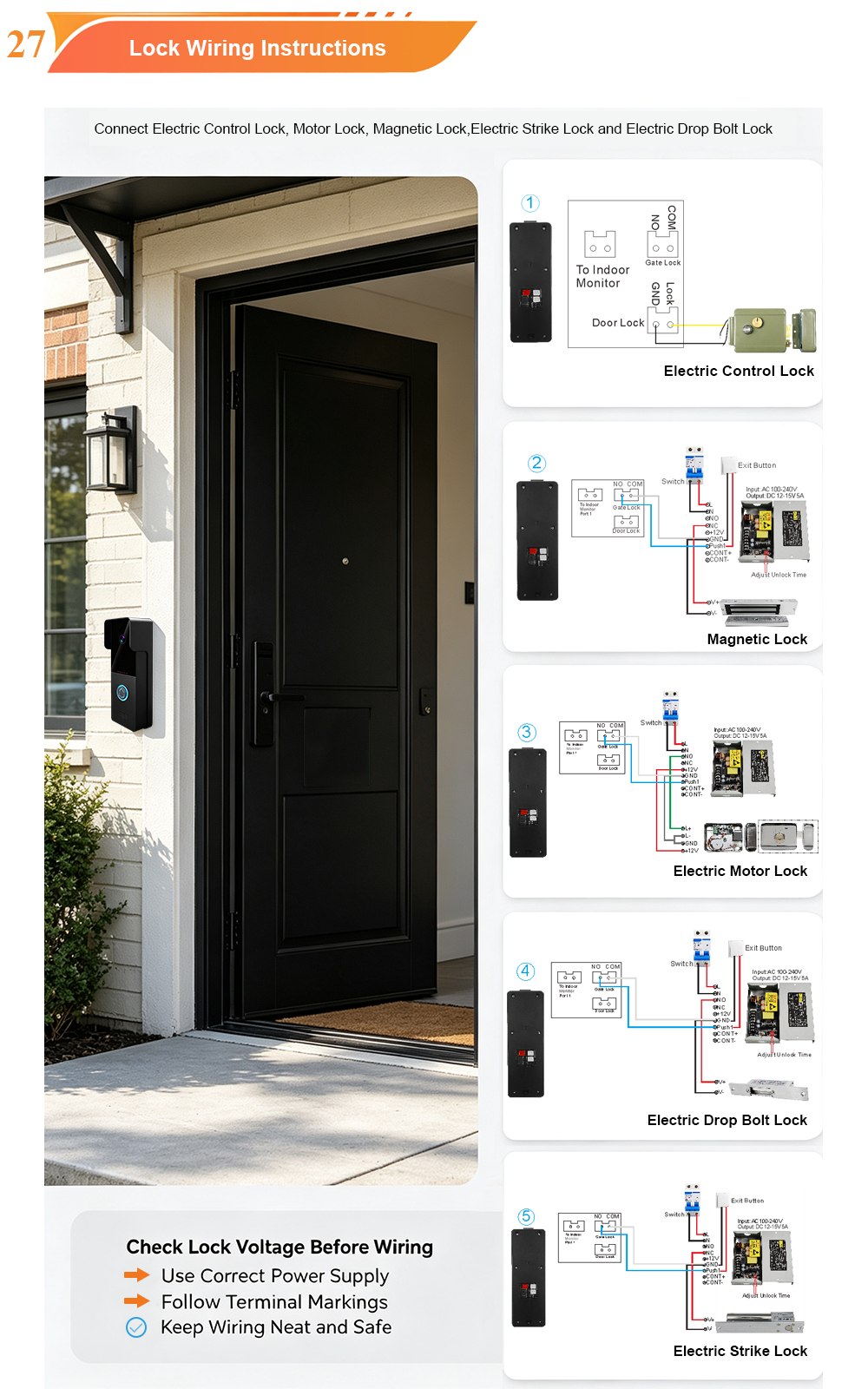
2-Wire Video Door Phone Connection with Electric Rim Lock: Unlock by Card, Indoor Monitor, and App
A complete guide to wiring an electric rim lock to a FARHD 2-wire video door phone system—and configuring three convenient unlock methods: RFID card, indoor monitor, and mobile app. Whether you are upgrading an existing building or specifying a new system, this guide covers the essentials for reliable, secure access control. Electric rim locks are…
-

Video Intercom Manufacturer & Source Factory Since 1998 | OEM ODM SKD Building Intercom
Video Intercom Manufacturer & Vertical Source Factory in China FARHD is a professional video intercom manufacturer with over 28 years of specialized experience in building security intercom systems. Established in 1998, we are a genuine building intercom factory focused on independent R&D, in-house production, and customized manufacturing for global B2B clients, including distributors, importers, engineering contractors, real estate…
-
FARHD Video Intercom System: Versatile Solutions for Apartments and Villas
When it comes to building security and smart access, one size does not fit all. Different buildings have different wiring, different layouts, and different resident expectations. That’s why FARHD offers a comprehensive range of video intercom systems—with various indoor monitors and outdoor stations to match any apartment or villa project. Since 1998, FARHD has been…
-
Low-Temperature Test: FARHD Video Intercom Screens Keep Running Smoothly in Freezing Cold
Inside the freezing chamber, it keeps working — normal display, no black screen, no shutdown. Real quality isn’t just about lab data; it’s about staying reliable in extreme conditions. A video intercom that withstands freezing cold — because your door security can’t take a day off. In many parts of the world, winter is not…



