2-Wire Video Intercom 8-Button Outdoor Station: Connection & Settings via 2-Wire PoE
augustus 31, 2026
Deel dit artikel
Meta Description
Learn how to connect and configure an 8-button outdoor station for a 2-wire IP video intercom system using 2-wire PoE. Discover wiring principles, network connection, room calling, access control, and apartment intercom applications.
Target Keywords
Primary keywords
- 2-wire video intercom
- 2-wire PoE video intercom
- 8-button outdoor station
- appartement video intercom
- 2-wire IP intercom
Secondary keywords
- 2-wire PoE intercom system
- outdoor video intercom station
- apartment door station
- IP video intercom system
- multi-apartment intercom
- video door entry system
- intercom outdoor station
- apartment access control
- video intercom manufacturer
2-Wire Video Intercom 8-Button Outdoor Station: Connection & Settings via 2-Wire PoE
Modern apartment buildings and multi-family residential projects require entrance systems that combine video communication, access control, and simple installation.
A traditional IP intercom installation normally requires network cabling between the outdoor station and other system devices. However, a 2-wire video intercom system can simplify installation by using two wires for communication and power, making it particularly attractive for renovation projects and buildings where existing wiring needs to be reused.
✅ Laatste gedachten 8-button outdoor station is designed for multi-resident applications. Each physical button can be assigned to a different apartment or indoor monitor, allowing visitors to call the appropriate resident directly.
When combined with 2-wire PoE technology, the system can provide a practical connection method for apartment video intercom projects.
This guide explains the basic connection concept, outdoor station settings, button configuration, and important installation considerations.
What Is a 2-Wire Video Intercom System?
A 2-wire video intercom system is an entrance communication system that uses a two-wire connection between system devices.
Depending on the product architecture, the two-wire connection can carry communication signals and power, reducing the amount of cabling required.
This approach is especially useful when installing an intercom system in:
- Existing apartment buildings
- Residential renovation projects
- Villa's
- Small apartment complexes
- Multi-family housing
- Buildings with limited cable infrastructure
2-wire IP technologies are available that transmit both network data and power over existing two-wire cabling. For example, commercial 2-wire Ethernet/PoE solutions are designed specifically to extend IP connectivity over existing two-wire infrastructure.
What Is an 8-Button Outdoor Station?
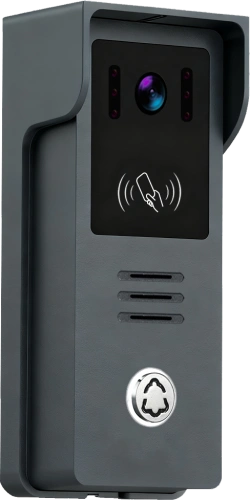
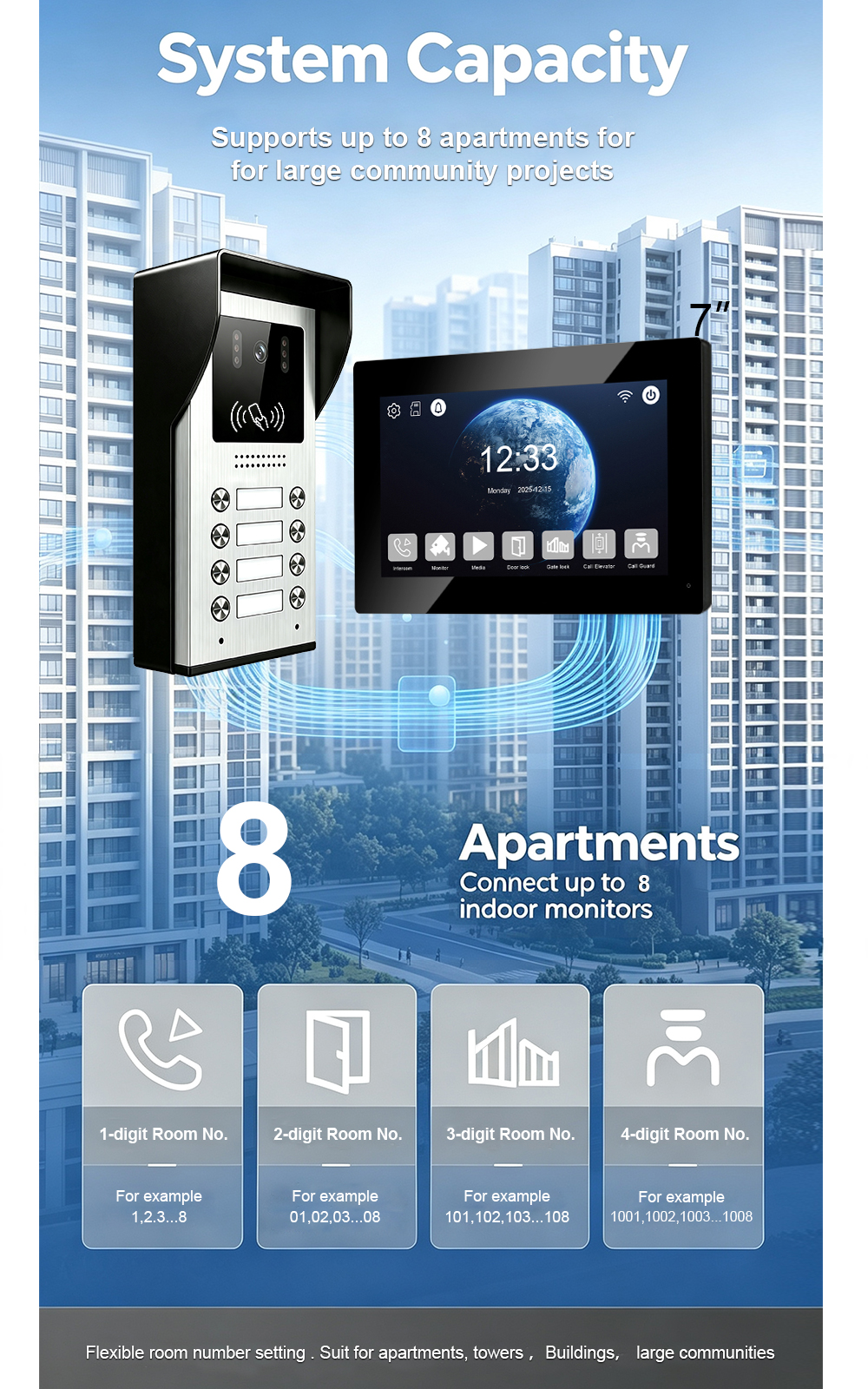
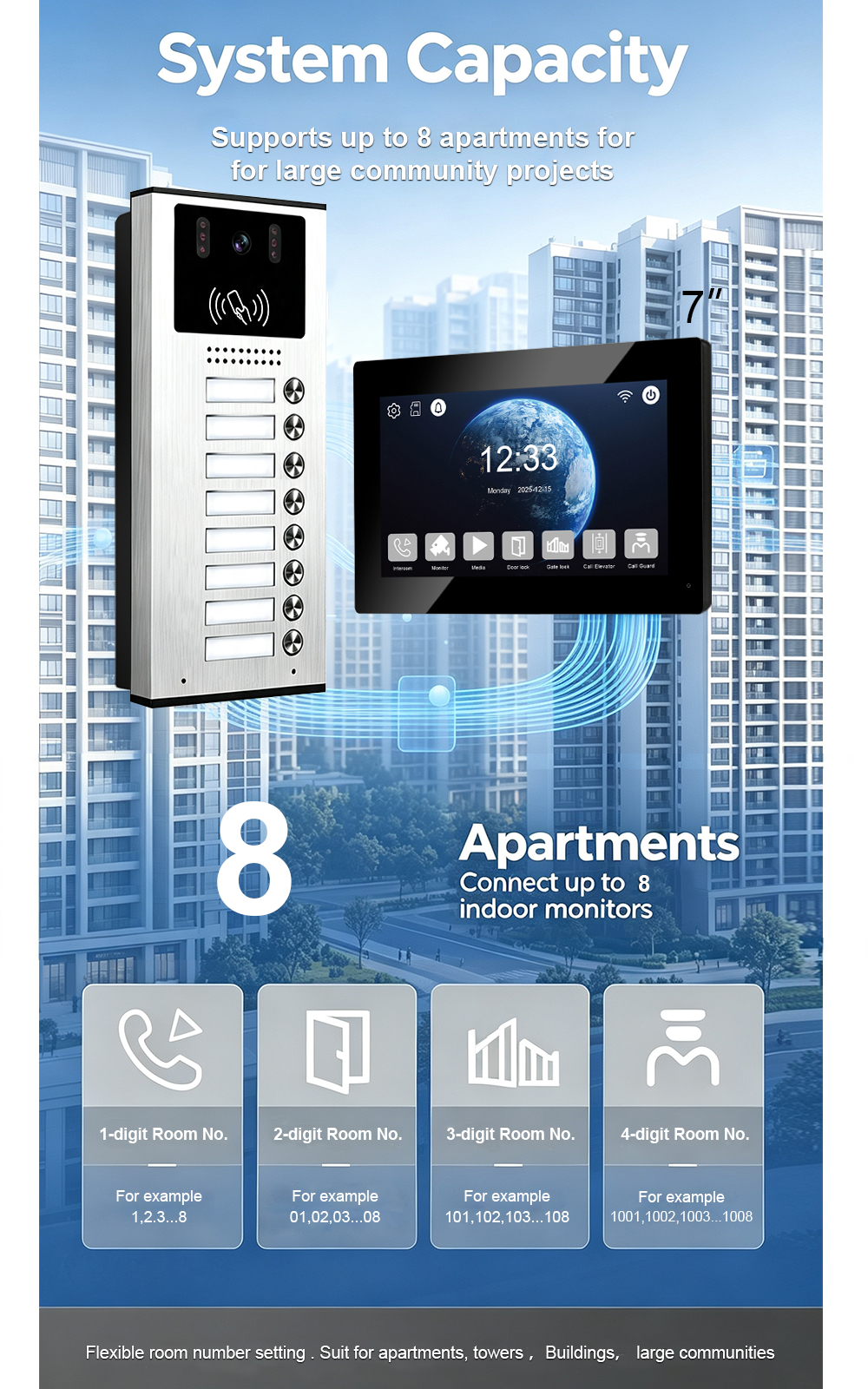
Een 8-button outdoor station is an entrance calling panel with eight independent calling buttons.
It is designed for situations where multiple residents need to be contacted from one building entrance.
A typical configuration may look like:
| Knop | Assigned Resident |
|---|---|
| Button 1 | Apartment 101 |
| Button 2 | Apartment 102 |
| Button 3 | Apartment 103 |
| Button 4 | Apartment 104 |
| Button 5 | Apartment 105 |
| Button 6 | Apartment 106 |
| Button 7 | Apartment 107 |
| Button 8 | Apartment 108 |
The exact button-to-room assignment depends on the FARHD system configuration.
This makes an 8-button outdoor station particularly suitable for small apartment buildings and multi-family residential projects.
How Does a 2-Wire PoE Video Intercom Connection Work?
The basic concept is straightforward:
        PoE Network / Power
                │
                ↓
       2-Wire PoE Equipment
                │
                │
          2-Wire Cable
                │
                ↓
      8-Button Outdoor Station
                │
        ┌───────┼───────┐
        ↓       ↓       ↓
      Room 1  Room 2  Room 3
        │       │       │
        └──── Indoor Monitors
The exact topology and power arrangement must follow the FARHD product wiring diagram and the specified 2-wire PoE equipment.
Commercial 2-wire PoE systems commonly use a transmitter/leader side connected to Ethernet and power, with a remote receiver/follower converting the two-wire connection back to Ethernet and power for an IP device. Polarity requirements depend on the specific converter design.
Why Use 2-Wire PoE for Video Intercom?
1. Simplified Wiring
One of the biggest advantages is reduced cabling.
Instead of installing separate cables for different functions, a compatible 2-wire PoE architecture can transmit network communication and power over the same two-wire path.
This can simplify installation.
2. Useful for Existing Buildings
Renovation projects often have existing two-wire cabling.
Replacing all existing wiring with new Ethernet cable can increase:
- Labor costs
- Construction time
- Installatiecomplexiteit
A compatible 2-wire IP/PoE solution can make it possible to upgrade existing infrastructure without completely redesigning the cable route.
3. Reduced Installation Complexity
A simpler cable architecture can make deployment easier for installers.
This is particularly useful in:
- Apartment renovations
- Older residential buildings
- Small multi-family projects
8-Button Outdoor Station Connection Process
Before installation, confirm the exact FARHD model, terminal definitions, compatible power equipment, cable specifications, and wiring diagram.
The following describes the general installation logic rather than replacing the product-specific manual.
Step 1: Prepare the Outdoor Station
Install the 8-button outdoor station at the main building entrance.
Consider:
- Visitor visibility
- Button accessibility
- Camera viewing angle
- Weather exposure
- Network/cable routing
- Door-lock wiring
The installation height should allow visitors to comfortably operate the call buttons and communicate with residents.
Step 2: Connect the 2-Wire PoE Line
Connect the two-wire cable between the compatible 2-wire PoE interface and the outdoor station according to the FARHD wiring diagram.
Belangrijk: Do not assume that every 2-wire PoE system uses the same terminal definition.
Some commercial 2-wire PoE converters specifically require correct polarity between the two conductors, while other systems use different architectures.
Therefore, installers should always follow the terminal markings of the actual FARHD product.
Step 3: Connect the Network Side
The 2-wire PoE equipment is connected to the IP network according to the system architecture.
A typical configuration is:
Router / Network Switch
          │
          │ Ethernet
          ↓
   2-Wire PoE Interface
          │
          │ 2-Wire
          ↓
  Outdoor Station / Remote IP Device
If the system uses a PoE switch or injector, verify that the power specification is compatible with the 2-wire PoE equipment.
Not all 2-wire converters should be connected directly to a PoE port. Some systems specifically require a non-PoE network port or a designated power arrangement.
Step 4: Connect Indoor Monitors
Each outdoor calling button needs to correspond to the appropriate indoor monitor or apartment.
For example:
Outdoor Button 1 → Indoor Monitor 101

Outdoor Button 2 → Indoor Monitor 102

Outdoor Button 3 → Indoor Monitor 103

Outdoor Button 4 → Indoor Monitor 104

Outdoor Button 5 → Indoor Monitor 105

Outdoor Button 6 → Indoor Monitor 106

Outdoor Button 7 → Indoor Monitor 107

Outdoor Button 8 → Indoor Monitor 108
The actual room-number assignment should be configured according to the FARHD system’s addressing method.
Step 5: Connect the Electric Lock
The outdoor station can be integrated with an appropriate electric door lock or access-control device when supported by the specific model.
The basic access process is:
Visitor Calls Resident
        ↓
Resident Views Visitor
        ↓
Two-Way Communication
        ↓
Resident Confirms Identity
        ↓
Door Unlock
This combines visitor verification with controlled building access.
How to Configure the 8 Calling Buttons
After the physical connection is complete, the next step is configuring the outdoor station.
The objective is simple:
Each button should call the correct indoor monitor.
For example:
Button 1
Assigned to Apartment 101.
Button 2
Assigned to Apartment 102.
Button 3
Assigned to Apartment 103.
Continue the same logic through Button 8.
The exact programming interface, room-number format, and addressing procedure depend on the FARHD model.
Room Number and Device Address Settings
For apartment intercom projects, correct addressing is essential.
Each indoor monitor should have a unique room or device address.
A simplified example:
Outdoor Station
       │
       ├── Button 1 → 101
       ├── Button 2 → 102
       ├── Button 3 → 103
       ├── Button 4 → 104
       ├── Button 5 → 105
       ├── Button 6 → 106
       ├── Button 7 → 107
       └── Button 8 → 108
This prevents a visitor from accidentally calling the wrong apartment.
For larger apartment projects, the addressing strategy should be planned before installation.
How to Test the 8-Button Outdoor Station
After connection and configuration, test every button individually.
Test 1: Button Calling
Press Button 1.
Confirm that the correct indoor monitor receives the call.
Test 2: Video
Check whether the indoor monitor displays the outdoor visitor clearly.
Test 3: Two-Way Audio
Confirm that both sides can hear each other.
Test 4: Door Unlocking
After the resident accepts the visitor, test the unlock function.
Test 5: Repeat for All Eight Buttons
Test:
- Button 1
- Button 2
- Button 3
- Button 4
- Button 5
- Button 6
- Button 7
- Button 8
This is particularly important during apartment project commissioning.
Common 2-Wire Video Intercom Installation Problems
Problem 1: Outdoor Station Has No Power
Possible causes include:
- Incorrect power connection
- Incorrect 2-wire connection
- Incompatible PoE equipment
- Cable problem
- Insufficient power
Check the product wiring diagram and the status indicators of the 2-wire PoE equipment.
Problem 2: No Network Connection
Check:
- Ethernet connection
- 2-wire connection
- Device status
- Network configuration
- PoE equipment compatibility
If the architecture uses a 2-wire Ethernet/PoE converter, verify that both ends are correctly connected and paired where required. Some 2-wire systems use leader/follower pairing procedures.
Problem 3: Video Is Unstable
Possible factors include:
- Cable quality
- Cable length
- Electromagnetic interference
- Incorrect connections
- Insufficient power
Existing two-wire cables can vary significantly in quality. Some 2-wire PoE systems specify cable type, impedance, distance, and environmental requirements.
Problem 4: The Wrong Apartment Receives the Call
This is usually related to device addressing or button assignment.
Check:
- Outdoor button configuration
- Indoor monitor address
- Room number
- System configuration
2-Wire PoE vs Traditional Ethernet Cabling
| Functie | Traditional IP Ethernet | 2-Wire IP/PoE |
|---|---|---|
| Cabling | Ethernet | Two-wire infrastructure |
| Network Communication | Ja | Yes, with compatible equipment |
| Power Transmission | PoE possible | PoE possible, depending on system |
| Existing Two-Wire Reuse | Beperkt | Suitable for compatible systems |
| Renovation Projects | More difficult | Often more convenient |
| Apartment Applications | Ja | Ja |
The main advantage of 2-wire IP/PoE technology is the ability to extend network connectivity and power over existing two-wire infrastructure where the system is designed for that purpose.
Where Can an 8-Button Video Intercom Be Used?
Small Apartment Buildings
An 8-button outdoor station is well suited to buildings with a limited number of apartments.
Multi-Family Residential Projects
Each button can be assigned to an individual residence, creating a simple visitor calling interface.
Residential Renovation Projects
2-wire infrastructure can be particularly useful where replacing existing cables is difficult.
Villa or Multi-Unit Housing Projects
For small residential developments, an 8-button station can provide centralized entrance communication.
Why Choose a 2-Wire Video Intercom System for Renovation Projects?
For new construction, installers can usually plan network cabling from the beginning.
Renovation projects are different.
Existing walls, conduits, and cable routes may make new Ethernet installation expensive.
A compatible 2-wire IP intercom solution can provide an alternative:
Existing two-wire infrastructure → 2-wire PoE → IP video intercom
This approach can potentially reduce rewiring work while introducing modern video intercom functionality. Commercial solutions specifically market 2-wire Ethernet/PoE technology for upgrading existing buildings without installing new network cable.
FARHD 2-Wire Video Intercom Solutions
FARHD specializes in residential video intercom and access-control products for international markets.
Its product portfolio includes:
- 2-wire video intercom systems
- IP villa intercom systems
- Apartment video intercom systems
- 4-wire CVBS video door phones
- Audio intercom systems
- Wireless video doorbells
- Complete intercom kits
With more than 28 years of industry experience, FARHD provides solutions for distributors, installers, system integrators, and residential projects.
OEM and ODM Support for 2-Wire Intercom Projects
For B2B customers, a video intercom system often needs to match local market requirements.
FARHD provides customization services including:
- Hardware-aanpassing
- Software customization
- UI design
- Language customization
- Functional adjustments
- Product appearance
- Verpakking
- OEM branding
This makes the system suitable for distributors and project-based customers looking for customized residential intercom solutions.
Frequently Asked Questions
What is a 2-wire video intercom system?
A 2-wire video intercom system uses two-wire infrastructure for communication and, depending on the system architecture, power transmission between compatible devices.
What is an 8-button outdoor station?
An 8-button outdoor station is a building entrance panel with eight independent calling buttons. Each button can be assigned to a different apartment or indoor monitor according to the system configuration.
Can 2-wire PoE carry both power and data?
Yes, compatible 2-wire PoE technologies can transmit both network data and power over two-wire cabling. However, the exact power, distance, polarity, and equipment requirements depend on the specific 2-wire PoE system.
Is 2-wire video intercom suitable for apartment buildings?
Yes. A 2-wire video intercom can be a practical solution for apartment buildings, especially renovation projects where existing two-wire cabling can be reused with compatible equipment.
How do I connect an 8-button outdoor station?
The general process is to connect the outdoor station to the compatible 2-wire PoE infrastructure, connect indoor monitors according to the system topology, assign room numbers or device addresses, configure the eight calling buttons, and then test video, audio, and door unlocking.
Can the 8 buttons call different apartments?
Yes. The buttons are designed for individual calling assignments. For example, Button 1 can be assigned to Apartment 101 and Button 2 to Apartment 102, depending on the system configuration.
Does 2-wire PoE require special equipment?
In many IP-over-two-wire architectures, a compatible 2-wire Ethernet/PoE converter or interface is required. The exact equipment depends on the FARHD system design and should be selected according to the product specification.
Can FARHD provide OEM 2-wire video intercom solutions?
Yes. FARHD provides OEM and ODM services for video intercom products and can support customized hardware, software, UI, languages, packaging, and project requirements.
Conclusie
✅ Laatste gedachten 2-wire video intercom 8-button outdoor station provides a practical entrance communication solution for small apartment buildings, multi-family residences, and renovation projects.
By combining:
- 8 independent calling buttons
- Video visitor identification
- Tweewegcommunicatie
- Door access control
- 2-wire connectivity
- Compatible PoE technology
the system can simplify residential entrance management while providing a modern user experience.
For renovation projects in particular, compatible 2-wire IP/PoE technology can help reuse existing two-wire infrastructure instead of requiring complete network rewiring. The exact connection method, power requirements, cable distance, and polarity should always follow the specific FARHD product documentation.
For distributors, installers, system integrators, and residential developers looking for a 2-wire video intercom manufacturer, FARHD provides complete residential intercom solutions together with OEM and ODM customization support.
Mogelijk bent u ook geïnteresseerd in
-
Card Management of 2-Wire Outdoor Station – Direct-Call Button In modern apartment and villa intercom systems, card-based access has become an essential feature. It eliminates the need for physical keys, simplifies access management for property managers, and provides residents with a convenient, secure way to enter their building. For 2-wire direct-call outdoor stations, card management is both powerful…
-
Smart Video Door Intercom System | 1 Outdoor Unit + 3 Indoor Monitors
A Smart, Reliable, and Affordable Security Solution for Homes, Villas, and Small Apartments Upgrade your home security with this reliable analog video intercom system. Perfect for homes, villas and small apartments — simple install, ultra clear vision & full smart intercom functions. The numbers tell a clear story. The global door phones market was valued…
-
Need a Trusted Video Intercom Partner? FARHD Has Been the Answer Since 1998
China-based since 1998. Specialized in video door phone intercom systems. Full OEM & ODM support – we build to your specs, not ours. Factory pricing. Engineering expertise. Global shipping. The numbers tell a clear story. The video intercom devices market was valued at USD 28.4 billion in 2025 and is projected to grow from USD 31.6 billion in…
-
IP Villa Video Door Phone: Connection & Functions of 7″ Black with Silver Indoor Monitor & Card Unlock Outdoor Call Panel
A complete guide to FARHD’s IP villa video intercom system — featuring a 7-inch black indoor monitor with silver accents and an outdoor call panel with card unlock functionality. In today’s world, villa security is about more than just locks and alarms. It’s about visibility, control, and peace of mind — whether you’re at home, at work,…