
How to Set Up an Intercom with Camera for Seamless Home or Business Security
januari 22, 2026
Deel dit artikel

1. What is an Intercom with Camera and Why Businesses Use It
Een modern intercom with camera system combines two essential technologies: audio communication and video surveillance. This powerful integration allows users to visually verify who is at the door before granting access, making it highly valuable for both residential and commercial applications.
🔍 Definition
A video intercom system is a secure access solution that includes:
- A door station (with camera, microphone, speaker)
- Indoor monitor(s) or mobile app
- Optional electric door lock integration
🏢 Common Use Cases for Businesses
| Industrie | Toepassingsvoorbeeld |
|---|---|
| Onroerend goed | Secure access to apartments and gated communities |
| Offices & Commercial | Visitor verification, package delivery monitoring |
| Magazijnen en fabrieken | Controlled access to restricted areas |
| Onderwijsinstellingen | Campus security and student movement monitoring |
| Gezondheidszorg | Secure visitor entry and staff communication |
🔑 Why B2B Buyers Prefer Intercoms with Cameras
- Verbeterde beveiliging through video verification
- Reduced manpower costs by automating access control
- Improved visitor experience with two-way communication
- Remote management via smartphone apps or cloud platforms
- Integratie met bestaande beveiligingssystemen such as alarms or CCTV
For businesses handling sensitive information or high-value assets, a video intercom is no longer optional—it’s essential.
2. Key Components Required to Set Up a Video Intercom System
Before installation, it’s critical to understand the hardware and software components needed for a complete intercom setup.
🧱 Main Components
| Component | Beschrijving |
|---|---|
| Door Station (Outdoor Unit) | Inclusief camera, microfoon, luidspreker en belknop |
| Binnenmonitor | Display screen with microphone/speaker for two-way audio |
| Voeding | Usually 12V DC or PoE (Power over Ethernet) |
| Electric Door Lock | Optional for remote unlocking |
| Network Router/Switch | Voor IP-systemen |
| Cables or Wi-Fi Module | Depending on wired or wireless setup |
| Mobile App or PC Software | For remote access and management |
🔧 Optional Add-Ons
- Access Control Keypads/RFID Readers
- Cloud Recording Services
- Sensoren voor bewegingsdetectie
- Integratie liftbesturing
📦 Vendor Checklist for B2B Buyers
When sourcing components, B2B buyers should ensure:
- Naleving van CE, FCC, ROHS certificeringen
- Compatibiliteit met existing infrastructure
- Availability of OEM or white-labeling services
- Post-sales technical support and documentation
3. Step-by-Step Guide to Setting Up a Video Intercom with Camera
Whether you’re a systems integrator, property manager, or IT admin, follow these steps to install and activate a video intercom system.
🛠️ Step 1: Site Assessment
- Map out entry points, power outlets, and network access
- Kies tussen wired or wireless installation
- Determine the number of units required
🛠️ Step 2: Install Door Station
- Mount door station at eye level (approx. 1.4–1.6m)
- Connect to power and/or network
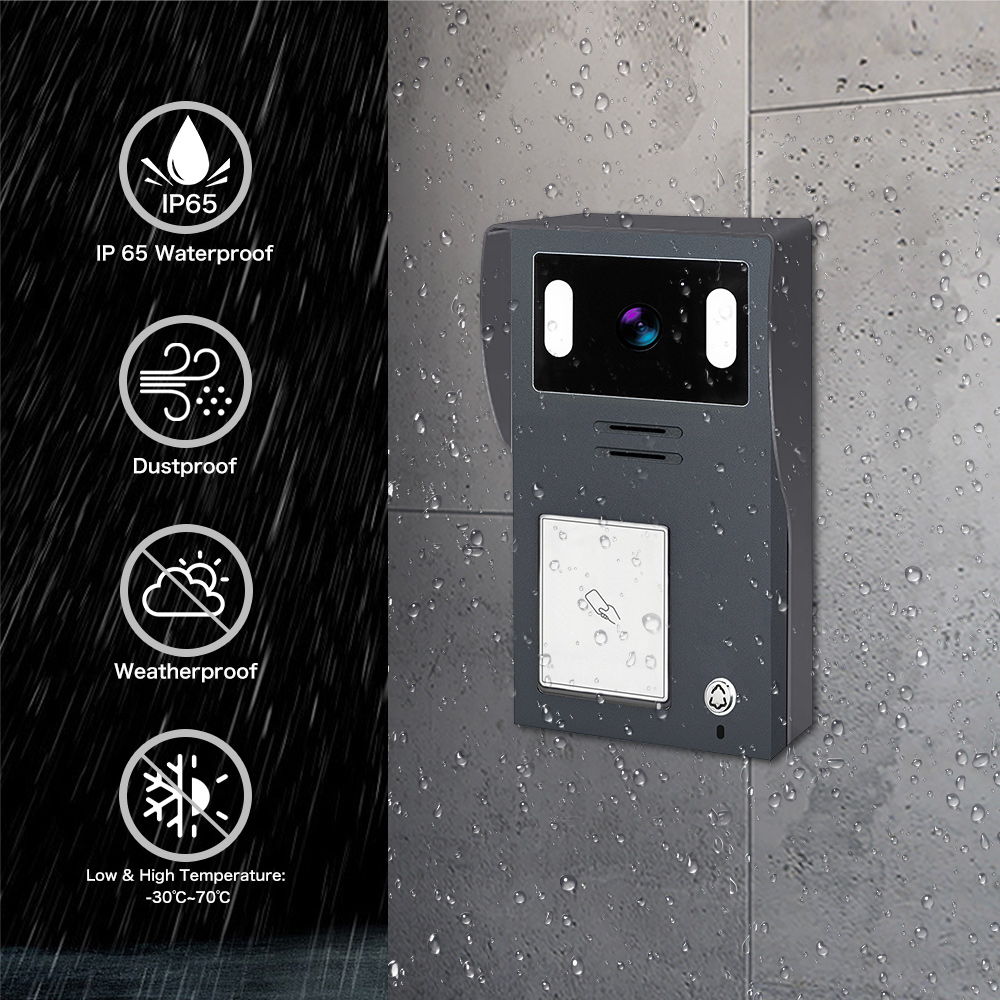
- Seal weatherproof enclosures for outdoor durability
🛠️ Step 3: Install Indoor Monitor(s)
- Mount near entry doors or reception desks
- Connect to power and network
- Test audio-video feed from door station
🛠️ Step 4: Configure System
- Sync indoor and outdoor units
- Set up user profiles and device names
- Configure network settings (static IP/DHCP)
🛠️ Step 5: Integrate with Other Systems
Optional integrations include:
- Electric door locks for remote unlocking
- Mobiele app voor toegang op afstand
- Alarmsystemen for intrusion alerts
🛠️ Step 6: Test and Train
- Test video/audio clarity and door unlocking
- Train staff or residents on usage
- Set up emergency protocols if needed
4. Wired vs Wireless Intercom Systems: Installation and Use Cases
Kiezen tussen bedrade en draadloze intercomsystemen depends on your project’s budget, scale, and technical environment.
⚙️ Wired Intercom Systems
Voordelen:
- Stabiele verbinding with no signal interference
- Hogere video- en audiokwaliteit
- Ideaal voor nieuwbouw of grote renovaties
Nadelen:
- Requires wall drilling and cable routing
- Longer installation time
- Less flexible for future upgrades
📡 Wireless Intercom Systems
Voordelen:
- Eenvoudig te installeren with minimal construction
- Kosteneffectief for retrofits or temporary setups
- Supports remote access via Wi-Fi or LTE
Nadelen:
- Signaalinterferentie in busy networks
- Afhankelijk van Wi-Fi-sterkte
- Security concerns if not encrypted properly
| Functie | Bedraad systeem | Draadloos systeem |
|---|---|---|
| Videokwaliteit | Hoog | Matig tot hoog |
| Installatiecomplexiteit | Hoog | Laag |
| Beste voor | New buildings, commercial | Apartments, small offices |
| Ondersteuning voor mobiele apps | Often optional | Usually included |
For B2B buyers managing large-scale projects, wired systems offer long-term reliability, while wireless systems are ideal for fast deployment and scalability.
5. Benefits of Video Intercom Systems for Commercial Properties
Video intercoms provide tangible ROI for commercial property owners, facility managers, and business tenants.
🏢 Security and Access Control
- Monitor visitors in real time via video feed
- Deter intruders through recorded footage
- Authorize access remotely from mobile devices
💼 Operational Efficiency
- Streamline visitor management without front-desk staff
- Enable contactless entry for deliveries and staff
- Automate logs of entry/exit events
📈 Property Value Increase
- Modern amenities attract high-value tenants
- Naleving van smart building standards
- Energy-efficient systems reduce long-term costs
🎯 Ideal for the Following Commercial Settings:
- Kantoorgebouwen
- Hotels and hospitality chains
- Industrial parks
- Co-working spaces
- Onderwijsinstellingen
6. Best Practices for Installing Video Intercoms in Multi-Unit Buildings
Multi-dwelling units (MDUs) such as apartments, condos, and senior living facilities benefit immensely from centralized intercom systems.
🧩 Centralized vs Decentralized Systems
| Type | Beschrijving | Ideaal voor |
|---|---|---|
| Gecentraliseerd | One entry panel with multiple indoor monitors | Mid to large-scale buildings |
| Decentralized | Multiple entry points with local monitors | Villas, townhouses, duplexes |
🛠️ Installation Tips
- Gebruik IP-gebaseerde systemen for scalability
- Wijs unit numbers to each monitor
- Zorg voor intercom-to-elevator integration for access automation
- Installeer backup power supplies to ensure 24/7 functionality
🧰 Maintenance Recommendations
- Conduct quarterly system diagnostics
- Regularly update firmware/software
- Partner with suppliers offering ondersteuning na verkoop
Building owners should collaborate with experienced OEM/ODM providers like FARHD to ensure system compatibility, reliability, and long-term serviceability.
7. How to Choose the Right Video Intercom Supplier or Manufacturer
For B2B buyers, choosing the right video intercom supplier affects not only product quality but also operational reliability and after-sales service.
✅ Key Criteria to Evaluate Suppliers
- OEM/ODM-mogelijkheden: Can they provide customization?
- Certificeringen: ISO 9001, CE, ROHS, FCC, etc.
- Beheer toeleveringsketen: Do they manufacture key components in-house?
- R&D-ondersteuning: Is product innovation part of their core?
- After-sales service: Do they offer technical documentation and support?
🏆 Why FARHD is the Preferred Choice in China
Shenzhen FARHD Tech Co, Ltd. (FARHD) is de leading intercom OEM/ODM manufacturer in China, offering a full range of solutions from component design to final product assembly.
Here’s why B2B clients trust FARHD:
- Volledige verticale integratie (LCD, LCM, camera modules)
- Meer dan 60% marktaandeel in China
- Global leadership in Italy, Korea, and Turkey
- 13 intelligent production lines in een faciliteit van 5.500m²
- Certified with ISO 9001, CE, ROHS, FCC, and SGS
- Toegewijde R&D-team ensures future-proof designs
Ontdek FARHD's OEM/ODM-diensten for customized smart intercom solutions.
8. Top OEM/ODM Intercom with Camera Manufacturers in 2024
If you’re looking to source intercoms in bulk or under your own brand, here are top-performing OEM/ODM manufacturers globally.
| Fabrikant | Land | Specialiteit | Sterke punten |
|---|---|---|---|
| FARHD | China | Full-stack intercom systems | Vertical integration, customization |
| Aiphone | Japan | Commercial intercoms | Reliability, long-standing brand |
| 2N (as) | Tsjechië | IP video intercoms | Enterprise-grade solutions |
| Comelit | Italië | Multi-apartment systems | Stylish design, EU market focus |
| Hikvision | China | Security and surveillance integration | AI-aangedreven intercoms |
For white-label or volume production inquiries, contact opnemen met FARHD directly to discuss custom branding and long-term cooperation.
9. Veelgestelde vragen (FAQ)
❓ Can I install a video intercom system without professional help?
Yes, especially wireless systems. However, for commercial or multi-unit setups, professional installation is recommended to ensure system security and compliance.
❓ What is the lifespan of a high-quality intercom system?
With routine maintenance, a well-manufactured intercom system can last 5–10+ years.
❓ Can I integrate a video intercom system with smart home platforms?
Yes. Many systems from OEMs like FARHD support integration with Alexa, Google Home, or proprietary apps.
❓ Is there an intercom system that works without Wi-Fi?
Ja. Wired analog or IP-based intercoms can function without Wi-Fi by using direct LAN connections or PoE.
❓ How do I request a custom intercom solution?
You can explore FARHD's productcatalogus or submit a custom inquiry to tailor your intercom system for your specific project.
By following this comprehensive guide, B2B buyers, property developers, and systems integrators can confidently plan and implement a robust video intercom solution that enhances both security and user experience.
Mogelijk bent u ook geïnteresseerd in
-

FARHD to Showcase All-Climate Technology at 2026 China Security Expo, Empowering Smart Communities in Northern China
From November 3 to 6, 2026, FARHD, a global leader in smart security and communication solutions, will unveil its full range of products deeply optimized for the harsh winter conditions of northern China at the 18th China International Social Public Security Products Expo (Security China). Under the theme “Digital Intelligence World, Total Security,” the expo…
-

FARHD to Showcase All-Climate Hard-Tech Solutions at Securika Moscow 2026
From April 22 to 24, 2026, FARHD, a global leader in smart security and communication solutions, will unveil its full range of products engineered for extreme climates at Securika Moscow 2026, held at Crocus Expo in Moscow, Russia. At booth A-9101, FARHD will present its smart intercom, access control, and smart home solutions—all deeply optimized…
-

FARHD Honored with Multiple Prestigious Awards in China’s Building Intercom Industry, 28 Years of Deep Engagement in the Chinese Market Solidifying Its Position as a Leading Brand
Recently, in the annual selection event jointly organized by the China Security and Protection Industry Association and multiple authoritative media outlets, FARHD, by virtue of its profound industry experience, outstanding technological innovation capabilities, and extensive market recognition, was awarded the prestigious “Most Influential Brand in China’s Building Intercom Industry” . These accolades not only affirm FARHD’s 28…
-

FARHD Honored with Multiple Prestigious Awards in China’s Building Intercom Industry, 28 Years of Deep Engagement in the Chinese Market Solidifying Its Position as a Leading Brand
Recently, in the annual selection event jointly organized by the China Security and Protection Industry Association and multiple authoritative media outlets, FARHD, by virtue of its profound industry experience, outstanding technological innovation capabilities, and extensive market recognition, was awarded the prestigious “National Top 10 Quality Brands in the Security Industry” . These accolades not only affirm FARHD’s…



