
How to Install a Doorbell Camera with Monitor: A Step-by-Step Guide for Homes & Businesses
grudzień 17, 2025
Udostępnij ten artykuł
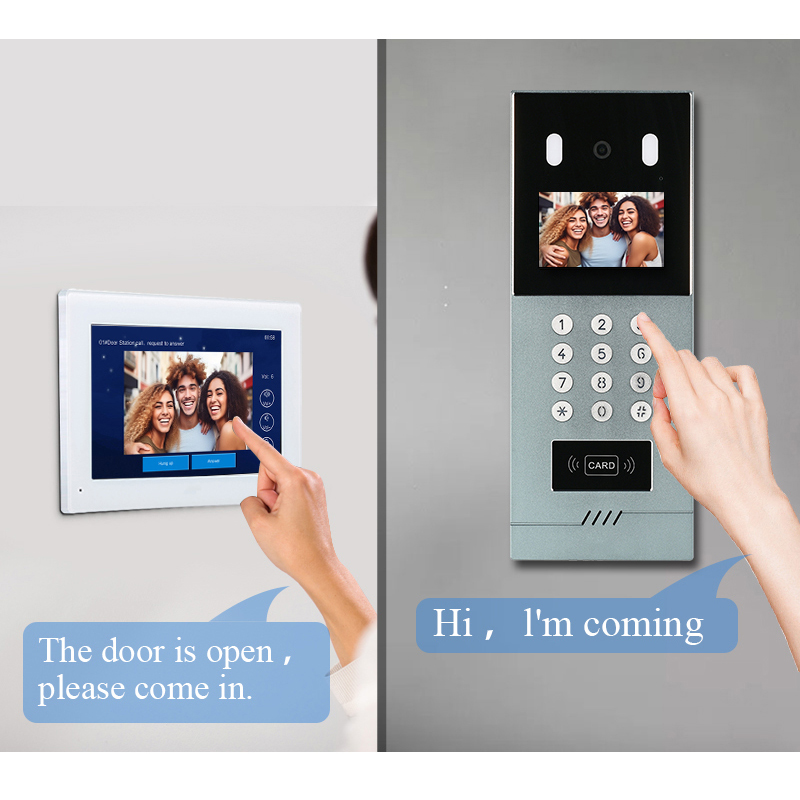
1. What Is a Doorbell Camera with Monitor and How Does It Work?
A doorbell camera with monitor is a smart security solution that combines a video doorbell and an indoor monitor screen. These systems allow users to see and communicate with visitors at the door in real-time, whether they are at home or away.
Components of a Doorbell Camera with Monitor System
| Komponent | Opis |
|---|---|
| Doorbell Camera Unit | Installed outside near the door, captures video and audio of visitors |
| Wyświetlacz monitora wewnętrznego | A screen (usually LCD) placed inside to view the live feed |
| Zasilanie | Powers the units (wired or battery-powered) |
| Control Unit (Optional) | Manages video signals and connections between devices |
| Integracja z aplikacją | Allows remote access and notifications via smartphone |
Jak to działa
- When a visitor presses the doorbell or motion is detected, the camera activates.
- The live video feed is displayed on the monitor inside the house.
- Two-way audio allows you to talk to the visitor through the built-in microphone and speaker.
- Advanced systems also store footage, integrate with smart locks, and connect to cloud platforms.
Kluczowe funkcje do rozważenia
- HD Rozdzielczość wideo
- Noktowizor
- Dwukierunkowy dźwięk
- Wykrywanie ruchu
- Local/Cloud Storage
- Integracja ze inteligentnym domem (Alexa, Google Home)
This system is ideal for both mieszkalny i nieruchomościach komercyjnych, enhancing security and convenience.
2. Advantages of Installing a Doorbell Camera System for Homes and Businesses
Whether you’re a homeowner, property manager, or business owner, installing a doorbell camera with a monitor offers multiple benefits.
Benefits for Residential Users
- Zwiększone bezpieczeństwo: Monitor who approaches your door, even when you’re not home.
- Zapobieganie kradzieży paczek: Catch porch pirates in action and deter theft.
- Zdalny dostęp: View live feeds & communicate with visitors via mobile app.
- Child & Elderly Safety: Easily manage access for kids or aging parents.
Benefits for B2B and Commercial Clients
- Kontrola dostępu: Screen visitors before granting entry to office buildings or warehouses.
- Zarządzanie wieloma jednostkami: Ideal for apartments, condos, or gated communities.
- Integracja z innymi systemami: Can be combined with access control, elevator control, or alarm systems.
- Wizerunek marki: Shows professionalism and care for visitor safety.
Why Install a Monitor Instead of Just a Mobile App?
| Funkcja | Mobile App Only | Monitor + Mobile App |
|---|---|---|
| Real-time Display | Only with internet | Instant, even without WiFi |
| Elderly Friendly | Less convenient | Easy to use |
| Niezawodność | Dependent on phone | Always on, dedicated device |
| Dostęp wielu użytkowników | Ograniczone | Multiple monitors possible |
Idealne przypadki użycia
- Sklepy detaliczne
- Budynki mieszkalne
- Placówki opieki zdrowotnej
- Schools and Daycares
- Office Entrances
Dla wholesale buyers, suppliers, and distributors, offering these systems expands your smart home or security product line with high-demand, value-added options.
3. Tools and Materials Needed to Install a Doorbell Camera with Monitor
The installation process depends on whether you’re using a przewodowymi lub bezprzewodowymi system. Here’s a categorized list of tools and materials frequently required.
General Tools
- Screwdriver set (flat and Philips)
- Power drill and drill bits
- Tester napięcia
- Wire stripper/cutter
- Taśma miernicza
- Pencil for marking
Wired Doorbell Camera Installation Materials
| Pozycja | Cel |
|---|---|
| Doorbell camera kit | Main component with camera and mounting accessories |
| Monitor unit | Indoor screen for video display |
| Electrical wires (18/2 or 22/2) | Connects power and video signals |
| Junction box (optional) | Protects wiring connections |
| Wall anchors and screws | Secures the units to walls |
| Power transformer (if needed) | Converts voltage for compatibility |
Wireless Doorbell Installation Materials
| Pozycja | Cel |
|---|---|
| Bezprzewodowy wideodomofon | Battery or low-voltage powered camera |
| Monitor or smart display | Connects wirelessly to display video feed |
| Wi-Fi router | Facilitates device communication |
| Wspornik montażowy | Holds the doorbell securely in place |
Opcjonalne akcesoria
- Memory Card: For local video storage
- Backup Battery: Ensures functionality during power outages
- Chime Module: For traditional doorbell ring inside the house
💡 Pro Tip: For professional or bulk installations, consider kits from an experienced OEM like FARHD, which include pre-assembled components and clear installation guides for faster deployment at scale.
Safety Note
- Turn off the power at the circuit breaker before installing any wired device.
- Use a voltage tester to ensure no current is running through wires.
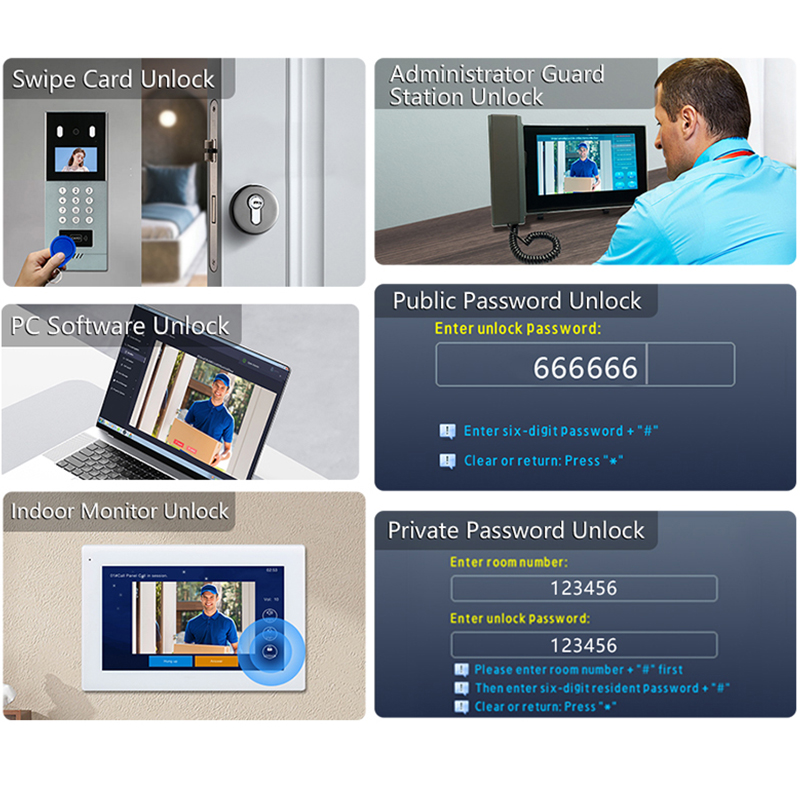
4. Step-by-Step Guide: Installing a Wired Doorbell Camera with Monitor
Wired doorbell camera systems are known for their stable connection, continuous power supplyoraz high-resolution video quality. These systems are ideal for multi-unit residences, commercial buildingsoraz instalacji stałych.
Step 1: Plan the Installation
- Choose the Mounting Locations:
- Kamera drzwiowa: Usually next to the main door, at chest height (approx. 4–5 feet from the ground).
- Monitoruj: Mounted on a wall inside, ideally near the entrance or in a living room/office.
- Check Existing Wiring:
- If replacing an old doorbell or intercom system, you may reuse existing wiring.
- Identify power sources and wire paths before drilling.
Step 2: Turn Off Power
- Switch off the main power supply or circuit breaker connected to the doorbell wiring to ensure safe installation.
- Użyj voltage tester to verify no current is flowing.
Step 3: Install the Doorbell Camera
- Mark the Drill Points using the base plate.
- Wywierć otwory and insert wall anchors if required.
- Run the Wires through the wall and connect them to the appropriate terminals.
- Attach the Camera Unit to the mounting bracket.
- Seal the Edges with silicone to prevent water ingress.
Step 4: Run Wiring to the Monitor
- Route the wires from the doorbell to the indoor monitor location.
- Użyj 18/2 AWG electrical wire for power and video (or as recommended by the manufacturer).
- Avoid running wires near high-voltage lines to reduce signal interference.
Step 5: Install the Indoor Monitor
- Mount the bracket on the wall.
- Connect the wires from the doorbell camera to the monitor terminals (refer to the wiring diagram).
- Plug the monitor into a power source or connect it to the central power supply.
Step 6: Power On and Test
- Switch the power back on.
- The monitor should display live video from the camera.
- Test:
- Video clarity
- Dwukierunkowe audio
- Noktowizja
- Doorbell ring and chime
- W razie potrzeby dostosuj kąt kamery.
⚙️ Need Professional Help? For commercial projects or large-scale B2B installations, partnering with a manufacturer like FARHD ensures reliable wiring diagrams, tech support, and scalable installation solutions.
5. Step-by-Step Guide: Installing a Wireless Video Doorbell with Monitor
Wireless video doorbell systems eliminate the need for extensive wiring, making them perfect for Instalacje DIY, nieruchomości na wynajemoraz remote buildings.
Step 1: Charge or Insert Batteries
- Most wireless doorbells are zasilany bateryjnie or have a rechargeable lithium battery.
- Charge fully before installation to ensure uninterrupted setup.
Step 2: Install the Doorbell Camera
- Choose the Mounting Spot near the front door.
- Use the Template provided to mark drill holes.
- Drill and Fix the Mounting Bracket.
- Attach the Doorbell Unit securely to the bracket.
- Optional: Use anti-theft screws or mounts.
Step 3: Set Up Wi-Fi Connection
- Download the companion app (e.g., Smart Life, Tuya, or proprietary brand apps).
- Follow the prompts to connect the doorbell to 2.4GHz Wi-Fi.
- Ensure the router is within range for stable video streaming.
Step 4: Install the Indoor Monitor or Connect to Smart Display
- Some systems come with a wireless monitor that automatically pairs with the doorbell.
- Others rely solely on inteligentnych wyświetlaczach (like Echo Show or Google Nest Hub).
| Typ połączenia | Szczegóły |
|---|---|
| Wireless Monitor | Pre-paired or manually connected via menu |
| Aplikacja na smartfon | iOS & Android support, real-time alerts |
| Smart Assistant Display | Integracja z Alexą/Google Home |
Step 5: Configure Device Settings
- Set up motion zones, alert sensitivityoraz recording options.
- Test two-way communication.
- Włącz cloud or SD card recording as needed.
Step 6: Test Functionality
- Ring the bell to ensure the monitor and/or app receives alerts.
- Check video clarity, night vision, and sound quality.
- Adjust placement if signals are weak.
🛠️ For businesses or landlords managing multiple units, wireless systems are easier to scale. Manufacturers such as FARHD offer advanced wireless doorbell kits with modular components and centralized management options.
6. Common Installation Mistakes and How to Avoid Them
Even though most doorbell camera systems are designed for user-friendly installation, certain mistakes can compromise performance or safety.
⚠️ Top Installation Mistakes
| Błąd | Konsekwencja | Rozwiązanie |
|---|---|---|
| Incorrect mounting height | Poor camera angle or blind spots | Mount at chest height (~4.5 ft) |
| Słaby sygnał Wi-Fi | Laggy or dropped video/audio | Use Wi-Fi extender or wired connection |
| Power supply mismatch | Device won’t turn on or may be damaged | Use manufacturer-recommended power supply |
| Loose wiring | Intermittent video/audio | Secure all wire connections tightly |
| Pomijanie aktualizacji oprogramowania układowego | Security vulnerabilities or bugs | Regularly update via app or monitor menu |
| Inappropriate placement (sun/glare) | Washed-out video or false motion alerts | Choose shaded, weather-protected location |
👷 Tips for a Smooth Installation
- Read the Manual: Every system has different wiring and pairing instructions.
- Label Wires: Especially important for multi-wire systems to avoid confusion.
- Use Weatherproofing: Apply silicone or use weather-rated casings for outdoor cameras.
- Test Before Mounting: Power and connect the system temporarily to check functionality.
- Document Setup: Especially for landlords or commercial setups, record device IDs and settings.
📦 Wholesale Distributors and Installers often prefer working with OEMs that provide detailed installation manuals, video tutorials, and after-sales support. FARHD offers multilingual documentation and global technical support for seamless deployment.
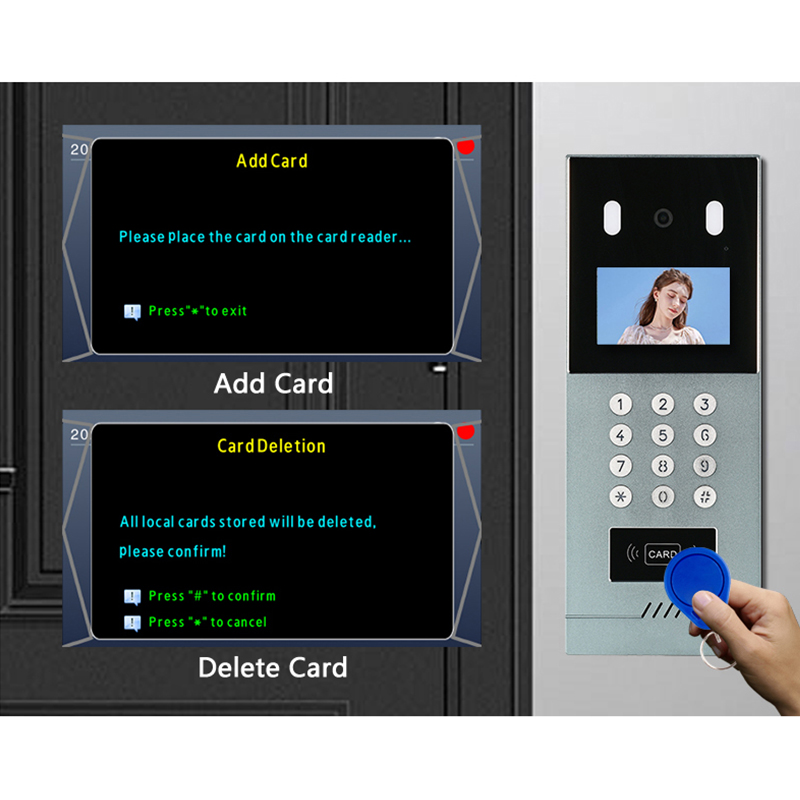
7. Best Video Doorbell Camera Systems with Monitor in 2025
With the rapid evolution of smart home and building security technologies, video doorbell systems with built-in monitors have become more sophisticated, user-friendly, and integration-ready. The best systems in 2025 offer a combination of smart features, high-definition video, and scalable installation options — ideal for both residential and commercial buyers.
Key Criteria for Selection
When evaluating video doorbell systems for B2B clients, property developers, or wholesale buyers, consider these essential features:
- Rozdzielczość: 2MP minimum (1080p); 5MP or higher for commercial use
- Ekran wyświetlacza: 7-inch or larger LCD with capacitive touch
- Źródło zasilania: Flexible options (AC/DC, POE, battery)
- Opcje przechowywania: Local (SD card) and/or Cloud
- Integracja: Compatible with Alexa, Google Home, or smart locks
- Trwałość: IP65 lub wyższa dla użytku zewnętrznego
- Możliwość rozbudowy: Multi-monitor support for villas or apartment complexes
Top Recommended Systems
| Marka/Model | Rozdzielczość | Cechy | Najlepszy przypadek użycia |
|---|---|---|---|
| FARHD 4-Wire Villa Kit | 1080p | 7” LCD monitor, motion alert, night vision, app integration | Wille, osiedla strzeżone |
| Ring Video Doorbell Elite + Echo Show | 1080p | POE support, smart assistant integration, sleek design | Smart homes, small offices |
| Hikvision Analog Kit | 720p | Basic monitor, wired setup | Budget apartments |
| Eufy Security S330 | 2K | Battery-powered, AI detection, wireless monitor | Rentals, single homes |
| Przewodowy wideodomofon Arlo Essential | 1536p | Wide FOV, smart detection, mobile app only | Modern homes, small retail |
🏆 Dlaczego FARHD się wyróżnia: As a leading OEM/ODM manufacturer, FARHD oferuje customizable, scalable, and high-quality doorbell camera systems with built-in LCD monitors, ideal for both residential and commercial projects. Their 4-wire solutions are particularly popular in Europe, Korea, and Turkey, with deep integration options and industry-leading reliability.
Tabela porównawcza funkcji
| Funkcja | FARHD 4-Wire | Ring Elite | Eufy S330 | Hikvision Analog |
|---|---|---|---|---|
| Monitor w zestawie | ✅ | ❌ | ✅ | ✅ |
| Dwukierunkowy dźwięk | ✅ | ✅ | ✅ | ✅ |
| Integracja z aplikacją | ✅ | ✅ | ✅ | ❌ |
| Kompatybilność z inteligentnym domem | ✅ | ✅ | ✅ | ❌ |
| Przewodowy/Bezprzewodowy | Przewodowy | POE | Bezprzewodowe | Przewodowy |
| System rozszerzalny | ✅ | ❌ | ❌ | ✅ |
| Dostosowywanie OEM/ODM | ✅ | ❌ | ❌ | ❌ |
8. Choosing the Right OEM/ODM Manufacturer for Doorbell Camera Systems
Jeśli jesteś distributor, wholesaler, or security solution provider, choosing the right OEM/ODM partner is key to ensuring product quality, supply chain efficiency, and long-term scalability.
What to Look for in a Doorbell Camera OEM/ODM Partner
| Kryteria | Dlaczego to ma znaczenie |
|---|---|
| Integracja pionowa | Ensures full control over quality and cost |
| Własna działalność badawczo-rozwojowa | Enables fast innovation and product customization |
| Certifications (ISO, CE, FCC) | Guarantees compliance with global standards |
| Zdolność produkcyjna | Important for scaling large or time-sensitive orders |
| Globalne wsparcie | Facilitates smooth cooperation across regions |
| Możliwości dostosowywania | Critical for private labeling and unique product design |
Why FARHD is the Top Choice in China
Shenzhen FARHD Tech Co., Ltd. (FARHD) is your go-to OEM/ODM partner for video doorbell camera systems with monitors. Oto dlaczego:
- ✅ Pełna integracja pionowa: From LCD/LCM modules to complete intercom systems
- ✅ 13 Automated Production Lines: 5,500m² factory with 260+ skilled staff
- ✅ Zasięg globalny: Market leader in China, Italy, Korea, and Turkey
- ✅ Zaawansowane badania i rozwój: Dedicated team for custom software, hardware, and design
- ✅ Certyfikaty: ISO 9001, CE, ROHS, FCC, SGS
- ✅ Usługi personalizacji: rozwiązań OEM/ODM for private label, custom branding, and special features
OEM/ODM Services Offered by FARHD
| Typ usługi | Szczegóły |
|---|---|
| OEM Production | Manufacture completely to your specifications |
| ODM Design | Collaborate on new product development with FARHD engineers |
| Private Labeling | Add your brand logo, packaging, and custom UI |
| Dostosowanie oprogramowania | Tailored firmware, app branding, and cloud integration |
| Dostosowanie sprzętu | Unique camera modules, display sizes, and enclosure designs |
📞 Ready to scale your smart doorbell business? Kontakt FARHD to discuss your OEM/ODM requirements with their expert team.
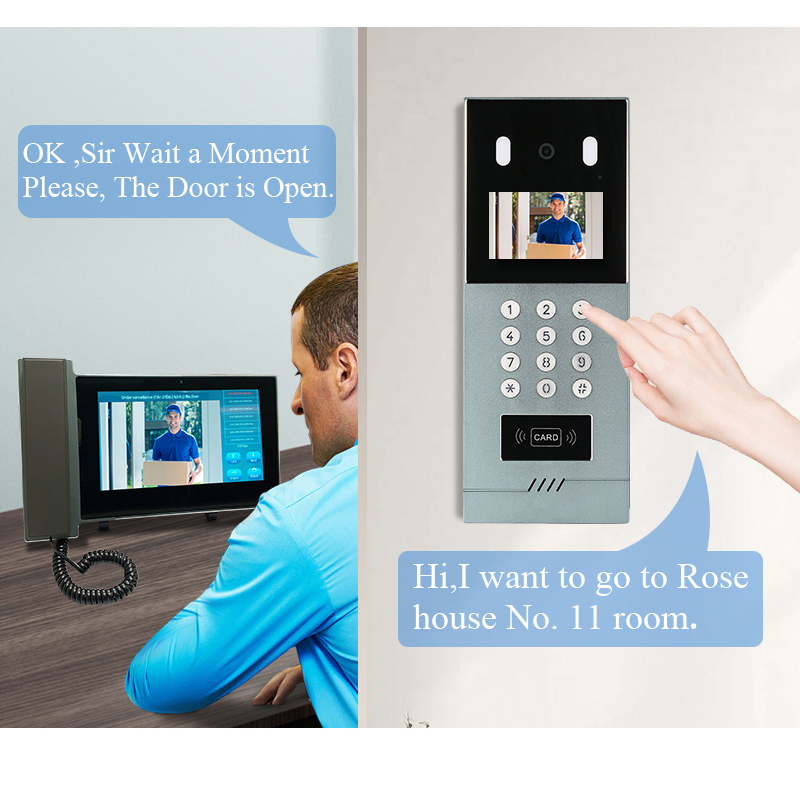
9. FAQ: Installation, Compatibility, and Supplier Information
Q1: Can I install a doorbell camera system without professional help?
Tak, especially for wireless systems. Most modern video doorbells are DIY-friendly and come with detailed guides. However, for multi-unit systems or wired installations, it’s recommended to hire a professional or work with an OEM that offers tech support.
Q2: Will the monitor work without Wi-Fi?
Tak, wired doorbell systems with monitors work independently of Wi-Fi. However, for remote access via app, a stable internet connection is required.
Q3: Can I connect multiple monitors to one doorbell camera?
Absolutnie. Many systems, especially from manufacturers like FARHD, support konfiguracje wielomonitorowe — ideal for villas, offices, and apartment complexes.
Q4: How can I become a distributor for FARHD products?
You can explore the opportunity by reaching out directly through their Strona kontaktowa. FARHD oferuje competitive B2B pricing, technical trainingoraz dedicated account support for qualified partners.
Q5: What if I need a custom design or branding?
FARHD specjalizuje się w produkcji OEM/ODM, allowing you to create a fully branded doorbell camera system tailored to your market needs. Learn more on their Strona usług OEM/ODM.
✅ Ostateczne przemyślenia i wezwanie do działania
Instalacja video doorbell camera system with monitor is one of the best ways to enhance security, improve visitor management, and modernize any residential or commercial property. Whether you’re a homeowner looking for a simple wireless upgrade or a wholesaler sourcing solutions for multi-property developments, choosing the right system—and the right manufacturing partner—makes all the difference.
✔️ For the most reliable and customizable solutions, trust FARHD—the OEM leader in smart intercom and doorbell camera technology.
👉 Ready to upgrade or resell your own branded smart doorbell system?
📩 Skontaktuj się z FARHD już dziś aby poprosić o wycenę lub katalog produktów.
Możesz być również zainteresowany
-

FARHD to Showcase All-Climate Technology at 2026 China Security Expo, Empowering Smart Communities in Northern China
From November 3 to 6, 2026, FARHD, a global leader in smart security and communication solutions, will unveil its full range of products deeply optimized for the harsh winter conditions of northern China at the 18th China International Social Public Security Products Expo (Security China). Under the theme “Digital Intelligence World, Total Security,” the expo…
-

FARHD to Showcase All-Climate Hard-Tech Solutions at Securika Moscow 2026
From April 22 to 24, 2026, FARHD, a global leader in smart security and communication solutions, will unveil its full range of products engineered for extreme climates at Securika Moscow 2026, held at Crocus Expo in Moscow, Russia. At booth A-9101, FARHD will present its smart intercom, access control, and smart home solutions—all deeply optimized…
-

FARHD Honored with Multiple Prestigious Awards in China’s Building Intercom Industry, 28 Years of Deep Engagement in the Chinese Market Solidifying Its Position as a Leading Brand
Recently, in the annual selection event jointly organized by the China Security and Protection Industry Association and multiple authoritative media outlets, FARHD, by virtue of its profound industry experience, outstanding technological innovation capabilities, and extensive market recognition, was awarded the prestigious “Most Influential Brand in China’s Building Intercom Industry” . These accolades not only affirm FARHD’s 28…
-

FARHD Honored with Multiple Prestigious Awards in China’s Building Intercom Industry, 28 Years of Deep Engagement in the Chinese Market Solidifying Its Position as a Leading Brand
Recently, in the annual selection event jointly organized by the China Security and Protection Industry Association and multiple authoritative media outlets, FARHD, by virtue of its profound industry experience, outstanding technological innovation capabilities, and extensive market recognition, was awarded the prestigious “National Top 10 Quality Brands in the Security Industry” . These accolades not only affirm FARHD’s…



