
Jak zmienić dzwonek w bezprzewodowym dzwonku: Krok po kroku dla użytkowników i instalatorów
grudzień 11, 2025
Udostępnij ten artykuł
1. Zrozumienie systemów bezprzewodowych dzwonków i ich funkcji dzwonka
Bezprzewodowe dzwonki ewoluowały daleko poza proste pudełka z dzwonkiem. Współczesne systemy, zwłaszcza bezprzewodowe dzwonki wideo, oferują różnorodne opcje dźwiękowe, konfigurowalne dzwonki, a nawet integrację z asystentami inteligentnego domu, takimi jak Alexa i Google Home.
Kluczowe komponenty systemu bezprzewodowego dzwonka:
| Komponent | Opis |
|---|---|
| Nadajnik | Przycisk na zewnątrz drzwi, który naciskają goście |
| Odbiornik/Jednostka dzwonka | Urządzenie wewnątrz domu, które odtwarza dzwonek |
| Źródło zasilania | Może być zasilane bateryjnie lub przez USB/wtyczkę elektryczną |
| Łączność | Używa RF (częstotliwości radiowej), Wi-Fi lub obu do komunikacji |
| Inteligentne funkcje | Nagrywanie wideo, powiadomienia w aplikacji, detekcja ruchu i personalizacja dzwonka |
Dlaczego dzwonki mają znaczenie w bezprzewodowych dzwonkach
- Bezpieczeństwo: Różne tony pomagają identyfikować wejście frontowe/tylne lub wejście dla gości/usług
- Dostępność: Głośniejsze i wyraźne tony dla osób z wadami słuchu
- Estetyka: Dopasuj dzwonek do stylu osobistego lub marki
- Użytek biznesowy: Różne dzwonki dla różnych wejść lub działów
2. Popularne typy dzwonków w inteligentnych bezprzewodowych dzwonkach
Współczesne bezprzewodowe dzwonki oferują szeroki zakres opcji dzwonków dostosowanych do różnych środowisk. Oto, jak się różnią:
Typy oferowanych dzwonków:
| Typ dzwonka | Opis | Przypadek użycia |
|---|---|---|
| Tradycyjne dzwonki | Klasyczne tony „ding-dong” | Domy, mieszkania |
| Melodie | Wstępnie zainstalowane popularne utwory lub dźwięki sezonowe | Domy rodzinne, święta |
| Własne przesyłania | Prześlij własne pliki MP3 lub WAV | Firmy, branding |
| Alerty głosowe | Własne wiadomości, takie jak „Gość przy tylnych drzwiach” | Biura, magazyny |
| Tryb cichy | Brak dzwonka, tylko alerty wizualne lub mobilne | Strefy ciszy, tryb nocny |
Popularne marki inteligentnych dzwonków i ich funkcje dzwonków
| Marka | Dostępne opcje dzwonków | Własne przesyłania | Ograniczona lub brak integracji z inteligentnym domem |
|---|---|---|---|
| Ring | Ponad 30 tonów | ❌ | ✔️ |
| Eufy | Ponad 20 tonów | ❌ | ✔️ |
| Arlo | Ponad 15 dzwonków | ❌ | ✔️ |
| FARHD | Ponad 50 tonów + alerty głosowe | ✔️ | ✔️ |
| Google Nest | Ograniczona liczba tonów | ❌ | ✔️ |
Uwaga: Tylko FARHD obsługuje pełne przesyłanie własnych dzwonków i alerty głosowe od razu dla użytku biznesowego.
3. Przewodnik krok po kroku: Jak zmienić dzwonek w bezprzewodowym dzwonku
Zmiana dzwonka zależy od marki i modelu, ale oto ogólny przewodnik pasujący do większości bezprzewodowych dzwonków wideo do domu i firmy.
A. Używanie fizycznego odbiornika (modele nieinteligentne)
- Znajdź odbiornik: Zazwyczaj podłączony do ściany lub umieszczony na płaskiej powierzchni wewnątrz.
- Naciśnij przycisk dzwonka: Wiele modeli ma przycisk oznaczony „Muzyka” lub „Dzwonek”.
- Przeglądaj tony: Naciśnij wielokrotnie, aby przewinąć dostępne tony.
- Ustaw pożądany dzwonek: Przestań naciskać, gdy usłyszysz ten, który lubisz.
💡 Wskazówka: Niektóre modele automatycznie zapisują ostatni odtwarzany ton, inne wymagają osobnego naciśnięcia przycisku „Ustaw”.
B. Używanie aplikacji mobilnej (inteligentne bezprzewodowe dzwonki)
- Otwórz aplikację towarzyszącą: Popularne aplikacje to FARHD SmartHome, Ring lub Eufy Security.
- Przejdź do Ustawień: Dotknij ikony koła zębatego lub paska menu.
- Wybierz „Ustawienia dźwięku Chime” lub „Ustawienia dźwięku”
- Przeglądaj dostępne dzwonki
- Dotknij, aby podglądać i wybrać
- Zapisz zmiany
C. Wgrywanie niestandardowych dzwonków (obsługiwane modele, takie jak FARHD)
- Przygotuj plik audio: Upewnij się, że jest w formacie MP3 lub WAV.
- Otwórz aplikację lub podłącz przez USB (zależnie od modelu)
- Wgraj z telefonu lub komputera
- Przypisz do konkretnej strefy dzwonka lub wejścia
- Przetestuj i zapisz
Podsumowanie wizualne: Metody zmiany dzwonka
| Metoda | Obsługiwane urządzenia | Wymagane umiejętności | Wymagany czas |
|---|---|---|---|
| Przycisk fizyczny | Podstawowe modele bezprzewodowe | Niska | 1-2 minuty |
| Aplikacja mobilna | Inteligentne modele | Średni | 2-3 minuty |
| Wgrywanie niestandardowe | Zaawansowane inteligentne modele | Wysoka | 5-10 minut |
Jeśli używasz bezprzewodowego wideodomofonu FARHD, proces jest jeszcze bardziej uproszczony za pośrednictwem aplikacji FARHD SmartHome, która obsługuje spersonalizowane strefy dźwiękowe i synchronizację dzwonków na wielu wejściach.
Aby uzyskać więcej szczegółów na temat produktu, odwiedź Strona produktu FARHD.

4. Funkcje personalizacji dzwonków w zaawansowanych bezprzewodowych domofonach
Wraz z ewolucją technologii inteligentnego domu rozwijają się również opcje personalizacji dostępne w nowoczesnych bezprzewodowe dzwonki wideo. Zaawansowane modele oferują teraz zestaw funkcji personalizacji dzwonków, które poprawiają doświadczenie użytkownika i funkcjonalność, zwłaszcza w środowiskach wielorodzinnych lub biznesowych.
Kluczowe funkcje personalizacji dzwonków, na które warto zwrócić uwagę
| Funkcja | Opis | Idealny dla |
|---|---|---|
| Wiele dzwonków strefowych | Przypisz różne dzwonki do drzwi frontowych, tylnych lub bocznych | Wille, domy z wieloma wejściami |
| Wgrywanie niestandardowego audio | Wgraj własne pliki MP3/WAV | Biura, markowe wejścia |
| Regulacja głośności | Ustaw różne poziomy głośności na dzień/noc lub według pomieszczenia | Domy mieszkalne, pokoje dziecięce |
| Tryb cichy | Tymczasowo wycisz jednostkę chime, aby uniknąć zakłóceń | Szpitale, spotkania, noc |
| Alerty głosowe | Wstępnie nagrane wiadomości głosowe (np. „Wejście dla dostaw”) | Magazyny, budynki komercyjne |
| Kontrola dźwięku oparta na harmonogramie | Automatycznie zmieniaj dzwonki w zależności od pory dnia | Kompleksy apartamentowe, hotele |
Zaawansowane możliwości dzwonków FARHD
Jednym z nielicznych producentów OEM oferujących pełne możliwości personalizacji dzwonków jest Shenzhen FARHD Tech Co., Ltd.. Ich systemy bezprzewodowych domofonów pozwalają użytkownikom na:
- Przypisanie unikalnych tonów do wielu wejść
- Wgrywanie niestandardowych dźwięków markowych lub wiadomości powitalnych
- Synchronizację dzwonków między urządzeniami za pomocą konfiguracji chmurowej
- Dostosowanie harmonogramów tonów na podstawie godzin pracy
To czyni FARHD kompleksowym rozwiązaniem dla kupujących B2B, deweloperów i zarządców nieruchomości, którzy potrzebują niezawodnego, konfigurowalnego systemu interkomu lub bezprzewodowego domofonu.
5. Rozwiązywanie problemów z dzwonkami w bezprzewodowych wideodomofonach
Czasem użytkownicy napotykają problemy podczas próby zmiany lub odsłuchu dzwonków w swoich bezprzewodowych domofonach. Znajomość sposobów rozwiązywania tych problemów może zaoszczędzić czas i zapobiec niepotrzebnym wymianom.
Typowe problemy z dzwonkami i ich naprawy
| Problem | Możliwa przyczyna | Rozwiązanie |
|---|---|---|
| Dzwonek nie zmienia się | Błąd firmware lub niska bateria | Uruchom ponownie urządzenie lub aplikację, upewnij się, że bateria jest naładowana |
| Brak dźwięku z odbiornika | Głośność wyłączona lub awaria głośnika | Sprawdź ustawienia głośności, przetestuj z innym tonem |
| Niestandardowy dzwonek nie wgrywa się | Nieobsługiwany format pliku | Konwertuj plik do MP3 lub WAV (maks. 512 KB) |
| Dzwonek odtwarza się przerywanie | Zakłócenia bezprzewodowe lub słaby sygnał | Przesuń odbiornik bliżej, zresetuj połączenie WiFi lub RF |
| Odbiornik resetuje się do domyślnego dzwonka | Utrata zasilania lub uszkodzona pamięć | Używaj modeli z pamięcią nieulotną, takiej jak FARHD |
Wskazówki konserwacyjne dla niezawodnego działania dzwonków
- Regularnie aktualizuj firmware za pośrednictwem aplikacji mobilnej, aby naprawić błędy i dodać nowe funkcje
- Unikaj umieszczania odbiorników blisko obiektów metalowych lub grubych ścian blokujących sygnały
- Oznacz niestandardowe dzwonki wyraźnie , aby łatwo je znaleźć w aplikacji
- Używaj zabezpieczeń przed przepięciami dla odbiorników na wtyczkę, aby uniknąć resetów podczas przerw w dostawie prądu
Jeśli używasz systemu domofonowego FARHD, wszystkie ustawienia niestandardowych dzwonków są zsynchronizowane w chmurze, co oznacza, że są automatycznie przywracane nawet po resecie zasilania.
6. Najlepsze bezprzewodowe domofony z funkcjami niestandardowych dzwonków w 2025 roku
Wybór odpowiedniego bezprzewodowego wideodomofonu z opcjami personalizacji dzwonków może znacząco wpłynąć na ustawienia mieszkalne i komercyjne. Poniżej znajduje się porównanie najlepszych modeli oferujących zaawansowane możliwości dzwonków.
Porównanie najlepszych bezprzewodowych domofonów (edycja 2025)
| Marka / Model | Niestandardowe dzwonki | Inteligentna aplikacja | Regulacja głośności | Alerty głosowe | Wsparcie B2B |
|---|---|---|---|---|---|
| Zestaw FARHD Smart Villa | ✔️ (Wgrywanie MP3) | ✔️ | ✔️ | ✔️ | ✔️ (OEM/ODM) |
| Ring Video Doorbell Pro 2 | ❌ | ✔️ | ✔️ | ❌ | ❌ |
| Eufy Security 2K Doorbell | ❌ | ✔️ | ✔️ | ❌ | ❌ |
| Arlo Essential Doorbell | ❌ | ✔️ | ✔️ | ❌ | ❌ |
| Dzwonek do drzwi Nest (bateria) | ❌ | ✔️ | ✔️ | ❌ | ❌ |
Dlaczego FARHD prowadzi w kategorii
- Wgrywanie niestandardowych dzwonków: Wgraj jingiel firmy, wiadomość powitalną lub powitanie sezonowe
- Konfiguracja wielostrefowa: Przypisz różne dźwięki do różnych wejść
- Kontrola przez aplikację: Zarządzaj wszystkimi tonami zdalnie za pośrednictwem aplikacji FARHD
- Synchronizacja chmurowa: Nie trzeba rekonfigurować po aktualizacjach firmware lub restartach
- Opcje OEM/ODM: Idealne dla dystrybutorów, resellerów i deweloperów nieruchomości
Jeśli jesteś dystrybutor lub kupujący biznesowy, model portalu OEM/ODM FARHD przeprowadzi Cię przez opcje brandingu i personalizacji dostosowane do Twojego rynku.
7. Dlaczego elastyczność dzwonków ma znaczenie dla zarządców nieruchomości i firm
Chociaż personalizacja dzwonków może wydawać się kosmetyczną funkcją, oferuje realne korzyści funkcjonalne dla kupujących B2B, deweloperzyoraz zarządców nieruchomości komercyjnych.
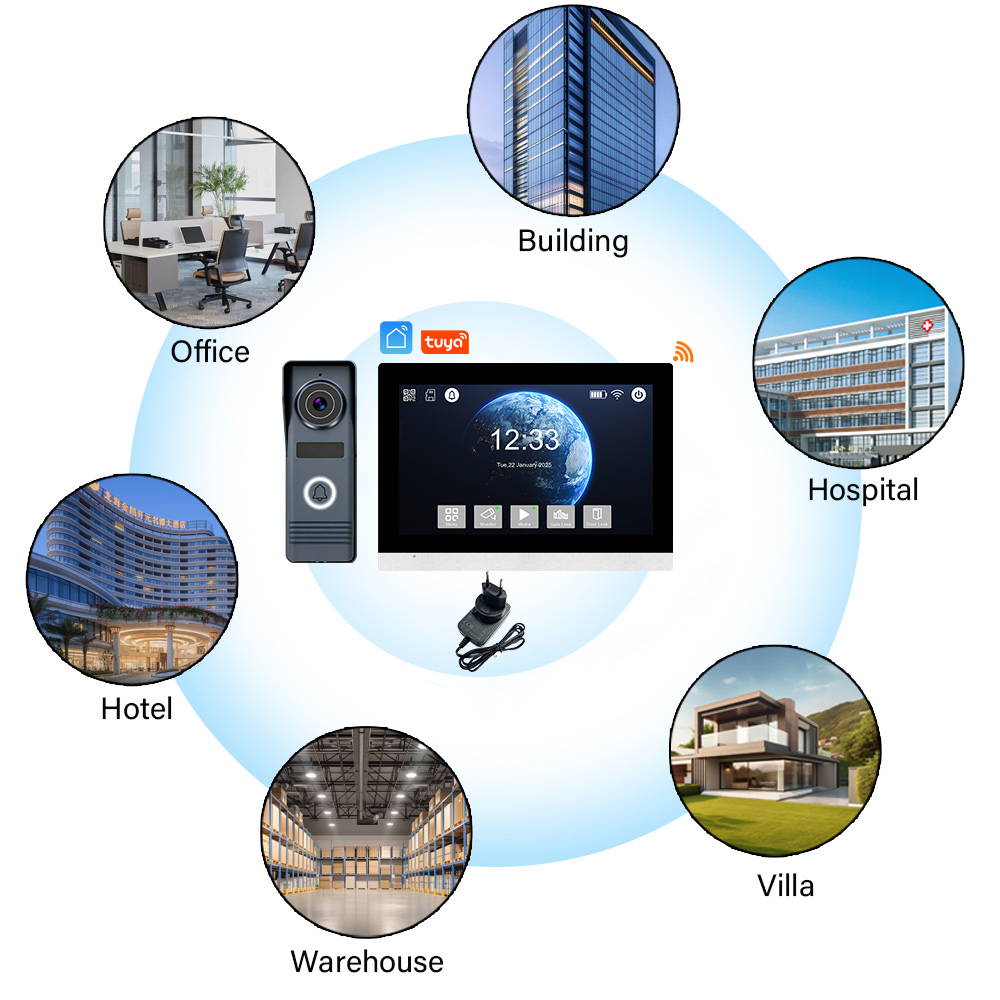
Najlepsze przypadki użycia biznesowego dla niestandardowych dzwonków
- Budynki mieszkalne: Przypisz unikalne dzwonki do każdej jednostki lub punktu wejścia
- Alexa, Google, SDK aplikacji: Używaj alertów głosowych, takich jak „Odwiedzający w recepcji” lub „Dostawa przy rampie załadunkowej”
- Sklepy detaliczne: Odtwarzaj markowe powitania lub sezonowe wiadomości przy głównym drzwiach
- Hotele: Dostosuj domofony w pokojach gościnnych z dzwonkami powitalnymi w odpowiednim języku
- Szpitale: Używaj miękkich tonów lub alertów wizualnych w obszarach dla pacjentów
Korzyści dla kupujących komercyjnych
| Korzyść | Wpływ na biznes |
|---|---|
| Ulepszone zarządzanie gośćmi | Szybka identyfikacja punktów wejścia |
| Branding i personalizacja | Wzmacniaj wizerunek firmy przy wejściu |
| Dostępność dla wszystkich użytkowników | Pomagaj użytkownikom z wadami słuchu głośnymi tonami |
| Monitorowanie wielostrefowe | Wiedz dokładnie, które drzwi zostały aktywowane |
| Zmniejszone skargi na hałas | Używaj trybów cichych lub wibracyjnych w wrażliwych obszarach |
Dla deweloperzy nieruchomości, funkcje niestandardowych dzwonków FARHD ułatwiają marketingowanie nowoczesnych nieruchomości technologicznych, które przyciągają kupujących inteligentne domy i najemców biznesowych.
8. Wybór dostawcy bezprzewodowych domofonów z opcjami niestandardowych dźwięków
Jeśli jesteś kupujący, dostawca lub dystrybutor szukający bezprzewodowych wideodomofonów z personalizacją dzwonków w katalogu produktów, wybór odpowiedniego producenta jest kluczowy.
Czego szukać u dostawcy B2B bezprzewodowych domofonów
- Obsługa niestandardowych dźwięków: Czy producent pozwala na wgrywanie MP3 lub alerty głosowe?
- Usługi OEM/ODM: Czy mogą obrandować urządzenie z Twoim logo i dźwiękiem?
- Alerty głosowe wielojęzyczne: Przydatne dla rynków globalnych lub wielokulturowych
- Niezawodny łańcuch dostaw: Czy mogą dostarczyć zamówienia hurtowe na czas?
- Obsługa posprzedażna: Czy pomogą z aktualizacjami firmware i wsparciem aplikacji?
Zalecany producent bezprzewodowych domofonów: FARHD
Shenzhen FARHD Tech Co., Ltd. (FARHD) to wiodący Producent inteligentnych dzwonków do drzwi OEM/ODM z ponad 25 latami doświadczenia w branży. Oto dlaczego są najlepszym wyborem dla kupujących B2B:
- ✔️ Ponad 50 opcji niestandardowych dzwonków
- ✔️ Wgrywanie MP3, wiadomości głosowych i dźwięków markowych
- ✔️ Zdalna kontrola dzwonków przez aplikację
- ✔️ Konfiguracje wielostrefowe i wielourządzeniowe
- ✔️ Integracja pionowa dla stałej jakości i szybkiej dostawy
Bez względu na to, czy chcesz kupować hurtowo, sprzedawać pod własną marką, czy integrować konfigurowalne domofony w ekosystemy inteligentnego domu, FARHD jest Twoim zaufanym partnerem.
9. FAQ: Zmiana i zarządzanie dzwonkami w bezprzewodowych domofonach
P1: Czy mogę wgrać własny dźwięk jako dzwonek w dowolnym bezprzewodowym domofonie?
O: Nie. Tylko zaawansowane modele, takie jak te od FARHD , pozwalają na wgrywanie plików MP3 lub WAV.
P2: Ile dzwonków jest zazwyczaj dostępnych w inteligentnym domofonie?
O: Większość inteligentnych domofonów oferuje 20–50 preinstalowanych dzwonków. Niektóre pozwalają na wgrywanie dla nieograniczonych opcji.
P3: Dlaczego mój dzwonek resetuje się po awarii prądu?
O: Urządzenia bez synchronizacji chmurowej lub pamięci nieulotnej resetują się. Wybierz modele takie jak FARHD z trwałymi ustawieniami.
P4: Czy mogę przypisać różne dzwonki do różnych wejść?
O: Tak, jeśli Twoje urządzenie obsługuje konfiguracje wielostrefowe, takie jak system Smart Villa FARHD.
P5: Czy istnieje limit rozmiaru pliku dzwonka, jeśli wgrywam własny?
O: Zazwyczaj tak. Większość urządzeń obsługuje do 512 KB lub 1 MB. Zawsze kompresuj plik przed wgraniem.
Gotowy na ulepszenie systemu bezprzewodowego domofonu z funkcjami niestandardowych dzwonków, które dodają funkcjonalności i stylu?
➡️ Odkryj konfigurowalne inteligentne domofony FARHD
➡️ Skontaktuj się z zespołem OEM/ODM, aby omówić swoje wymagania
Umocnij swój biznes lub nieruchomość inteligentniejszymi, bardziej spersonalizowanymi alertami wejściowymi — tylko z FARHD.
Możesz być również zainteresowany
-

FARHD to Showcase All-Climate Technology at 2026 China Security Expo, Empowering Smart Communities in Northern China
From November 3 to 6, 2026, FARHD, a global leader in smart security and communication solutions, will unveil its full range of products deeply optimized for the harsh winter conditions of northern China at the 18th China International Social Public Security Products Expo (Security China). Under the theme “Digital Intelligence World, Total Security,” the expo…
-

FARHD to Showcase All-Climate Hard-Tech Solutions at Securika Moscow 2026
From April 22 to 24, 2026, FARHD, a global leader in smart security and communication solutions, will unveil its full range of products engineered for extreme climates at Securika Moscow 2026, held at Crocus Expo in Moscow, Russia. At booth A-9101, FARHD will present its smart intercom, access control, and smart home solutions—all deeply optimized…
-

FARHD Honored with Multiple Prestigious Awards in China’s Building Intercom Industry, 28 Years of Deep Engagement in the Chinese Market Solidifying Its Position as a Leading Brand
Recently, in the annual selection event jointly organized by the China Security and Protection Industry Association and multiple authoritative media outlets, FARHD, by virtue of its profound industry experience, outstanding technological innovation capabilities, and extensive market recognition, was awarded the prestigious “Most Influential Brand in China’s Building Intercom Industry” . These accolades not only affirm FARHD’s 28…
-

FARHD Honored with Multiple Prestigious Awards in China’s Building Intercom Industry, 28 Years of Deep Engagement in the Chinese Market Solidifying Its Position as a Leading Brand
Recently, in the annual selection event jointly organized by the China Security and Protection Industry Association and multiple authoritative media outlets, FARHD, by virtue of its profound industry experience, outstanding technological innovation capabilities, and extensive market recognition, was awarded the prestigious “National Top 10 Quality Brands in the Security Industry” . These accolades not only affirm FARHD’s…



