
How to Link Doorbell Camera to Mobile App for Real-Time Monitoring and Alerts
Janeiro 13, 2026
Partilhar este artigo
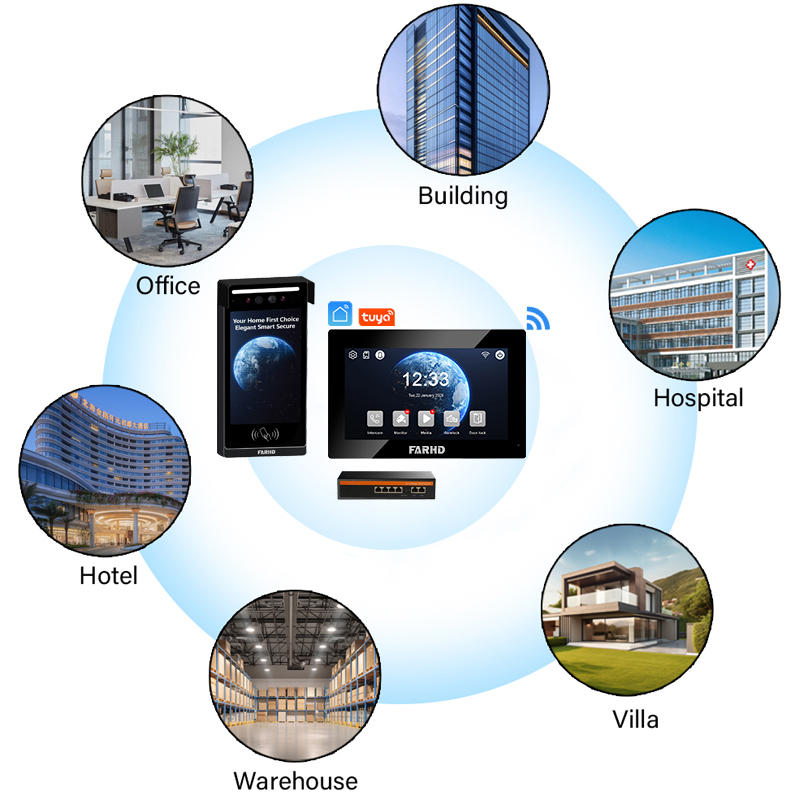
1. O que é uma Campainha de Vídeo e Como Ela Funciona?
A campainha de vídeo is a smart home device that combines the functionality of a traditional doorbell with a built-in camera, microphone, speaker, and WiFi connectivity. It allows users to see, hear, and speak with visitors at their door through a smartphone app — even when they are not at home.
Componentes principais de uma campainha com vídeo:
| Componente | Função |
|---|---|
| Câmera | Captura vídeo em tempo real do visitante na porta |
| Microfone/altifalante | Permite comunicação de áudio bidirecional |
| Sensor de movimento | Detects movement and sends alerts to the user’s phone |
| Módulo WiFi | Connects the doorbell to the internet and links it to a mobile app |
| Armazenamento | Armazenamento na nuvem ou local para gravações de vídeo |
| Fonte de alimentação | Battery-powered or hardwired to existing doorbell wiring |
Alimentado por bateria recarregável ou conectado à fonte de alimentação do edifício
- Detection: The motion sensor or doorbell press triggers the camera.
- Notification: A real-time push notification is sent to the paired mobile app.
- Live View: Users can view the video feed and start two-way communication.
- Recording: Video footage is often saved to cloud or local storage for review.
📱
Most video doorbells pair with a dedicated mobile app that supports:
- Transmissão de vídeo em direto
- Detecção de movimento alerts
- Áudio bidirecional
- Cloud storage access
- Smart integrations (Google Assistant, Alexa)
2. How to Use a Video Doorbell with Alexa or Google Home
Integrating your video doorbell with smart assistants like Alexa or Google Home enhances functionality and allows voice-activated control or automation routines.
Why Integrate with Smart Home Systems?
- Hands-free control: Ask Alexa or Google to show the front door camera on a smart display.
- Voice commands: “Alexa, show me who’s at the front door.”
- Automation: Trigger smart lights when motion is detected at the door.
- Centralized control: Manage all smart home devices in one app.
Integration Steps:
For Alexa:
- Open the Alexa App → Devices → Add Device → Select “Camera”.
- Choose your doorbell brand and follow the linking instructions.
- Enable the corresponding Alexa Skill (e.g., “Ring,” “EufySecurity”).
- Log in with your doorbell account credentials.
- Discover devices → Your doorbell appears under “Cameras”.
For Google Home:
- Open the Google Home App → Tap “+” to add a new device.
- Select “Set up device” → “Works with Google”.
- Search for your doorbell brand → Link the account.
- Assign the doorbell to a room in your Google Home environment.
Compatible Smart Displays:
| Device | Supports Video Feed | Comandos de Voz |
|---|---|---|
| Amazon Echo Show (5, 8, 10) | ✅ | ✅ |
| Google Nest Hub / Nest Hub Max | ✅ | ✅ |
| Fire TV Stick with Alexa | ✅ | ✅ |
| Android TV with Google Assistant | ✅ | ✅ |
✅ Dica Profissional para Compradores B2B: Ao adquirir video doorbells with app and voice control support, ensure OEM options provide SDK or API compatibility with major smart home ecosystems. Brands like FARHD have pre-integrated solutions that streamline smart assistant pairing.
3. How to Set Up Motion Detection on a Video Doorbell
Motion detection is one of the most valuable features of a video doorbell. It allows users to receive alerts when someone approaches the door, even if they don’t ring the bell — boosting security and awareness.
Benefits of Motion Detection:
- Prevention: Deter package theft or suspicious activity.
- Automation: Trigger lights or alarms when motion is detected.
- Recording efficiency: Record only when activity is detected to save storage.
Setup Process (Varies by App):
- Baixe o Aplicativo: Use the OEM-provided or branded app.
- Pair the Doorbell: Connect the doorbell to your app via WiFi.
- Navigate to Settings → Motion Detection:
- Enable motion detection
- Adjust detection zones (exclude street traffic, etc.)
- Set sensitivity (low, medium, high)
- Configure notification preferences (app alerts, email, etc.)
Motion Detection Table:
| Caraterística | Descrição | Option Range |
|---|---|---|
| Sensitivity Adjustment | Determines how easily motion is detected | Low / Med / High |
| Zonas de Movimento | Define specific areas where motion should trigger alerts | Customizable Zones |
| Smart Detection (AI-based) | Differentiates between people, animals, vehicles | Available in AI models |
| Alert Frequency | Control how often you get alerts | Once per min / Instant |
| Notification Type | Push, email, in-app alert, or all | Configurable |
🛠 Integration Tip for Businesses: Ao escolher um fornecedor de campainha de vídeo, prioritize brands offering Deteção de movimento com tecnologia de IA with customizable zones. Shenzhen FARHD Tech Co., Ltd. provides doorbell intercom systems with built-in intelligent motion analytics, ideal for both residential and commercial deployments.

4. Do Video Doorbells Record All the Time?
Whether a video doorbell records continuously or only when motion is detected depends on the model, storage capability, and user preferences.
Recording Modes:
| Modo | Descrição | Adequado para |
|---|---|---|
| Acionado por movimento | Records only when movement is detected | Standard home use |
| Continuous Recording (24/7) | Records 24/7 footage regardless of activity | Business / High-security |
| Event-Based Clips | Short clips around events (e.g., doorbell press) | General users |
Storage Options:
- Cloud Storage: Subscription-based, video stored on manufacturer’s servers
- Local Storage: Via microSD cards or Network Video Recorders (NVRs)
- Hybrid Systems: Offer both local and cloud backups
🔐 Buyer Note: For B2B applications, such as apartment complexes or office buildings, gravação contínua may be necessary. FARHD’s OEM solutions support customizable storage options, enabling integration with enterprise-grade NVRs or cloud servers.
5. Quão Seguros São os Interfones de Vídeo Inteligentes?
Security is essential when linking video doorbells to mobile apps. Since these devices transmit data over WiFi, encryption and access control protocols play a crucial role.
Key Security Features:
| Caraterística | Importância | Implementation |
|---|---|---|
| Criptografia ponta a ponta | Protects video/audio during transmission | AES-256 or higher |
| Autenticação de dois fatores | Impede acesso não autorizado ao app | SMS/Email verification |
| Armazenamento seguro na nuvem | Ensures stored footage isn’t vulnerable to hacks | ISO-certified servers |
| Actualizações de firmware | Protects against known vulnerabilities | OTA (Over-the-Air) |
| Role-Based Access Control | For enterprise users managing multiple cameras | Admin/Viewer roles |
Tips to Improve Doorbell Security:
- Use strong, unique passwords for your app login.
- Regularly update firmware via the app.
- Use routers with WPA3 encryption.
- Avoid using public WiFi for viewing doorbell feeds.
🛡 Business Assurance: FARHD follows strict ISO 9001 and CE certifications, ensuring that their doorbell systems are encrypted and compliant with European and U.S. data protection regulations. Their OEM app integration supports secure APIs for scalable enterprise deployment.
6. Como resolver problemas comuns de campainhas de vídeo
Even the best video doorbells may run into issues. Knowing how to troubleshoot them helps ensure continuous operation and peace of mind.
Common Issues & Fixes:
| Problema | Causa | Solução |
|---|---|---|
| Doorbell not connecting to WiFi | Weak signal, incorrect password | Move closer to router, check credentials |
| Sem alertas de movimento | Disabled settings or low sensitivity | Adjust motion settings in the app |
| Live view not working | Poor network or app bugs | Restart app/device, update firmware |
| Audio delay or echo | Network lag or hardware issue | Check bandwidth, reset device |
| Doorbell offline | Power outage or firmware crash | Reboot, check wiring or battery |
🧩 Dica B2B: Work with suppliers that offer technical documentation, remote diagnostics, and multilingual support. FARHD provides full after-sales service and remote troubleshooting tools for all its smart intercom and doorbell products — ensuring smooth deployment across global markets.
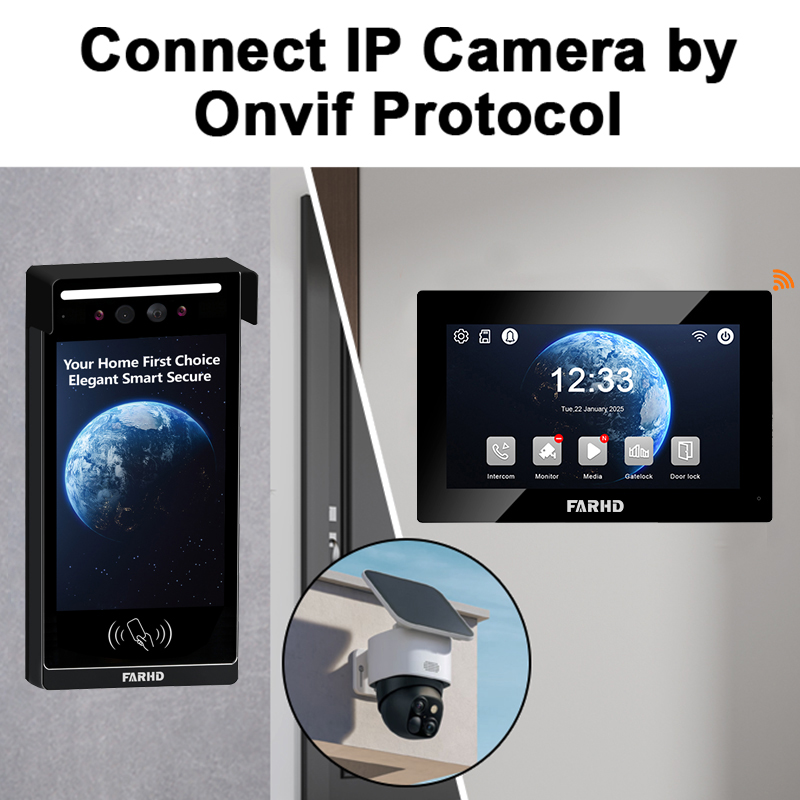
7. Video Doorbell with App OEM: What B2B Buyers Should Know
For wholesalers, importers, and system integrators, choosing a video doorbell with app OEM capability is crucial to ensure brand consistency and user experience.
Key OEM Considerations:
- Custom Mobile App Branding: Logo, color scheme, user interface
- Multilingual Interface: Support for international deployment
- Cloud or Server Hosting Choice: Use manufacturer’s cloud or integrate with your own
- Push Notification Server Customization: Avoid third-party dependency
- Cross-Platform Compatibility: iOS, Android, Web Portal
What FARHD Offers:
🔹 Fully customizable mobile apps with your logo
🔹 SDK/API integration for smart home platforms
🔹 Backend support & OTA firmware updates
🔹 Multi-region server deployment (EU, USA, Asia)
✅ Explore FARHD OEM capabilities and how they can elevate your smart doorbell brand aqui.
8. Choosing the Right Video Doorbell Manufacturer with App Integration
Selecting a trustworthy video doorbell manufacturer ensures product quality, long-term support, and customer satisfaction.
What to Look for in a Manufacturer:
- Vertical Integration: Controls entire production from chip to finished product
- Certificações: ISO, CE, FCC, ROHS
- R&D Capabilities: In-house innovation and firmware development
- Global Presence: Shipping, support, and compliance in major markets
- Escalabilidade: Supports bulk orders, private labeling, and app customization
Porquê escolher a FARHD:
| Caraterística | Detalhes |
|---|---|
| Experiência | 25+ years in video intercom manufacturing |
| Quota de mercado | Over 60% in China, top positions in Italy, Korea, Turkey |
| Factory | 13 linhas de produção em uma instalação de 5.500 m² |
| Certificações | ISO 9001, CE, FCC, ROHS, SGS |
| Global B2B Service | Dedicated teams for OEM/ODM, after-sales, and logistics |
📩 Get in touch with FARHD for custom doorbell camera systems with app integration via their contato.
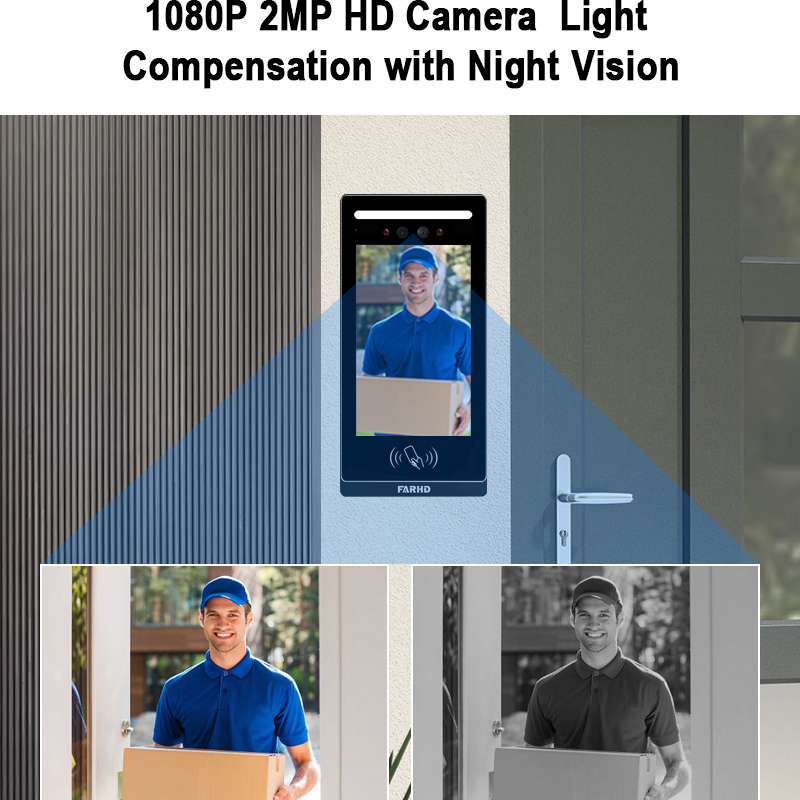
9. Perguntas frequentes (FAQ)
Q1: Can I use my doorbell camera on multiple phones?
Yes, most apps allow multiple users to access the video feed with proper login credentials or sharing permissions.
Q2: Does a doorbell camera require a subscription?
Basic live view is usually free. Cloud storage and advanced AI features may require a subscription.
Q3: Can I integrate doorbell cameras into my business security system?
Absolutely. Many OEM suppliers like FARHD offer SDKs for integration into enterprise security platforms.
Q4: Will the doorbell work without WiFi?
Live view and alerts typically require WiFi. Some models offer local recording features for offline use.
Q5: How long does installation take?
Most wireless models take less than 15 minutes to install using a mobile app and QR code pairing.
Looking for OEM, ODM, or wholesale video doorbell systems with mobile app integration? Explore FARHD’s latest solutions and start building your smart security brand today. Visit their página do produto para começar.
Também pode interessar-lhe
-

FARHD to Showcase All-Climate Technology at 2026 China Security Expo, Empowering Smart Communities in Northern China
From November 3 to 6, 2026, FARHD, a global leader in smart security and communication solutions, will unveil its full range of products deeply optimized for the harsh winter conditions of northern China at the 18th China International Social Public Security Products Expo (Security China). Under the theme “Digital Intelligence World, Total Security,” the expo…
-

FARHD to Showcase All-Climate Hard-Tech Solutions at Securika Moscow 2026
From April 22 to 24, 2026, FARHD, a global leader in smart security and communication solutions, will unveil its full range of products engineered for extreme climates at Securika Moscow 2026, held at Crocus Expo in Moscow, Russia. At booth A-9101, FARHD will present its smart intercom, access control, and smart home solutions—all deeply optimized…
-

FARHD Honored with Multiple Prestigious Awards in China’s Building Intercom Industry, 28 Years of Deep Engagement in the Chinese Market Solidifying Its Position as a Leading Brand
Recently, in the annual selection event jointly organized by the China Security and Protection Industry Association and multiple authoritative media outlets, FARHD, by virtue of its profound industry experience, outstanding technological innovation capabilities, and extensive market recognition, was awarded the prestigious “Most Influential Brand in China’s Building Intercom Industry” . These accolades not only affirm FARHD’s 28…
-

FARHD Honored with Multiple Prestigious Awards in China’s Building Intercom Industry, 28 Years of Deep Engagement in the Chinese Market Solidifying Its Position as a Leading Brand
Recently, in the annual selection event jointly organized by the China Security and Protection Industry Association and multiple authoritative media outlets, FARHD, by virtue of its profound industry experience, outstanding technological innovation capabilities, and extensive market recognition, was awarded the prestigious “National Top 10 Quality Brands in the Security Industry” . These accolades not only affirm FARHD’s…



