
كيفية ربط جرس الباب Tuya بالتطبيق: دليل خطوة بخطوة للمشترين والمثبتين
نوفمبر 24, 2025
شارك هذه المقالة

1. ما هو جرس الباب الذكي تویا وكيف يعمل؟
أ جرس فيديو ذكي من Tuya هو جهاز أمان متصل بالشبكة يتيح للمستخدمين مراقبة الزوار والتواصل معهم عن بعد من خلال Tuya Smart التطبيق. Tuya هي منصة إنترنت الأشياء عالمية تقدم وحدات ذكية وخدمات سحابية تساعد الشركات المصنعة على إنشاء أجهزة منزل ذكي متوافقة مع بعضها البعض.
الميزات الرئيسية لأجراس الباب الذكية من Tuya:
- اتصال صوتي ثنائي الاتجاه
- عالي الدقة دفق الفيديو
- تنبيهات اكتشاف الحركة
- خيارات التخزين السحابي أو المحلي
- الوصول عن بعد عبر تطبيق الهاتف الذكي
- التكامل مع Alexa وGoogle Assistant
كيف تعمل:
| مكون | وظيفة |
|---|---|
| كاميرا جرس الباب | التقاط الفيديو والصوت |
| وحدة Wi-Fi | ربط الجهاز بشبكة المنزل أو المكتب |
| سحابة Tuya | تمكين الوصول عن بعد في الوقت الفعلي وإشعارات الدفع |
| تطبيق Tuya | واجهة مستخدم للتحكم في الجرس وعرضه وتكوينه |
أجراس Tuya مفضلة لدى قدرات التكامل الذكي و النشر الفعال من حيث التكلفة، مما يجعلها شائعة بين أصحاب المنازل و مديري العقارات التجارية.
2. المتطلبات قبل ربط جرس Tuya بالتطبيق
قبل إعداد جرس الباب الذكي المتوافق مع Tuya، تأكد من تلبية المتطلبات التالية لتجنب فشل الاتصال وتأخير الإعداد.
متطلبات الأجهزة:
- أ جرس فيديو ذكي متوافق مع Tuya
- أ شبكة Wi-Fi بتردد 2.4 جيجاهرتز (لا يدعم Tuya تردد 5 جيجاهرتز لمعظم الأجراس)
- أ هاتف ذكي أو لوحي مع وصول إلى الإنترنت
- أ جرس مشحون بالكامل أو مصدر طاقة سلكي متصل
متطلبات البرمجيات:
- تطبيق Tuya Smart أو تطبيق Smart Life (كلاهما يدعمان نظام Tuya)
- إصدار iOS 9.0 أو أعلى أو إصدار Android 5.0 أو أعلى
- حساب Tuya نشط (مجاني الإنشاء)
متطلبات الشبكة:
| المتطلبات | التفاصيل |
|---|---|
| نطاق التردد | 2.4 جيجاهرتز فقط |
| قوة الإشارة | إشارة Wi-Fi قوية بالقرب من الجرس (استخدم ممتد Wi-Fi إذا لزم الأمر) |
| تشفير الشبكة | يُوصى بـ WPA/WPA2 |
| قيود الجهاز | تجنب الاتصال خلال ساعات الازدحام العالي في الشبكة |
قائمة التحضير:
- ✅ الجرس مشتعل وفي وضع الاقتران
- ✅ بيانات اعتماد Wi-Fi متوفرة
- ✅ البلوتوث مفعل على الهاتف الذكي
- ✅ صلاحيات التطبيق (الموقع، البلوتوث، Wi-Fi) ممنوحة
3. دليل خطوة بخطوة: كيفية ربط جرس Tuya بالتطبيق
اتبع هذه الخطوات التفصيلية لربط جرس الباب الذكي المتوافق مع Tuya بتطبيق Tuya Smart:
الخطوة 1: تنزيل التسجيل في تطبيق Tuya Smart
- اذهب إلى متجر التطبيقات (iOS) أو متجر Google Play (Android)
- ابحث عن “Tuya Smart” أو “Smart Life”
- قم بتنزيل التطبيق وتثبيته
- افتح التطبيق و سجل حساب جديد أو قم بتسجيل الدخول
الخطوة 2: تشغيل الجرس وإعادة تعيينه
- أدخل البطاريات أو ربط مصدر الطاقة
- اضغط مع الاستمرار على زر إعادة التعيين (عادة على الجانب أو الخلف) لمدة 5-10 ثوانٍ تقريباً
- انتظر ضوء وامض أو إرشاد صوتي يشير إلى وضع الاقتران
الخطوة 3: الاتصال بـ Wi-Fi
- تأكد من أن هاتفك متصل بـ شبكة Wi-Fi بتردد 2.4 جيجاهرتز شبكة
- في التطبيق، اضغط على “+ إضافة جهاز“
- اختر “جرس الباب بالفيديو” من قائمة الأجهزة
- أدخل اسم Wi-Fi وكلمة المرور
- اختر وضع EZ (الافتراضي) أو وضع AP إذا فشل EZ
- دع التطبيق يبحث ويتصل بالجرس
| الوضع | حالة الاستخدام |
|---|---|
| وضع EZ | اقتران سريع عبر البلوتوث وWi-Fi |
| وضع AP | اتصال يدوي عبر نقطة وصول مؤقتة |
الخطوة 4: تأكيد اتصال الجهاز
- بمجرد الاتصال، سمِّ الجرس (مثل “جرس الباب الأمامي”)
- اختبر تغذية الفيديو الحية والصوت ذو الاتجاهين
- قم بتخصيص الإعدادات مثل كشف الحركة والإشعارات والتخزين
الخطوة 5: تحديث البرنامج الثابت (إذا كان متاحاً)
- اذهب إلى إعدادات الجهاز > تحديث البرنامج الثابت
- حافظ دائماً على تحديث البرنامج الثابت للحصول على أداء مثالي وأمان
نصائح استكشاف الأخطاء:
- إذا فشل التطبيق في العثور على الجهاز:
- التبديل إلى وضع AP
- إعادة تشغيل التطبيق وإعادة المحاولة
- التحقق من قوة إشارة Wi-Fi
- إعادة تعيين الجهاز وإعادة المحاولة
تدفق الإعداد البصري:
تطبيق Tuya → إضافة جهاز → جرس فيديو → إدخال معلومات Wi-Fi → وضع الاقتران → الاتصال → النجاح
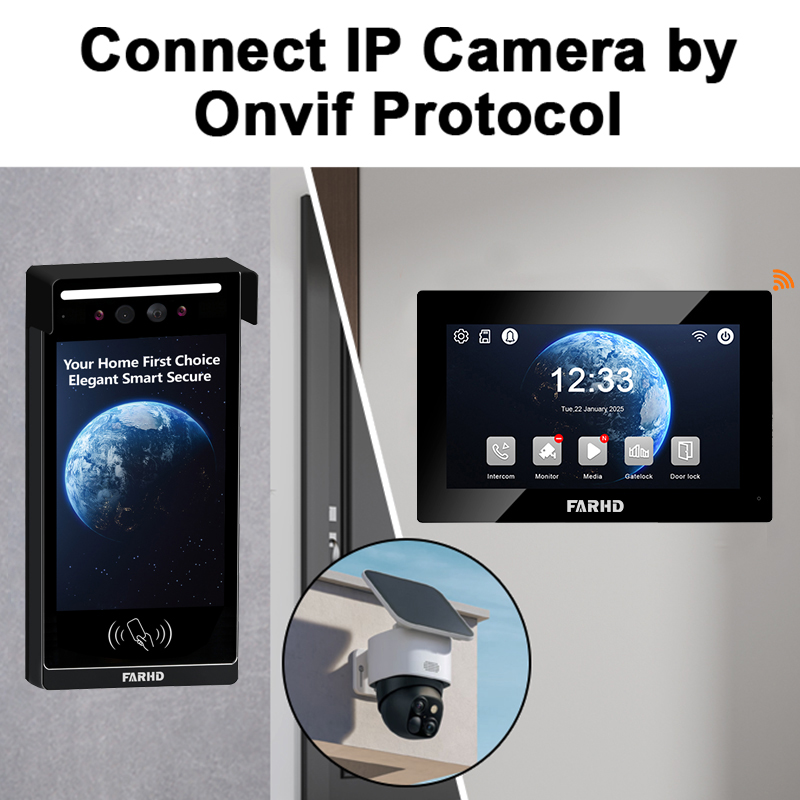
باتباع هذا الإعداد، سيكون جرس الباب الذكي جاهزاً للاستخدام ومدمجاً بالكامل مع نظام Tuya. لأنظمة أجراس B2B مخصصة أو حلول OEM، يجب على الشركات النظر في الشراكة مع مصنع متخصص مثل FARHD لتكامل سلس مع التطبيق وقدرات إنتاج عالية الحجم.
4. المشكلات الشائعة في الاتصال وكيفية إصلاحها
ربط جرس Tuya بالتطبيق عادةً أمر مباشر، لكن قد يواجه المستخدمون تحديات أثناء الإعداد. فيما يلي أكثر المشكلات شيوعاً وحلول عملية لكل من المستهلكين ومثبتي B2B الذين يديرون أجهزة متعددة.
1. الجرس لا يدخل وضع الاقتران
الأعراض:
- لا يوجد ضوء مؤشر وامض
- لا إرشاد صوتي بعد الضغط على زر إعادة التعيين
الحلول:
- تأكد من أن الجهاز مشحون بشكل صحيح (تحقق من البطارية أو مصدر الطاقة)
- اضغط مع الاستمرار على زر إعادة التعيين لمدة 10-15 ثانية كاملة
- جرب التبديل من وضع EZ إلى وضع AP
2. التطبيق لا يجد الجهاز
الأعراض:
- يفشل التطبيق أثناء “البحث عن الجهاز”
- الجهاز غير مكتشف بعد إدخال بيانات اعتماد Wi-Fi
الحلول:
- تأكد من أن هاتفك على نفس شبكة Wi-Fi بتردد 2.4 جيجاهرتز شبكة
- قم بتعطيل VPN أو إعدادات الجدار الناري مؤقتاً
- اقترب بالهاتف من الجرس
- أعد تشغيل الراوتر وأعد المحاولة
3. إشارة Wi-Fi ضعيفة جداً
الأعراض:
- اتصال متقطع
- تغذية الفيديو تتأخر أو تسقط بشكل متكرر
الحلول:
- استخدم ممتد نطاق Wi-Fi بالقرب من الجرس
- تحقق من قوة الإشارة باستخدام تطبيق محلل Wi-Fi
- أعد ترتيب الراوتر إذا أمكن
4. تعطل التطبيق أو تجمده
الحلول:
- قم بتحديث التطبيق إلى الإصدار الأحدث
- امسح ذاكرة التخزين المؤقت للتطبيق (Android) أو أعد تثبيته
- أعد تشغيل الجهاز المحمول
5. فشل تحديث البرنامج الثابت
الحلول:
- تأكد من استقرار Wi-Fi أثناء التحديث
- أعد تشغيل الجرس وأعد المحاولة
- اتصل بدعم الشركة المصنعة إذا استمرت المشكلة
جدول استكشاف الأخطاء
| المشكلة | السبب | الحل |
|---|---|---|
| عدم الاقتران | وضع خاطئ أو إعادة تعيين غير صحيحة | استخدم وضع AP أو أعد التعيين مرة أخرى |
| عدم الاتصال بـ Wi-Fi | استخدام 5 جيجاهرتز أو إشارة ضعيفة | التبديل إلى 2.4 جيجاهرتز، استخدم ممتد النطاق |
| التطبيق لا يكتشف الجهاز | البلوتوث/Wi-Fi مغلق أو صلاحيات | فعل جميع صلاحيات التطبيق |
| عدم تحميل تغذية الفيديو | إنترنت ضعيف أو برنامج ثابت قديم | تحقق من الشبكة، حدث البرنامج الثابت |
| الجهاز ينفصل كثيراً | ازدحام الشبكة | خصص عنوان IP ثابت من الراوتر |
إذا كنت تنشر أجراس باب متوافقة مع Tuya عبر ممتلكات أو مبانٍ متعددة، فإن اختيار شريك OEM موثوق مثل FARHD يضمن دعماً مبسطاً واستقراراً فائقاً للبرنامج الثابت.
5. الميزات المتاحة بعد الاتصال بتطبيق Tuya
بمجرد نجاح ربط جرس Tuya، ستفتح مجموعة كاملة من ميزات المنزل الذكي التي تعزز كلاً من الأمن و الراحة. هذه الميزات مفيدة بشكل خاص لـ مشتري B2B، مثل مطوري العقارات, الفنادقو تجار التجزئة في المنازل الذكية، الذين يريدون حلول أمان قابلة للتوسع ومتصلة بالتطبيق.
الميزات الأساسية لجرس Tuya عبر التطبيق:
🔹 تغذية فيديو حية
- بث فيديو HD في الوقت الفعلي
- التبديل بين الرؤية النهارية/الليلية
🔹 صوت ذو اتجاهين
- التحدث مع الزوار مباشرة من التطبيق
- إلغاء الضوضاء لمحادثات أوضح
🔹 كشف الحركة
- إشعارات دفع فورية إلى الهاتف
- إعدادات حساسية الحركة قابلة للتعديل
🔹 تشغيل الفيديو
- الوصول إلى التسجيلات عبر السحابة أو بطاقة SD
- تنزيل المقاطع للأدلة أو المشاركة
🔹 فتح عن بعد (إذا كان متصلاً بقفل ذكي)
- فتح الأبواب عن بعد للضيوف أو التسليمات
- تعيين رموز وصول مؤقتة
🔹 كشف AI (في النماذج المحددة)
- كشف الإنسان يصفي الإنذارات الكاذبة
- كشف الحزم للتسليمات
🔹 الأتمتة والمشاهد
- التكامل مع الأضواء والأقفال والحساسات المتوافقة مع Tuya
- إنشاء أتمتة مخصصة مثل “تشغيل ضوء الشرفة عند كشف حركة”
التطبيقات التجارية:
| الصناعة | حالة الاستخدام |
|---|---|
| إدارة الممتلكات | مراقبة مدخل المبنى من المكتب المركزي |
| الضيافة | ترحيب بالضيوف وتوفير تسجيل دخول رقمي |
| العقارات | تعزيز أمان المنازل العرضية أو الممتلكات الشاغرة |
| سلاسل البيع بالتجزئة | إدارة التسليمات في متاجر متعددة عن بعد |
| شركات تكامل المنزل الذكي | ربط مع منتجات Tuya المتوافقة الأخرى لنظام كامل |
خيارات التخزين السحابي مقابل المحلي:
| نوع التخزين | الوصف | الإيجابيات | السلبيات |
|---|---|---|---|
| سحابي | تخزين قائم على الاشتراك على خوادم Tuya | وصول عن بعد، نسخ احتياطية آمنة | قد يتطلب رسوماً شهرية |
| محلي | يستخدم بطاقة microSD داخل الجهاز | تكلفة لمرة واحدة، بدون اشتراك | تخزين محدود، خطر التلف |
بالنسبة للشركات التي تتطلع إلى تخصيص واجهة التطبيق، وتتوفر حلول العلامة البيضاء من شركاء OEM مثل FARHD.
6. تكامل جرس Tuya مع Alexa وGoogle Home
لتعزيز التحكم الصوتي والتوافق مع المنزل الذكي، يمكن تكامل أجراس Tuya مع أمازون أليكسا و مساعد جوجل. هذا يجعل إدارة الجرس الذكي أسهل باستخدام أوامر صوتية أو عرض التغذ
تكامل أمازون أليكسا
الميزات المدعومة:
- عرض الفيديو على Echo Show
- إشعارات صوتية عندما يرن شخص الجرس
- عرض البث المباشر عبر تطبيق أليكسا
خطوات الإعداد:
- افتح التطبيق تطبيق أليكسا
- اذهب إلى المهارات والألعاب
- ابحث عن “تُيَا” أو “Smart Life”
- تمكين المهارة وتسجيل الدخول بحساب تُيَا الخاص بك
- اضغط اكتشف الأجهزة
تكامل جوجل هوم
الميزات المدعومة:
- بث الفيديو إلى Nest Hub أو أجهزة Chromecast المدعومة
- إعلانات صوتية (يتطلب إعداد روتين)
خطوات الإعداد:
- افتح التطبيق تطبيق Google Home
- اضغط + إضافة > إعداد الجهاز
- اختر يعمل مع جوجل
- البحث واختيار Smart Life
- تسجيل الدخول ومزامنة الأجهزة
أوامر صوتية للتجربة:
| المساعد | مثال على الأمر |
|---|---|
| أليكسا | “أليكسا، أظهري لي كاميرا الباب الأمامي.” |
| جوجل | “يا جوجل، أظهر الباب الأمامي على التلفاز.” |
هذه التكاملات مفيدة بشكل خاص للأشخاص تجار التجزئة في المنازل الذكية و الموزعين الذين يبحثون عن حزم شاملة تعمل بسلاسة مع النظم البيئية الحالية.
بالنسبة للمدمجين أو الشركات التي تتطلب حلولًا علامة تجارية كاملة ومتوافقة مع تُيَا، FARHD يقدم حلولًا متقدمة دعم OEM/ODM مع توافق مدمج وتخصيص البرمجيات الثابتة. يمكنك استكشاف هذه العروض من خلال صفحة خدمات OEM/ODM.

7. أفضل أجراس الأبواب الذكية المتوافقة مع تُيَا للأعمال
عند البحث عن أجراس فيديو ذكية متوافقة مع منصة تُيَا، خاصة للشراء بالجملة أو النشر واسع النطاق، من الضروري اختيار نماذج تقدم موثوقية عالية, تكامل سهل مع التطبيقو إمكانيات تخصيص.
فيما يلي قائمة مختارة من أفضل أجراس الأبواب الذكية المتوافقة مع تُيَا المناسبة لـ مشتري B2B, مديري العقاراتو موزعي الجملة.
🏆 أفضل أجراس الأبواب الذكية المتوافقة مع تُيَا للاستخدام التجاري B2B
| العلامة التجارية/الموديل | جودة الكاميرا | نوع الطاقة | التخزين | الأفضل لـ |
|---|---|---|---|---|
| سلسلة FARHD بـ 4 أسلاك للمنازل | 1080p HD | سلكي + POE | SD و السحابة | الفيلات والمجتمعات المغلقة والمشاريع المخصصة |
| جرس باب OEM عام لتُيَا | 720ب - 1080ب | بطارية | سحابي فقط | تركيبات اقتصادية، عقارات الإيجار |
| إصدار تُيَا من Eken V7 | 1080p HD | قابلة للشحن | SD و السحابة | جرس باب ذكي أساسي للطلبات الجماعية |
| مجموعة FARHD للشقق المتعددة | 1080p HD | سلكي | تكامل NVR | المباني متعددة الوحدات وكتل الشقق |
| جرس باب ذكي OEM مع الذكاء الاصطناعي | 1080ب + الذكاء الاصطناعي | سلكي/بطارية | سحابة (ذكاء اصطناعي) | كشف قائم على الذكاء الاصطناعي لحزم المنازل الذكية |
لماذا تبرز FARHD لمشتري B2B
إذا كنت موزعًا بالجملة أو موزعًا أو مدمج نظام يبحث عن أجراس فيديو عالية الجودة متوافقة مع تُيَا, FARHD يجب أن تكون الخيار الأول في الصين. إليك السبب:
✔️ خدمات OEM/ODM المتكاملة
- سيطرة كاملة على التصنيع من شاشات LCD إلى وحدات أجراس الأبواب الكاملة
- برمجيات ثابتة مخصصة و وحدات جاهزة لتُيَا لربط سلس مع التطبيق
✔️ مصممة للتوسع
- 13 خط إنتاج في مصنع مساحته 5500 متر مربع
- أكثر من 260 موظفًا ماهرًا يضمنون جودة متسقة وإنتاجية سريعة
✔️ شهادات عالمية
- ISO 9001، CE، FCC، ROHS، SGS
- موثوق به من قبل أفضل العلامات التجارية في إيطاليا وكوريا وتركيا
✔️ حلول مثبتة في السوق
- أنظمة سلكية فاخرة للفيلات والشقق
- أجراس فيديو مع الذكاء الاصطناعي مع واجهات برمجية قابلة للتوسع لمنصات المنازل الذكية
على سبيل المثال، سلسلة FARHD بـ 4 أسلاك للمنازل يتكامل مباشرة مع تُيَا ويقدم العلامة التجارية المخصصة, اتصال NVRو بروتوكولات أمان متقدمة، مما يجعله مثاليًا لمطوري العقارات وبائعي المنازل الذكية.
8. فرص B2B: أجراس الأبواب الذكية المتوافقة مع تُيَا بالجملة وOEM
سوق أجراس الأبواب الذكية العالمي ينمو بسرعة، مدفوعًا بمبادرات المدن الذكية وزيادة الطلب الاستهلاكي على أجهزة الأمان المفعلة بإنترنت الأشياء. هذا يقدم فرصة رئيسية لـ مشتري B2B, أصحاب العلامات التجاريةو الموزعين للدخول إلى السوق مع حلول مدعومة بتُيَا.
من يجب أن يفكر في شراكات B2B لأجراس تُيَا؟
- 🔹 علامات المنازل الذكية (التي تبحث عن خيارات علامة خاصة أو بيضاء)
- 🔹 مطورو العقارات (الذين يقومون بالتركيب بالجملة عبر المجتمعات)
- 🔹 مدمجي أنظمة الأمان
- 🔹 سلاسل البيع بالتجزئة (التي تقدم خطوط أجراس أبواب ذكية علامة تجارية)
- 🔹 بائعي التجارة الإلكترونية (أمازون/FBA، شوبيفاي، إلخ)
فوائد اختيار أجراس الأبواب المتوافقة مع تُيَا لـ B2B:
| الفائدة | الوصف |
|---|---|
| وقت سريع للوصول إلى السوق | منصة تُيَا الموجودة مسبقًا تقصر دورات التطوير |
| نظام التطبيقات البيئي | متوافقة مع آلاف أجهزة المنازل الذكية تُيَا |
| بنية تحتية سحابية | دعم سحابي عالمي مع الحوسبة الحافية والتنبيهات في الوقت الفعلي |
| العلامة التجارية المخصصة | علامة خاصة وتخصيص واجهة المستخدم عبر شركاء OEM/ODM مثل FARHD |
| نشر قابل للتطوير | مثالية لإدارة مئات إلى آلاف الوحدات عبر المواقع |
لماذا FARHD هو الشركة الرائدة في تصنيع أجراس تُيَا OEM في الصين
كان FARHD في طليعة تصنيع فيديو الإنتركم OEM/ODM منذ عام 1998. مع نظام إنتاج متكامل رأسيًا وفريق بحث وتطوير قوي، فهو في موقع فريد لمساعدة عملاء B2B على التوسع بكفاءة.
تتضمن خدمات FARHD OEM/ODM:
- تصميم وتسمية مخصصة لأجراس تُيَا
- تطوير برمجيات ثابتة مصممة خصيصًا لسحابة تُيَا
- التكامل مع أنظمة التحكم في الوصول والمصاعد
- دعم لوجستي للشحن الدولي
📌 تعلم المزيد عن عرض OEM الكامل لـ FARHD على موقعهم صفحة التصنيع OEM/ODM
9. الأسئلة الشائعة (FAQ)
س1: هل يمكن لأجراس تُيَا العمل بدون واي فاي؟
الإجابة: لا. تتطلب أجراس فيديو تُيَا اتصال واي فاي 2.4 جيجاهرتز للوصول عن بعد والإشعارات وخدمات السحابة. بدون واي فاي، لا يمكنها الاتصال بالتطبيق أو نقل الفيديو.
س2: هل تطبيق تُيَا الذكي مجاني الاستخدام؟
الإجابة: نعم، تطبيق تُيَا الذكي مجاني. ومع ذلك، قد تتطلب بعض الميزات مثل تخزين السحابة اشتراكًا مدفوعًا، اعتمادًا على النموذج والشركة المصنعة.
س3: هل يمكنني استخدام تطبيق Smart Life بدلاً من تُيَا الذكي؟
الإجابة: نعم. كلا التطبيقين مطوران من قبل تُيَا ومتوافقان مع أجهزة تُيَا. اختر واحدًا بناءً على منطقتك أو تفضيل نظامك البيئي.
س4: كيف أعيد تعيين جرس تُيَا الخاص بي؟
الإجابة: معظم أجراس تُيَا تحتوي على زر إعادة تعيين صغير. اضغط عليه واستمر في الضغط لمدة 5-10 ثوانٍ حتى يبدأ LED في الوميض أو يصدر إشارة صوتية تشير إلى وضع الاقتران.
س5: هل يمكن دمج أجراس تُيَا في نظام منزل ذكي؟
الإجابة: بالتأكيد. تتكامل أجراس تُيَا مع أمازون أليكسا, مساعد جوجلأجهزة تُيَا الأخرى لأتمتة كاملة، مثل الإضاءة والأقفال والحساسات.
س6: أين يمكنني شراء أجراس متوافقة مع تُيَا بالجملة؟
الإجابة: للجملة أو OEM أو حلول مخصصة لأجراس تُيَا، FARHD هي شركة مصنعة رائدة في الصين تقدم دعمًا كامل الدورة من التصميم إلى التسليم.
س7: هل هناك أجراس تُيَا مع كشف ذكاء اصطناعي؟
الإجابة: نعم. بعض النماذج المتقدمة المتوافقة مع تُيَا تشمل ميزات الذكاء الاصطناعي ميزات مثل كشف البشر والتعرف على الطرود وتنبيهات الوجه. يقدم شركاء OEM مثل FARHD تكاملات ذكاء اصطناعي قابلة للتخصيص للاستخدام المؤسسي.
س8: هل يمكنني الحصول على جرس تُيَا بعلامة خاصة؟
الإجابة: نعم. العديد من الشركات المصنعة، وخاصة FARHD، خيارات خدمات علامة خاصة، مما يسمح لك بتسمية الأجهزة المادية وتخصيص التغليف وحتى تعديل واجهات التطبيق.
الأفكار النهائية والإجراءات
إعداد جرس باب ذكي تُيَا بسيط وقوي، يقدم حلاً حديثًا للمنازل والممتلكات التجارية. بالنسبة للأعمال، يجمع بين بنية تحتية سحابية تُيَا و تصنيع OEM/ODM لـ FARHD فرصة لا مثيل لها للتوسع في سوق الأمان الذكي.
🔹 تبحث عن أجراس أبواب ذكية موثوقة وقابلة للتخصيص وقابلة للتوسع متوافقة مع تُيَا؟
👉 اشرك مع FARHD — قائد عالمي في أنظمة أجراس الفيديو الكاملة وحلول OEM/ODM.
📩 جاهز لمناقشة أسعار الجملة أو الحلول المخصصة لعلامتك التجارية؟
👉 اتصل بـ FARHD اليوم للبدء بأنظمة أجراس باب ذكية تُيَا مصممة خصيصًا لأعمالك.
قد يثير اهتمامك أيضًا
-
New Launch: 2-Wire Apartment Video Intercom with Face Recognition, Card, Password & App Unlock
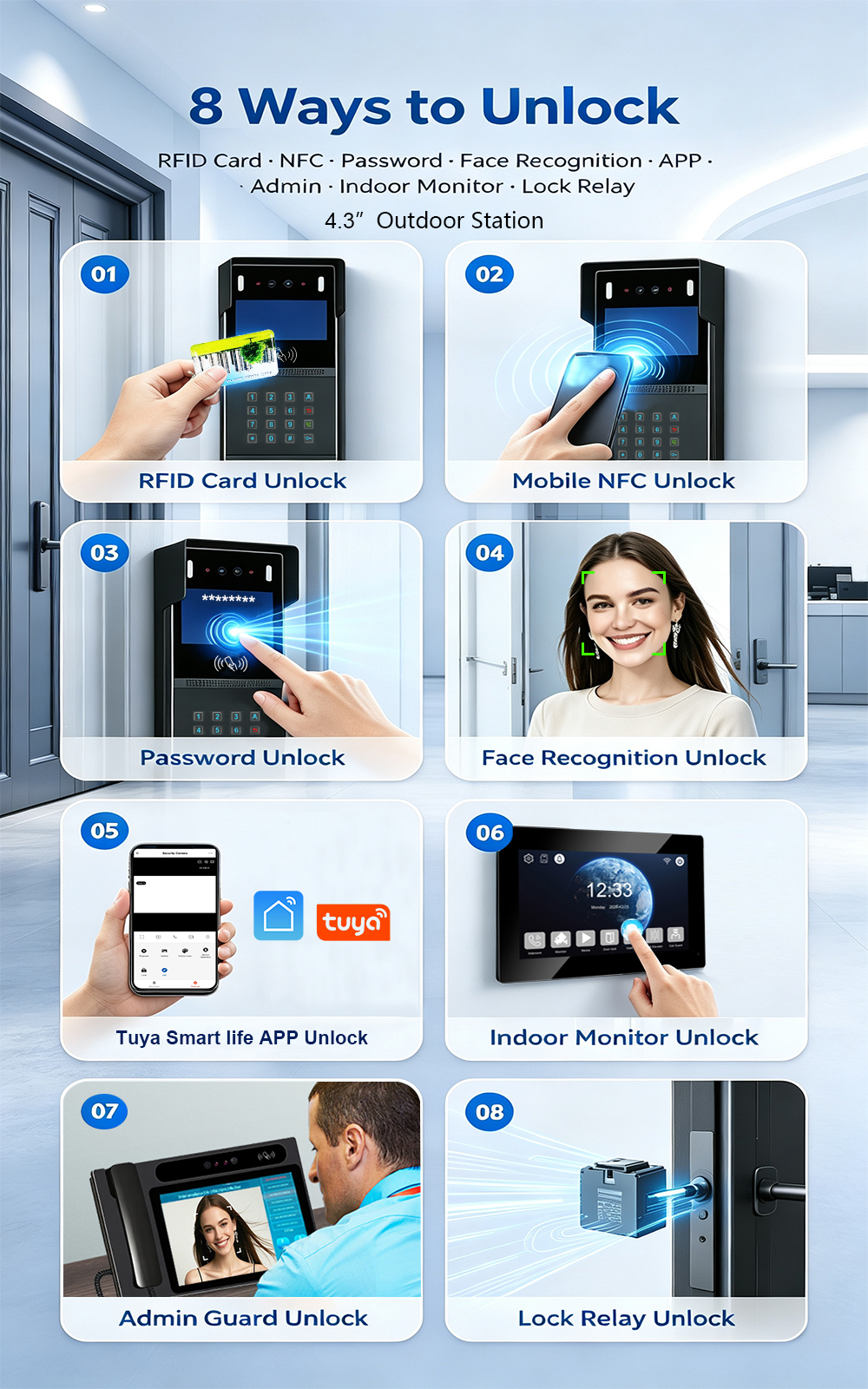
FARHD is proud to announce the launch of our latest 2-wire apartment video intercom system—combining easy retrofit installation with advanced access control. Designed for apartment buildings, residential complexes, and gated communities, this new system supports four convenient unlock methods: Face Recognition, RFID/IC Card, Password, and Mobile App. Upgrading an apartment intercom used to mean complex…
-
FARHD: Your 28-Year Source Factory for Video Door Phone Intercoms
When you choose a video door phone intercom supplier, you are not just buying a product—you are choosing the factory behind it. FARHD has been a source manufacturer since 1998, with over 28 years of experience in video intercom and access control. From villa kits to apartment intercoms, we deliver reliable, customizable, and Tuya-compatible solutions…
-
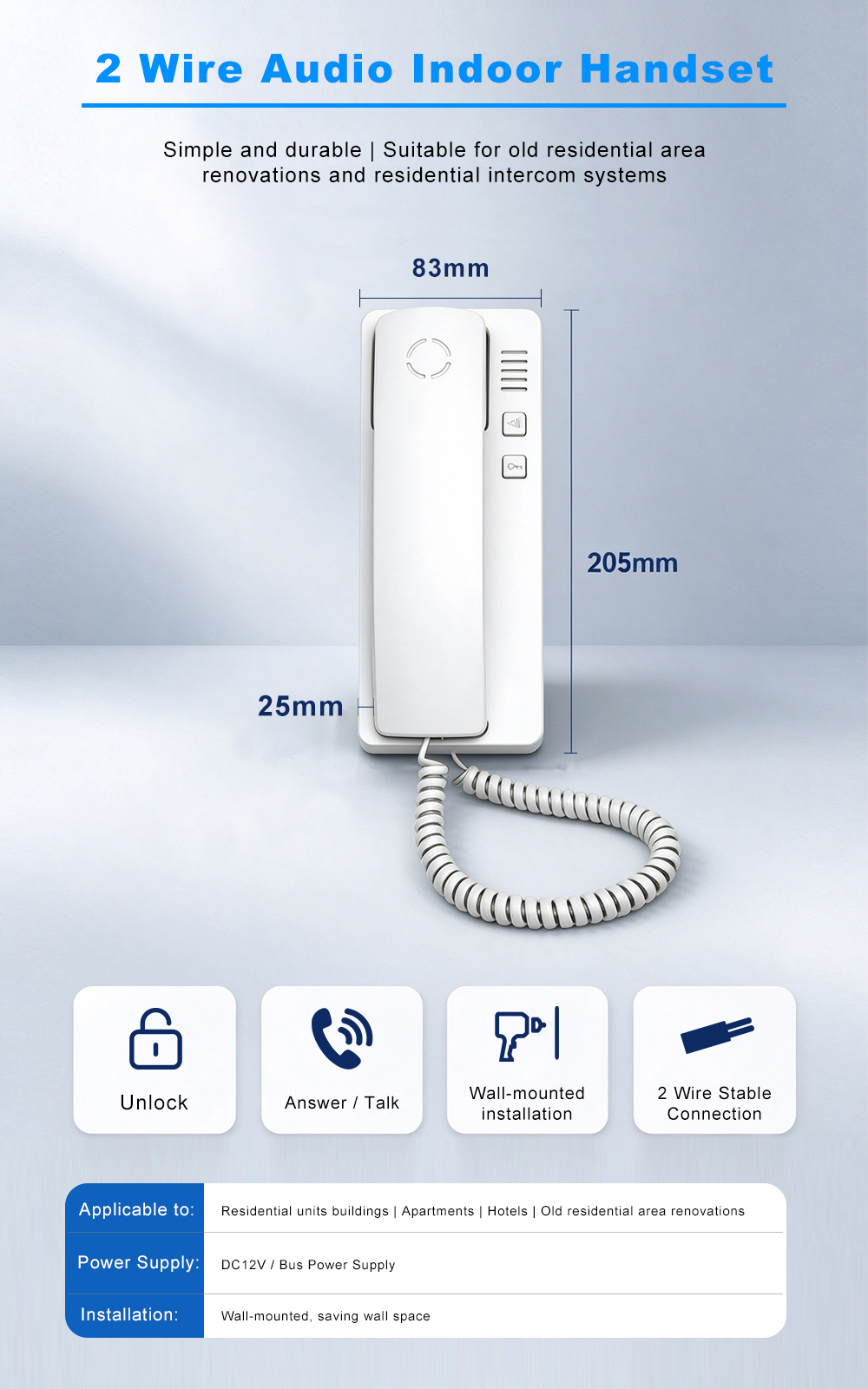
FARHD Source Factory: Your Trusted Partner for Video Intercom and Access Control Solutions
When you choose a manufacturing partner for video intercom and access control systems, you are not just buying products—you are investing in quality, reliability, and long-term support. FARHD has been a source factory since 1998, and today we serve clients in over 100 countries worldwide. With strict quality inspection, in-house production, independent R&D, and full…
-
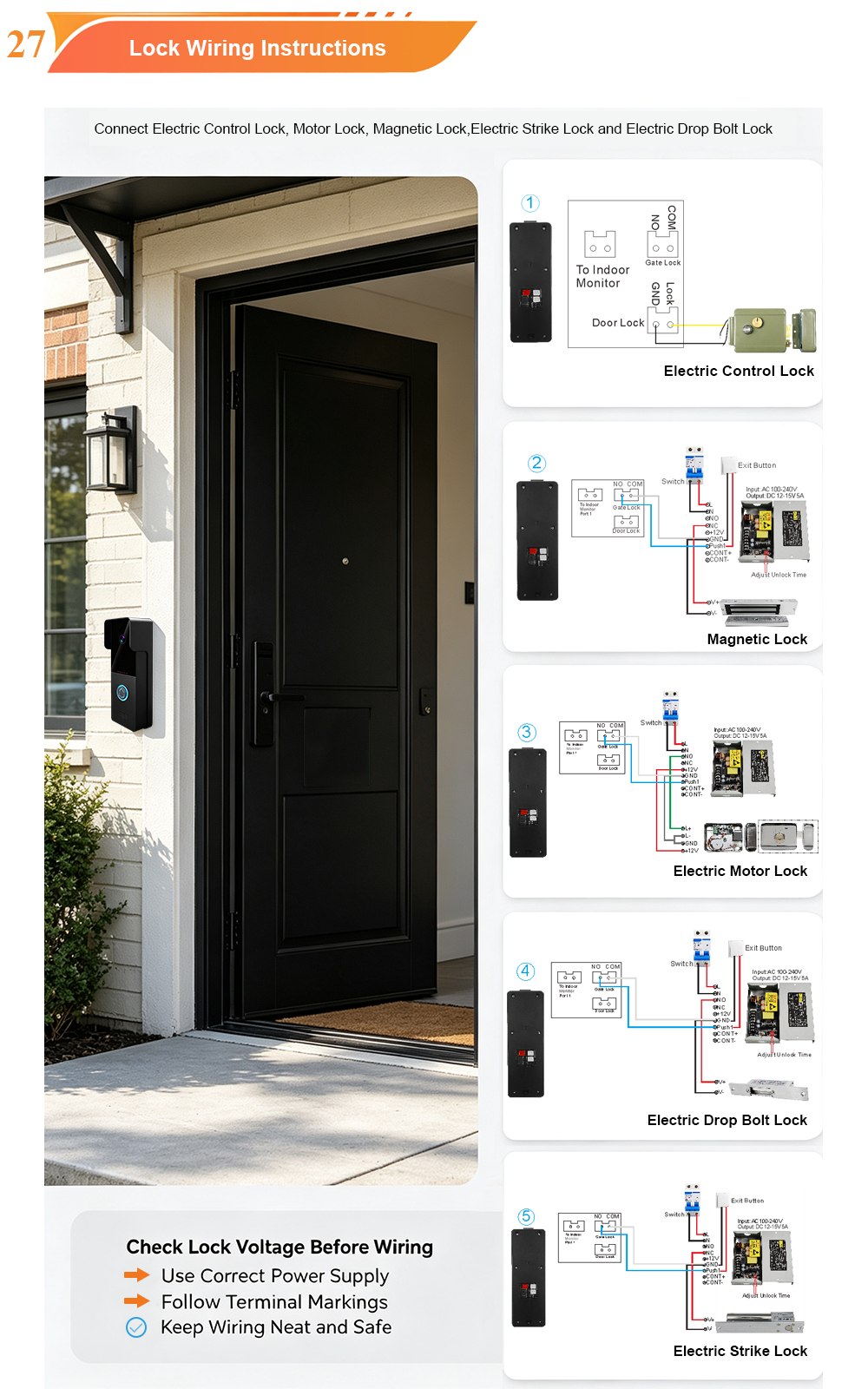
2-Wire Video Door Phone Connection with Electric Rim Lock: Unlock by Card, Indoor Monitor, and App
A complete guide to wiring an electric rim lock to a FARHD 2-wire video door phone system—and configuring three convenient unlock methods: RFID card, indoor monitor, and mobile app. Whether you are upgrading an existing building or specifying a new system, this guide covers the essentials for reliable, secure access control. Electric rim locks are…



