
How to Connect Smart Doorbell to WiFi: Step-by-Step Guide for Reliable Setup
ديسمبر 24, 2025
شارك هذه المقالة
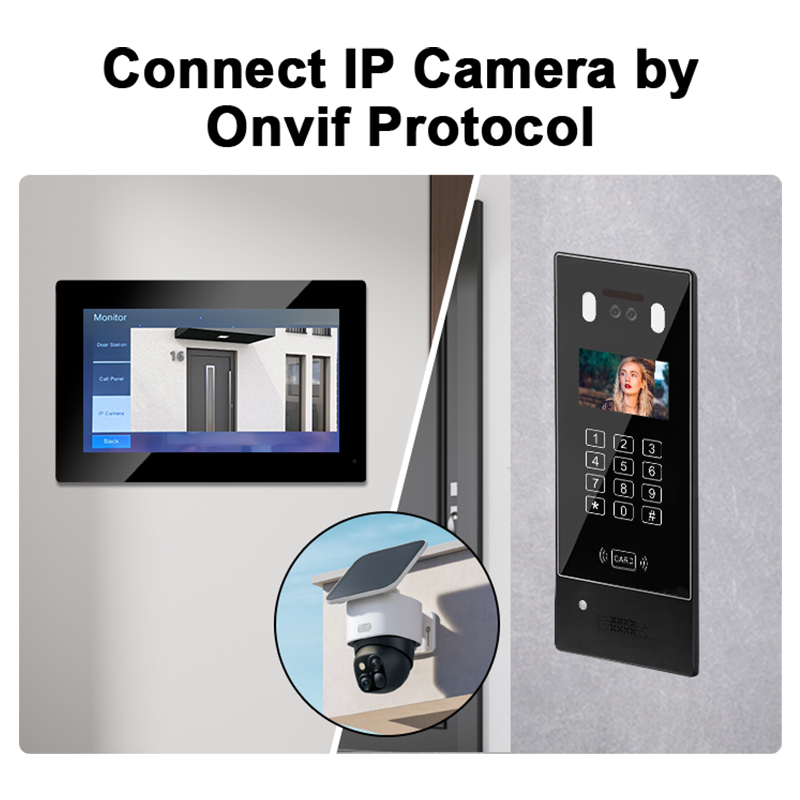
1. What is a Smart Doorbell and Why WiFi Connection Matters
أ جرس الباب بالفيديو الذكي is a modern security device that allows homeowners and businesses to monitor and communicate with visitors at their front door through a smartphone app. It combines a camera, microphone, speaker, and motion detection technology. Most smart doorbells connect to a شبكة واي فاي to provide real-time alerts, video streaming, and two-way communication.
الميزات الرئيسية لأجراس الأبواب الذكية
| ميزة | الوصف |
|---|---|
| عالي الدقة كاميرا | Captures high-definition video of visitors |
| كشف الحركة | Notifies users of any movement in front of the door |
| صوت ثنائي الاتجاه | Allows communication with visitors in real time |
| التخزين السحابي والمحلي | Stores footage for later review |
| تكامل تطبيق الهاتف المحمول | View and control doorbell remotely |
Why WiFi is Essential
- بث الفيديو في الوقت الفعلي: Enables users to see who’s at the door instantly.
- Cloud storage access: Stores video clips securely online.
- الاتصال عن بعد: Talk to visitors from anywhere via the app.
- Smart home compatibility: Integrates with Alexa, Google Home, and other platforms.
In short, WiFi connectivity transforms a traditional doorbell into a proactive security tool.
2. Requirements Before Connecting Your Smart Doorbell to WiFi
Before setting up your smart doorbell, ensure your environment and equipment meet the necessary technical and physical requirements.
Checklist for WiFi Doorbell Installation
| المتطلبات | التفاصيل |
|---|---|
| Strong WiFi Signal | At least 2.4GHz band with good strength at the installation location |
| هاتف ذكي أو جهاز لوحي | Required to configure the doorbell via app |
| Doorbell App Installed | Download from App Store or Google Play Store |
| مصدر الطاقة | Wired or battery-powered depending on doorbell model |
| WiFi Password | Needed during initial setup |
| Mounting Tools | Screwdrivers, wall anchors, etc., for physical installation |
Additional Tips:
- استخدم WiFi extender if the signal is weak near the door.
- Avoid placing the doorbell near metal objects or thick walls, which can block signals.
- Ensure your router firmware is updated for better compatibility.
3. Step-by-Step Guide: How to Connect Your Smart Doorbell to WiFi
Let’s walk through how to connect a smart doorbell to your WiFi network effectively. The steps may vary slightly by brand, but the general process remains the same.
دليل الإعداد خطوة بخطوة
- قم بتنزيل تطبيق الشركة المصنعة
- Go to the App Store or Google Play.
- Examples: Ring, Eufy Security, Arlo Secure, or custom apps for OEM doorbells.
- Create or Log in to Your Account
- Register with your email and set a secure password.
- Power the Doorbell
- Charge the battery or connect the doorbell to wired power, depending on the model.
- Enable Device Pairing Mode
- Press and hold the reset or pairing button until the LED indicator flashes.
- Open the App and Add a New Device
- Tap “Add Device” or “Set up a new product”.
- Select the model of your smart doorbell.
- Scan the QR Code
- Most doorbells have a QR code on the back or in the manual.
- The app uses this to identify your device.
- اتصل بشبكة WiFi
- Choose your 2.4GHz WiFi network (some models don’t support 5GHz).
- Enter the correct WiFi password.
- Wait for Connection Confirmation
- A voice prompt or LED light will confirm successful pairing.
- The app will notify you once the device is online.
- قم بتركيب جرس الباب
- Use the included hardware to install the unit securely.
- 📞 هل أنت مهتم بأن تصبح موزعًا أو موزعًا؟ تواصل مع SKYNEX عبر
- Ring the doorbell, check video feed, and ensure notifications work.
Visual Summary: Connection Workflow
| الخطوة | إجراء |
|---|---|
| 1 | Charge or wire the doorbell |
| 2 | Download and open the app |
| 3 | Put doorbell in pairing mode |
| 4 | Scan QR code |
| 5 | Enter WiFi credentials |
| 6 | Confirm connection |
| 7 | Mount the doorbell |
| 8 | Final testing |
💡 نصيحة احترافية: If your WiFi name or password changes, you’ll need to reset the doorbell and reconnect it from scratch.
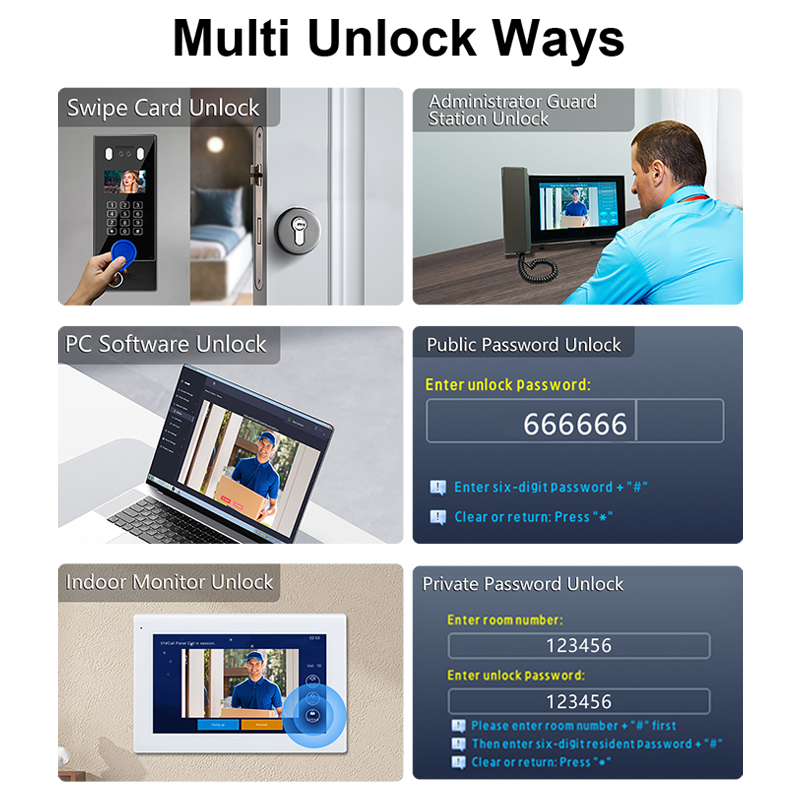
4. Common WiFi Connectivity Issues and How to Fix Them
Even the best smart doorbells can experience connectivity issues. Understanding common problems and their solutions will help minimize downtime and ensure reliable operation.
Most Frequent WiFi Connection Problems
| المشكلة | السبب المحتمل | الحل |
|---|---|---|
| Doorbell won’t connect to WiFi | Incorrect password or unsupported frequency band | Make sure to use the 2.4 جيجاهرتز band and double-check the password |
| قوة الإشارة ضعيفة | Router too far or walls blocking signal | استخدم WiFi extender or move router closer |
| Intermittent disconnection | Network congestion or device overheating | Reboot the router and ensure the doorbell isn’t exposed to direct sunlight |
| App can’t find the doorbell | Device not in pairing mode | Reset the doorbell and initiate pairing again |
| Video feed lag or delay | Low bandwidth or high latency | Upgrade to a higher-speed internet plan or limit other devices on the network |
قائمة التحقق من الأخطاء
- ✅ Verify WiFi channel: 2.4GHz is supported by most doorbells.
- ✅ Check router settings: Disable MAC filtering or enable DHCP.
- ✅ Ensure firmware is up-to-date: Both for your router and doorbell.
- ✅ Restart devices: A simple reboot often solves transient issues.
- ✅ Perform a factory reset: As a last resort, reset the doorbell and reconfigure it.
How to Check WiFi Signal Strength
You can check WiFi signal strength near the doorbell installation point using:
- A smartphone app like WiFi Analyzer (Android) or Airport Utility (iOS).
- Your doorbell’s app (some models show signal levels).
- Check the RSSI value: A good signal is typically above -67 dBm.
5. Best Practices for Ensuring Stable WiFi Connection for Doorbells
To maintain optimal performance in both residential and commercial installations, follow these best practices for ensuring reliable WiFi connectivity.
1. Place Your Router Strategically
- Install the router as close as possible to the video doorbell.
- Avoid placing it behind thick walls or near large metal objects.
- Elevate the router above floor level for better signal distribution.
2. Use a WiFi Range Extender or Mesh Network
- أ WiFi range extender can boost your signal in large homes or offices.
- Consider a mesh WiFi network for seamless coverage across multiple rooms or buildings.
3. Limit Network Interference
- Keep other wireless devices (e.g., baby monitors, microwaves) away from the doorbell.
- Avoid overlapping WiFi channels by setting your router to auto-select or manually choosing a less crowded channel.
4. Optimize Internet Bandwidth
- Prioritize smart security devices using Quality of Service (QoS) settings on your router.
- Disconnect unused devices from the network to reduce congestion.
5. Secure Your WiFi Network
- استخدم WPA2 or WPA3 encryption لمنع الوصول غير المصرح به.
- Update your WiFi password regularly.
- Change the default router admin credentials.
6. Regularly Update Firmware
- Smart doorbell manufacturers often release firmware updates to improve connectivity and security.
- تمكين automatic updates in the app if supported.
🔗 Learn more about reliable, commercial-grade smart doorbell systems available for OEM/ODM integration في FARHD OEM Manufacturing Solutions
6. Can Smart Doorbells Work Without WiFi?
While WiFi connectivity unlocks the full feature set of smart doorbells, there are certain scenarios where limited functionality is available without a live internet connection.
What Features Work Without WiFi?
| ميزة | هل تعمل بدون شبكة واي فاي؟ | ملاحظات |
|---|---|---|
| بث الفيديو المباشر | ❌ لا | Requires internet access |
| تنبيهات الحركة | ❌ لا | Depends on cloud or app connection |
| Recording to local SD card | ✅ نعم | If supported by the model |
| Chime sound inside home | ✅ نعم | Wired chimes may still function |
| صوت ثنائي الاتجاه | ❌ لا | Needs real-time data transmission |
| Cloud storage access | ❌ لا | Needs an internet connection |
Best Use Cases for Limited WiFi Setups
- Remote construction sites: Where wired internet isn’t available.
- التركيبات المؤقتة: For events or pop-up stores.
- Backup recording: Use an SD card for local storage in case of WiFi failure.
Alternative Connectivity Options
Some advanced models support:
- 4G LTE connectivity: Ideal for off-grid or mobile installations.
- PoE (الطاقة عبر الإيثرنت): Offers stable wired connection in commercial buildings.
📌 For enterprise-grade installations, FARHD offers tailored smart video doorbell solutions with optional SD card recording and PoE support. Learn more at the مركز منتجات FARHD
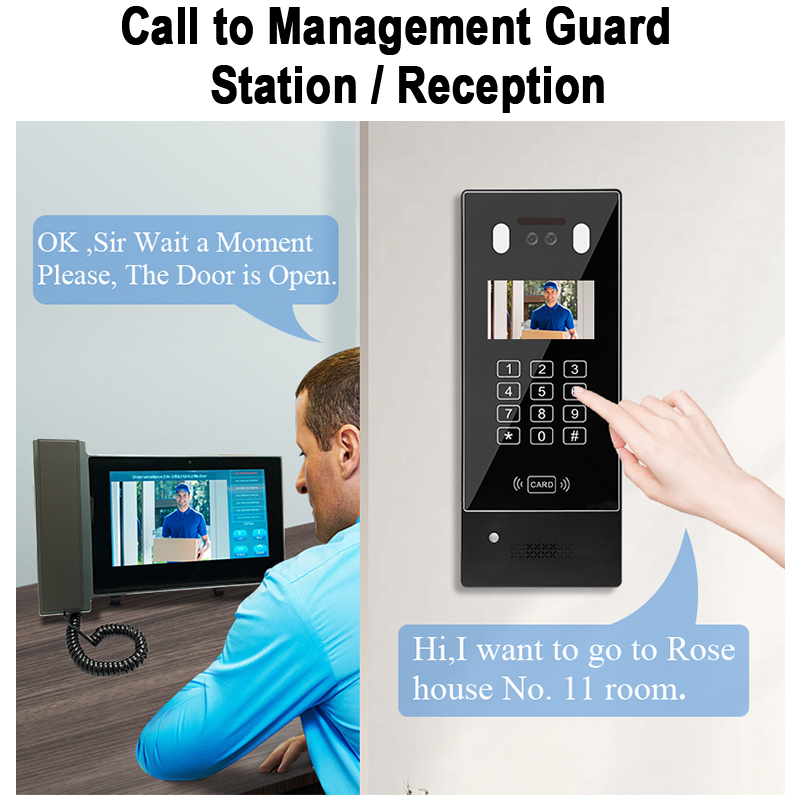
7. Choosing the Right Smart Doorbell for Your Network Setup
To avoid connectivity issues and ensure high performance, choose a smart doorbell suited to your specific network and installation environment.
العوامل الرئيسية التي يجب مراعاتها
| عامل | توصية |
|---|---|
| WiFi Compatibility | Supports 2.4GHz (or dual-band for advanced use) |
| دقة الفيديو | 1080p or higher for clear video footage |
| خيارات التخزين | Cloud + local SD card for redundancy |
| مصدر الطاقة | Battery-powered for flexibility; wired for reliability |
| دعم تطبيق الهاتف المحمول | iOS and Android with regular updates |
| تكامل المنزل الذكي | يعمل مع أليكسا وجوجل هوم إلخ. |
Types of Doorbells Based on Use Case
| حالة الاستخدام | النوع الموصى به |
|---|---|
| أصحاب المنازل | Battery-powered, WiFi-enabled with cloud storage |
| Business Entrances | Wired PoE smart doorbell with admin dashboard |
| المباني السكنية | Multi-unit intercom systems with centralized control |
| المواقع البعيدة | 4G LTE-enabled models with solar charging |
| Installers/Resellers | Customizable OEM/ODM smart doorbells |
لماذا تختار FARHD؟
FARHD is a trusted OEM/ODM manufacturer offering customizable smart video doorbells for every use case, from homes to commercial buildings. Here’s why they stand out:
- Complete supply chain control from LCD modules to final product
- Strong R&D team for tailored feature development
- Over 60% market share in China and leading positions in Korea, Italy, and Turkey
- Certified quality: ISO 9001, CE, FCC, ROHS, SGS
- 13 advanced production lines and 260+ experienced staff
📥 Interested in custom solutions? اتصل بـ FARHD اليوم to discuss your project requirements or bulk order pricing.
8. Why Businesses & Installers Need Reliable Smart Doorbell OEM Suppliers
When it comes to bulk orders, private labeling, or integrating smart doorbells into larger systems, working with a reliable OEM supplier is essential for success.
What B2B Buyers Look For in a Supplier
- العلامة التجارية المخصصة options (logo, packaging)
- تخصيص البرامج الثابتة for unique features
- API/SDK support for integration into apps or systems
- مهلات سريعة و high production capacity
- Global logistics support للتوزيع الدولي
Advantages of Choosing FARHD as Your OEM Partner
| ميزة | الفائدة |
|---|---|
| التكامل الرأسي | Reduced costs and faster turnaround |
| End-to-end service | من التصميم إلى دعم ما بعد البيع |
| Customizable solutions | Ideal for distributors and system integrators |
| أسعار المصنع مباشرة | Competitive rates for bulk orders |
| Global partnerships | Trusted by top brands in Europe, Korea, and beyond |
🔍 Discover FARHD’s OEM/ODM Capabilities and learn how you can build a profitable smart doorbell line under your own brand.
9. الأسئلة الشائعة (FAQ)
Q1: Why won’t my smart doorbell connect to WiFi?
A: Common reasons include incorrect password, weak signal strength, or unsupported WiFi frequency (ensure you’re using 2.4GHz).
Q2: Can I use a smart doorbell without internet?
A: Limited functionality may be available, such as local SD card recording or internal chime, but live video and mobile alerts won’t work.
Q3: Do all smart doorbells support 5GHz WiFi?
A: No. Most budget to mid-range models only support 2.4GHz. Always check the specifications before purchase.
Q4: How far can my doorbell be from the router?
A: Ideally within 30 feet (9 meters) with minimal obstructions. Use a WiFi extender if needed.
Q5: Can FARHD help with custom branded smart doorbells?
A: Yes. FARHD specializes in OEM/ODM smart doorbells for global brands, offering custom firmware, packaging, and app features.
🔗 Ready to scale your smart home product line? Explore FARHD OEM Smart Doorbell Solutions for private label, bulk orders, and full-stack customization.
Whether you’re setting up a smart doorbell at home or sourcing for your smart building project, WiFi connectivity is the foundation of a seamless experience—and choosing a reliable partner like FARHD ensures you get the innovation, quality, and support your business deserves.
قد يثير اهتمامك أيضًا
-
FARHD: Your 28-Year Source Factory for Video Door Phone Intercoms
When you choose a video door phone intercom supplier, you are not just buying a product—you are choosing the factory behind it. FARHD has been a source manufacturer since 1998, with over 28 years of experience in video intercom and access control. From villa kits to apartment intercoms, we deliver reliable, customizable, and Tuya-compatible solutions…
-
FARHD Source Factory: Your Trusted Partner for Video Intercom and Access Control Solutions
When you choose a manufacturing partner for video intercom and access control systems, you are not just buying products—you are investing in quality, reliability, and long-term support. FARHD has been a source factory since 1998, and today we serve clients in over 100 countries worldwide. With strict quality inspection, in-house production, independent R&D, and full…
-
2-Wire Video Door Phone Connection with Electric Rim Lock: Unlock by Card, Indoor Monitor, and App
A complete guide to wiring an electric rim lock to a FARHD 2-wire video door phone system—and configuring three convenient unlock methods: RFID card, indoor monitor, and mobile app. Whether you are upgrading an existing building or specifying a new system, this guide covers the essentials for reliable, secure access control. Electric rim locks are…
-

Video Intercom Manufacturer & Source Factory Since 1998 | OEM ODM SKD Building Intercom
Video Intercom Manufacturer & Vertical Source Factory in China FARHD is a professional video intercom manufacturer with over 28 years of specialized experience in building security intercom systems. Established in 1998, we are a genuine building intercom factory focused on independent R&D, in-house production, and customized manufacturing for global B2B clients, including distributors, importers, engineering contractors, real estate…



