
How to Connect a Video Door Phone to Power Supply Safely and Efficiently
فبراير 10, 2026
شارك هذه المقالة
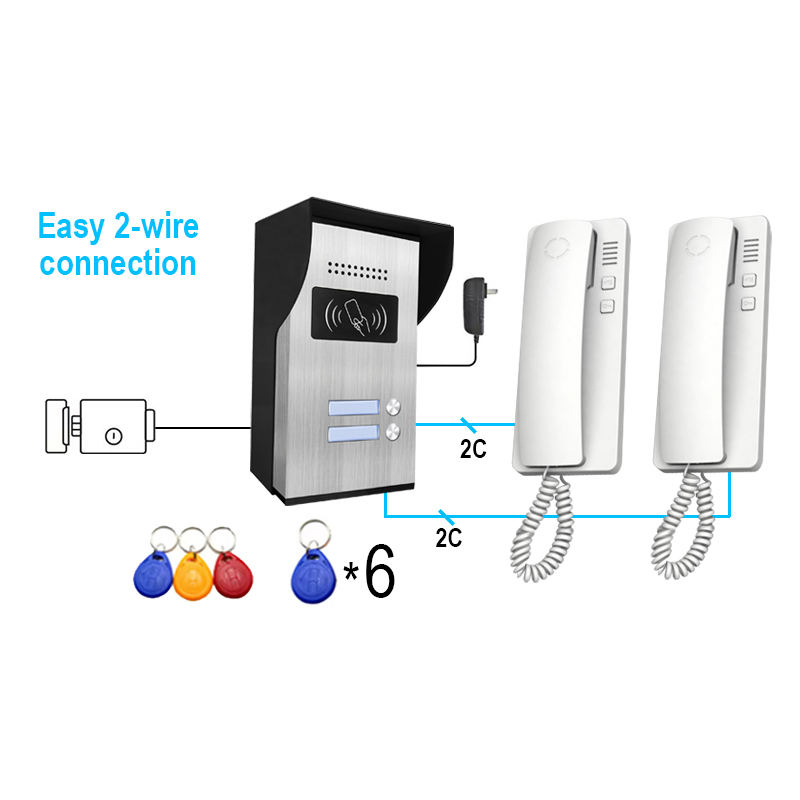
1. Understanding How Video Door Phones Work
أ هاتف الباب بالفيديو, also called a video intercom system, is an electronic device that allows for اتصالا ثنائي الاتجاه between the person inside a building and someone at the entrance. It typically consists of:
- شركة الوحدة الخارجية with a camera, microphone, speaker, and a call button
- شركة الشاشة الداخلية that displays video and enables communication
- أ power supply system that powers both units
المكونات الرئيسية
| مكون | وظيفة |
|---|---|
| كاميرا | Captures live video of the visitor |
| ميكروفون | Captures visitor’s voice |
| مكبر الصوت | Enables the visitor to hear the resident |
| مراقبة | تعرض الفيديو الحي وتسمح بالتواصل ذو الاتجاهين |
| مصدر الطاقة | Provides energy to run the entire system |
Powering a video door phone correctly is essential to ensure the system is always online, especially for security purposes.
2. Power Supply Requirements for Video Door Phones
Before installing a video door phone, it’s critical to understand its power requirements, which vary based on whether the system is سلكي أو لاسلكي, and whether it’s for residential or commercial use.
Common Power Types
| نوع الطاقة | الوصف | حالة الاستخدام |
|---|---|---|
| AC (Alternating Current) | Often 110V–240V input, converted to DC | الأنظمة السلكية |
| DC (Direct Current) | 12V or 24V output commonly used | Both wired and wireless |
| POE (Power Over Ethernet) | Power and data over a single cable | IP-based video door phones |
| تعمل بالبطارية | Rechargeable lithium-ion batteries | Wireless video doorbells |
Important Considerations
- Voltage Compatibility: Most indoor monitors require 12 فولت تيار مستمر, while some outdoor units may need 24 فولت تيار مستمر.
- Power Consumption: Check the wattage to ensure your power source can handle the load.
- Backup Power: Consider systems with بطارية احتياطية أو وحدة تزويد طاقة غير منقطعة (UPS) for emergencies.
Supply Options
- Dedicated Power Adapter: Comes with the device
- Centralized Power Supply Box: Powers multiple units (common in apartments or villas)
- مفتاح تبديل POE: For IP systems, simplifies cabling
⚡ Tip: Always refer to the manufacturer’s manual for compatible power specifications.
3. How to Connect a Wired Video Door Phone to Power
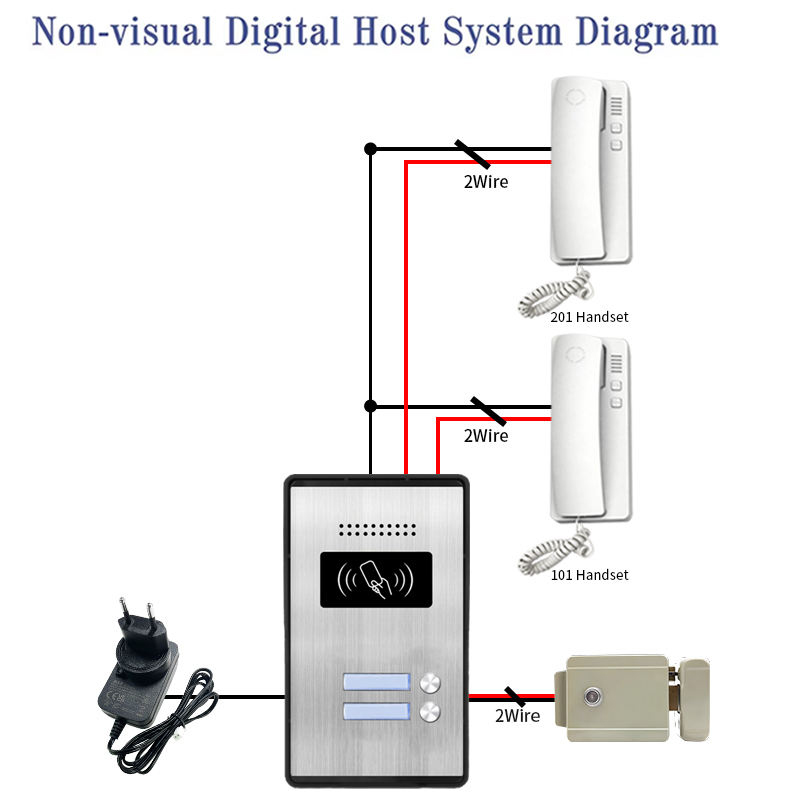
Wired video door phone systems are common in villas, apartments, and commercial buildings. These systems require careful planning during installation to ensure stable power delivery و الموثوقية على المدى الطويل.
Step-by-Step Guide for Power Connection
Materials Needed
- Power adapter (12V/24V DC)
- Electrical wires (as per system spec)
- مفك براغي
- Multimeter (for voltage testing)
- Wall anchors and clips
Wiring Diagram (Basic)
[Power Adapter]
       |
       | (DC 12V)
       |
   [Indoor Monitor] -------- [Outdoor Unit]
         |                       |
         |                       |
     Power In               Power In
Connection Steps
- قم بإيقاف تشغيل الطاقة
Ensure the main power supply is disconnected before installation to avoid shocks. - Mount the Units
Install the الشاشة الداخلية و الوحدة الخارجية securely. - Connect the Power Adapter
- Connect the positive (+) و negative (-) terminals of the power adapter to the indoor unit.
- استخدم 12V DC adapter for most systems.
- Run Power to Outdoor Unit
Depending on the system, the indoor unit may supply power to the outdoor unit via a 4-wire or 2-wire setup. - Test the Voltage
Use a multimeter to ensure power is correctly reaching both units. - قم بتشغيل الجهاز واختباره
Switch on the power and test audio/video and door unlock functions.
Common Wiring Standards
| Wire Type | وظيفة |
|---|---|
| Red | +12V (Power) |
| أسود | Ground |
| Yellow | فيديو |
| White | الصوت |
✅ نصيحة احترافية: Use shielded cables to prevent interference in video/audio signals.
For businesses looking to install multi-apartment or villa video door phone systems, working with a reliable manufacturer ensures long-term reliability.
FARHD is China’s leading OEM/ODM video door phone manufacturer, offering complete power-integrated solutions for residential and commercial premises. With over 26 years of experience and 13 production lines, they guarantee performance, safety, and scalability.
Their systems support POE, battery backup, and centralized AC to DC solutions tailored for B2B buyers, installers, and real estate developers.
4. Connecting a Wireless Video Door Phone to Power
Wireless video door phones are popular in B2C markets for homes, rental properties, and small businesses due to their سهولة التركيب و minimal wiring needs. However, they still require power either via battery أو permanent AC/DC source.
Power Options for Wireless Devices
| مصدر الطاقة | الوصف | الإيجابيات | السلبيات |
|---|---|---|---|
| بطارية قابلة لإعادة الشحن | Lithium-ion battery (4000-10000mAh) | No wiring, easy to install | Needs recharging |
| USB-C Adapter | Plug into wall outlet | طاقة مستمرة | Visible cables |
| Solar Panel | Charges battery via sunlight | Eco-friendly | Dependent on weather |
| POE (rare) | Power over Ethernet | Stable power + data | Requires Ethernet port |
Installation Process
- Charge Battery Fully
Most wireless units require an initial charge of 6–8 hours. - قم بتركيب الوحدة الخارجية
Use screws or adhesive mounts. Avoid metal doors that may block signal. - قم بتوصيل الطاقة
- Battery: Insert after charging
- USB: Plug into a nearby power outlet
- Sync with Indoor Monitor or App
Pair using Wi-Fi or Bluetooth via the brand’s app. - Enable Motion Alerts and Live View
Ensure the power source supports continuous performance.
الميزات الموصى بها
- Low Battery Alerts
- Power-Saving Modes
- التوافق مع الشحن بالطاقة الشمسية
- Weatherproof IP65+ rating
5. Safety Tips for Installing Video Door Phone Power
Whether you’re a homeowner, installer, or bulk buyer, safety during installation is paramount to prevent electrical hazards and ensure system longevity.
General Safety Guidelines
- 🔌 Turn Off Circuit Breakers before starting work
- 🧰 Use insulated tools and gloves during wiring
- ⚡ Verify Voltage with a multimeter before connecting
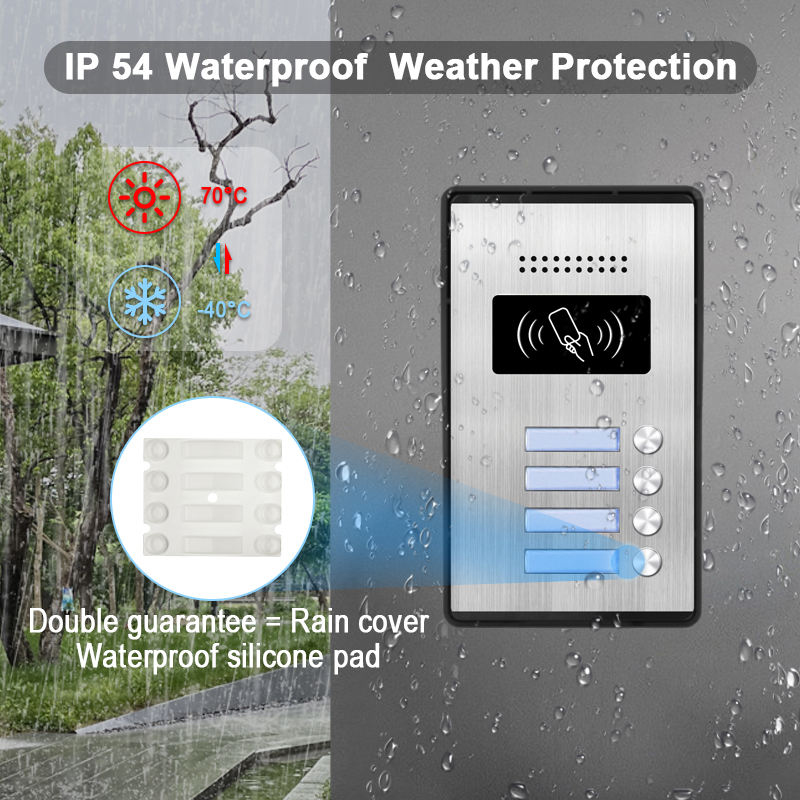
- 🔒 Ensure Waterproofing of outdoor units and power cables
- 🔋 Avoid Overloading Circuits with multiple devices
Common Safety Accessories
| ملحق | استخدم |
|---|---|
| Fuse Protectors | Prevents overcurrent damage |
| Surge Protectors | Shields from voltage spikes |
| Cable Clips | Secure wires to avoid tripping |
| Waterproof Boxes | Protects outdoor power connections |
تقدم FARHD smart video door phone systems are engineered with built-in power protection, reverse polarity safeguards, and over-voltage protection. These features make them ideal for both residential and commercial environments, where reliability and safety are critical.
They also offer custom power configuration services for bulk B2B orders, helping suppliers and distributors meet local regulations and installation preferences.
6. Common Mistakes to Avoid During Power Installation
Even seasoned installers can make errors that compromise device performance. Here are the most frequent mistakes and how to prevent them:
Installation Pitfalls
- Wrong Voltage Supply
Supplying 24V to a 12V device can permanently damage internal circuits. - Loose Power Connections
Leads to flickering displays and intermittent function. - Inadequate Cable Gauge
Thin wires can overheat and fail over time. Use at least 0.5mm² cables. - No Backup Power
During outages, the system becomes non-functional. Use UPS or battery backup. - No Grounding
Ungrounded systems are prone to surges and static interference.
جدول استكشاف الأخطاء
| المشكلة | السبب المحتمل | الإصلاح |
|---|---|---|
| No power on device | Loose cable or wrong voltage | Check connections and adapter |
| Display flickers | Inadequate power supply | Use correct adapter or thicker cable |
| No video/audio | Damaged wire or interference | Replace cable or use shielded wires |
| System resets | Power spike or overload | Use surge protector or UPS |
To ensure proper installation, FARHD offers الدعم الفني و كتيبات التثبيت with every device. For bulk buyers, their خدمات OEM/ODM include custom wiring diagrams and power integration planning—ideal for large-scale deployments.
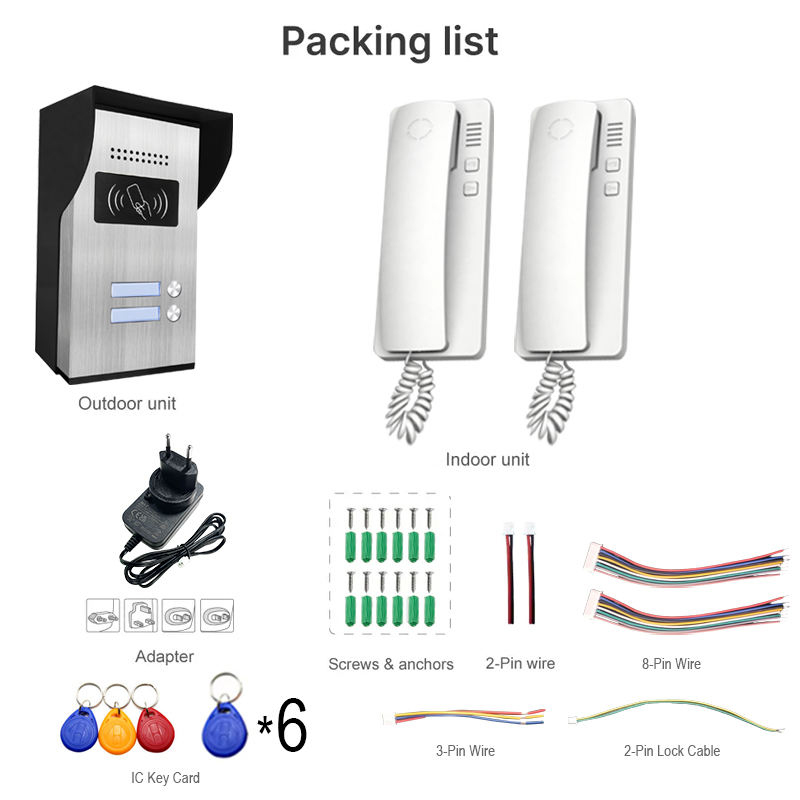
7. Best Video Door Phones with Easy Power Setup
If you’re in the market for a power-efficient video door phone, here are some top systems with flexible power options:
| العلامة التجارية | الموديل | طريقة الطاقة | مثالي لـ |
|---|---|---|---|
| FARHD | 4-Wire Villa Kit | 12V DC / POE | الفيلات والشقق |
| رينج | Doorbell 4 | Battery or USB | Homes, Rentals |
| Eufy | كاميرا مزدوجة | بطارية + طاقة شمسية | تركيبات DIY |
| Hikvision | IP Intercom | POE | Business, Offices |
🔍 Looking for large-volume supply or custom branding? Explore FARHD’s product line tailored for B2B buyers, installers, and real estate developers.
8. Choosing the Right Video Door Phone for Business Use
For B2B buyers such as property developers, installers, and security system integrators, selecting a video door phone with scalable power integration is crucial.
Key Power Features for Businesses
- مصدر طاقة مركزي for multi-apartment buildings
- دعم POE for simplified installation
- النسخ الاحتياطي للبطارية for mission-critical facilities
- Power Surge Protection for industrial environments
Business Benefits
- Reduced maintenance costs
- Lower installation time
- Higher customer satisfaction
- Long-term durability
توفر FARHD حلول الاتصال الداخلي الشاملة with in-house control over LCD, camera modules, and power systems. With over 60% market share in China and strong presence in Europe, they are a trusted partner for global B2B clients.
📞 For inquiries, get in touch via the صفحة الاتصال بـ FARHD.
9. FAQ: Power Supply and Video Door Phone Installation
Q1: Can I use a regular phone charger to power my video door phone?
A: No. Always use the power adapter specified by the manufacturer, typically 12V or 24V DC.
Q2: What happens if power is lost?
A: Unless the system has a backup battery or is connected to a UPS, it will stop functioning.
Q3: What is POE and is it better?
A: Power Over Ethernet (POE) allows one cable to carry both data and power. It simplifies installation and is ideal for IP-based systems.
Q4: Can I upgrade a non-POE system to POE?
A: Some systems allow POE adapters or splitters. Check with the manufacturer.
Q5: Is solar power reliable for video door phones?
A: Yes, if you have consistent sunlight. It’s often used as a supplement to battery power.
For tailored solutions, OEM branding, and high-volume orders, FARHD is the go-to choice for B2B buyers looking for integrated power and performance in video door phone systems. Visit their صفحة "من نحن" الخاصة بـ Skynex لمعرفة المزيد.
قد يثير اهتمامك أيضًا
-

FARHD to Showcase All-Climate Technology at 2026 China Security Expo, Empowering Smart Communities in Northern China
From November 3 to 6, 2026, FARHD, a global leader in smart security and communication solutions, will unveil its full range of products deeply optimized for the harsh winter conditions of northern China at the 18th China International Social Public Security Products Expo (Security China). Under the theme “Digital Intelligence World, Total Security,” the expo…
-

FARHD to Showcase All-Climate Hard-Tech Solutions at Securika Moscow 2026
From April 22 to 24, 2026, FARHD, a global leader in smart security and communication solutions, will unveil its full range of products engineered for extreme climates at Securika Moscow 2026, held at Crocus Expo in Moscow, Russia. At booth A-9101, FARHD will present its smart intercom, access control, and smart home solutions—all deeply optimized…
-

FARHD Honored with Multiple Prestigious Awards in China’s Building Intercom Industry, 28 Years of Deep Engagement in the Chinese Market Solidifying Its Position as a Leading Brand
Recently, in the annual selection event jointly organized by the China Security and Protection Industry Association and multiple authoritative media outlets, FARHD, by virtue of its profound industry experience, outstanding technological innovation capabilities, and extensive market recognition, was awarded the prestigious “Most Influential Brand in China’s Building Intercom Industry” . These accolades not only affirm FARHD’s 28…
-

FARHD Honored with Multiple Prestigious Awards in China’s Building Intercom Industry, 28 Years of Deep Engagement in the Chinese Market Solidifying Its Position as a Leading Brand
Recently, in the annual selection event jointly organized by the China Security and Protection Industry Association and multiple authoritative media outlets, FARHD, by virtue of its profound industry experience, outstanding technological innovation capabilities, and extensive market recognition, was awarded the prestigious “National Top 10 Quality Brands in the Security Industry” . These accolades not only affirm FARHD’s…



