
أفضل الأماكن لتركيب نظام اتصال داخلي لاسلكي في منزلك
نوفمبر 28, 2025
شارك هذه المقالة
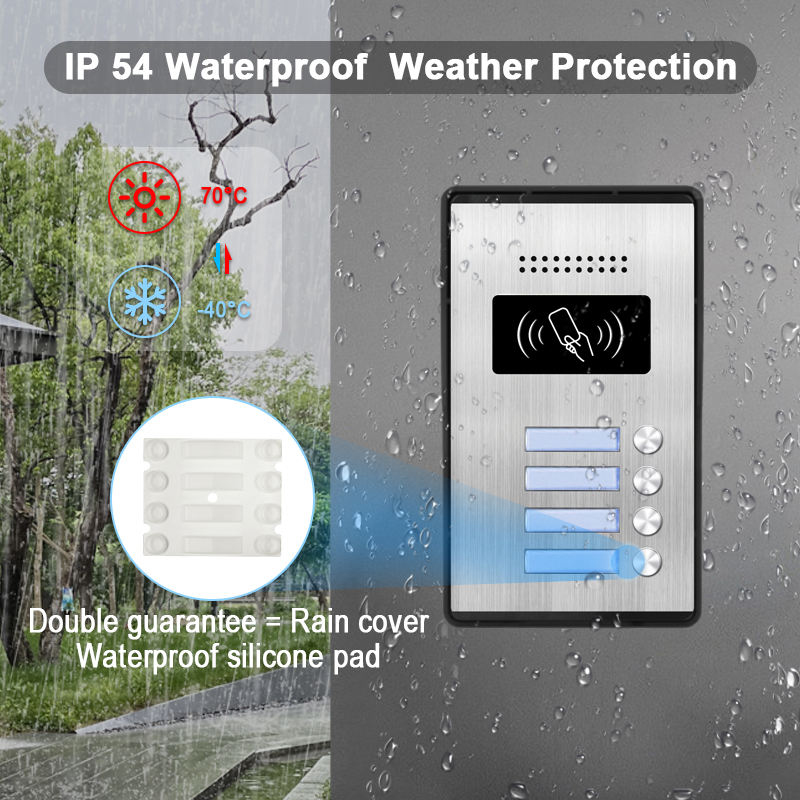
ما هو نظام الإنتركم اللاسلكي وكيف يعمل؟
أ نظام الاتصال الداخلي اللاسلكي هو جهاز اتصال يسمح بنقل الصوت (وغالبًا الفيديو) بين مناطق مختلفة من العقار دون الحاجة إلى أسلاك واسعة النطاق. هذه الأنظمة شائعة في كل من المباني السكنية والتجارية، حيث توفر الراحة والأمان والتركيب السهل.
المكونات الرئيسية لنظام الإنتركم اللاسلكي:
| مكون | الوصف |
|---|---|
| الوحدة الرئيسية | لوحة التحكم المركزية، التي عادةً ما تُركب عند الباب الأمامي أو البوابة الرئيسية |
| محطات فرعية | وحدات إضافية توضع في الغرف أو المداخل الثانوية |
| كاميرا فيديو (اختيارية) | تلتقط فيديو حي للزوار أو نقاط الدخول |
| ميكروفون ومكبر صوت | تسمح بالاتصال ذو الاتجاهين |
| وحدة واي فاي أو RF | تمكن الاتصال اللاسلكي بين الوحدات |
كيف تعمل:
- يستخدم النظام شبكة Wi-Fi, ترددات الراديو (RF)، أو Zigbee/Bluetooth لنقل الإشارات.
- عندما يضغط شخص ما على جرس الباب أو زر الإنتركم، يرسل إشارة إلى الوحدات المتصلة.
- يمكن لمالك المنزل الرد عبر الصوت/الفيديو، أو منح الوصول، أو مراقبة النشاط عن بعد.
الميزات الرئيسية التي يجب البحث عنها:
- اتصال صوتي ثنائي الاتجاه
- دمج كاميرا الفيديو
- تنبيهات اكتشاف الحركة
- التحكم عبر تطبيق الهاتف الذكي
- خيارات تعمل بالبطارية أو بالقطع
الإنتركم اللاسلكي مثالي بشكل خاص لـ المنازل متعددة الطوابق، والعقارات المؤجرة، والمنازل الذكية، حيث تكون مرونة التركيب والتنقل أولوية.
الفوائد الرئيسية لتركيب الإنتركم اللاسلكي لأمان المنزل
يوفر تركيب نظام إنتركم لاسلكي أكثر من مجرد الراحة — إنه يضيف طبقة كبيرة من أمان المنزل. سواء كنت تدير التسليمات، أو تراقب الأطفال، أو تفحص الزوار، فإن المزايا عديدة.
1. تحسين أمان الدخول
- التعرف على الزوار قبل فتح الأبواب.
- منع الوصول غير المصرح به باستخدام ميزات الفتح عن بعد.
- التكامل مع الأقفال الذكية للحماية الإضافية.
2. الاتصال الداخلي
- مثالية لـ المنازل الكبيرة أو العقارات متعددة الطوابق.
- التواصل بين الغرف دون صراخ أو التجول.
- استخدام الإنتركم في غرف الأطفال، أو المكاتب المنزلية، أو الطوابق السفلية للتنبيهات السريعة.
3. سلامة كبار السن والأطفال
- يمكن لأفراد العائلة من كبار السن طلب المساعدة بسهولة من أي غرفة.
- يمكن للوالدين الإشراف على الأطفال من مسافة.
4. الدمج مع أجهزة المنزل الذكي
- يتوافق العديد من الإنتركم اللاسلكي مع Alexa وGoogle Home وApple HomeKit.
- التحكم عبر أوامر الصوت أو تطبيقات الهاتف المحمول.
- وضع قواعد التلقائية (مثل التنبيه عند اكتشاف حركة عند الباب الأمامي).
5. تصميم النظام القابل للتوسع
- بسهولة إضافة أو إزالة الوحدات مع تطور احتياجاتك.
- عظيم لـ تجديدات، إضافات غرف، أو وحدات إيجار.
جدول مقارنة الفوائد:
| فئة الفوائد | الاتصال الداخلي السلكي | الاتصال الداخلي اللاسلكي |
|---|---|---|
| التثبيت | معقد وغازي | بسيط وغير غازي |
| قابلية التوسع | محدود | قابلة للتطوير للغاية |
| التكامل الذكي | محدود | توافق واسع |
| إمكانية النقل | ثابت | محمول/قابل للنقل |
| التكلفة | أعلى بشكل عام | فعالة من حيث التكلفة |
أفضل الأماكن لوضع وحدات الإنتركم اللاسلكي داخل منزلك
يمكن أن يعزز الوضع الاستراتيجي للإنتركم اللاسلكي كلًا من الأمن والراحة. إليك أفضل المواقع الداخلية للنظر فيها:
1. بالقرب من الباب الأمامي أو الردهة الداخلية
- يعمل كـ مركز التحكم الرئيسي للتفاعلات مع الزوار.
- يجب أن يكون سهل الوصول لأفراد العائلة.
- فكر في الاقتران مع كاميرا جرس الباب للتحقق البصري.
2. غرفة المعيشة أو غرفة العائلة
- موقع مركزي حيث يحدث معظم النشاط.
- يسمح بالتواصل السريع مع الغرف الأخرى أو الباب الأمامي.
- يمكن استخدامه كـ محطة مراقبة أثناء وقت الترفيه.
3. المطبخ
- غالبًا ما يكون المطبخ مركز المنزل.
- مثالي لإخطار العائلة عندما تكون الوجبات جاهزة أو الرد على تنبيهات الباب أثناء الطبخ.
4. غرفة النوم الرئيسية
- يوفر الأمان والراحة، خاصة في الليل.
- يمكّن الاتصال الطارئ خلال ساعات متأخرة.
- مفيد للتحكم في ميزات المنزل الذكي عبر الصوت أو التطبيق من خلال الإنتركم.
5. غرف الأطفال
- مراقبة الأطفال أثناء اللعب أو النوم.
- يسمح للأطفال بالوصول إذا احتاجوا إلى مساعدة دون مغادرة الغرفة.
6. المكتب المنزلي
- مهم بشكل خاص للعاملين عن بعد أو أصحاب الأعمال.
- يمنع الإزعاج من خلال السماح بالتواصل المنضبط.
- يمكن اقترانه مع أقفال ذكية أو لوحات التحكم في الوصول.
نصائح التركيب:
- تجنب وضع الوحدات بالقرب من أجهزة معدنية كبيرة أو جدران سميكة قد تسبب تداخلًا.
- ثبت الوحدات عند مستوى العين لمشاهدة الشاشة بسهولة (إذا كانت مفعلة الفيديو).
- تأكد من وجود تغطية كافية للواي فاي أو قوة الإشارة.
دليل وضع خطة الطابق النموذجي:
| الغرفة/المنطقة | نوع الاتصال الداخلي الموصى به | تحديد هوية الزائر والتواصل |
|---|---|---|
| المدخل الأمامي | الاتصال الداخلي بالفيديو | فحص الزوار، التحكم في الوصول عن بعد |
| غرفة المعيشة | إنتركم صوتي/فيديو | مركز التواصل المركزي |
| المطبخ | إنتركم صوتي | الراحة أثناء الطبخ |
| غرف النوم | إنتركم صوتي | الاتصال الطارئ والروتيني |
| المكتب المنزلي | إنتركم ذكي مع التحكم عبر التطبيق | تفاعلات مهنية وآمنة |
لأولئك الذين يبحثون عن أنظمة إنتركم فيديو لاسلكية عالية الجودة وقابلة للتوسع، تقدم FARHD حلول إنتركم ذكية OEM/ODM كاملة مصممة خصيصًا للمنازل الحديثة والمباني الذكية.
صُممت أنظمة FARHD مع التركيز على كل من الأمان والمرونة ، حيث توفر هندسة معيارية متقدمة ودمجًا سلسًا للمنزل الذكي.
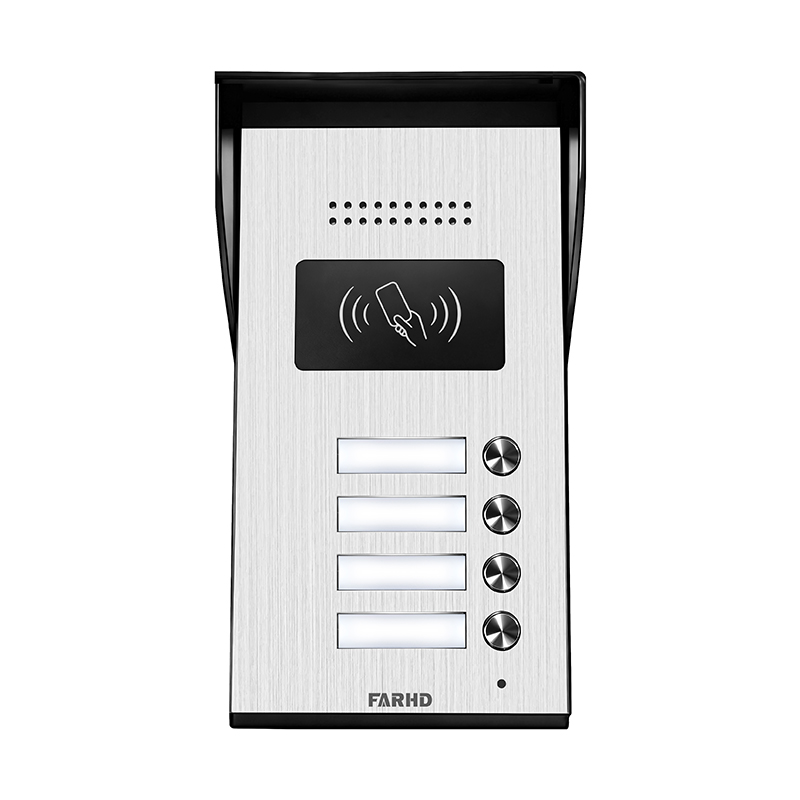
نصائح وضع خارجي للإنتركم الفيديو اللاسلكي
عندما يتعلق الأمر بتركيب نظام الاتصال الداخلي بالفيديو اللاسلكي، يلعب الوضع الخارجي دورًا حاسمًا في تعظيم كل من الأمن و الاستخدامية. توفر وحدة موضوعة جيدًا تفاعلًا أفضل مع الزوار، وتردع المتسللين، وتقدم لقطات حية حاسمة. فيما يلي توصيات الخبراء وأفضل الممارسات لوضع نظام الإنتركم اللاسلكي الخارجي.
1. بوابة أمامية أو مدخل سياج
إذا كان لدى عقارك بوابة محيطية أو سياج، يجب أن يكون هذا الخط الأول من الاتصال البصري والصوتي.
- تحديد هوية الزائر والتواصل: فحص الزوار قبل وصولهم إلى بابك الأمامي.
- الميزات الموصى بها: نقل لاسلكي طويل المدى، غلاف مقاوم للطقس، رؤية ليلية.
- نصيحة التركيب: تأكد من أن الوحدة مرئية لكن آمنة— ثبتها عند مستوى العين وفي غلاف مقاوم للتلاعب.
2. الباب الرئيسي أو منطقة الشرفة
الـ الشرفة الأمامية هي المكان الأكثر شيوعًا وحساسية لنظام إنتركم باب لاسلكي.
- تحديد هوية الزائر والتواصل: التفاعل مع موظفي التسليم أو الضيوف أو الزوار غير المتوقعين.
- الميزات الموصى بها: كاميرا عالية الدقة، كشف الحركة، صوت ذو اتجاهين، دمج التطبيق.
- نصيحة التركيب: استخدم زاوية 30–45 درجة للكاميرا لالتقاط رؤية كاملة لوجه الزائر والمنطقة المحيطة.
3. مدخل المرآب
المرائب نقاط دخول عرضة للخطر، خاصة إذا كانت منفصلة أو جانبية.
- تحديد هوية الزائر والتواصل: مراقبة الوصول ال
- الميزات الموصى بها: الرؤية الليلية بالأشعة تحت الحمراء، عدسة واسعة الزاوية، إشعارات الوصول عن بعد.
- نصيحة التركيب: قم بتركيب الوحدة بالقرب من الباب الجانبي أو أعلى المرآب للحصول على أقصى درجات الرؤية.
4. فناء المنزل الخلفي أو البوابات الجانبية
غالباً ما يتم تجاهل مناطق فناء المنزل الخلفي، لكنها نقاط شائعة للوصول غير المصرح به.
- تحديد هوية الزائر والتواصل: ردع المتسللين ومراقبة النشاط الخارجي.
- الميزات الموصى بها: كشف الحركة، إشعارات التطبيق، إضاءة مدمجة.
- نصيحة التركيب: ضع الوحدات بعيداً عن الأوراق الكثيفة لمنع الإشعارات الكاذبة وضمان رؤية واضحة.
نصائح وممنوعات في تركيب الوحدات الخارجية
| نوع النصيحة | يجب القيام به | يجب تجنبه |
|---|---|---|
| الموقع | التثبيت على مستوى العين وفي مناطق مضاءة جيداً | لا تقم بالتركيب في مكان مرتفع جداً أو في زوايا مظلمة |
| مقاومة الأحوال الجوية | استخدم IP65 أو أعلى محاطة بغلاف مقاوم | لا تستخدم وحدات مخصصة للداخل في الخارج |
| الرؤية | تأكد من أن الوحدة مرئية بوضوح لردع التلاعب | لا تخفِ الوحدة خلف النباتات أو الديكورات |
| إشارة لاسلكية | اختبر الاتصال قبل التركيب النهائي | لا تقم بالتركيب بعيداً جداً عن جهاز الراوتر أو المحطة الأساسية |
| مصدر الطاقة | استخدم تعمل بالبطارية أو خيارات تعمل بالطاقة الشمسية إذا كان التوصيل بالكهرباء صعباً تعمل بالطاقة الشمسية إذا كان التمديد صعباً | لا تعتمد على مصادر طاقة غير مستقرة |
بالنسبة لأجهزة الإنتركوم اللاسلكية الخارجية التي تعمل في جميع الظروف الجوية وتدعم التكامل مع أجهزة متعددة، فكر في سلسلة FARHD بـ 4 أسلاك للمنازل. هذه الأنظمة مصممة خصيصاً للاستخدام في المنازل السكنية والممتلكات المحاطة بأسوار، حيث تقدم مقاومة قوية للعوامل الجوية وأداء فيديو/صوتي واضح كالبلورال.
اعتبارات تركيب الإنتركوم السلكي مقابل اللاسلكي
عند اتخاذ قرار بين أنظمة الاتصال الداخلي السلكية واللاسلكية، فإن أحد أهم العوامل هو كيفية ومكان تركيب هذه الأنظمة. يأتي كل نوع من الأنظمة مع قيود ومزايا فريدة، والتي تؤثر مباشرة على استراتيجية التركيب.
الاختلافات الرئيسية في مرونة التركيب
| الميزة/العامل | الاتصال الداخلي السلكي | الاتصال الداخلي اللاسلكي |
|---|---|---|
| مرونة التثبيت | مواقع ثابتة، يتطلب حفراً | مرونة عالية، حفر قليل |
| مصدر الطاقة | يتطلب توصيلاً مباشراً بالكهرباء | خيارات بطارية أو توصيل |
| قابلية التوسع | محدود بالبنية التحتية السلكية المسبقة | قابل للتوسيع بسهولة |
| نطاق الإشارة | غير متأثر بتداخل الواي فاي | قد يتطلب تغطية واي فاي قوية |
| التأثير الجمالي | قد يحتاج إخفاء الأسلاك | نظيف، بدون أسلاك مرئية |
| مثالي للتجديدات | أقل مثالية | موصى به بشدة |
متى تختار التركيب السلكي
- بناء جديد أو تجديدات كبرى حيث يمكن تضمين الأسلاك.
- الممتلكات التي تقلق من تداخل الإشارة.
- المباني التجارية التي تتطلب تركيبات دائمة ومقاومة للتلاعب.
متى تختار التركيب اللاسلكي
- المنازل الحالية أو الممتلكات المستأجرة حيث يكون الحفر محدوداً.
- الحاجة إلى نشر سريع المرونة في موقع الوحدة.
- المنازل التي تحتوي على شبكات واي فاي مش للاتصال القوي.
أنظمة إنتركوم هجينة
يقدم العديد من مصنعي الإنتركوم الحديثين الأنظمة الهجينة أنظمة هجينة تجمع بين موثوقية الأنظمة السلكية ومرونة الاتصال اللاسلكي. هذه الأنظمة مثالية لـ:
- المنازل الكبيرة حيث تكون بعض المناطق صعبة التوصيل.
- الممتلكات التي تحتوي على مبانٍ متعددة أو مبانٍ خارجية.
- الشركات التي تتطلب تحكماً مركزياً مع وصول عن بعد.
إذا كنت تبحث عن إنتركوم عالي الأداء متوافق مع الهجين يمكن تخصيصه لاحتياجات مشروعك، تقدم FARHD حلول إنتركوم مخصصة من البداية إلى النهاية مع خيارات سلكية ولاسلكية. منتجاتها موثوقة من قبل قادة الصناعة في أوروبا وآسيا وأمريكا الشمالية.
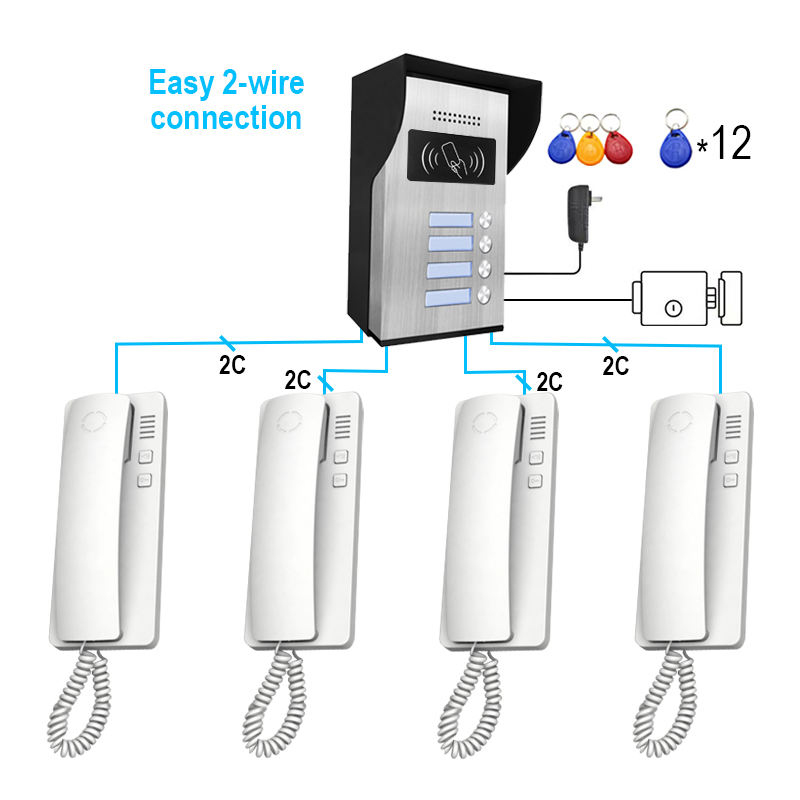
كيفية تركيب نظام إنتركوم لاسلكي مع تداخل أدنى
أحد أكثر التحديات شيوعاً في تركيب الإنتركوم اللاسلكي هو تداخل الإشارة الذي يمكن أن يسبب تأخيراً أو انقطاع الصوت أو فقدان الاتصال. لحسن الحظ، مع التخطيط السليم، يمكنك ضمان عمل سلس.
دليل التثبيت اللاسلكي خطوة بخطوة
- التحقق من تغطية الواي فاي
- استخدم تطبيق محلل واي فاي لاختبار قوة الإشارة في كل موقع إنتركوم مرغوب.
- للنقاط الضعيفة، فكر في ممدد واي فاي أو نظام مش.
- اختر مناطق خالية من التداخل
- تجنب المناطق بالقرب من الميكروويف، الهواتف اللاسلكية، وأجهزة مراقبة الرضع التي قد تعمل على ترددات مشابهة (2.4 جيجاهرتز).
- ابقَ بعيداً عن الأبواب المعدنية، الجدران الخرسانية المسلحةو الأجهزة الكبيرة.
- إرشادات التركيب
- قم بتركيب الوحدات الداخلية عند مستوى العين (حوالي 5 أقدام).
- بالنسبة للوحدات الفيديو، ضمن خط رؤية واضح بدون عوائق.
- استخدم أقواس الجدار أو التركيبات اللاصقة المرفقة للثبات.
- إدارة الطاقة
- استخدم بطاريات قابلة للشحن عالية الجودة أو ضمن الوصول إلى منافذ الكهرباء.
- إذا كانت الألواح الشمسية مدعومة، قم بالتركيب في مناطق مواجهة للشمس.
- إقران الأجهزة
- قم بمزامنة جميع الوحدات مع المتحكم الرئيسي أو تطبيق الهاتف المحمول قبل التركيب.
- اختبر الاتصال لتأكيد الاتصال المستقر.
- تحسين الشبكة
- خصص عناوين IP مخصصة إذا كنت تستخدم إنتركوم IP.
- تمكين QoS (جودة الخدمة) على جهاز الراوتر لإعطاء الأولوية لحركة الإنتركوم.
نصائح احترافية للإعداد الخالي من التداخل
- استخدم نطاق 5 جيجاهرتز إذا كان إنتركومك يدعم واي فاي ثنائي النطاق.
- تجنب التداخل في القنوات بضبط قناة الراوتر يدوياً.
- قم بتحديث البرمجيات الثابتة بانتظام لإصلاح الأخطاء وتحسين الاتصال.
قائمة التحقق من الأخطاء
| المشكلة | السبب المحتمل | الحل |
|---|---|---|
| تأخير الصوت أو الصدى | ضعف إشارة الواي فاي | أعد وضع الراوتر أو استخدم واي فاي مش |
| لا يوجد موجز فيديو | كاميرا مسدودة، إشارة منخفضة | اضبط زاوية الكاميرا أو حسّن قوة الإشارة |
| اتصال متقطع | تداخل من أجهزة أخرى | غيّر قناة الراوتر أو حرّك الوحدات |
| الوحدة لا تشغل | مشكلات البطارية | استبدل أو أعد شحن البطاريات |
بالنسبة لإنتركوم لاسلكي احترافي يشمل تقنية مضادة للتداخل, وضوح صوت طويل المدىو تكوين قائم على التطبيق, تقدم FARHD حلولاً مخصصة للمشاريع السكنية والتجارية.
التكامل الذكي: تركيب الإنتركوم اللاسلكي لأليكسا وجوجل هوم
في بيئة المنزل الذكي اليوم، تقوم أنظمة الإنتركوم اللاسلكية بأكثر من مجرد نقل الصوت—فهي تعمل كـ عقد مركزية لأتمتة المنزل، خاصة عند التكامل مع مساعدي الصوت مثل أليكسا وجوجل هوم وأبل هوم كيت.
يمكن أن يؤثر التركيب السليم لوحدات الإنتركوم اللاسلكية مباشرة على جودة التحكم الصوتي والاستجابة ووظائف الأتمتة.
لماذا يهم التكامل الذكي
- أوامر صوتية لـ فتح الأبواب, الرد على المكالمات، أو تفعيل وضع الليل
- روتين سلس، مثل تشغيل أضواء الشرفة عندما يرن جرس الباب
- إشعارات فورية و اتصال خالٍ من اليدين
أفضل الممارسات لتركيب مساعدي الصوت
| المنطقة | اعتبارات تركيب الإنتركوم | فوائد التكامل الذكي |
|---|---|---|
| غرفة المعيشة | ضع بالقرب من مكبر الصوت الذكي أو المركز | تحكم مركزي للروتين والأوامر |
| باب أمامي | بالقرب من نظام القفل الذكي/جرس الباب | وصول صوتي لفتح أو مراقبة الزوار |
| المطبخ | بعيداً عن الأجهزة؛ بالقرب من مساعد ذكي لإشعارات الطبخ | ضع تذكيرات أو أرسل رسائل خالية من اليدين |
| غرفة نوم | على الطاولة الجانبية أو مثبت على الجدار بالقرب من السرير | تفعيل صوتي طارئ في الليل |
| مدخل المرآب | موضوع بالقرب من فاتح المرآب الذكي/المتحكم | وصول ومراقبة المرآب صوتياً |
إعداد روتين إنتركوم ذكي
- قم بتثبيت تطبيق الإنتركوم: ربط نظام الإنتركوم اللاسلكي بهاتفك الذكي وربطه بأليكسا أو جوجل هوم.
- أنشئ أوامر صوتية:
- “أليكسا، أظهري لي كاميرا الباب الأمامي.”
- “يا جوجل، أجب على الإنتركوم.”
- بنِ الروتين:
- أطلق إضاءة ذكية عند كشف حركة عند الباب.
- قفل الباب تلقائياً بعد انتهاء الاتصال.
- استخدم شاشات ذكية:
- أجهزة مثل أمازون إيكو شو أو Google Nest Hub يمكن استخدامها لعرض تغذية الإنتركوم.
الميزات الموصى بها للتكامل الذكي
- توافق IFTTT لأتمتة أوسع
- التحكم في التطبيق مع إشعارات الدفع
- صوت ثنائي الاتجاه مع إلغاء الصدى
- تسجيل سحابي خيارات للمراجعة
لنظام اتصال منزل ذكي متكامل بالكامل، تقدم FARHD حلول إنتركوم متوافقة مع مساعدي الصوت، اتصال سحابي، وواجهات برمجة تطبيقات أتمتة متقدمة. هذه الأنظمة مثالية للمنازل الحديثة التي تتطلب أماناً وتحكماً ذكياً.
أفضل الممارسات لتركيب الإنتركوم في غرف متعددة وأدوار متعددة
بالنسبة للمنازل الكبيرة أو الفيلات أو الممتلكات متعددة المستويات، يضمن تركيب الإنتركوم الفعال اتصالاً مستمراً وأماناً وسهولة. التخطيط الاستراتيجي أمر أساسي ل مناطق ميتة لل وتأكيد تغطية كاملة للمنزل.
استراتيجية وضع متعدد الغرف
- إعداد قائم على المناطق: قسم منزلك إلى مناطق اتصال—منطقة المعيشة، الغرف الخاصة، مناطق المرافق.
- الغرف ذات الأولوية: ركز أولاً على المناطق ذات الحركة العالية والأهمية العالية (مثل، مداخل الأبواب، غرفة النوم الرئيسية، المطبخ).
- تجنب التجميع: لا تضع وحدات متعددة قريبة جداً من بعضها البعض لتجنب التكرار.
نصائح الاتصال متعدد الطوابق
| مستوى الطابق | الميزات الموصى بها للهاتف الداخلي | نصائح الوضع |
|---|---|---|
| الطابق الأرضي | هاتف داخلي فيديو، كشف الحركة، الوصول إلى بوابة المدخل | بالقرب من نقاط الدخول، غرفة المعيشة، المطبخ |
| الطوابق العلوية | أنظمة صوتية فقط أو هجينة للحديث من غرفة إلى غرفة | بالقرب من السلالم، غرف النوم، والشرفات |
| القبو | وحدات قوة إشارة عالية مع ميزات التنبيه | غرف المرافق، غرفة الغسيل، أو مناطق الترفيه |
تحسينات الاتصال
- استخدم شبكات واي فاي مش لضمان اتصالات مستقرة عبر الطوابق.
- اعتبر الوحدات مع ممدات النطاق أو معززات الإشارة.
- اختر وحدات تعمل بالبطارية إذا كانت منافذ الطاقة نادرة.
مثال على تصميم شبكة الهاتف الداخلي
| المنطقة | نوع الاتصال الداخلي | تحديد هوية الزائر والتواصل |
|---|---|---|
| مدخل الدخول | جرس الباب بالفيديو مع التطبيق | إدارة الزوار، الوصول عن بعد |
| غرفة المعيشة | وحدة رئيسية للصوت/الفيديو | مركز الاتصالات الرئيسي |
| غرف النوم | محطة فرعية للصوت | الاتصالات الليلية والإنذارات |
| المطبخ | وحدة صوتية | الراحة أثناء الطبخ |
| المرآب | وحدة صوتية مع مستشعر حركة | التحكم في الوصول للمركبات والمراقبة |
| القبو | وحدة صوتية مع إنذارات | السلامة في المناطق المعزولة |
للنشر واسع النطاق عبر المباني متعددة الوحدات أو الفيلات الذكية، تتخصص FARHD في تصاميم الإنتركوم القابلة للتخصيص التي تدعم تواصل متعدد المناطق و التحكم المركزي. مع حصة سوقية تزيد عن 60% في الصين ووجود بارز في إيطاليا وكوريا، تم تحسين أنظمة FARHD لتحقيق الموثوقية، وقابلية التوسع، والتكامل الذكي.
اكتشف كيف يمكن لأنظمتهم التوسع مع مشروعك من خلال صفحة منتج FARHD.
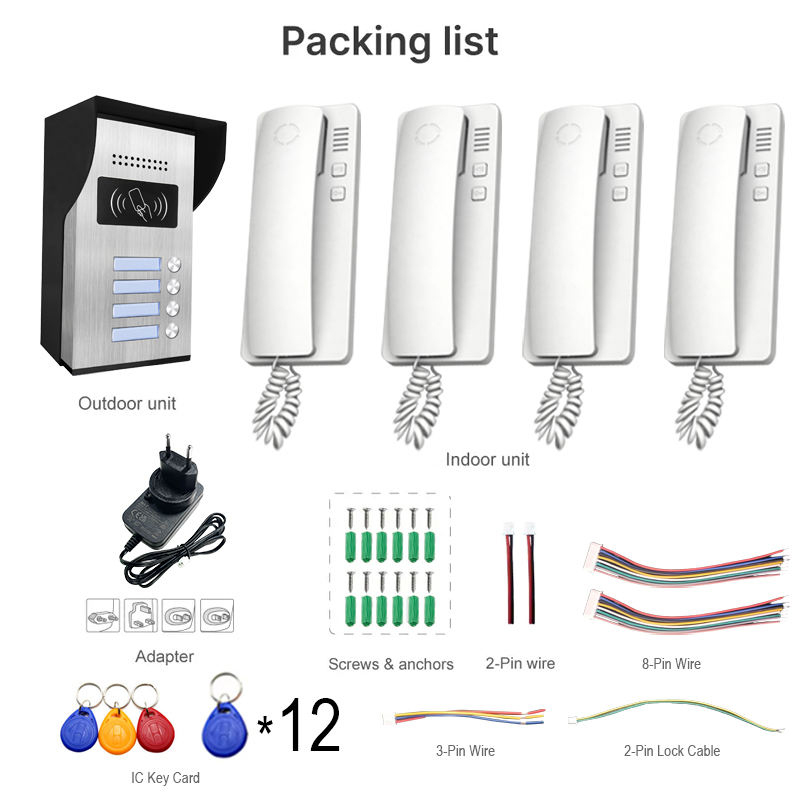
أسئلة شائعة: نصائح حول وضع نظام الإنتركوم اللاسلكي والأداء
س1: ما هي المسافة التي يمكن فصل وحدات الإنتركوم اللاسلكي بها؟
ج1: تدعم معظم أجهزة الإنتركوم اللاسلكي عالية الجودة مدى يصل إلى 1000 قدم في المساحات المفتوحة. داخل المباني، يعتمد المدى على سمك الجدران والمواد. استخدم شبكة واي فاي مش أو مكررات لتوسيع التغطية.
س2: هل يمكن استخدام أجهزة الإنتركوم اللاسلكي في منزل بجدران خرسانية سميكة؟
ج2: نعم، لكن قوة الإشارة قد تتأثر. اختر أنظمة تعمل على نطاقات تردد منخفضة مثل 900 ميغاهرتز أو استخدم محولات خط الطاقة كبديل.
س3: ما هي الارتفاع الأمثل لأجهزة الإنتركوم المثبتة على الجدران؟
ج3: قم بتركيب الوحدات الداخلية عند حوالي 5 أقدام (1.5 متر) للوصول الأمثل. بالنسبة لأجهزة الإنتركوم الفيديو، تأكد من أن الكاميرا في ارتفاع مستوى العين مناسب لالتقاط الوجه بوضوح.
س4: كيف أمنع التداخل مع الأجهزة اللاسلكية الأخرى؟
ج4: تجنب وضع الوحدات بالقرب من الميكروويف، أجهزة مراقبة الأطفال، أو الهواتف اللاسلكية. استخدم أنظمة مزدوجة النطاق (2.4 جيجاهرتز/5 جيجاهرتز) واختر قنوات الراوتر غير المستخدمة.
س5: هل يمكن نقل أجهزة الإنتركوم اللاسلكي بعد التركيب؟
ج5: نعم. إحدى أكبر مزايا الأنظمة اللاسلكية هي المرونةالمرونة في التنقل. يمكن إعادة وضع الوحدات بسهولة طالما تبقى ضمن نطاق الإشارة ولديها طاقة كافية.
س6: هل أجهزة الإنتركوم اللاسلكي آمنة من الاختراق؟
ج6: اختر الأنظمة التي تحتوي على التشفير AES، وحماية كلمة المرور، وتسجيل الدخول الآمن للتطبيق. تم بناء أجهزة FARHD باستخدام بروتوكولات أمان من درجة المؤسسات و شهادات مثل ISO 9001، وCE، وFCC.
س7: هل يمكن ربط نظام الإنتركوم بهاتفي الذكي؟
ج7: بالتأكيد. تقدم أجهزة الإنتركوم اللاسلكي الحديثة، خاصة من مزودين مثل FARHD، تطبيقات محمولة مخصصة للاتصال في الوقت الفعلي، والإشعارات، والتحكم عن بعد.
للحصول على مساعدة مهنية أو نظام إنتركوم مخصص مصمم لمنزلك أو فيلتك أو عملك، اتصل بـFARHD اليوم. مع السيطرة الكاملة على التصنيع والبحث والتطوير، تقدم FARHD حلول اتصال لاسلكي متطورة موثوقة من قبل الشركاء العالميين.
سيعمل هذا الدليل الشامل لوضع الإنتركوم اللاسلكي على ضمان أن نظامك مثبت استراتيجيًا، خالٍ من التداخل، ومتكامل بالكامل في نمط حياتك الذكي. سواء كنت مالك منزل أو مطور مشاريع، فإن اختيار الموقع المناسب والشريك المنتج مثل FARHD سيحدث فرقًا كبيرًا.
قد يثير اهتمامك أيضًا
-

FARHD to Showcase All-Climate Technology at 2026 China Security Expo, Empowering Smart Communities in Northern China
From November 3 to 6, 2026, FARHD, a global leader in smart security and communication solutions, will unveil its full range of products deeply optimized for the harsh winter conditions of northern China at the 18th China International Social Public Security Products Expo (Security China). Under the theme “Digital Intelligence World, Total Security,” the expo…
-

FARHD to Showcase All-Climate Hard-Tech Solutions at Securika Moscow 2026
From April 22 to 24, 2026, FARHD, a global leader in smart security and communication solutions, will unveil its full range of products engineered for extreme climates at Securika Moscow 2026, held at Crocus Expo in Moscow, Russia. At booth A-9101, FARHD will present its smart intercom, access control, and smart home solutions—all deeply optimized…
-

FARHD Honored with Multiple Prestigious Awards in China’s Building Intercom Industry, 28 Years of Deep Engagement in the Chinese Market Solidifying Its Position as a Leading Brand
Recently, in the annual selection event jointly organized by the China Security and Protection Industry Association and multiple authoritative media outlets, FARHD, by virtue of its profound industry experience, outstanding technological innovation capabilities, and extensive market recognition, was awarded the prestigious “Most Influential Brand in China’s Building Intercom Industry” . These accolades not only affirm FARHD’s 28…
-

FARHD Honored with Multiple Prestigious Awards in China’s Building Intercom Industry, 28 Years of Deep Engagement in the Chinese Market Solidifying Its Position as a Leading Brand
Recently, in the annual selection event jointly organized by the China Security and Protection Industry Association and multiple authoritative media outlets, FARHD, by virtue of its profound industry experience, outstanding technological innovation capabilities, and extensive market recognition, was awarded the prestigious “National Top 10 Quality Brands in the Security Industry” . These accolades not only affirm FARHD’s…



