
So setzen Sie eine smarte Türklingel zurück: Vollständige Anleitung für Hausbesitzer und Installateure
26. November 2025
Diesen Artikel teilen

1. Was ist eine smarte Türklingel und warum könnte ein Reset erforderlich sein?
A intelligente Türklingel ist ein Wi-Fi-fähiges Gerät, das Haus- oder Geschäftsinhabern ermöglicht, Besucher an der Tür über Smartphone oder Tablet zu sehen, zu hören und anzusprechen. Diese Geräte verfügen typischerweise über HD-Videokameras, Zweirichtungsaudio, Nachtsicht und Bewegungserkennung.
Obwohl smarte Türklingeln für Zuverlässigkeit und Komfort konzipiert sind, gibt es Situationen, in denen ein Reset notwendig wird:
- Das Gerät reagiert nicht
- Netzwerkeinstellungen müssen geändert werden
- Sie übertragen das Eigentum an einen neuen Nutzer
- Es synchronisiert nicht korrekt mit der App
- Sie beheben Verbindungs- oder Funktionsprobleme
Ein Reset einer smarten Türklingel stellt sie auf Werkseinstellungenzurück und löscht alle vorherigen Konfigurationen, einschließlich Wi-Fi-Zugangsdaten, Nutzereinstellungen und gespeicherter Vorlieben.
Wichtige Funktionen einer smarten Türklingel:
| Merkmal | Beschreibung |
|---|---|
| Lokal Video | Ermöglicht Echtzeit-Videomonitoring in hoher Auflösung |
| Zwei-Wege-Audio | Ermöglicht die Kommunikation mit Besuchern über die App |
| Bewegungserkennung | Benachrichtigungen bei Bewegung vor der Tür |
| Cloud- oder lokaler Speicher | Speichert aufgezeichnete Aufnahmen zur Überprüfung |
| App-Integration | Synchronisiert mit mobilen Apps und Smart-Home-Plattformen wie Alexa oder Google Home |
| Nachtsicht | Gewährleistet Sichtbarkeit bei schlechter Beleuchtung |
2. Häufige Gründe für das Zurücksetzen eines Smart-Video-Türklingels
Ob Sie Eigentümer eines Hauses, Gebäudemanager oder Video-Türklingel-Distributor sind, das Verständnis, wann und warum ein Smart-Türklingel zurückgesetzt werden sollte, ist entscheidend. Hier sind die häufigsten Szenarien:
A. Verbindungsprobleme
Wenn Ihr Türklingel häufig offline geht oder keine Wi-Fi-Verbindung herstellt, kann ein Zurücksetzen eine saubere Verbindung wiederherstellen.
B. Gerätefehler
Nicht reagierende Tasten, eingefrorene Videoübertragungen oder App-Störungen erfordern möglicherweise ein vollständiges Zurücksetzen.
C. Wechsel des Wi-Fi-Netzwerks
Beim Umzug in ein neues Haus oder beim Austausch des Routers ermöglicht ein Zurücksetzen die Neukonfiguration mit einem neuen Netzwerk.
D. Übergabe des Eigentums
Beim Verkauf oder Verschenken des Geräts sorgt ein Zurücksetzen für einen sauberen Neustart für den neuen Nutzer.
E. Fehlgeschlagene Software-Updates
Manchmal verursachen Updates Kompatibilitätsprobleme oder Fehler. Ein Zurücksetzen entfernt beschädigte Daten und stellt die optimale Leistung wieder her.
Anwendungsszenarien für Geschäftskunden:
| B2B-Szenario | Vorteil des Zurücksetzens |
|---|---|
| Immobilienverwaltungsfirmen | Geräte zwischen Mieterwechseln zurücksetzen |
| Smart-Home-Installateure | Saubere Installation und Einrichtung gewährleisten |
| Sicherheitsintegratoren | Systemweite Verbindungsprobleme beheben |
| OEM/ODM-Kunden | Zurücksetzfunktion während der Qualitätskontrolle testen |
| Großhandelsunternehmen | Kundenfreundliche Fehlersuche anbieten |
3. So setzen Sie einen Smart-Türklingel zurück: Schritt-für-Schritt-Anleitung für beliebte Marken
Das Zurücksetzen eines Smart-Türklingels unterscheidet sich je nach Marke und Modell leicht. Hier sind die allgemeinen Verfahren für einige der bekanntesten Türklingelmarken:
A. Ring Video Doorbell
Weiches Zurücksetzen:
- Öffnen Sie die Ring-App
- Navigieren Sie zu den Geräteeinstellungen
- Wählen Sie „Gerät entfernen“
- Verbinden Sie es mit dem neuen Netzwerk oder Konto neu
Hartes Zurücksetzen:
- Drücken und halten Sie die orange Taste auf der Rückseite 15 Sekunden lang
- Lassen Sie los und warten Sie, bis das Licht blinkt und das Zurücksetzen anzeigt
B. Arlo Video Doorbell
- Drücken Sie die Reset-Taste auf der Rückseite 10 Sekunden lang
- Warten Sie, bis die LED bernsteinfarben blinkt
- Fügen Sie das Gerät in der Arlo-App erneut hinzu
C. Eufy Smart Doorbell
- Suchen Sie die Sync-/Reset-Taste
- Drücken und halten Sie sie 10 Sekunden lang
- Die LED leuchtet rot und signalisiert ein erfolgreiches Zurücksetzen
- Verbinden Sie es über die Eufy Security-App neu
D. Google Nest Doorbell
- Entfernen Sie das Gerät aus der Nest-App
- Drücken und halten Sie das Reset-Stiftloch 10 Sekunden lang
- Warten Sie auf einen Klingelton und blinkendes Licht
- Der Türklingel ist nun zurückgesetzt
E. FARHD Smart Video Doorbells
Als Premium- OEM/ODM-Hersteller für intelligente Türklingeln, FARHD gestaltet FARHD seine Smart-Türklingels mit benutzerfreundlichen Zurücksetzfunktionen:
- Drücken und halten Sie die Multifunktions-Taste 12 Sekunden lang
- Die LED wechselt von durchgehendem Blau zu blinkendem Rot
- Das Gerät startet neu und kehrt zu den Werkseinstellungen zurück
- Verbinden Sie es über die FARHD-Mobil-App oder Drittanbieter-Integration neu
🔗 Erfahren Sie mehr über FARHD Smart-Türklingel-Lösungen für Wohn- und Gewerbeanwendungen entwickelt.
Vergleich der Zurücksetzzeiten nach Marke:
| Marke | Zurücksetzverfahren | Durchschnittliche Zurücksetzzeit | App erforderlich |
|---|---|---|---|
| Ring | Taste + App | 2–3 Minuten | Ja |
| Arlo | Taste | 1–2 Minuten | Ja |
| Eufy | Sync-Taste | 2 Minuten | Ja |
| Google Nest | Reset-Stift + App | 3–4 Minuten | Ja |
| FARHD | Taste + App | 1–2 Minuten | Optional |
Best Practices beim Zurücksetzen:
- Stellen Sie sicher, dass der Türklingel eingeschaltet ist
- Halten Sie Ihre Wi-Fi-Zugangsdaten für die Wiederverbindung bereit
- Vergewissern Sie sich, dass Ihr Telefon die neueste App-Version hat
- Stehen Sie während des Zurücksetzens nah am Gerät
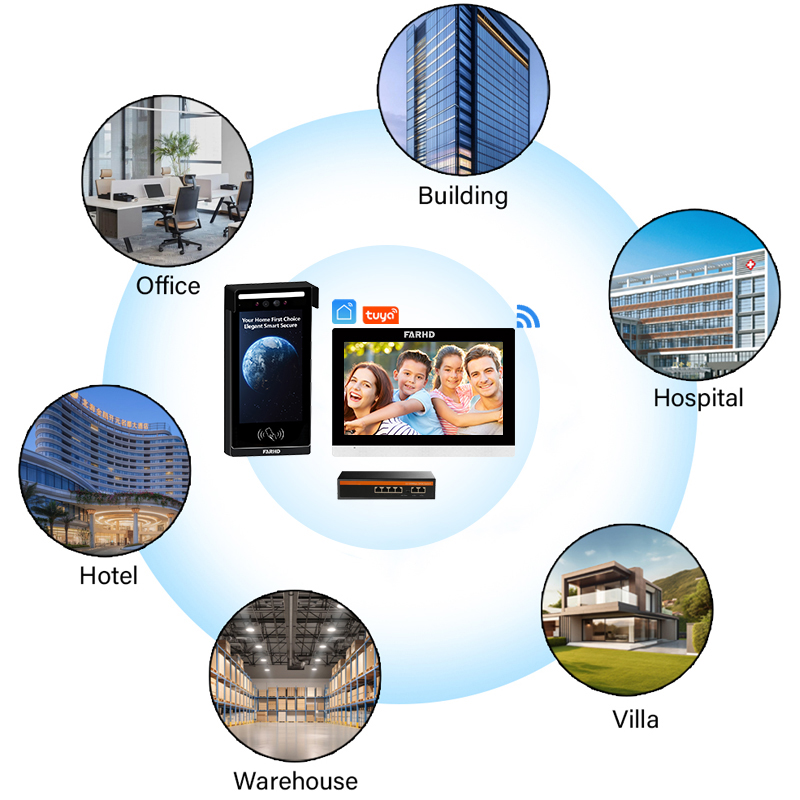
4. Behalten Smart-Türklingels Daten nach dem Zurücksetzen? Datenschutz & Sicherheit erklärt
Eine der größten Bedenken für Privatnutzer und B2B-Käufer von Smart-Türklingels– einschließlich Immobilienentwickler, Sicherheitsintegratoren und Großhändler – ist die Datenspeicherung und der Datenschutz während und nach einem Werksreset.
A. Was passiert mit Ihren Daten beim Zurücksetzen?
Beim Zurücksetzen eines Smart-Türklingels auf Werkseinstellungen werden normalerweise alle Daten gelöscht:
- Benutzeranmeldedaten
- Wi-Fi-Einstellungen
- Videoaufnahmen (falls lokal gespeichert)
- Benutzerdefinierte Einstellungen (Bewegungs- zonen, Klingeltöne usw.)
- Verknüpfte Konten und App-Einstellungen
Allerdings In der Cloud gespeicherte Daten können in Ihrem Konto weiterhin vorhanden sein, es sei denn, sie werden manuell gelöscht. Dies ist besonders wichtig für die Einhaltung von DSGVO und Datenschutzgesetzen in Europa und Nordamerika.
B. Lokale Speicherung vs. Cloud-Speicherung
| Lagerung Typ | Verbleib nach Zurücksetzen | Zugangskontrolle | B2B-Anwendungsfall |
|---|---|---|---|
| Lokale SD-Karte | Daten bleiben erhalten, es sei denn, Karte wird entfernt oder formatiert | Physischer Zugriff erforderlich | Gut für Vermietungen oder kostengünstige Modelle |
| Cloud-Speicher | Daten verbleiben möglicherweise im Konto, sofern sie nicht gelöscht werden | App-basiert | Besser für flottenweiten Zugriff und Backups |
| Hybridmodelle | Kombination aus beidem | Flexibel | Ideal für Integratoren und OEM-Käufer |
C. Datenschutz-Tipps für Endnutzer und Installateure
- Cloud-Daten manuell löschen, bevor zurückgesetzt wird
- Verknüpfte Geräte/Konten in der Mobil-App entfernen
- SD-Karte formatieren, falls das Gerät lokalen Speicher unterstützt
- Passwörter ändern und App-Berechtigungen widerrufen, falls das Gerät kompromittiert wurde
D. FARHDs Engagement für Datensicherheit
FARHD nimmt Datenschutz ernst und bietet anpassbare Firmware Lösungen mit strengen Sicherheitsprotokollen. Für Unternehmenskunden und Händler stellt FARHD folgendes bereit:
- Sichere Datenlöschoptionen in der OEM-Firmware
- Private Cloud-Integration für Unternehmen mit Bedarf an exklusivem Zugriff
- Multi-User-Berechtigungen für große Installationen (z. B. Wohnanlagen oder Büros)
- Einhaltung von DSGVO, CE, FCCund ROHS Standards
🔐 Für OEM/ODM-Kunden bietet FARHD Firmware-Anpassungen, um regionale Vorgaben zur Datenspeicherung einzuhalten.
5. Reset bei kabelgebundenen vs. kabellosen Smart-Türklingeln: Gibt es Unterschiede?
Ja, kabelgebundene und kabellose Smart-Türklingeln haben oft unterschiedliche Reset-Verfahren aufgrund ihrer Stromversorgung und Verbindung. Die Kenntnis dieser Unterschiede ist entscheidend für Installateure und Lieferantenund Smart-Home-Lösungsanbieter.
A. Unterschiede in der Stromversorgung
| Türklingel-Typ | Stromquelle | Komplexität des Resets | Häufige Anwendungsfälle |
|---|---|---|---|
| Verkabelt | Kabelgebunden an Türklingel-Transformator | Mittel | Feste Installationen, Villen |
| Drahtlos | Akku- oder USB-betrieben | Einfach | Mietwohnungen, Apartments, mobile Häuser |
B. Besonderheiten beim Reset kabelgebundener Türklingeln
- Erfordert oft das Abnehmen des Frontblechs, um auf die Reset-Taste zuzugreifen
- Kann Abschalten der Stromversorgung am Sicherungskasten erfordern
- Kabelgebundene Modelle benötigen nach dem Reset meist eine Neukonfiguration über die App
C. Besonderheiten beim Reset kabelloser Türklingeln
- In der Regel einfacher durch einzelne Taste
- Akku-betriebene Geräte können entfernt und indoors zurückgesetzt werden
- Schnellere Rekonnektierung, da nicht an feste Stromquelle gebunden
D. Aus Sicht eines Lieferanten
Wenn Sie ein Video-Türklingel-Lieferant oder -Distributorbietet beide Typen, um unterschiedliche Kundenerfordernisse zu erfüllen:
| Unternehmenstyp | Empfohlener Türklingeltyp | Einfachheit des Resets | Aspekt beim Großhandel |
|---|---|---|---|
| Wohnanlagen | Verkabelt | Mäßig | Installationszeit berücksichtigen |
| Hausverwaltungsgesellschaften | Drahtlos | Hoch | Einfacher zu ersetzen/zurücksetzen |
| Smart-Home-OEM-Händler | 6. Video-Gegensprechanlage vs. Smart Doorbell: Welche sollten Sie wählen? | Variiert | Marktflexibilität |
E. FARHDs Dual-Power-Design
FARHD bietet sowohl kabelgebundene als auch kabellose Modelle, optimiert für einfaches Zurücksetzen und Neukonfigurieren, auch bei großflächigen Einsätzen. Dies ist besonders vorteilhaft für B2B-Kunden, die:
- Geräte remote über die App zurücksetzen müssen
- Schnelle Resets ohne Demontage durchführen wollen
- Geräte in großen Stückzahlen ohne komplizierte Anleitungen installieren
🔧 Erfahren Sie mehr über FARHDs kabelgebundene Türklingel-Systeme , ideal für hochwertige Wohn- und Gewerbeimmobilien.
6. Fehlerbehebungstipps vor einem vollständigen Reset
Bevor Sie einen vollständigen Werksreset durchführen, probieren Sie folgende Fehlerbehebungsschritte aus, um kleinere Probleme zu lösen. Diese Strategien sind nützlich für Hausbesitzer, Installateure und Support-Teams.
A. Häufige Probleme und schnelle Lösungen
| Ausgabe | Fehlerbehebungstipp |
|---|---|
| Türklingel verbindet nicht mit Wi-Fi | Router neu starten, 2,4-GHz-Band aktivieren |
| Videoübertragung leer oder ruckelig | App-Updates prüfen, App schließen und neu öffnen |
| Bewegungserkennung funktioniert nicht | Bewegungs- oder Empfindlichkeitszonen in der App anpassen |
| Ton verzerrt oder stumm | Mikrofon-Berechtigungen in App-Einstellungen prüfen |
| Akku entlädt sich zu schnell | Kontinuierliche Aufnahme deaktivieren, Bewegungsempfindlichkeit reduzieren |
B. Wann zurücksetzen oder wann troubleshooten?
| Empfehlung für Hausbesitzer: | Empfohlene Maßnahme |
|---|---|
| Neues Wi-Fi-Setup | Zurücksetzen und neu konfigurieren |
| App synchronisiert nicht | Zuerst troubleshooten |
| Mehrere Funktionen defekt | Reset empfohlen |
| Gerät eingefroren oder unresponsive | Hard-Reset |
| Eigentümerwechsel | Vollständiger Werksreset |
C. Für B2B-Partner und Händler
Bei der Verwaltung mehrerer Installationen, z. B. in Hotels oder Wohnanlagen, können unnötige Resets den Support-Aufwand reduzieren.
- FARHDs Remote-Diagnosetools nutzen, um Gerätestatus zu prüfen
- Installateure in gestaffelte Fehlerbehebungsschritte schulen
- Benutzerfreundliche Anleitungen für Endnutzer bereitstellen
📘 Für Unternehmensinstallationsanleitungen und Remote-Reset-Tools kontaktieren Sie das FARHD-Support-Team.

7. Wie wählt man eine leicht wartbare und zurücksetzbare Smart-Türklingel?
Ob Sie als Hausbesitzer Ihr Smart-Home-Setup vereinfachen oder als B2B-Käufer Inventar für den Weiterverkauf prüfen– die Wahl einer Smart-Türklingel, die sich leicht zurücksetzen und Wartung die langfristige Zufriedenheit, den Kundensupport-Bedarf und die Installations effizienz erheblich beeinflussen können.
A. Wichtige Kriterien für eine einfache Wartung
Beim Auswählen einer Smart-Doorbell, insbesondere in B2B- oder Großabnahmeszenarien, sollten Sie folgende Merkmale berücksichtigen, die zu wartungsarmem und benutzerfreundlichem Design beitragen:
| Merkmal | Warum es wichtig ist |
|---|---|
| Ein-Knopf-Werkseinstellung | Reduziert Support-Anrufe und vereinfacht die Fehlersuche |
| App-basierte Fernzurücksetzung | Unverzichtbar für Hausverwalter und Ferninstallationen |
| Klare LED-Anzeigen | Helfen Nutzern, den Gerätestatus sofort zu verstehen |
| Flexibilität zwischen Akku und Kabelanschluss | Ermöglicht einfachen Austausch oder Service |
| Modulare Komponenten | Erlauben Teileaustausch ohne vollständigen Gerätewechsel |
| Firmware-Update-Unterstützung | Hält Geräte sicher ohne manuelle Eingriffe |
B. Ideal für Installateure und Distributoren
Wenn Sie ein Smart-Doorbell-Installateur, Distributor oder Integratorkann die Einfachheit der Zurücksetzung direkt beeinflussen:
- Installationszeit
- Kundenzufriedenheit
- Technische Support-Kosten
- Rücklaufquoten aufgrund „defekter“ Geräte
Durch die Wahl von Modellen, die Fernzurücksetzung und Diagnoseunterstützen, können Unternehmen ihre Installationen skalieren und den Wartungsaufwand minimieren.
C. Best Practices für B2B-Käufer
| Praxis | Nutzen Sie |
|---|---|
| Fordern Sie eine Demo oder Testgerät an | Bewerten Sie Bedienung und Zurücksetzungsfunktion vor Großabnahme |
| Schulen Sie Ihre Support-Teams | Stellen Sie sicher, dass sie Endnutzer durch Zurücksetzungen ohne Vor-Ort-Besuche führen können |
| Wählen Sie markenbezogene Handbücher und Anleitungen | Reduzieren Sie Nutzerunsicherheiten und steigern Sie die Produktzufriedenheit |
| Wählen Sie Lieferanten mit Anpassungsoptionen | Ermöglicht Branding und UI-Vereinfachung für Ihren Markt |
D. Warum FARHD heraussticht
Als ein führendes OEM/ODM-Hersteller für intelligente Türklingeln, FARHD bietet Smart-Doorbell-Systeme, die:
- Entwickelt mit Ein-Knopf-Zurücksetzung Funktionalität
- Ausgestattet mit Fernverwaltungstools für den Unternehmenseinsatz
- Aufgebaut mit modularer Hardware-Architektur für den Feldservice
- für Türklingelrufe und Bewegungsereignisse White-Label-Firmware und Handbücher für Distributoren
Diese Merkmale machen FARHD zum idealen Partner für:
- Integratoren von Sicherheitssystemen
- Anbieter von Smart-Home-Lösungen
- Immobilienentwickler
- Großhändler
🛠️ Entdecken Sie, wie OEM/ODM-Fähigkeiten von FARHD Ihnen helfen kann, eine eigene markenbezogene Smart-Doorbell-Linie mit integrierter Wartungsfreundlichkeit zu entwickeln.
8. Großhandel und OEM Smart Doorbells mit einfachen Zurücksetzungsfunktionen
: Gewährleistet Qualität, Anpassung und kurze Vorlaufzeiten. B2B-Einkäufer, wie z. B. ein Händler, Sicherheitsinstallateur oder Smart-Home-Markenhersteller, ist es essenziell, Smart-Video-Doorbells zu beziehen, die sowohl technisch zuverlässig und als auch benutzerfreundlich
sind, um langfristigen Geschäftserfolg zu sichern.
A. Was B2B-Käufer suchen
- Großabnehmer und Distributoren priorisieren:
- Einfache Installation und Zurücksetzung
- Individuelle Markenführung (Private Label/OEM)
- Zertifizierungen (CE, FCC, ROHS, ISO)
- Skalierbarkeit der Produktion
After-Sales-Support und Logistik
Shenzhen FARHD Tech Co., Ltd. B. FARHD: Ein vertrauenswürdiger OEM/ODM-Hersteller
| Merkmal | ist Chinas führender OEM/ODM-Hersteller für Smart Doorbells und Gegensprechanlagen. Als vertikal integrierter Lösungsanbieter bietet FARHD: |
|---|---|
| End-to-End-Produktion | Von LCD-Modulen bis zu kompletten Türklingelsystemen |
| Fabrikdirekte Preisgestaltung | Vorteile für B2B-Käufer |
| Wettbewerbsfähige Preise für Groß- und Verbundbestellungen | White-Label-Unterstützung |
| Globale Zertifizierungen | Sofort markenfähige Lösungen für Händler und Startups |
| CE-, FCC-, ROHS-, ISO-9001- und SGS-zertifizierte Fertigung | Engagiertes F&E-Team |
| Angepasste Firmware und App-Funktionen für regionale Märkte | Einfache Zurücksetzungsmechanismen |
Reduzieren den After-Sales-Support-Bedarf FARHDs Produktkatalog 📦 Durchstöbern Sie
nach Smart-Doorbell-Modellen für Großabnahme, OEM-Branding und individuelle Integration.
| C. Ideale B2B-Anwendungsfälle | Branche/Anwendung |
|---|---|
| Immobilienentwickler | FARHD Smart Doorbell-Vorteil |
| Nahtlose Integration in Smart Homes und Wohnungen | Telekommunikationsanbieter |
| Gebündelte Smart-Home-Dienste mit minimalem Support-Bedarf | Sicherheitsinstallateure |
| Schnelle Einrichtung, einfache Zurücksetzung und FernDiagnose | E-Commerce-Händler (Private Label) |
| Hausverwaltungsgesellschaften | Schneller Markteintritt mit sofort markenfähigen Lösungen |
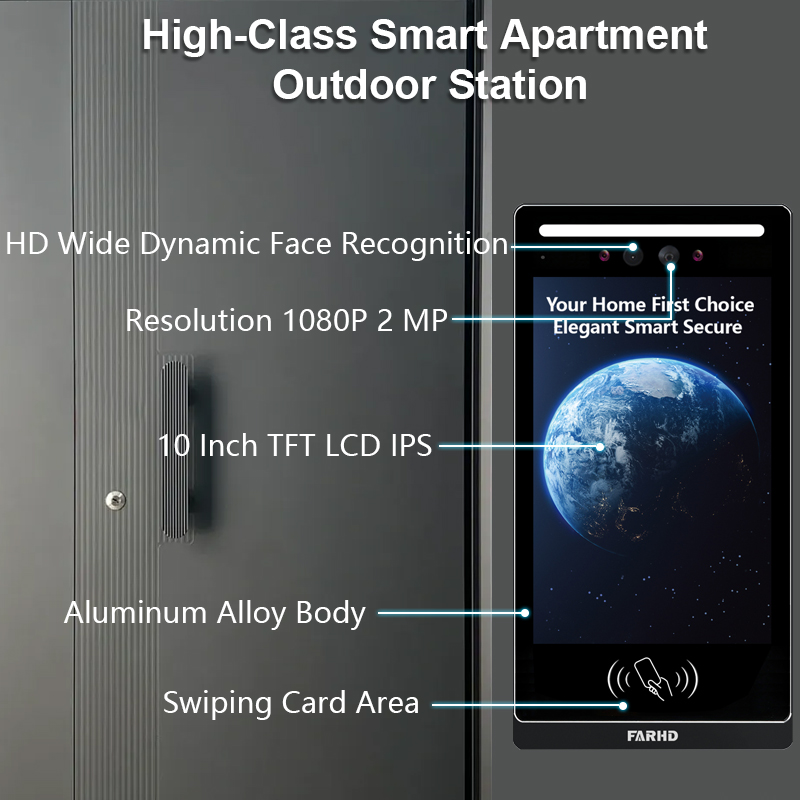
Zentrale Steuerung und Zurücksetzung für mehrere Einheiten
9. FAQs zur Zurücksetzung von Smart Doorbells
A: Q1: Löscht das Zurücksetzen meiner Smart Doorbell alle gespeicherten Videos?
Wenn Ihre Videos lokal auf einer SD-Karte gespeichert sind, bleiben sie erhalten, es sei denn, die Karte wird formatiert. Bei Cloud-Speicher bleiben Videos in Ihrem Cloud-Konto, es sei denn, sie werden manuell gelöscht.
A: Q2: Muss ich meine Doorbell zurücksetzen, wenn ich mein Wi-Fi-Netzwerk wechsle?
Ja. Die meisten Smart Doorbells erfordern eine Zurücksetzung oder Neukonfiguration beim Wechsel zu einem neuen Wi-Fi-Netzwerk, insbesondere wenn SSID oder Passwort geändert wurden.
A: Q3: Woher weiß ich, ob die Zurücksetzung meiner Doorbell erfolgreich war?
Die meisten Geräte zeigen eine spezifische LED-Lichtsequenz (z. B. blinkendes Rot oder Blau) und geben einen Ton ab, um eine erfolgreiche Zurücksetzung zu bestätigen.
A: Q4: Ist es sicher, eine OEM Smart Doorbell zu kaufen?
Absolut, solange sie von einem vertrauenswürdigen Hersteller wie FARHD stammt. Sie bieten weltweit zertifizierte Produkte mit vollständiger OEM/ODM-Anpassung und Konformität.
A: Einige fortschrittliche Modelle – insbesondere die von FARHD – ermöglichen eine Fernzurücksetzung über ihre proprietäre App oder integrierte Steuerungssysteme, ideal für die Verwaltung mehrerer Einheiten.
🔚 Abschließende Gedanken und Aufruf zum Handeln
Das Zurücksetzen einer Smart-Türklingel ist ein grundlegender, aber oft übersehener Aspekt der Produktbenutzerfreundlichkeit – insbesondere im großen Maßstab. Ob Sie als Hausbesitzer ein Gerät beheben oder als Distributor eine regionale Einführung planen, die Wahl einer Smart-Türklingel mit leicht zugänglichen Zurücksetzoptionen spart Zeit, Geld und Frustration.
FARHD fertigt nicht nur hochwertige Smart-Türklingeln, sondern integriert auch eine einfache Zurücksetzfunktion sowie enterprise-grade Funktionen in jedes Produkt.
✅ Interessiert an Private-Label- oder OEM-Smart-Türklingeln?
✅ Brauchen Sie eine zurücksetzfreundliche Lösung für Ihr Smart-Home-Integrationsprojekt?
✅ Möchten Sie Support-Kosten senken und Kundenzufriedenheit steigern?
📨 Bereit, Ihr individuelles Projekt zu starten oder eine Großhandelsbestellung aufzugeben? Kontaktieren Sie noch heute das FARHD-Team für Großhandelsspreise, Anpassungsoptionen und Produktmuster!
Das könnte Sie auch interessieren
-
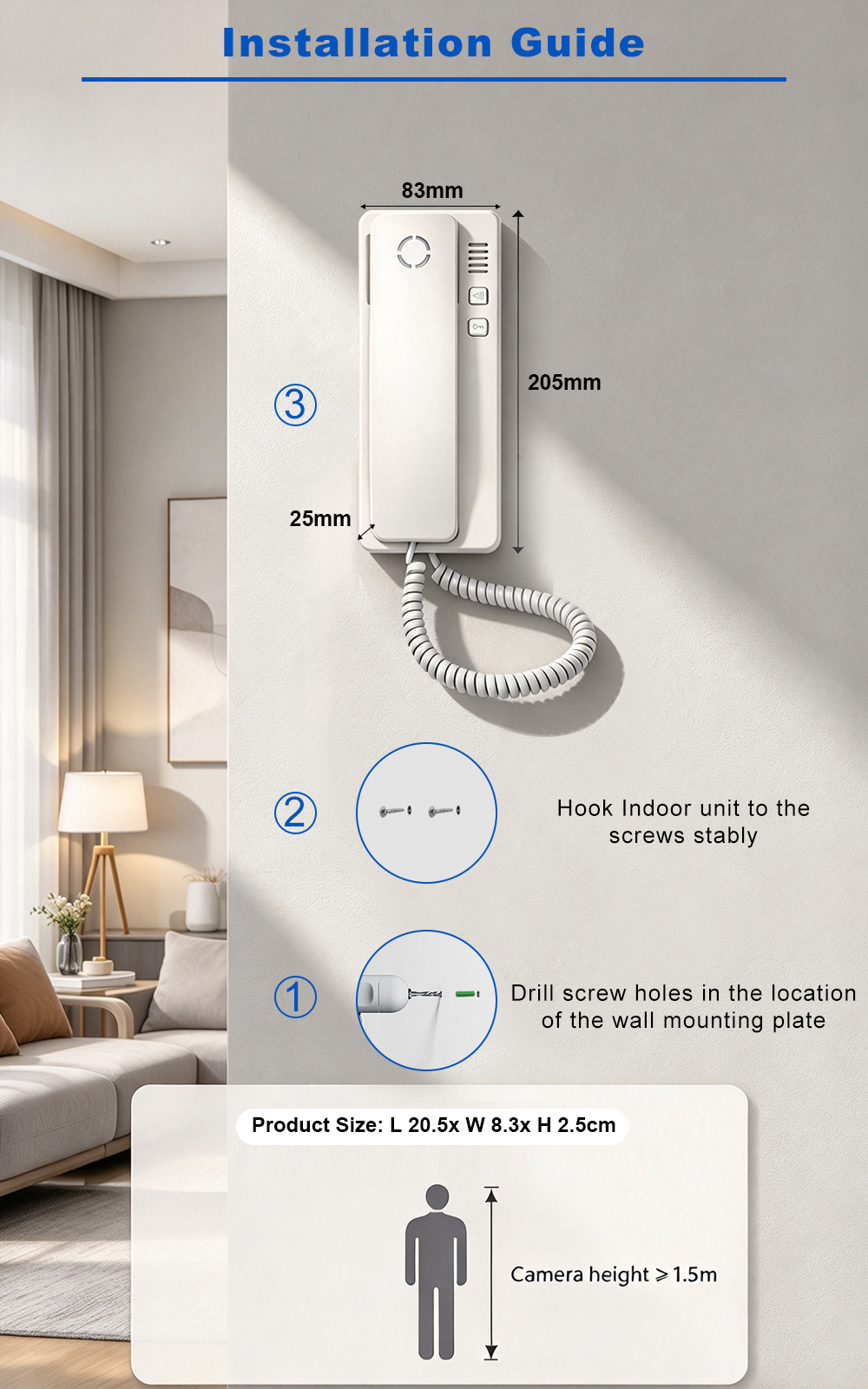
FARHD: Your 28-Year Source Factory for Video Door Phone Intercoms
When you choose a video door phone intercom supplier, you are not just buying a product—you are choosing the factory behind it. FARHD has been a source manufacturer since 1998, with over 28 years of experience in video intercom and access control. From villa kits to apartment intercoms, we deliver reliable, customizable, and Tuya-compatible solutions…
-
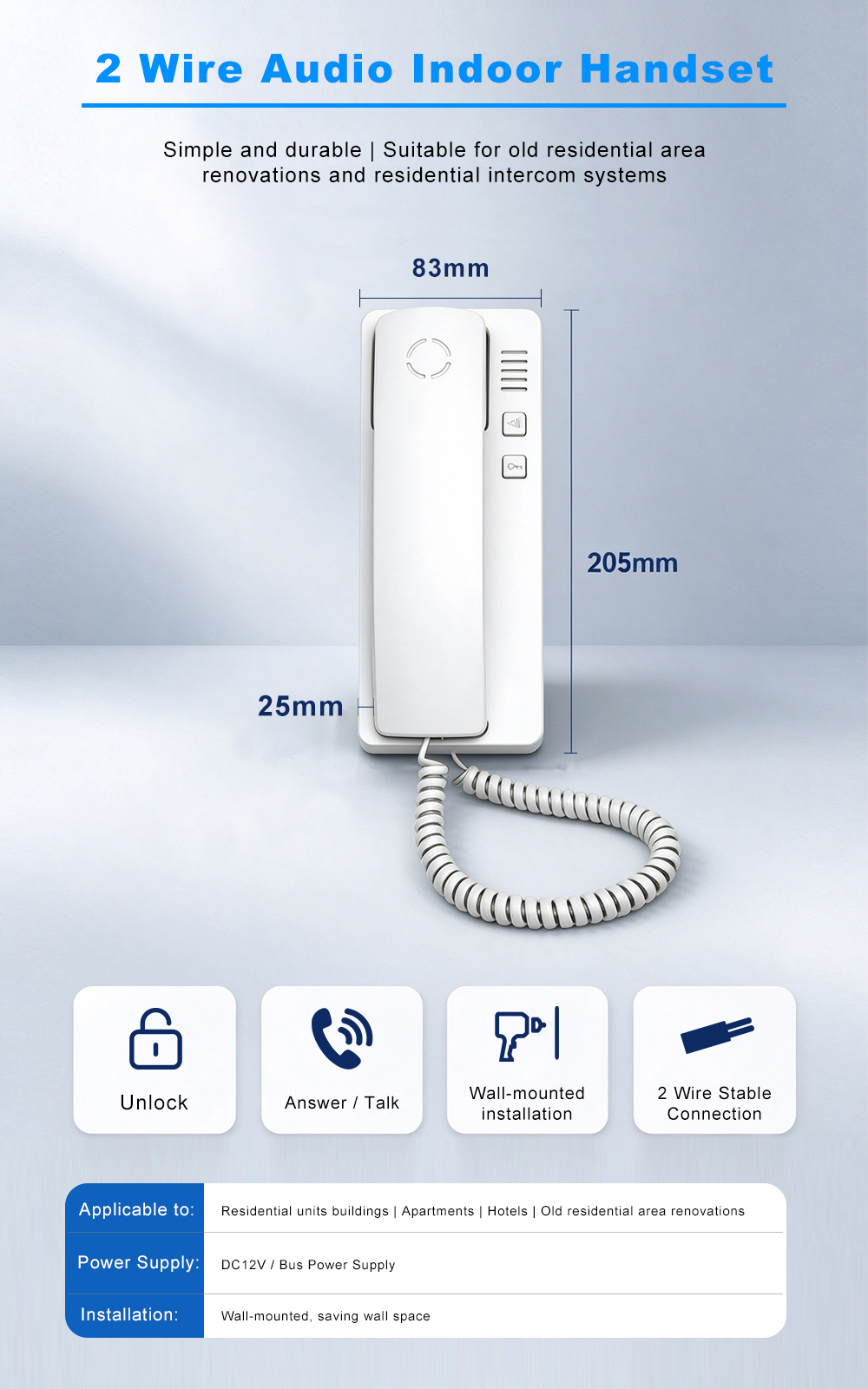
FARHD Source Factory: Your Trusted Partner for Video Intercom and Access Control Solutions
When you choose a manufacturing partner for video intercom and access control systems, you are not just buying products—you are investing in quality, reliability, and long-term support. FARHD has been a source factory since 1998, and today we serve clients in over 100 countries worldwide. With strict quality inspection, in-house production, independent R&D, and full…
-
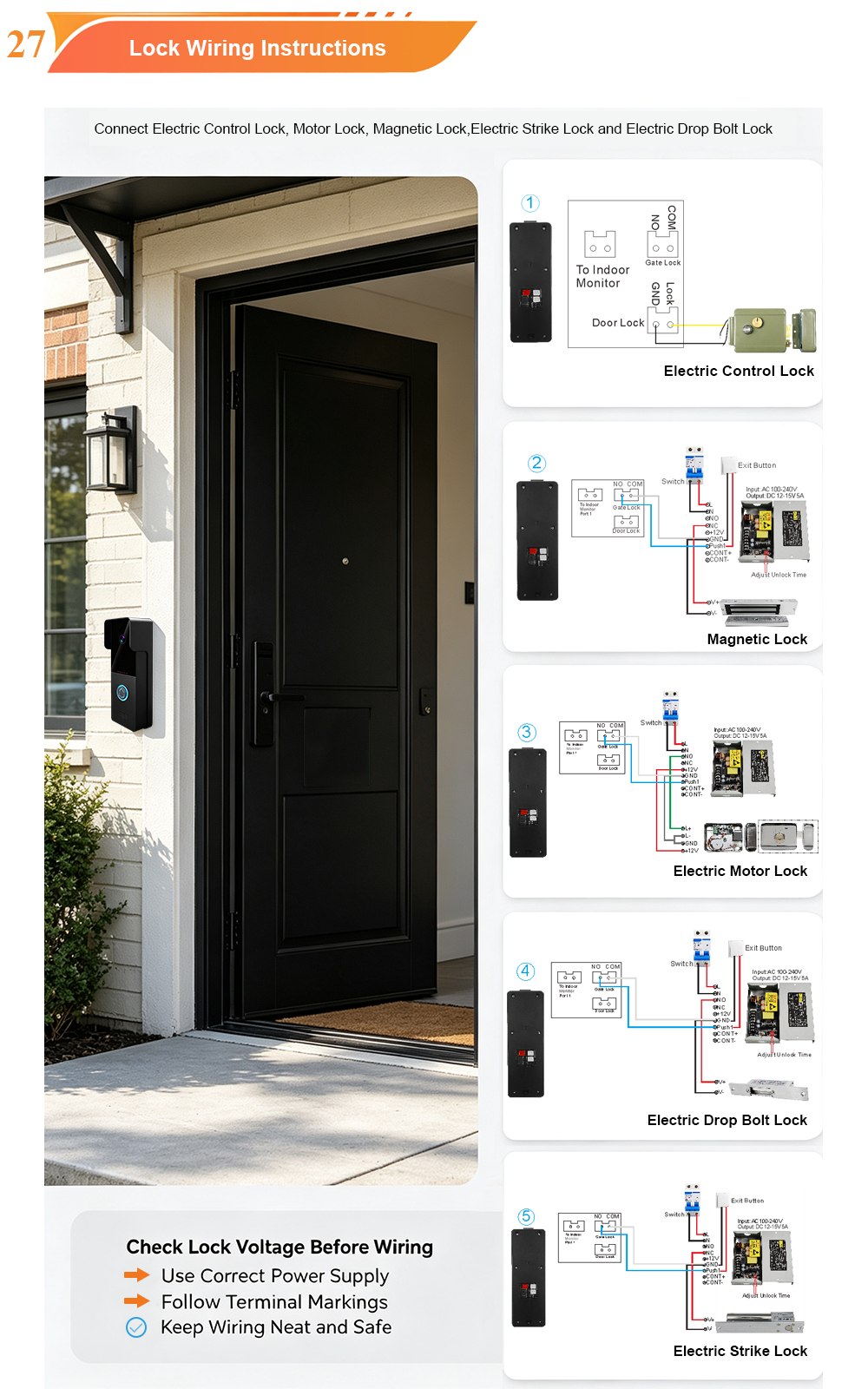
2-Wire Video Door Phone Connection with Electric Rim Lock: Unlock by Card, Indoor Monitor, and App
A complete guide to wiring an electric rim lock to a FARHD 2-wire video door phone system—and configuring three convenient unlock methods: RFID card, indoor monitor, and mobile app. Whether you are upgrading an existing building or specifying a new system, this guide covers the essentials for reliable, secure access control. Electric rim locks are…
-
Video Intercom Manufacturer & Source Factory Since 1998 | OEM ODM SKD Building Intercom
Video Intercom Manufacturer & Vertical Source Factory in China FARHD is a professional video intercom manufacturer with over 28 years of specialized experience in building security intercom systems. Established in 1998, we are a genuine building intercom factory focused on independent R&D, in-house production, and customized manufacturing for global B2B clients, including distributors, importers, engineering contractors, real estate…



