
Die besten Orte für die Installation einer drahtlosen Gegensprechanlage in Ihrem Haus
November 28, 2025
Diesen Artikel teilen
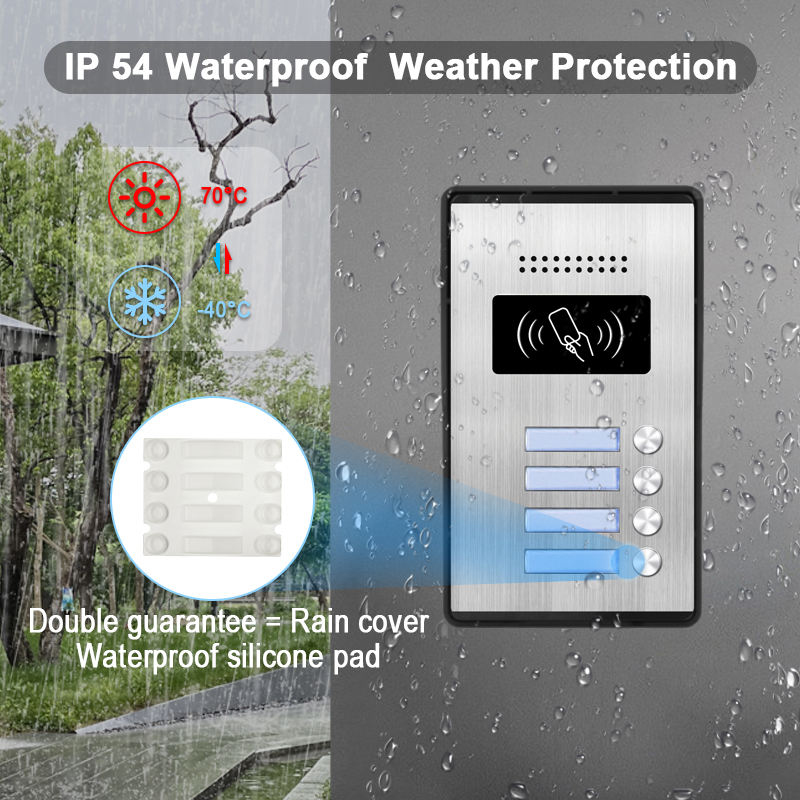
Was ist ein drahtloses Gegensprechsystem und wie funktioniert es?
A drahtloses Gegensprechsystem ist ein Kommunikationsgerät, das die Audio- (und oft Video-)Übertragung zwischen verschiedenen Bereichen eines Gebäudes ohne umfangreiche Verkabelung ermöglicht. Diese Systeme sind in Wohn- und Gewerbeimmobilienbeliebt und bieten Komfort, Sicherheit sowie eine einfache Installation.
Wichtige Komponenten eines drahtlosen Gegensprechsystems:
| Komponente | Beschreibung |
|---|---|
| Hauptgerät | Die zentrale Steuerung, meist am Haupteingang oder Tor installiert |
| Nebeneinheiten | Zusätzliche Geräte in Räumen oder Sekundäreingängen |
| Videokamera (optional) | Erfässt Echtzeitvideo von Besuchern oder Zugangspunkten |
| Mikrofon & Verstärker; Lautsprecher | Ermöglicht Zweirichtungskommunikation |
| Wi-Fi- oder RF-Modul | Ermöglicht drahtlose Kommunikation zwischen den Einheiten |
Wie es funktioniert:
- Das System nutzt Wi-Fi, Funkfrequenz (RF), oder Zigbee/Bluetooth zur Signalübertragung.
- Wenn jemand die Türklingel oder Gegensprech-Taste drückt, wird ein Signal an die verbundenen Einheiten gesendet.
- Der Hausbesitzer kann per Audio/Video antworten, Zugang gewähren oder Aktivitäten remote überwachen.
Wichtige Merkmale, auf die Sie achten sollten:
- Zwei-Wege-Audio-Kommunikation
- Integration einer Videokamera
- Bewegungserkennungsalarme
- Steuerung über Smartphone-App
- Akku- oder Netzbetrieb
Drahtlose Gegensprechanlagen eignen sich besonders für Mehrfamilienhäuser, Mietobjekte und smarte Wohnungen, wo Installationsflexibilität und Mobilität priorisiert werden.
Wichtige Vorteile der Installation drahtloser Gegensprechanlagen für die Haussicherheit
Die Installation eines drahtlosen Gegensprechsystems bietet mehr als nur Komfort – es schafft eine wesentliche Schicht Haussicherheit. Ob Sie Lieferungen managen, Kinder überwachen oder Besucher prüfen: Die Vorteile sind vielfältig.
1. Verbesserte Zugangssicherheit
- Besucher identifizieren , bevor Sie Türen öffnen.
- Unbefugten Zutritt verhindern durch Fernentriegelungsfunktionen.
- Integrieren mit 🧩 Integrationsfähigkeiten für zusätzlichen Schutz.
2. Interne Kommunikation
- Ideal für großen Häusern oder Mehrfamilienhäusern.
- Kommunizieren Sie zwischen Räumen, ohne zu rufen oder zu laufen.
- Nutzen Sie Gegensprechanlagen in Kinderzimmern, Home-Offices oder Kellern für schnelle Meldungen.
3. Sicherheit für Ältere und Kinder
- Ältere Familienmitglieder können problemlos Hilfe rufen aus jedem Raum.
- Eltern können Kinder beaufsichtigen aus der Ferne.
4. Integration mit Smart-Home-Geräten
- Viele drahtlose Gegensprechanlagen sind kompatibel mit Alexa, Google Home und Apple HomeKit.
- Steuerung per Sprachbefehlen oder mobilen Apps.
- Automatisierungsregeln festlegen (z. B. Alarm bei Bewegungserkennung an der Haustür).
5. Skalierbares Systemdesign
- Einfach Geräte hinzufügen oder entfernen je nach sich ändernden Bedürfnissen.
- Ideal für Umbauten, Zimmererweiterungen oder Mietwohnungen.
Vergleichstabelle der Vorteile:
| Leistungskategorie | Verdrahtete Gegensprechanlage | Drahtlose Gegensprechanlage |
|---|---|---|
| Installation | Komplex & invasiv | Einfach & nicht-invasiv |
| Skalierbarkeit | Begrenzt | Hochgradig skalierbar |
| Intelligente Integration | Begrenzt | Breite Kompatibilität |
| Portabilität | Fest | Mobil/Umplatzierbar |
| Kosten | Im Allgemeinen höher | Kostengünstig |
Beste Standorte für drahtlose Gegensprechanlagen im Innenbereich des Hauses
Eine strategische Platzierung von drahtlosen Gegensprechanlagen verbessert erheblich sicherheit und Komfort. Hier sind die besten Innenstandorte:
1. In der Nähe der Haustür oder des Eingangsbereichs
- Dient als zentrale Steuerung für Besucherinteraktionen.
- Sollte für Familienmitglieder leicht erreichbar sein.
- Erwägen Sie die Kombination mit einer Video-Türklingel für visuelle Überprüfung.
2. Wohnzimmer oder Familienzimmer
- Zentraler Ort mit der höchsten Aktivität.
- Ermöglicht schnelle Kommunikation mit anderen Räumen oder der Haustür.
- Kann als Überwachungsstation in Freizeitphasen dienen.
3. Küche
- Die Küche ist oft das Herzstück des Hauses.
- Ideal, um die Familie über fertige Mahlzeiten zu informieren oder Türsignale beim Kochen zu beantworten.
4. Hauptschlafzimmer
- Bietet Sicherheit und Komfort, besonders nachts.
- Ermöglicht Notfallkommunikation in den späten Stunden.
- Nützlich zur Steuerung von Smart-Home-Funktionen per Sprache oder App über die Gegensprechanlage.
5. Kinderzimmer
- Kinder beim Spielen oder Schlafen überwachen.
- Ermöglicht Kindern, Hilfe anzufordern, ohne den Raum zu verlassen.
6. Home-Office
- Besonders wichtig für Fernarbeiter oder Unternehmer.
- Verhindert Störungen durch gesteuerte Kommunikation.
- Kann mit Smart-Schlössern oder Zugangskontrollpaneelen.
Platzierungstipps:
- kombiniert werden. Vermeiden Sie die Platzierung von Geräten in der Nähe großer Metallgeräte oder dicker Wände, die Störungen verursachen könnten.
- Montieren Sie die Geräte auf Augenhöhe für einfaches Betrachten des Bildschirms (bei Video-Funktion).
- Stellen Sie ausreichende WLAN-Abdeckung oder Signalstärke.
sicher. Muster-Grundriss für Platzierungsempfehlungen:
| Raum/Bereich | Empfohlener Intercom-Typ | Sicherheitskamera |
|---|---|---|
| Haupteingang | 📊 Vergleichstabelle | Besucherüberprüfung, Fernzugangskontrolle |
| Wohnzimmer | Audio/Video-Gegensprechanlage | Zentrale Kommunikationszentrale |
| Küche | Audio-Sprechanlage | Bequemlichkeit beim Kochen |
| Schlafräume | Audio-Sprechanlage | Notfall- und Routinekommunikation |
| Home-Office | Smarte Gegensprechanlage mit App-Steuerung | Professionelle und sichere Interaktionen |
Für anspruchsvolle, skalierbare drahtlose Video-Gegensprechanlagen bietet FARHD vollständige OEM/ODM-Lösungen für smarte Gegensprechanlagen maßgeschneidert für moderne Häuser und smarte Gebäude.
FARHD-Systeme sind mit Fokus auf Sicherheit und Flexibilität konzipiert und bieten fortschrittliche modulare Architektur sowie nahtlose Smart-Home-Integration.
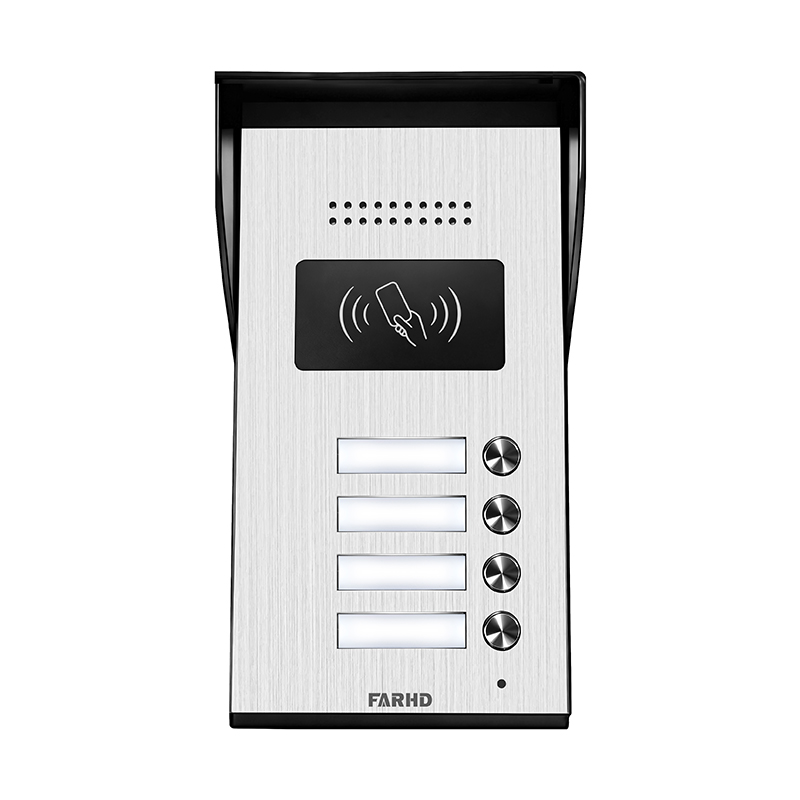
Tipps zur Außenplatzierung von drahtlosen Video-Gegensprechanlagen
Bei der Installation einer wireless video intercom systemspielt die Außenplatzierung eine entscheidende Rolle, um Nutzbarkeit und Sicherheit Sicherheit und zu maximieren.Eine gut platzierte Einheit verbessert die Besucherinteraktion, schreckt Einbrecher ab und liefert kritische Echtzeitbilder. Hier sind Expertenempfehlungen und Best Practices für die Außenplatzierung Ihrer drahtlosen Gegensprechanlage.
1. Haupttor oder Einfahrtzaun
Wenn Ihr Grundstück ein Umzäunungstor oder einen Zaunhat, sollte dies die.
- Sicherheitskameraerste Linie der visuellen und akustischen Kommunikation sein:
- Empfohlene FunktionenBesucher vor Erreichen der Haustür prüfen.
- Langstrecken-drahtlose Übertragung, wetterfeste Gehäuse, Nachtsicht.Montagetipp Stellen Sie sicher, dass die Einheitsichtbar, aber sicher
ist – montieren Sie sie auf Augenhöhe in einem manipulationssicheren Gehäuse.
Die 2. Haupttür oder Veranda Die Vorderveranda
- Sicherheitskameraist der häufigste und kritischste Ort für eine drahtlose Tür-Gegensprechanlage.
- Empfohlene FunktionenMit Lieferanten, Gästen oder unerwarteten Besuchern kommunizieren.
- Langstrecken-drahtlose Übertragung, wetterfeste Gehäuse, Nachtsicht.HD-Kamera, Bewegungserkennung, bidirektionales Audio, App-Integration. Verwenden Sie einen Kamerawinkel von 30–45 Grad
für eine vollständige Ansicht des Gesichts des Besuchers und der Umgebung.
3. Garageneinfahrt
- SicherheitskameraGaragen sind anfällige Zugangspunkte, besonders bei abgetrennten oder seitlichen Varianten.
- Empfohlene FunktionenSekundären Fahrzeugzugang und Werkzeuglagerbereiche überwachen.
- Langstrecken-drahtlose Übertragung, wetterfeste Gehäuse, Nachtsicht.Infrarot-Nachtsicht, Weitwinkelobjektiv, Fernzugriffsalarme.
Montieren Sie die Einheit in der Nähe der Seitentür oder über der Garage für maximale Sichtbarkeit.
4. Hinterhof oder Seitentore
- SicherheitskameraHinterhofbereiche werden oft übersehen, sind aber häufige Punkte für unbefugten Zutritt.
- Empfohlene Funktionen: Bewegungsdetektion, App-Benachrichtigungen, integrierte Beleuchtung.
- Langstrecken-drahtlose Übertragung, wetterfeste Gehäuse, Nachtsicht.: Platzieren Sie die Geräte fern von dichtem Laub, um Fehlalarme zu vermeiden und eine klare Sicht zu gewährleisten.
Außenplatzierung: Do’s und Don’ts
| Tipptyp | Do’s | Don’ts |
|---|---|---|
| Standort | Installieren Sie auf Augenhöhe und in gut beleuchteten Bereichen | Nicht zu hoch oder in dunklen Ecken installieren |
| Wetterschutz | Verwendung IP65 oder höher geeigneten Gehäusen | Keine für den Innenbereich zugelassenen Geräte im Freien verwenden |
| Sichtbarkeit | Stellen Sie sicher, dass das Gerät gut sichtbar ist, um Manipulationen abzuschrecken | Das Gerät nicht hinter Pflanzen oder Dekorationen verstecken |
| Funkreichweite | Testen Sie die Verbindung vor der endgültigen Installation | Nicht zu weit vom Router oder Basisstation installieren |
| Stromquelle | Verwendung batteriebetrieben oder solarbetriebene Optionen, falls die Verkabelung schwierig ist | Keine instabilen Stromquellen nutzen |
Für drahtlose Video-Türsprechanlagen, die unter allen Witterungsbedingungen funktionieren und die Integration mehrerer Geräte unterstützen, empfehlen wir die FARHD 4-Draht-Villa-Serie. Diese Systeme sind für den Einsatz in Wohnhäusern und Einfriedungen konzipiert, bieten hohe Wetterbeständigkeit und kristallklares Video- und Audio-Performance.
Verkabelt vs. Drahtlos: Überlegungen zur Platzierung von Türsprechanlagen
Beim Entscheiden zwischen kabelgebundene und drahtlose Gegensprechanlagenist einer der wichtigsten Faktoren, wie und wo diese Systeme installiert werden. Jeder Systemtyp hat einzigartige Einschränkungen und Vorteile, die die Platzierungsstrategie.
direkt beeinflussen.
| Wichtige Unterschiede in der Platzierungsflexibilität | Verdrahtete Gegensprechanlage | Drahtlose Gegensprechanlage |
|---|---|---|
| Installationsflexibilität | Merkmal/Faktor | Feste Positionen, Bohren erforderlich |
| Stromquelle | Hohe Flexibilität, minimales Bohren | Direkte Stromverkabelung erforderlich |
| Skalierbarkeit | Batterie- oder Steckeroptionen | Leicht erweiterbar |
| Begrenzt durch vorgefertigte Verkabelung | Signalreichweite | Nicht durch Wi-Fi-Störungen beeinträchtigt |
| Ästhetische Wirkung | Starke Wi-Fi-Abdeckung erforderlich | Sauber, keine sichtbare Verdrahtung |
| Kabel müssen möglicherweise versteckt werden | Ideal für Renovierungen | Weniger geeignet |
Sehr empfohlen
- Neubau Wann verkabelte Platzierung wählen
- oder umfangreiche Renovierungen, bei denen Kabel eingebaut werden können. Immobilien, bei denen.
- Signalstörungen ein Problem darstellen Gewerbegebäude, die.
dauerhafte und manipulationssichere Installationen erfordern
- Wann drahtlose Platzierung wählen Bestehende Häuser
- oder Mietwohnungen, bei denen Bohren eingeschränkt ist. schnelle Bereitstellung Bedarf an
- Flexibilität und Mobilität bei der Gerätepositionierung. Häuser mit Wi-Fi-Mesh-Netzwerken
für starke Konnektivität.
Hybride Türsprechsysteme Hybridsysteme Viele moderne Hersteller von Türsprechanlagen bieten
- Systeme an, die die Zuverlässigkeit verkabelter Systeme mit der Flexibilität drahtloser Verbindungen kombinieren. Diese eignen sich ideal für: Große Häuser
- , in denen einige Bereiche schwer zu verkabeln sind. Immobilien mit.
- mehreren Gebäuden oder Nebengebäuden Unternehmen, die.
zentrale Steuerung mit Fernzugriff benötigen Wenn Sie leistungsstarke, hybridkompatible Türsprechanlagen suchen, die auf Ihre Projektanforderungen zugeschnitten werden können, bietet FARHD umfassende kundenspezifische Türsprechlösungen
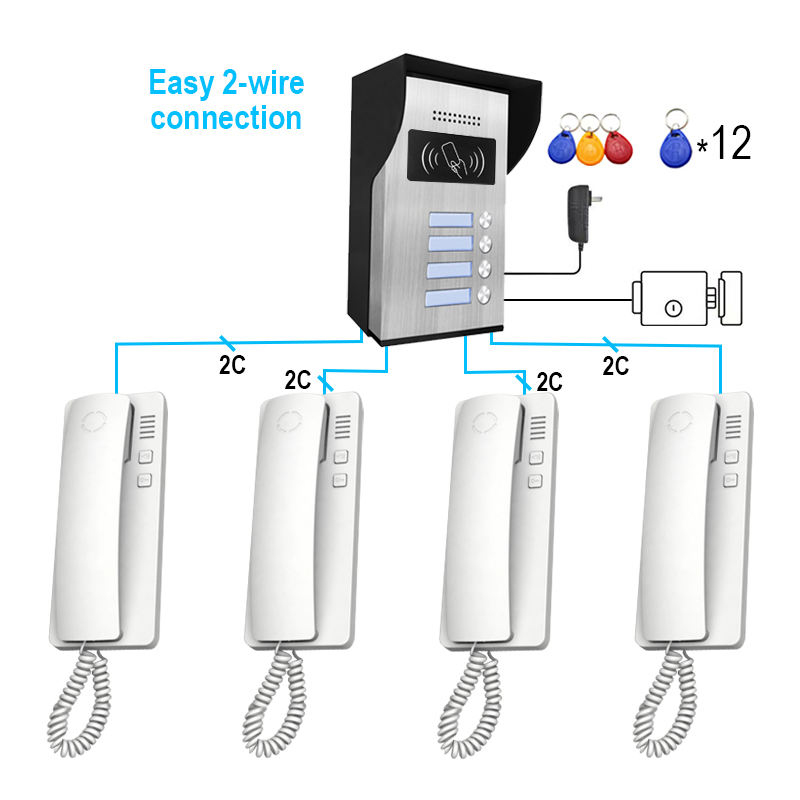
mit verkabelten und drahtlosen Optionen. Ihre Produkte werden von Branchenführern in Europa, Asien und Nordamerika vertraut.
So installieren Sie ein drahtloses Türsprechsystem mit minimalen Störungen Eine der häufigsten Herausforderungen bei der Installation drahtloser Türsprechanlagen ist Signalstörungen
Schritt-für-Schritt-Anleitung zur drahtlosen Installation
- , die zu Verzögerungen, Audioausfällen oder Verbindungsabbrüchen führen können. Mit sorgfältiger Planung können Sie jedoch reibungslosen Betrieb gewährleisten.
- Wi-Fi-Abdeckung prüfen
- Verwenden Sie eine Wi-Fi-Analyse-App, um die Signalstärke an jedem gewünschten Standort zu testen. Bei schwachen Stellen ein.
- Wi-Fi-Verstärker oder Mesh-System
- in Betracht ziehen. Störfreie Zonen wählen Meiden Sie Bereiche in der Nähe von
- Mikrowellen, schnurlosen Telefonen und Babyphones , die auf ähnlichen Frequenzen (2,4 GHz) arbeiten können.und Fernhalten von.
- Metalltüren, armierten Betonwänden
- und großen Geräten Montagerichtlinien.
- Montieren Sie Innenstationen auf Augenhöhe (ca. 1,50 m) Bei Videoeinheiten eine
- Verwenden Sie die beiliegenden Wandhalterungen oder Klebemontagen für Stabilität.
- Strommanagement
- Verwendung hochwertige wiederaufladbare Batterien oder sorgen Sie für Zugang zu Stromsteckdosen.
- Wenn Solarpaneele unterstützt werden, installieren Sie in sonnenbeschienenen Bereichen.
- Gerätepaarung
- Synchronisieren Sie alle Einheiten mit dem Hauptkontroller oder der mobilen App vor der Installation.
- Testen Sie die Kommunikation, um stabile Konnektivität zu bestätigen.
- Netzwerkoptimierung
- Weisen Sie dedizierte IP-Adressen zu, wenn IP-Intercoms verwendet werden.
- Aktivieren QoS (Quality of Service) auf Ihrem Router zu, um Intercom-Verkehr zu priorisieren.
Profi-Tipps für eine störungsfreie Einrichtung
- Verwenden Sie das 5-GHz-Band wenn Ihr Intercom Dual-Band-Wi-Fi unterstützt.
- Vermeiden Sie überlappende Kanäle durch manuelle Einstellung des Router-Kanals.
- Installieren Sie Firmware-Updates regelmäßig, um Fehler zu beheben und die Konnektivität zu verbessern.
Fehlerbehebungs-Checkliste
| Ausgabe | Mögliche Ursache | Lösung |
|---|---|---|
| Audio-Verzögerung oder Echo | Schwaches Wi-Fi-Signal | Router neu positionieren oder Mesh-Wi-Fi verwenden |
| Kein Video-Feed | Blockierte Kamera, schwaches Signal | Kamerawinkel anpassen oder Signalstärke verbessern |
| Unterbrochene Verbindung | Störungen durch andere Geräte | Router-Kanal ändern oder Einheiten verschieben |
| Einheit schaltet sich nicht ein | Batterieprobleme | Batterien ersetzen oder aufladen |
Für professionelle drahtlose Intercoms der gehobenen Klasse, die Anti-Stör-Technologie, langreichweitige Audio-Klarheitund app-basierte Konfiguration, bietet FARHD anpassbare Lösungen für Wohn- und Gewerbeprojekte.
Smarte Integration: Platzierung drahtloser Intercoms für Alexa und Google Home
In der heutigen Smart-Home-Umgebung tun drahtlose Intercom-Systeme mehr als nur Audio zu übertragen – sie dienen als zentrale Knotenpunkte für Hausautomatisierung, insbesondere bei Integration mit Sprachassistenten wie Alexa, Google Home und Apple HomeKit.
Die richtige Platzierung Ihrer drahtlosen Intercom-Einheiten wirkt sich direkt auf die Qualität der Sprachsteuerung, Reaktionsfähigkeit und Automatisierungsfunktionen.
aus. Warum smarte Integration wichtig ist
- Sprachgesteuerte Befehle für Türentriegelung, Anrufannahme, oder Nachtmodus-Aktivierung
- Nahtlose Routinen, wie das Einschalten der Verandalichter wenn jemand an der Türklingel läutet
- Echtzeit-Alarme und Freisprech-Kommunikation
Best Practices für die Platzierung mit Sprachassistenten
| Bereich | Überlegungen zur Intercom-Platzierung | Vorteile der smarten Integration |
|---|---|---|
| Wohnzimmer | In der Nähe von Smart-Speaker oder Hub platzieren | Zentrale Steuerung für Routinen und Befehle |
| Haustür | In der Nähe von Smart-Schloss/Türklingelsystem | Sprachzugriff zum Entriegeln oder Überwachen von Besuchern |
| Küche | Fern von Geräten; in der Nähe von Smart-Assistenten für Kochalarme | Erinnerungen setzen oder Freisprech-Nachrichten senden |
| Schlafzimmer | Auf Nachttisch oder wandmontiert in Bettnähe | Notfall-Sprachaktivierung nachts |
| Garageneingang | In der Nähe von Smart-Garagentoröffner/Steuerung positioniert | Sprachgesteuerter Garagenzugang und Überwachung |
Einrichtung smarter Intercom-Routinen
- Intercom-App installieren: Verbinden Sie Ihr drahtloses Intercom-System mit Ihrem Smartphone und verknüpfen Sie es mit Alexa oder Google Home.
- Sprachbefehle erstellen:
- „Alexa, zeig mir die Haustürkamera.“
- „Hey Google, Intercom antworten.“
- Routinen erstellen:
- Smarte Beleuchtung auslösen, wenn Bewegung an der Tür erkannt wird.
- Tür nach Kommunikationsende automatisch verriegeln.
- Smart-Displays nutzen:
- Geräte wie Amazon Echo Show oder Vorkonfigurationsdienste für einfachere Installationen. können zur Anzeige von Intercom-Bildern verwendet werden.
Empfohlene Funktionen für smarte Integration
- IFTTT-Kompatibilität für umfassende Automatisierung
- App-Steuerung mit Push-Benachrichtigungen
- Zwei-Wege-Audio mit Echounterdrückung
- Aufzeichnung in der Cloud Optionen zur Nachverfolgung
Für ein vollständig integriertes Smart-Home-Kommunikationssystem bietet FARHD Intercom-Lösungen mit Sprachassistenten-Kompatibilität, Cloud-Konnektivität und fortschrittlichen Automatisierungs-APIs. Diese Systeme eignen sich ideal für moderne Häuser, die Sicherheit und intelligente Steuerung erfordern.
Best Practices für die Platzierung von Intercoms in Mehrraum- und Mehrgeschossbauten
In größeren Häusern, Villen oder mehrstöckigen Immobilien gewährleistet eine effektive Intercom-Platzierung konsistente Kommunikation, Sicherheit und Bequemlichkeit. Strategische Planung ist essenziell, um Signal-Totenbereiche zu vermeiden und vollständige Hausabdeckung.
zu gewährleisten. Mehrraum-Platzierungsstrategie
- Zonenbasierte Einrichtung: Teilen Sie Ihr Haus in Kommunikationszonen ein – Wohnbereich, private Räume, Nutzbereiche.
- Prioritätsräume: Konzentrieren Sie sich zuerst auf stark frequentierte und wichtige Bereiche (z. B. Eingänge, Master-Schlafzimmer, Küche).
- Clustering vermeiden: Platzieren Sie mehrere Einheiten nicht zu nah beieinander, um Redundanz zu verhindern.
Tipps für Mehrgeschoss-Kommunikation
| Etagenstufe | Empfohlene Intercom-Funktionen | Platzierungstipps |
|---|---|---|
| Erdgeschoss | Video-Gegensprechanlage, Bewegungserkennung, Zugang zum Vordertor | In der Nähe von Eingängen, Wohnzimmer, Küche |
| Obergeschosse | Nur-Audio- oder Hybrid-Systeme für Zimmer-zu-Zimmer-Gespräche | In der Nähe von Treppenhäusern, Schlafzimmern und Balkonen |
| Keller | Geräte mit hoher Signalstärke und Alarmfunktionen | Wirtschaftsräume, Waschküche oder Unterhaltungsbereiche |
Verbesserungen der Konnektivität
- Verwendung Häuser mit um stabile Verbindungen über mehrere Etagen hinweg zu gewährleisten.
- Berücksichtigen Sie Geräte mit Reichweitenverstärkern oder signalverstärker.
- Entscheiden Sie sich für batteriebetriebenen Geräten falls Stromanschlüsse knapp sind.
Beispiel für ein Gegensprechanlagen-Netzwerkdesign
| Zone | Sprechanlagentyp | Sicherheitskamera |
|---|---|---|
| Eingangsbereich | Video-Türklingel mit App | Besucher-Management, Fernzugriff |
| Wohnzimmer | Audio/Video-Mastergerät | Zentrale Kommunikationsstelle |
| Schlafräume | Audio-Substation | Nachtkommunikation, Alarme |
| Küche | Audio-Gerät | Bequemlichkeit beim Kochen |
| Garage | Audio-Gerät mit Bewegungssensor | Fahrzeug-Zugangskontrolle und -Überwachung |
| Keller | Audio-Gerät mit Alarmen | Sicherheit in isolierten Bereichen |
Für großflächige Einsätze in Mehrfamilienhäusern oder Smart-Villen, spezialisiert sich FARHD auf anpassbare Gegensprechanlagen-Designs die Unterstützung Multi-Zone-Kommunikation und zentrale Steuerung. Mit über 60 % Marktanteil in China sowie signifikanter Präsenz in Italien und Korea sind FARHD-Systeme optimiert für Zuverlässigkeit, Skalierbarkeit und smarte Integration.
Entdecken Sie, wie ihre Systeme mit Ihrem Projekt skalieren können, auf der FARHD Produktseite.
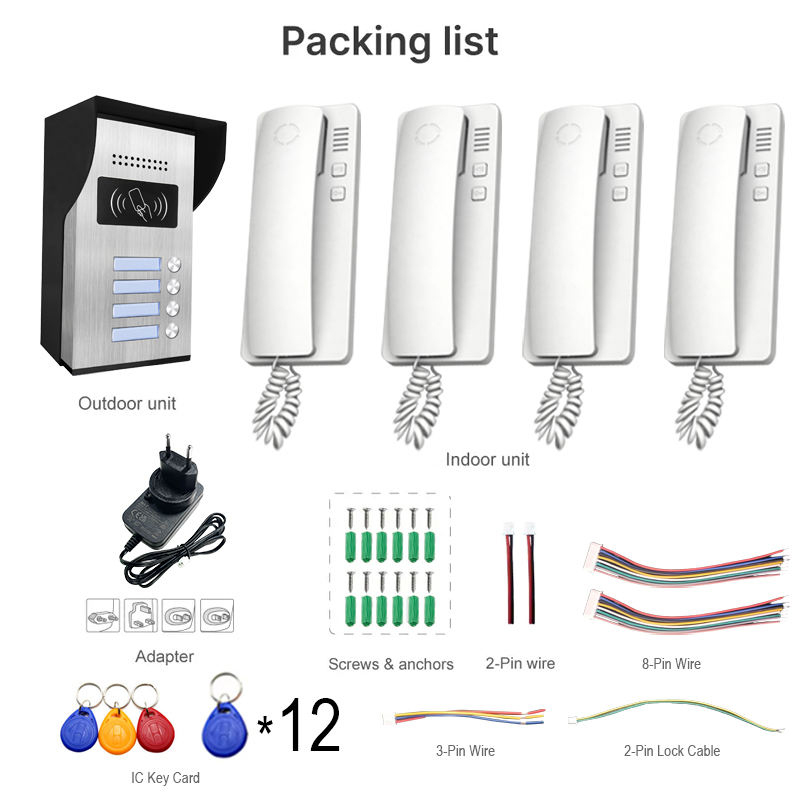
FAQ: Platzierung und Leistungstipps für drahtlose Gegensprechanlagen-Systeme
Q1: Wie weit voneinander entfernt können drahtlose Gegensprechanlagen-Geräte platziert werden?
A1: Die meisten hochwertigen drahtlosen Gegensprechanlagen unterstützen eine Reichweite von bis zu 300 Metern im Freien. Indoor hängt die Reichweite von Wanddicke und Materialien ab. Verwenden Sie Mesh-Wi-Fi oder Repeater, um die Abdeckung zu erweitern.
Q2: Kann ich drahtlose Gegensprechanlagen in einem Haus mit dicken Betonwänden verwenden?
A2: Ja, aber die Signalstärke kann beeinträchtigt sein. Wählen Sie Systeme, die auf niederfrequenten Bändern wie 900 MHz arbeiten oder nutzen Sie Powerline-Adapter als Alternative.
Q3: Wie hoch ist die beste Montagehöhe für wandmontierte Gegensprechanlagen?
A3: und großen Geräten etwa 1,5 Meter für optimale Erreichbarkeit. Bei Video-Gegensprechanlagen sollte die Kamera auf Augenhöhe Augenhöhe positioniert sein, um klare Gesichtserkennung zu gewährleisten.
Q4: Wie verhindere ich Störungen durch andere drahtlose Geräte?
A4: Vermeiden Sie die Platzierung in der Nähe von Mikrowellen, Babyphones oder schnurlosen Telefonen. Verwenden Sie Dual-Band-Systeme (2,4 GHz/5 GHz) und wählen Sie ungenutzte Router-Kanäle.
Q5: Können drahtlose Gegensprechanlagen nach der Installation verschoben werden?
A5: Ja. Einer der größten Vorteile drahtloser Systeme ist ihre FlexibilitätFlexibilität. Geräte können leicht umplatziert werden, solange sie im Signalbereich bleiben und ausreichend Strom haben.
Q6: Sind drahtlose Gegensprechanlagen vor Hacking geschützt?
A6: Wählen Sie Systeme mit AES-Verschlüsselung, Passwortschutz und sicherer App-Login. FARHD-Geräte verfügen über enterprise-grade Sicherheitsprotokolle und sowie Zertifizierungen wie ISO 9001, CE und FCC..
Q7: Kann ich mein Gegensprechanlagen-System mit meinem Smartphone verbinden?
A7: Absolut. Moderne drahtlose Gegensprechanlagen, insbesondere von Anbietern wie FARHD, bieten dedizierte Mobile-Apps für Echtzeit-Kommunikation, Benachrichtigungen und Fernsteuerung.
Für professionelle Beratung oder ein maßgeschneidertes Gegensprechanlagen-System für Ihr Zuhause, Ihre Villa oder Ihr Geschäft, kontaktieren Sie FARHD noch heute. Mit voller Kontrolle über Produktion und F&E liefert FARHD innovative drahtlose Kommunikationslösungen, denen globale Partner vertrauen.
Dieser umfassende Leitfaden zur Platzierung drahtloser Gegensprechanlagen sorgt dafür, dass Ihr System strategisch installiert, störungsfrei und vollständig integriert ist, in Ihren smarten Alltag. Egal, ob Sie Hausbesitzer oder Projektentwickler sind – die richtige Platzierung und ein zuverlässiger Partner wie FARHD machen den Unterschied.
Das könnte Sie auch interessieren
-
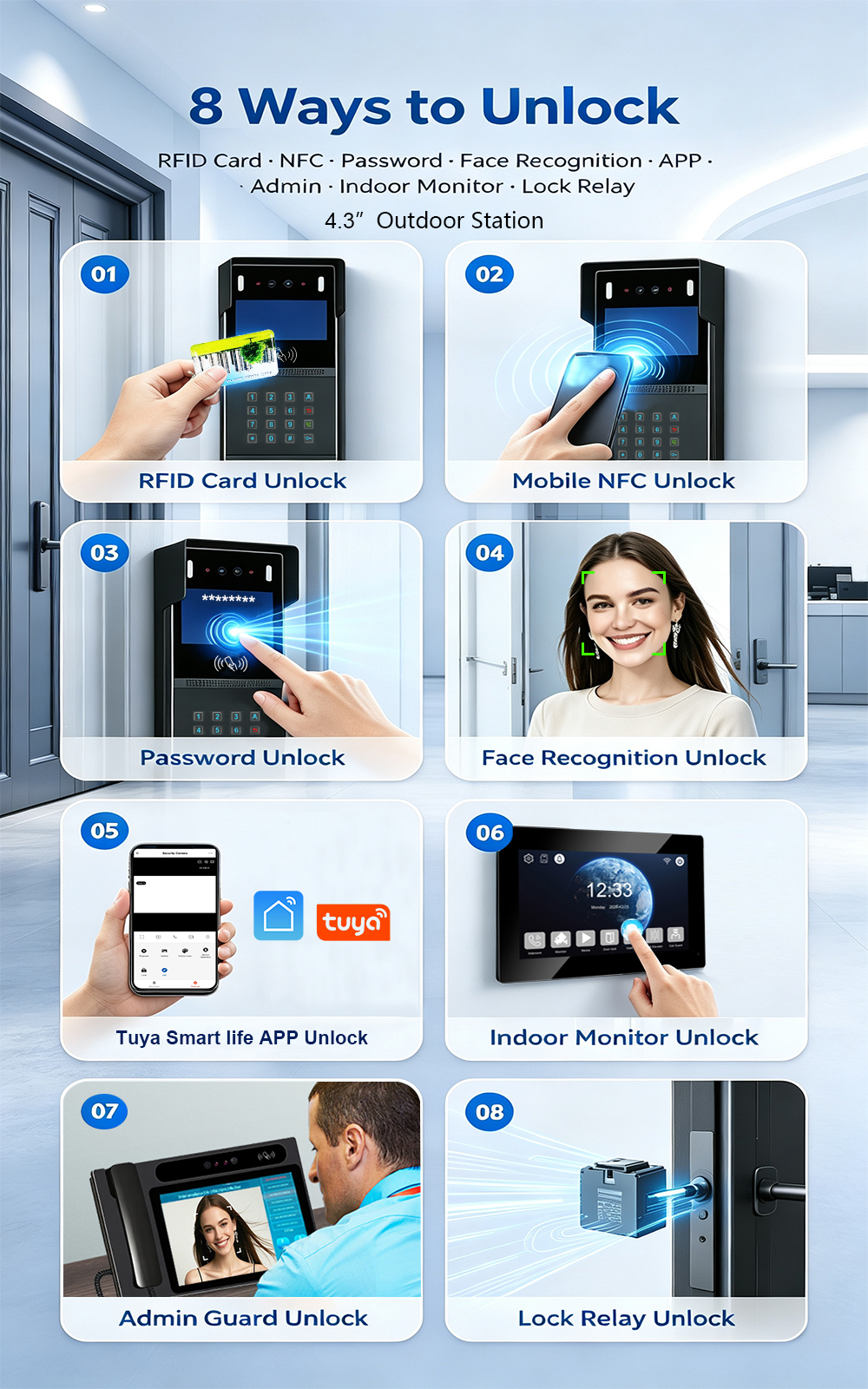
New Launch: 2-Wire Apartment Video Intercom with Face Recognition, Card, Password & App Unlock
FARHD is proud to announce the launch of our latest 2-wire apartment video intercom system—combining easy retrofit installation with advanced access control. Designed for apartment buildings, residential complexes, and gated communities, this new system supports four convenient unlock methods: Face Recognition, RFID/IC Card, Password, and Mobile App. Upgrading an apartment intercom used to mean complex…
-
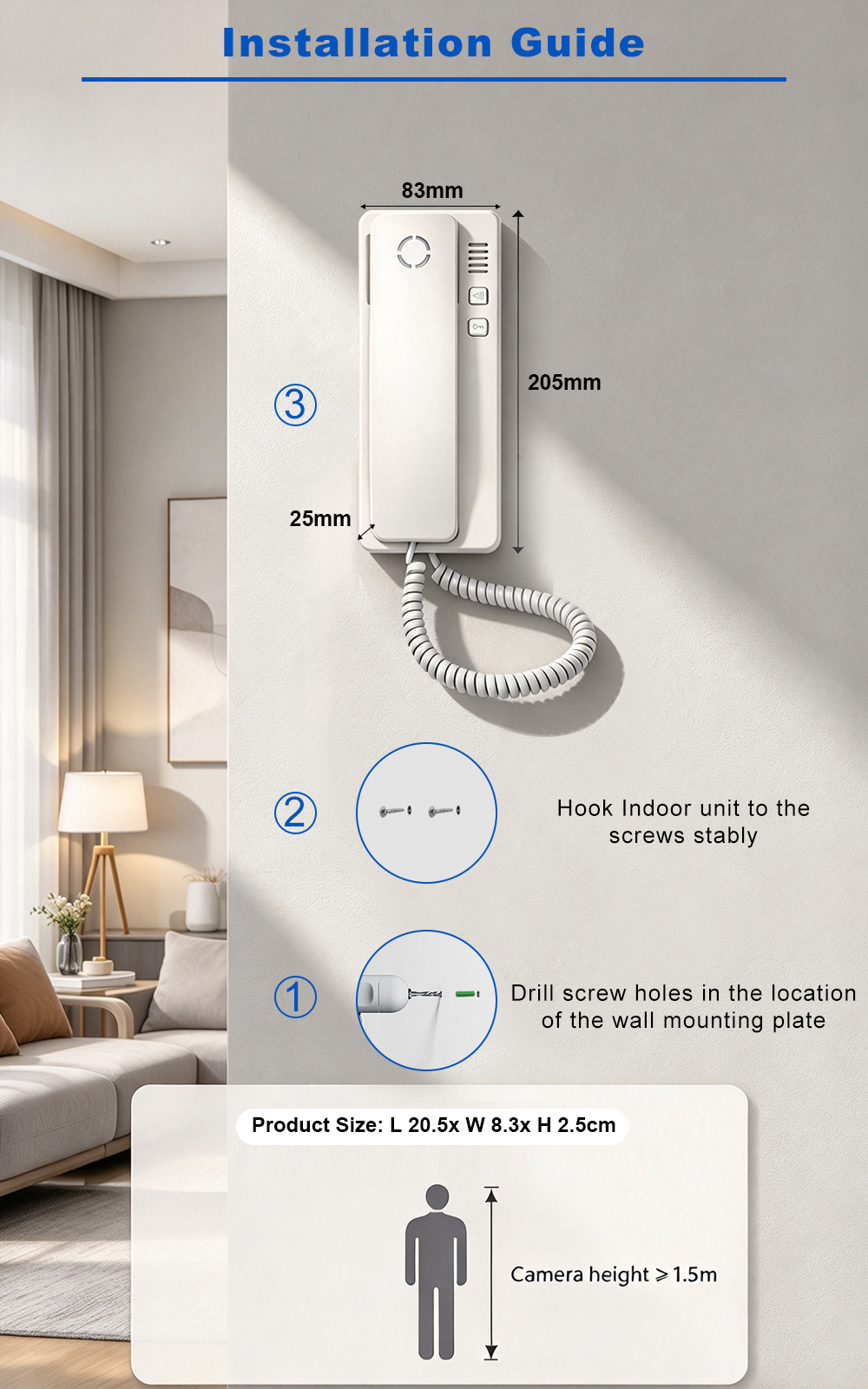
FARHD: Your 28-Year Source Factory for Video Door Phone Intercoms
When you choose a video door phone intercom supplier, you are not just buying a product—you are choosing the factory behind it. FARHD has been a source manufacturer since 1998, with over 28 years of experience in video intercom and access control. From villa kits to apartment intercoms, we deliver reliable, customizable, and Tuya-compatible solutions…
-
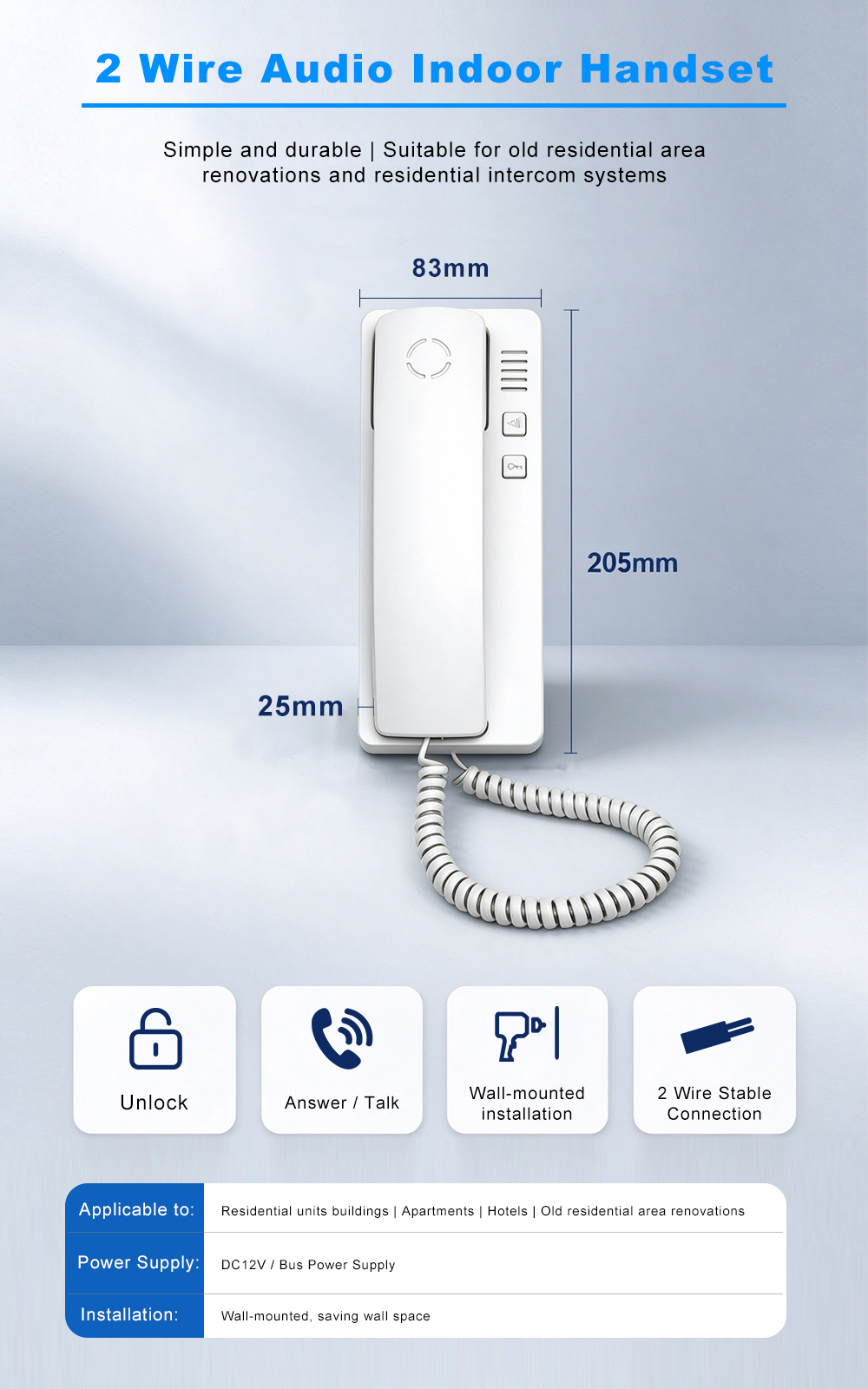
FARHD Source Factory: Your Trusted Partner for Video Intercom and Access Control Solutions
When you choose a manufacturing partner for video intercom and access control systems, you are not just buying products—you are investing in quality, reliability, and long-term support. FARHD has been a source factory since 1998, and today we serve clients in over 100 countries worldwide. With strict quality inspection, in-house production, independent R&D, and full…
-
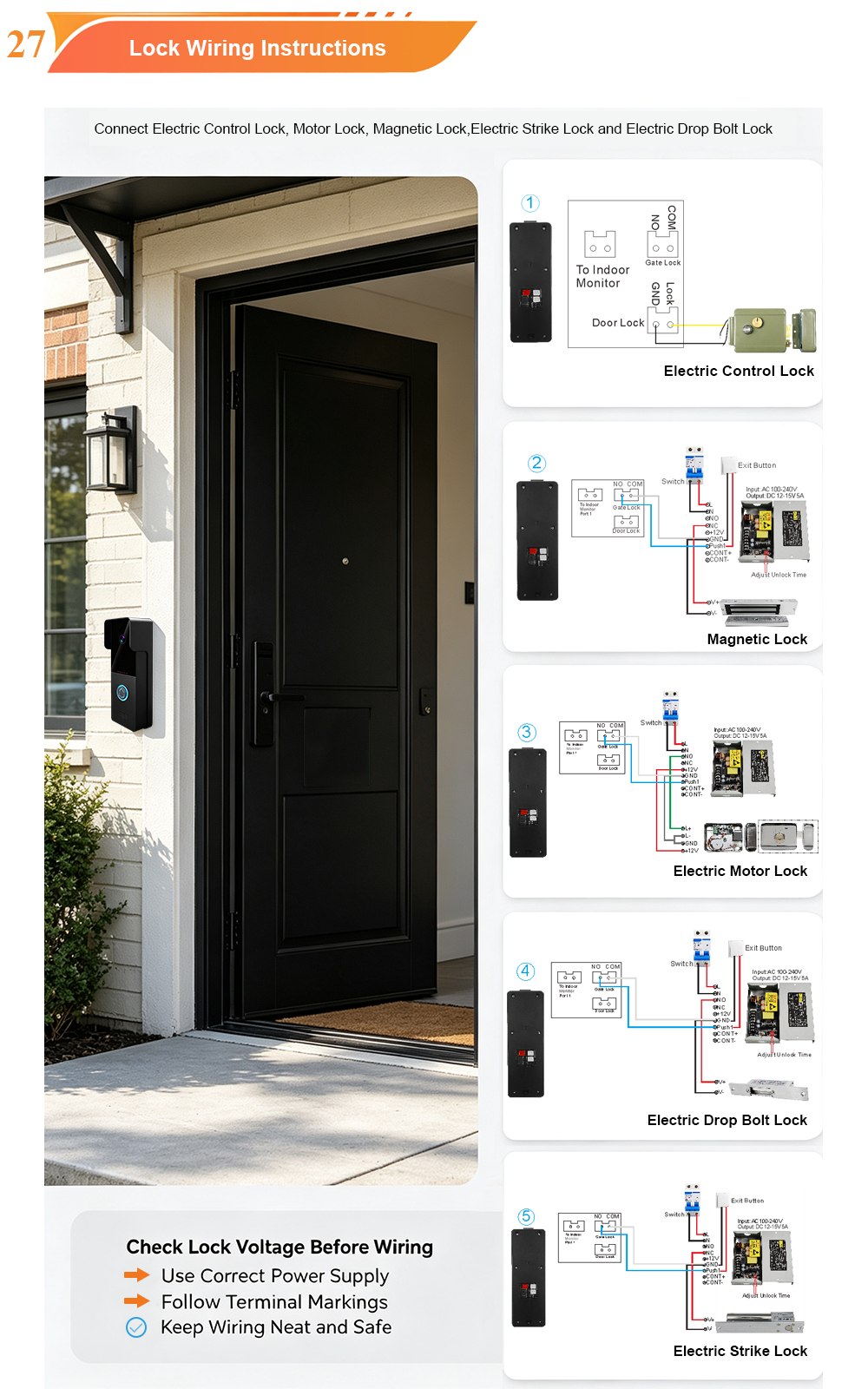
2-Wire Video Door Phone Connection with Electric Rim Lock: Unlock by Card, Indoor Monitor, and App
A complete guide to wiring an electric rim lock to a FARHD 2-wire video door phone system—and configuring three convenient unlock methods: RFID card, indoor monitor, and mobile app. Whether you are upgrading an existing building or specifying a new system, this guide covers the essentials for reliable, secure access control. Electric rim locks are…



