3-Button Outdoor Station Video Intercom with 3 Indoor Monitors: 2-Wire Connection via 2-Wire Switch
październik 21, 2026
Udostępnij ten artykuł
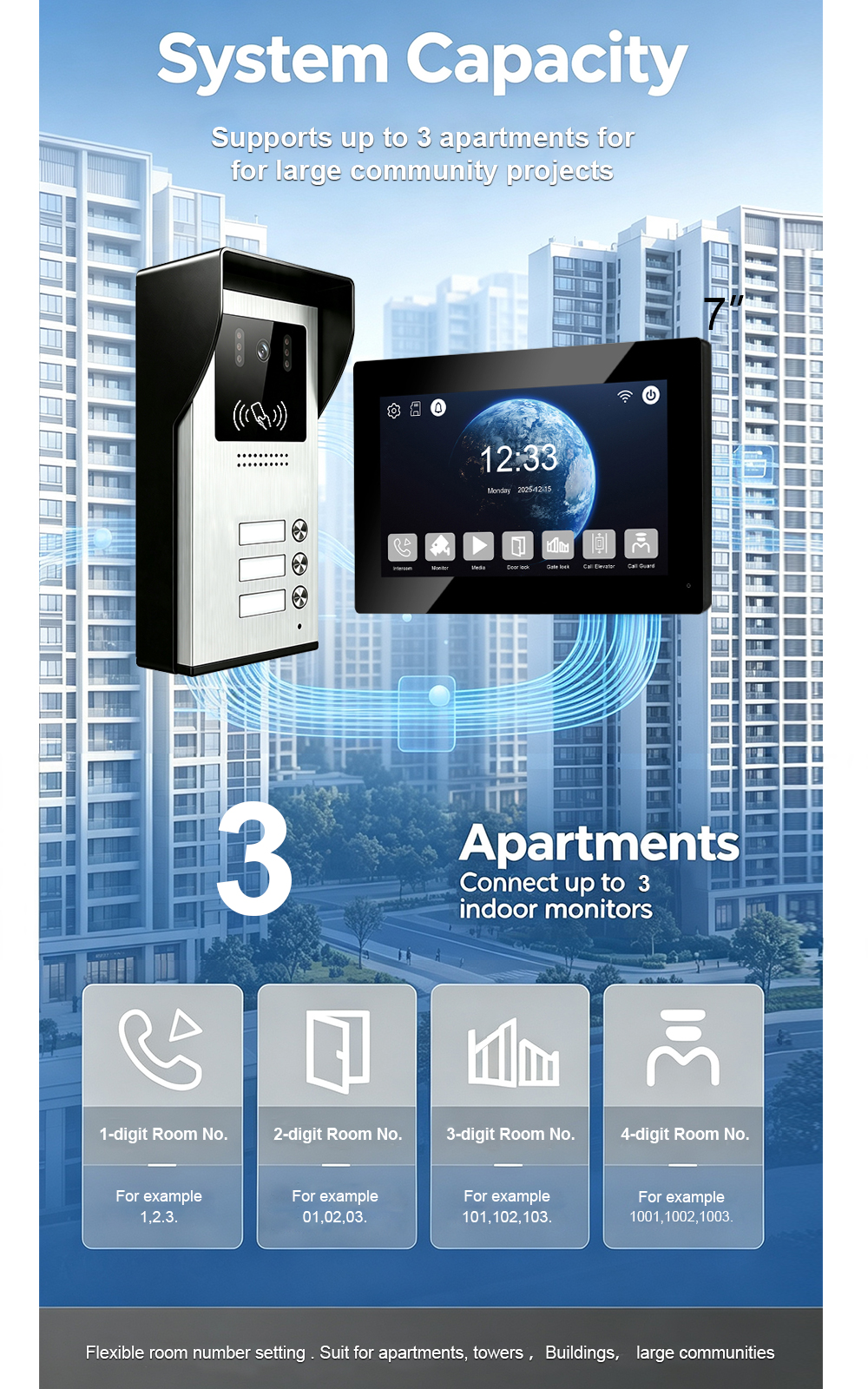
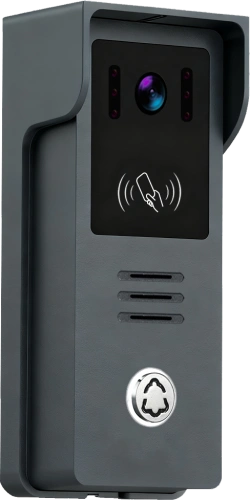
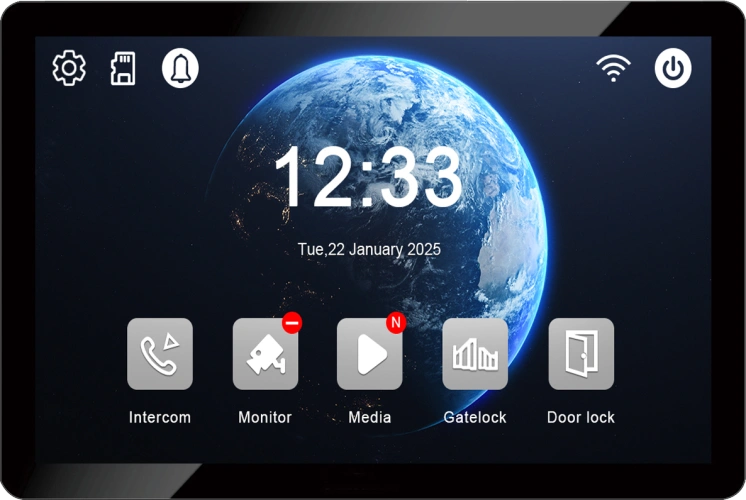
When you manage a small apartment building with three units, you need an intercom system that is simple, reliable, and easy to install. The FARHD 3-button outdoor station paired with three indoor monitors delivers exactly that—using a 2-wire connection through a 2-wire switch. No complex cabling, no network configuration, no Wi-Fi dropouts. Just clear video, two-way audio, and secure door release for each apartment.
In this blog, we explain how the system works, how to wire it, how to configure room numbers and button mapping, and why it is the ideal solution for small multi-unit residential buildings.
Why 2-Wire for a 3-Unit Building?
The 2-wire system transmits power, audio, video, and control signals over a single pair of standard two-core wires. The connection is non-polarity, meaning you can connect the wires either way without risk of damage.
Key advantages:
- Reuses existing cabling – often works with old doorbell or telephone wires.
- Fast installation – any electrician can complete the wiring.
- Up to 100 metres transmission – enough for most small buildings.
- Opłacalność – lower material and labour costs.
- Reliable – no network dependency, no Wi-Fi interference.
For a three-unit building, the 2-wire system is the most practical choice.
System Components
A typical 3-button 2-wire kit includes:
| Komponent | Role |
|---|---|
| 3-Button Outdoor Station | Three call buttons, one for each apartment. Includes camera, microphone, speaker, and optional card reader. |
| 3 Indoor Monitors | One per apartment. Answer calls, view video, unlock door. |
| 2-Wire Switch | Distributes signals to the three indoor monitors and outdoor station. |
| Zasilanie | 15V DC adapter or central power supply. |
| 2-Core Cable | Non-polarity, ≥0.5mm², up to 100m per run. |
| Electric Lock | Controlled by relay output. Requires separate 12V DC power supply. |
The 2-wire switch is the heart of the system. It provides stable power distribution and isolates each indoor monitor, so a fault in one apartment does not affect the others.
Wiring Topology: Star Wiring with 2-Wire Switch
For a 3-button system, the recommended wiring is star topology using a 2-wire switch.
text
[Outdoor Station] ── 2-wire ── [2-Wire Switch] ── 2-wire ── [Indoor Monitor 1]
                                                   ├── 2-wire ── [Indoor Monitor 2]
                                                   └── 2-wire ── [Indoor Monitor 3]
Zalety:
- Fault isolation – one unit’s issue does not affect the others.
- Easier room number configuration.
- Scalable for future expansion (additional monitors or outdoor stations).
Alternative: Direct Bus Wiring (Not Recommended for 3 Units)
- Connect all monitors in series along a shared 2-wire bus.
- Simpler cabling, but a fault on the bus can affect multiple apartments.
- Room number configuration must be done carefully.
Zalecenie: Use a 2-wire switch for star wiring. It provides stable power distribution and simplifies troubleshooting.
Step-by-Step Wiring Guide
Step 1: Mount the Outdoor Station
- Mount at 1.5–1.8 metres above ground, protected from direct rain and sunlight.
- Use the included rain cover and mounting bracket.
Step 2: Mount the Indoor Monitors
- Mount each monitor in a convenient indoor location (hallway, living room, or bedroom).
- Recommended height: 1.2–1.4 metres.
Step 3: Run the 2-Wire Cables
- Use 2-core cable (≥0.5mm²).
- Keep cable runs under 100 metres. For longer distances, use thicker gauge (0.75mm² or 1.0mm²).
- Avoid running cables parallel to AC power lines to prevent interference.
Step 4: Connect the Outdoor Station
- Connect the 2-wire cable to the outdoor station’s terminals. Polarity does not matter.
- If an electric lock is used, connect the lock wires to the relay output (NO and COM).
- A separate 12V DC power supply is required for the lock.
Step 5: Connect the 2-Wire Switch
- Connect the cable from the outdoor station to the switch’s input.
- Connect each indoor monitor’s cable to the switch’s output ports.
- Power the switch with the supplied adapter.
Step 6: Connect the Indoor Monitors
- Connect each monitor’s 2-wire cable to the switch output.
- Ensure each monitor receives power via the 2-wire connection.
Step 7: Power On and Test
- Power on the system.
- Press button 1. Indoor Monitor 1 should ring.
- Press button 2. Indoor Monitor 2 should ring.
- Press button 3. Indoor Monitor 3 should ring.
- Test two-way audio, video, and unlock function.
Configuration: Room Numbers and Button Mapping
After wiring, each indoor monitor must be assigned a unique room number, and each button on the outdoor station must be mapped to the correct apartment.
Step 1: Assign Room Numbers to Indoor Monitors
Via Indoor Monitor Menu:
- Enter the Settings menu.
- Wybierz Room Number lub Address Setting.
- Enter the apartment number (e.g., 101, 102, 103).
- Save and exit.
- Repeat for each monitor.
Via 2-Wire Switch or Management Software (for larger systems):
- Connect the switch to a PC or use its web interface.
- Assign room numbers in bulk.
Ważne: Each monitor must have a unique room number. Duplicate numbers will cause call routing errors.
Step 2: Map Outdoor Station Buttons to Apartments
For a 3-button station:
- By default, Button 1 calls Unit 1, Button 2 calls Unit 2, Button 3 calls Unit 3.
- If your numbering is different, configure the mapping.
Configuration methods:
- Via indoor monitor menu: Some systems allow button mapping from the monitor’s settings.
- Via DIP switches or jumpers: Some models use physical switches on the outdoor station to set button addresses.
- Via management software: For advanced systems, assign each button to a specific room number.
Example mapping:
| Przycisk | Unit | Room Number |
|---|---|---|
| 1 | Unit 1 | 101 |
| 2 | Unit 2 | 102 |
| 3 | Unit 3 | 103 |
Label each button with the resident’s name or unit number for easy identification.
Step 3: Configure System Settings
- Unlock duration: Set the relay release time (typically 3–10 seconds).
- Ringtone volume: Adjust indoor monitor ringtone volume.
- Video settings: Adjust brightness, contrast, and night vision if available.
- Language: Select the preferred language for the UI.
Step 4: Optional App Configuration (Tuya / Smart Life)
If the indoor monitor supports Wi-Fi and Tuya Smart Life:
- Connect the monitor to a 2.4GHz Wi-Fi network.
- Download the Tuya Smart or Smart Life app.
- Create an account and tap “Add Device.”
- Follow the pairing instructions.
- Assign the device to a room and name it (e.g., “Unit 1”).
- Test remote answering, live view, and unlock.
Uwaga: Not all 2-wire systems support app integration. Check your specific model’s specifications.
Testing and Commissioning
After configuration, test every function:
| Test | What to Verify |
|---|---|
| Button 1 call | Rings Indoor Monitor 1 within 1.5 seconds. |
| Button 2 call | Rings Indoor Monitor 2 within 1.5 seconds. |
| Button 3 call | Rings Indoor Monitor 3 within 1.5 seconds. |
| Dwukierunkowe audio | Clear conversation, no echo, no dropouts. |
| Jakość wideo | Clear image, correct viewing angle, night vision activates in low light. |
| Unlock function | Door releases reliably; relay click audible. |
| Funkcje aplikacji | Remote answer, live view, and unlock work over Wi-Fi (if supported). |
If any test fails, check wiring connections, cable continuity, and power supply voltage before replacing hardware.
Rozwiązywanie typowych problemów
| Problem | Możliwa przyczyna | Rozwiązanie |
|---|---|---|
| Apartment does not ring | Wrong room number | Reconfigure room number on indoor monitor |
| Wiring fault | Check 2-wire connections at switch and monitor | |
| Multiple monitors ring at once | Duplicate room numbers | Assign unique numbers to each monitor |
| No video | Loose cable | Re-seat 2-wire connections |
| No audio | Volume muted | Check volume settings |
| Unlock fails | Relay wiring | Verify lock power and relay connections |
| App not connecting | Wi-Fi on 5GHz | Switch to 2.4GHz network |
| Monitor does not power on | Insufficient power | Check 2-wire switch power supply |
Best Practices for 3-Button Systems
- Use quality cable – ≥0.5mm² copper for 2-wire runs.
- Keep cable runs under 100 metres – for longer distances, use thicker gauge or a repeater.
- Avoid parallel runs with power lines – prevents interference.
- Label both ends of every cable – simplifies maintenance.
- Test each apartment after configuration – call from the outdoor station and verify all functions.
- Secure outdoor connections – use waterproof gel caps or silicone.
- Document room numbers and wiring – essential for future service.
- Update firmware – check for updates after installation.
Why Choose FARHD for Your 3-Button System?
FARHD has been designing and manufacturing video intercom systems since 1998, with over 28 years of industry experience. Our 2-wire systems are trusted in over 100 countries for their reliability, ease of installation, and robust feature set.
Key advantages:
- Source factory – Factory-direct pricing, full quality control.
- 2-wire simplicity – Reuses existing wiring, non-polarity, up to 100m.
- 3-button outdoor station – Ideal for small apartment buildings (up to 3 units).
- 2-wire switch – Provides stable power and fault isolation.
- Odporność na warunki atmosferyczne – IP65 outdoor stations, -40°C to +70°C.
- OEM/ODM/SKD – Custom branding, packaging, and software.
- No MOQ – Start with a sample; scale as you grow.
- Globalne certyfikaty – CE, FCC, RoHS, IP65, EMC.
Our products are installed in thousands of apartments, villas, and residential projects worldwide.
Frequently Asked Questions
Q: Can I connect three indoor monitors directly to a 3-button outdoor station without a switch?
A: It is possible for short distances, but using a 2-wire switch is recommended for better reliability and fault isolation.
Q: How do I assign which button calls which monitor?
A: Configure room numbers on each indoor monitor and map the outdoor station buttons accordingly. Most systems default to Button 1 = Unit 1, Button 2 = Unit 2, Button 3 = Unit 3.
Q: What happens if two monitors have the same room number?
A: Both will ring at the same time. Always assign unique room numbers.
Q: Can I add a fourth indoor monitor later?
A: Yes, if the 2-wire switch has available ports.
Q: Does the system work without internet?
A: Yes. Basic calling, video, and unlock functions work without internet. Internet is only required for remote app access.
Q: What is the maximum cable distance?
A: Up to 100 metres with ≥0.5mm² cable. For longer distances, use thicker gauge or a repeater.
Contact Us for Catalog, Pricing, and Samples
The FARHD 3-button outdoor station with three indoor monitors and a 2-wire switch is the ideal choice for small apartment buildings. With easy 2-wire wiring, simple configuration, and reliable performance, it delivers everything you need for secure, convenient entry.
Contact us today for catalog, pricing, or to request a sample.
📩 Email: [email protected]
🌐 Website: www.farhd.com
📱 WhatsApp: +86 188 2370 9809 / +86 199 2545 1918
FARHD – Video Intercom Manufacturer Since 1998.
#3ButtonIntercom #2WireIntercom #ApartmentIntercom #VideoIntercom #2WireSwitch #WiringGuide #Configuration #FARHD #OEM #ODM #BuildingSecurity
Możesz być również zainteresowany
-
Configuring an 8-Button Outdoor Station with 8 Indoor Monitors via a 2-Wire Switch
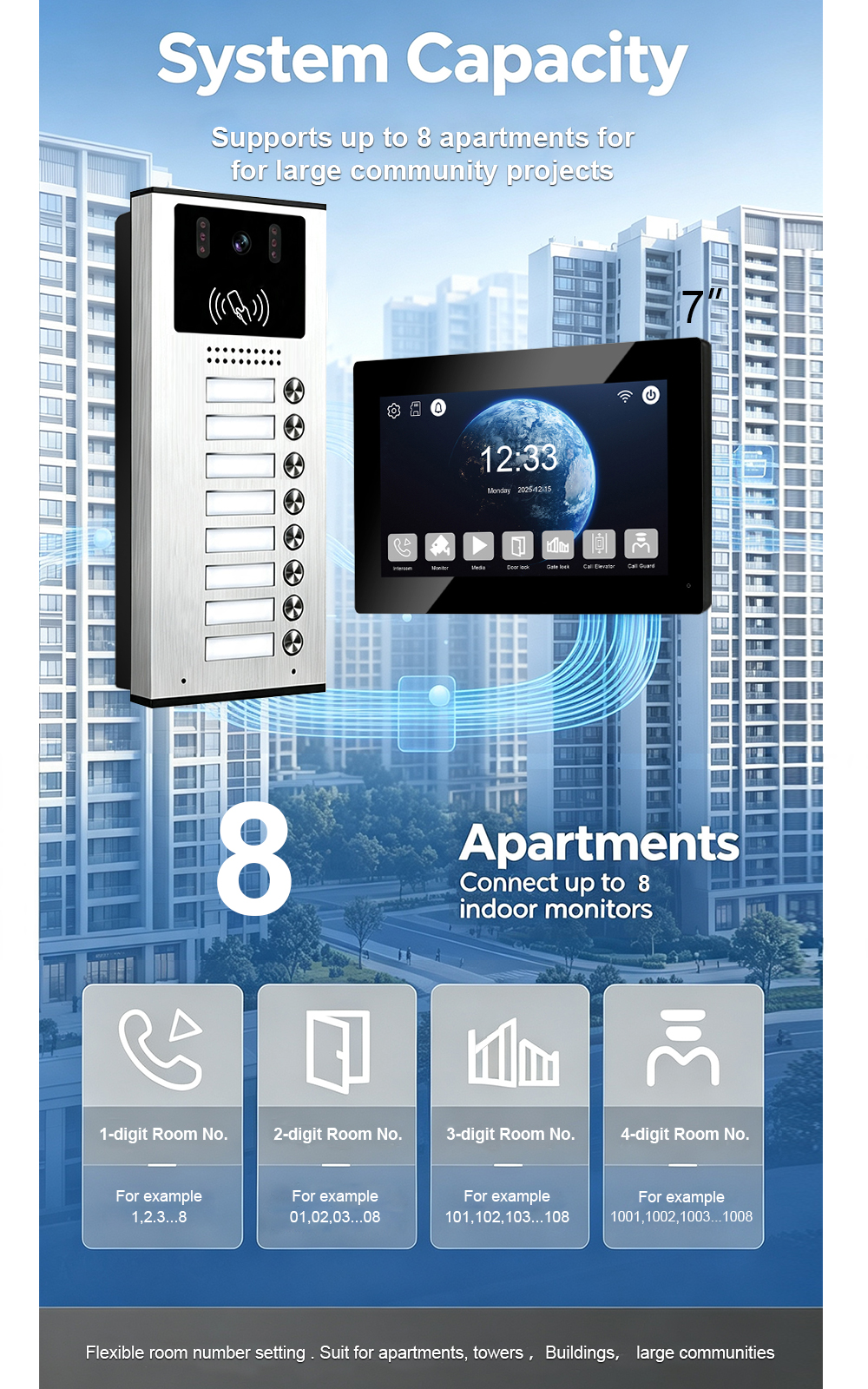
An 8-button outdoor station paired with eight indoor monitors is a practical configuration for small apartment buildings, multi-unit residential properties, and compact communities with up to eight units. Using a 2-wire switch simplifies power distribution and signal routing, while 2-wire non-polarity cabling keeps installation straightforward. This guide covers the components, wiring topology, room-number configuration, button…
-
Welcome to Visit FARHD Factory: A Building Intercom Original Manufacturer Since 1998
When you source building intercom systems, the most important question is not what the product does—it is who makes it and how. FARHD has been an original building intercom manufacturer since 1998. We welcome overseas clients to visit our factory in Shenzhen, see the real production line, test samples on site, and discuss cooperation face…
-
Factory Visit Journal: Welcoming Our Third Group of Overseas Clients Today
Today, FARHD welcomed our third wave of overseas clients to our Shenzhen source factory. They came to inspect our building intercom production lines, test video and audio intercom samples, review access control integration, and discuss their residential project requirements face to face. This is what a factory visit looks like at a true source manufacturer—and…
-
Today’s Second Group of Overseas Buyers Visits FARHD: Inside a Building Intercom Source Factory
Today we welcomed our second group of overseas buyers to the FARHD factory in Shenzhen. They came to see the building intercom production lines, inspect quality control, test samples on site, and discuss their project requirements face to face. This is what a source factory visit looks like—and why more global buyers are choosing to…