
How to Share Access to Intercom Systems for Homes and Businesses
25 December, 2025
Share This Article
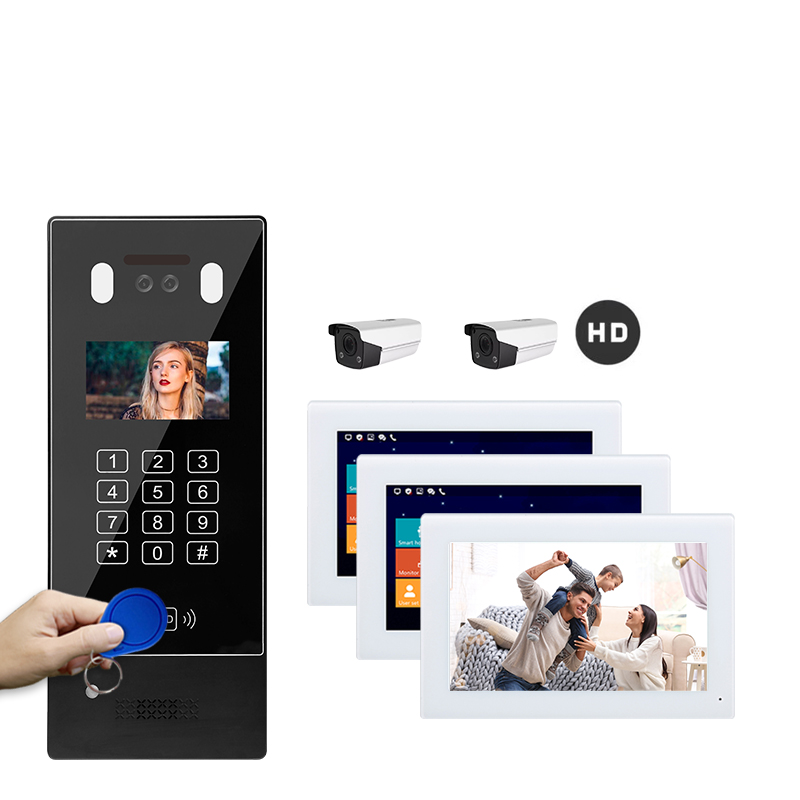
1. What Is an Intercom System and Why Share Access?
An intercom system is a communication device used to facilitate audio and/or video communication between different areas of a property or building. These systems are commonly used in:
- Residential homes
- Apartment complexes
- Office buildings
- Industrial facilities
- Hospitals
- Schools
Modern intercoms often include video functionality, mobile app control, and integration with smart home ecosystems. Sharing access to an intercom system means allowing multiple users — such as family members, tenants, employees, or building management — to:
- Receive calls or alerts from the intercom
- View real-time video footage
- Unlock doors or gates remotely
- Communicate with visitors
Why Sharing Access Is Important:
| Use Case | Benefit |
|---|---|
| Households | All family members can respond to visitors from their phones |
| Apartment Buildings | Tenants can individually manage visitor access |
| Offices and Warehouses | Staff can monitor and control entry points |
| Commercial Complexes | Simplifies visitor and delivery management |
| Elderly Care Homes | Caregivers can remotely check in and respond to calls |
Allowing shared access improves convenience, security, and operational efficiency — especially in multi-user environments.
2. Methods to Share Intercom Access: Wired vs. Wireless
Intercom systems come in wired, wireless, or hybrid configurations. The method of sharing access depends on the type of system installed.
Wired Intercom Systems
These systems are physically connected via cables, typically installed in permanent buildings. Sharing access usually involves:
- Installing multiple indoor monitors (substations)
- Configuring master control units for user management
Pros:
- Stable connection
- No Wi-Fi dependency
- High-quality audio/video
Cons:
- Complex installation
- Limited flexibility for mobile access
Wireless Intercom Systems
Wireless systems use Wi-Fi, Bluetooth, or RF signals to operate. They often come with mobile app integration, making it easy to share access digitally.
Ways to Share Access Wirelessly:
- Add authorized users via a mobile app
- Send QR codes or temporary access links
- Set up RFID tags or NFC cards
| Feature | Wired Systems | Wireless Systems |
|---|---|---|
| Installation | Professional, complex | Easy, plug-and-play |
| Remote Access | Limited | Full app-based control |
| Multi-User Management | Hardware dependent | App or cloud-based |
| Maintenance | Low once installed | Requires Wi-Fi reliability |
3. How to Share Access on Smart Video Intercoms via Mobile Apps
Modern smart video intercom systems allow access sharing through dedicated mobile applications. This is the most efficient and scalable method for both residential and commercial settings.
Typical Access Sharing Process:
- Install the Intercom App
Most brands offer apps compatible with iOS and Android devices. E.g., Tuya Smart, Hik-Connect, Ring, or custom OEM apps. - Register the Main Account
The main user (admin) sets up the intercom and connects it to the home or office Wi-Fi. - Add New Users
Under app settings, locate “Device Sharing” or “Add Members.” - Select Sharing Method:
- Email invitation
- QR code scanning
- Username/Account ID entry
- Assign Permissions
Define what users can do:- View camera feed
- Answer calls
- Unlock doors
- Modify settings
- Confirm and Send Invitation
Example: Sharing Access via App (Step-by-Step)
| Step | Action | Description |
|---|---|---|
| 1 | Open the App | Launch the intercom’s official mobile app |
| 2 | Go to Device Settings | Tap on the intercom device |
| 3 | Choose ‘Share Device’ or ‘Add User’ | Find the access sharing option |
| 4 | Select Method | Choose email, QR, or account ID |
| 5 | Set Permissions | Limit roles — admin, viewer, control-only |
| 6 | Confirm | The recipient receives access immediately |
Additional Tips:
- Enable push notifications for all shared users
- Use two-factor authentication for better security
- Set temporary access for delivery personnel or guests
Many B2B intercom providers like FARHD offer custom app development for enterprises, allowing you to brand and control access through a centralized dashboard. Learn more about FARHD’s OEM/ODM manufacturing capabilities for business-grade intercom solutions.
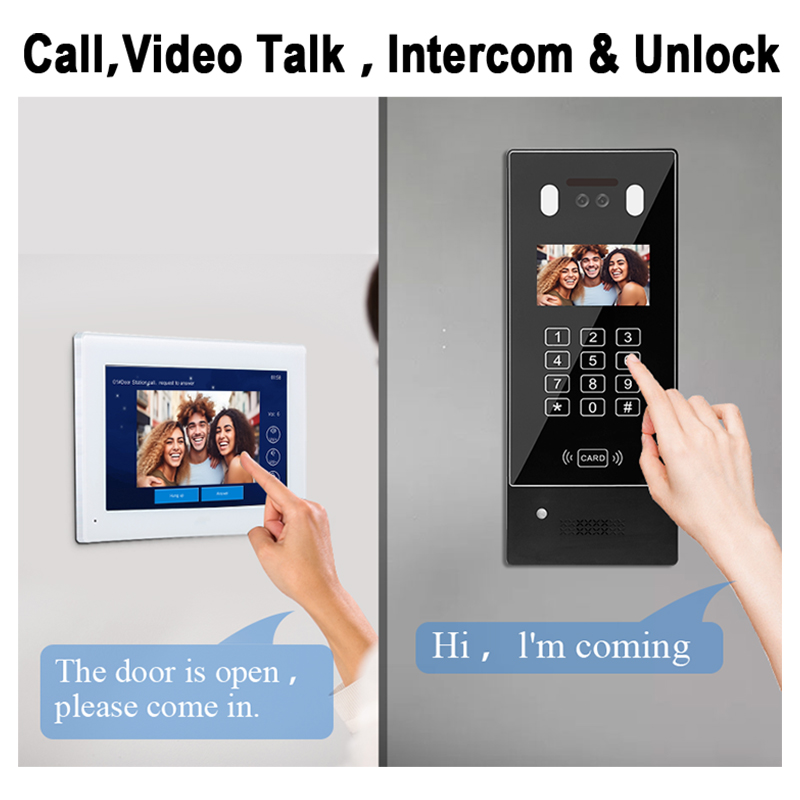
4. Benefits of Shared Intercom Access for Families and Teams
Sharing access to your intercom system creates a smarter, safer, and more connected environment. Whether you’re managing a family home or a multi-office building, the advantages are significant.
For Families:
- Convenience: Each member can respond to visitors from their own device
- Security: Parents can monitor who’s at the door when children are alone
- Mobility: Handle deliveries or guests even when you’re not home
For Businesses:
- Operational Efficiency: Front desk staff, managers, and security can share responsibilities
- Access Logs: Monitor who responded to calls and when
- Remote Management: Control access from different locations
For Property Managers:
- Multi-Tenant Support: Allow each tenant to manage their unit securely
- Customization: Use advanced permissions for staff, contractors, and guests
- Scalability: Add or remove users quickly as tenants change
| User Type | Benefits of Shared Access |
|---|---|
| Families | Safe deliveries, remote visitor approval, child monitoring |
| Office Teams | Delegated access control, reduced workload on reception |
| Security Guards | Centralized monitoring and faster response times |
| Tenants | Private control of unit access, even in shared buildings |
| Property Managers | Streamlined user management, easier tenant onboarding/offboarding |
Smart intercom systems from FARHD support multi-user access, making them ideal for both homes and commercial applications. Their advanced software allows seamless role-based control over each access point.
5. Security Considerations When Granting Intercom Access
While shared access offers convenience, it also introduces potential security risks if not managed properly. Here are some best practices and technologies to ensure safe access sharing.
Key Security Features to Look For:
- Role-Based Access Control (RBAC): Limit what each user can do based on their role.
- Two-Factor Authentication (2FA): Adds an extra layer of verification.
- Activity Logs: Monitor who accessed the intercom and when.
- Auto Revoke: Temporary users should be automatically removed after expiry.
- Encrypted Communication: Ensure all audio/video streams and commands are encrypted.
Common Threats:
| Threat | Preventive Measure |
|---|---|
| Unauthorized access | Enable 2FA and assign strong passwords |
| Forgotten shared users | Regularly audit access list |
| Data interception | Use intercoms with encrypted data channels |
| Physical tampering | Install tamper alerts and secure mounting |
Always choose intercom systems from reputable OEM manufacturers like FARHD, which comply with ISO 9001, CE, ROHS, and FCC standards. Their products are built with security-first architecture, making them ideal for sensitive use cases like hospitals, schools, and high-end residential complexes.
Need a secure, scalable intercom solution for your property or business? Contact FARHD today to discuss your project requirements.
6. Best Practices for Managing Access Permissions
To ensure smooth and secure operation of your intercom system, it’s important to implement access management best practices.
For Personal Use:
- Limit access to trusted individuals
- Revoke access for guests after use
- Regularly update app passwords
- Use biometric login if available
For Businesses and Apartment Complexes:
- Define user roles clearly (Admin, Viewer, Controller)
- Schedule regular audits of access logs
- Automate onboarding/offboarding of users
- Integrate intercom with access control systems and elevator control
| Best Practice | Purpose |
|---|---|
| User Role Segmentation | Prevent unauthorized actions by employees |
| Access Expiry Dates | Ensure temporary access doesn’t become permanent |
| Centralized Dashboard | Manage all users from one interface |
| Notification Alerts | Keep admins informed of all access events |
FARHD’s enterprise intercom systems include centralized access control dashboards, perfect for property managers, building owners, and enterprise security teams. Their complete solutions include hardware, software, and support for seamless implementation.
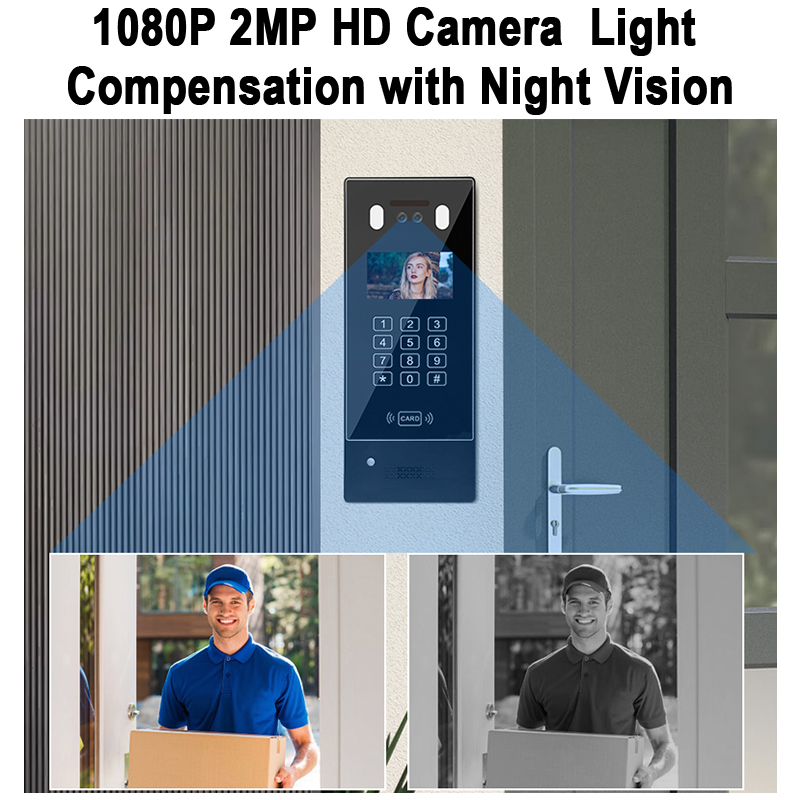
7. Top Smart Intercom Systems That Support Multi-User Access
When choosing an intercom system that supports shared access, it’s critical to focus on multi-user capabilities, remote access functionality, and enterprise-grade security. Whether you’re a homeowner looking for family sharing or a business managing hundreds of users, the following are some of the top smart intercom systems available on the market.
Recommended Smart Intercom Systems
| Brand | Model/Series | Multi-User Access | App Integration | Ideal For |
|---|---|---|---|---|
| FARHD | 4-Wire Villa Intercom System | ✅ Yes | ✅ Customizable | Homes, Villas, Apartments |
| Aiphone | IX Series | ✅ Yes | ✅ Yes | Commercial & Industrial |
| Hikvision | DS-KH8350-WTE1 | ✅ Yes | ✅ Yes | Apartments, Offices |
| 2N | IP Verso | ✅ Yes | ✅ Yes | Multi-tenant, Smart Buildings |
| Akuvox | R29C | ✅ Yes | ✅ Yes | Offices, Residential |
Why FARHD Is a Top Choice in China
Shenzhen FARHD Tech Co., Ltd. (FARHD) is a globally respected OEM/ODM manufacturer, offering a complete range of smart video door phone intercom systems designed specifically for multi-user environments.
Here’s why FARHD stands out:
- Complete Supply Chain Control: From LCD modules to the final intercom product, ensuring unmatched quality.
- Global Reach: Major market share in China, and strong presence in Italy, Korea, and Turkey.
- Custom App Integration: FARHD offers custom mobile apps for branded access management.
- Certified Quality: ISO 9001, CE, ROHS, and FCC certified.
- Enterprise Grade Features:
- Role-based access control
- Multi-device synchronization
- Event logging and alerts
- Integration with elevator control systems
For businesses looking to deploy scalable, reliable, and secure intercom systems with multi-user functionality, FARHD’s product catalog offers a wide range of solutions tailored to various industries including hospitality, healthcare, smart homes, and commercial real estate.
8. B2B Use Case: Shared Access in Multi-Tenant and Commercial Buildings
Intercom systems with shared access functionality are not just for homes—they are mission-critical tools in multi-tenant residential complexes, office buildings, co-working spaces, and industrial facilities. For system integrators, property developers, and facility managers, choosing the right intercom system directly impacts security, convenience, and tenant satisfaction.
B2B Scenarios That Benefit from Shared Intercom Access:
1. Apartment Complexes
- Each tenant has app-based access to their unit intercom.
- Front desk can monitor all entrances.
- Delivery management improves with remote door unlock.
2. Office Buildings
- Multi-department access: HR, Security, and Admin staff can each control entry points.
- Visitor logging integrated with CRM or facility software.
- Conference room access controlled by scheduled permissions.
3. Co-living and Co-working Spaces
- Easily add or remove users as tenants change.
- Temporary access for cleaners, maintenance, or guests.
- Use QR code or RFID for shared common spaces.
Why B2B Buyers Choose FARHD
FARHD provides customizable intercom hardware and software with powerful shared access features tailored to B2B environments. With advanced R&D and large-scale production capabilities, FARHD empowers property managers and system integrators to:
- Brand their own intercom systems (White Label/ODM)
- Offer app-based access control for each tenant/company
- Manage all intercom units via a centralized admin dashboard
- Integrate with elevator and security systems
Whether you’re managing a 500-unit residential complex or outfitting a corporate campus, FARHD’s intercom solutions are built for scale, security, and simplicity. Learn more about their OEM/ODM services for custom B2B project deployment.
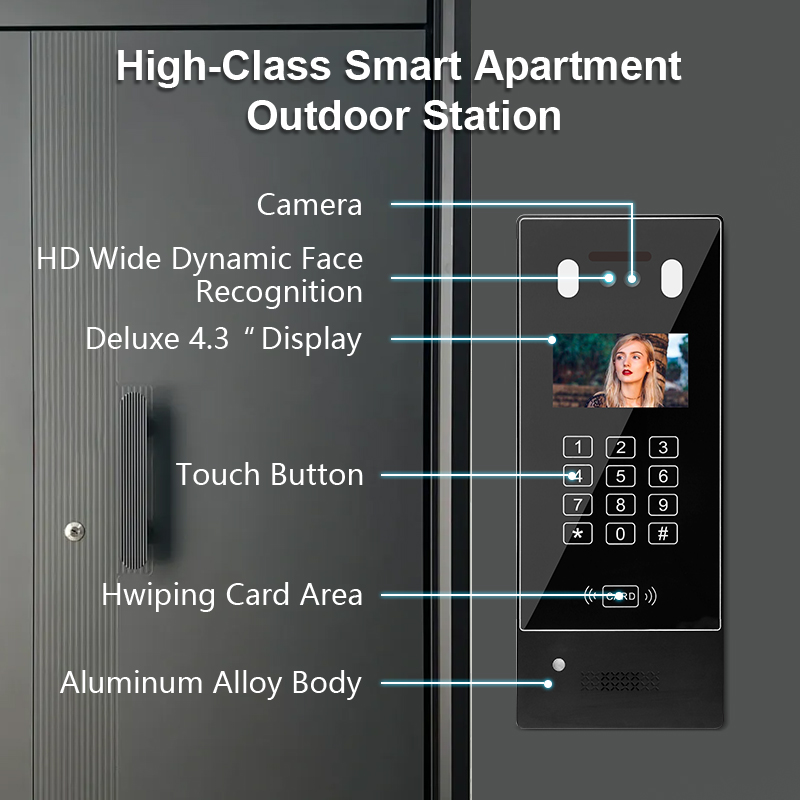
9. Frequently Asked Questions (FAQ)
Q1: Can I share intercom access with users outside my local network?
Yes. Most modern intercom systems — especially smart video models — support cloud-based access, allowing you to share access with users anywhere in the world via mobile apps.
Q2: How many users can I share intercom access with?
It depends on your system. Some allow up to 8 users, while enterprise-grade systems from FARHD can scale to hundreds of users with role-based access.
Q3: What’s the safest way to share access?
Using encrypted mobile apps with two-factor authentication is the safest method. Avoid sharing physical keys or passcodes unless absolutely necessary.
Q4: Can I control what shared users can do?
Yes. Advanced systems allow you to assign permission levels:
- Admin: Full control
- Viewer: Camera access only
- Control-only: Can unlock doors but not change settings
Q5: Is it possible to revoke access remotely?
Absolutely. With most smart intercom apps, you can revoke access at any time, and changes are applied instantly across all devices.
Q6: Which intercom systems are best for commercial buildings?
Systems from FARHD, Aiphone, and Hikvision are ideal due to their multi-user support, enterprise features, and B2B customization options.
Q7: How can I get a custom intercom system for my business?
You can partner directly with FARHD, a leading OEM/ODM provider. They offer:
- Custom branding
- Hardware design
- Software integration
- Full after-sales support
Start by visiting their contact page to request a quote or schedule a consultation.
Conclusion & Call to Action
Sharing intercom access is no longer a luxury — it’s a necessity for modern living and efficient property management. With smart intercom systems, you can enhance security, streamline operations, and create seamless experiences for tenants, employees, and guests.
Whether you’re a homeowner looking for convenience or a facility manager overseeing hundreds of users, shared intercom access is a game-changer.
👉 Looking for a reliable OEM/ODM intercom manufacturer? Explore FARHD’s full range of smart intercom solutions today and discover why they’re trusted by global brands across residential and commercial sectors.
Let FARHD be your trusted partner in smart building communication.
You may also Interest
-

FARHD to Showcase All-Climate Technology at 2026 China Security Expo, Empowering Smart Communities in Northern China
From November 3 to 6, 2026, FARHD, a global leader in smart security and communication solutions, will unveil its full range of products deeply optimized for the harsh winter conditions of northern China at the 18th China International Social Public Security Products Expo (Security China). Under the theme “Digital Intelligence World, Total Security,” the expo…
-

FARHD to Showcase All-Climate Hard-Tech Solutions at Securika Moscow 2026
From April 22 to 24, 2026, FARHD, a global leader in smart security and communication solutions, will unveil its full range of products engineered for extreme climates at Securika Moscow 2026, held at Crocus Expo in Moscow, Russia. At booth A-9101, FARHD will present its smart intercom, access control, and smart home solutions—all deeply optimized…
-

FARHD Honored with Multiple Prestigious Awards in China’s Building Intercom Industry, 28 Years of Deep Engagement in the Chinese Market Solidifying Its Position as a Leading Brand
Recently, in the annual selection event jointly organized by the China Security and Protection Industry Association and multiple authoritative media outlets, FARHD, by virtue of its profound industry experience, outstanding technological innovation capabilities, and extensive market recognition, was awarded the prestigious “Most Influential Brand in China’s Building Intercom Industry” . These accolades not only affirm FARHD’s 28…
-

FARHD Honored with Multiple Prestigious Awards in China’s Building Intercom Industry, 28 Years of Deep Engagement in the Chinese Market Solidifying Its Position as a Leading Brand
Recently, in the annual selection event jointly organized by the China Security and Protection Industry Association and multiple authoritative media outlets, FARHD, by virtue of its profound industry experience, outstanding technological innovation capabilities, and extensive market recognition, was awarded the prestigious “National Top 10 Quality Brands in the Security Industry” . These accolades not only affirm FARHD’s…



