
How to Install a Peephole Camera with Screen for Maximum Home Security
6 February, 2026
Share This Article
1. What is a Peephole Camera with Screen and How Does It Work?
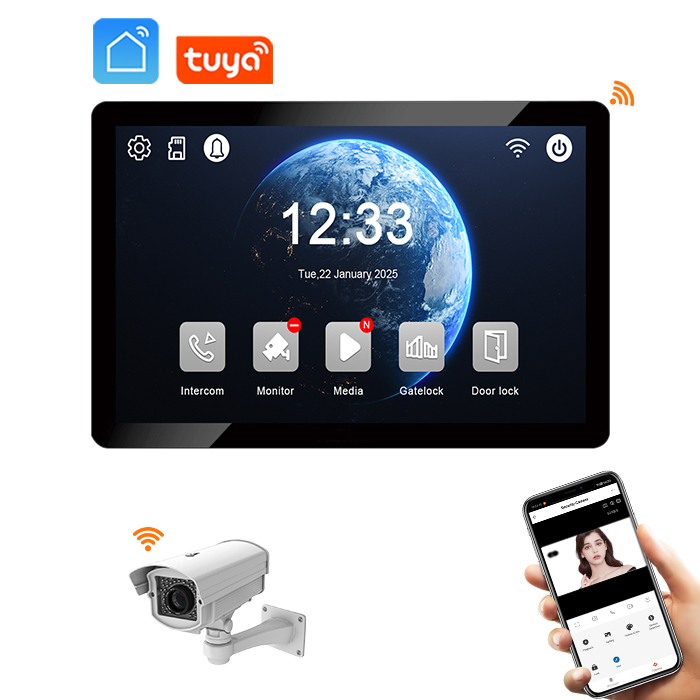
A peephole camera with screen, also called a digital door viewer or smart peephole viewer, is a modern security solution that replaces the traditional peephole with a digital camera and an internal display screen. These systems allow homeowners, apartment dwellers, or businesses to view who is outside the door without physically approaching it.
This system typically includes:
- A digital camera mounted on the exterior side of the door (replacing the peephole)
- A display screen or monitor on the inside of the door
- Optional features like motion detection, video recording, WiFi connectivity, and app integration
💡 How It Works:
| Component | Function |
|---|---|
| Digital Camera | Captures real-time video of the person outside the door |
| Display Screen | Shows the live feed from the camera, triggered by a button or motion |
| Power Source | Battery-powered or wired to home electricity |
| Optional Connectivity | Some models offer WiFi to allow remote viewing via smartphone apps |
Use Cases:
- Homeowners wanting better visibility of visitors
- Elderly or mobility-limited individuals who prefer not to approach the door
- Rental property owners upgrading security without major renovations
- Small offices or commercial entrances for monitoring foot traffic
2. Benefits of Upgrading to a Digital Peephole Viewer
Switching from a traditional peephole to a digital peephole viewer with a screen has numerous benefits, both for personal use and for landlords or property managers looking to enhance rental units’ security.
✅ Improved Visibility
- Traditional peepholes are limited by angle and lighting.
- Digital versions provide a wide-angle view and clearer images, even in low light.
✅ Enhanced Safety
- No need to approach the door to see who’s there.
- Motion sensors and night vision features alert you to visitors day or night.
✅ Recording and Monitoring
- Many systems include video recording or photo snapshots.
- Helps maintain evidence logs in case of suspicious activity.
✅ Easy for All Ages
- Elderly users or children may struggle with standard peepholes.
- Large digital screens make it easier and more accessible.
✅ Rental-Friendly Options
- Many models are battery-powered and do not require wiring.
- Can be removed or transferred without damaging the door.
For B2B Buyers (Landlords, Property Managers, Builders):
| Benefit | Description |
|---|---|
| Scalable Installation | Can be installed across multiple units quickly |
| Low Maintenance | Battery-powered options reduce upkeep |
| Tenant Appeal | Enhances property value and tenant safety perception |
| OEM/ODM Availability | Custom branding and bulk pricing available from trusted manufacturers |
3. Tools and Equipment Needed for Installation
Before installing a peephole camera with screen, you’ll need a few tools and materials. The good news is that installation is relatively easy and requires only basic DIY skills.
🧰 Basic Tools:
- Drill and drill bits (if a hole must be created or widened)
- Screwdriver (Phillips or flathead depending on model)
- Measuring tape
- Pencil or marker for alignment
- Level (optional but helpful)
- USB charging cable or batteries (for powering the device)
📦 Included in Most Kits:
| Item | Purpose |
|---|---|
| Peephole camera unit | The main camera lens and transmitter module |
| Indoor display monitor | LCD screen for viewing outside visitors |
| Mounting hardware | Screws and brackets for securing the unit |
| User manual | Step-by-step guide tailored to the specific model |
⚠️ Important Considerations:
- Door Thickness: Most peephole cameras support doors 35–110mm thick. Measure before purchasing.
- Power Source: Some models use rechargeable batteries; others must be wired.
- WiFi Requirements: If using a smart model, ensure strong signal at the front door.
🛠️ Pro Tip for Installers or Distributors: When sourcing these units in bulk, look for suppliers offering pre-assembled kits with all necessary components included. This reduces complexity during installation across multiple units.
Explore Smart Peephole Display Products at FARHD
4. Step-by-Step Guide: How to Install a Peephole Camera with Screen
Here’s a general step-by-step installation guide. Always refer to your device’s manual for specific instructions.
🔧 Step 1: Remove Existing Peephole (if applicable)
- Unscrew the existing peephole by turning both ends.
- Remove the old lens and clean the hole if necessary.
🔩 Step 2: Prepare the Peephole Hole
- Measure the hole diameter (usually 14–16mm).
- If too small, gently widen it using a drill and appropriate bit.
📷 Step 3: Insert the Camera Unit
- Slide the camera module into the hole from the outside.
- Align it properly and secure it using the mounting bracket or screws.
🖥️ Step 4: Mount the Display Screen
- Connect the internal display screen to the camera cable.
- Use included brackets or adhesive to attach the screen to the inside of the door.
🔌 Step 5: Power the Device
- Insert batteries or connect to the power source.
- Charge fully before first use if using rechargeable batteries.
📲 Step 6: Configure Smart Features (if applicable)
- Connect to WiFi using the companion app.
- Set up motion detection, notifications, and cloud storage.
✅ Step 7: Test Your Installation
- Press the button or trigger motion detection to activate the camera.
- Ensure the image is clear and the screen responds properly.
📋 Installation Checklist:
| Task | Status |
|---|---|
| Old peephole removed | ✅ / ❌ |
| Hole size measured/prepared | ✅ / ❌ |
| Camera inserted correctly | ✅ / ❌ |
| Screen mounted securely | ✅ / ❌ |
| Power connected | ✅ / ❌ |
| Smart functions set up | ✅ / ❌ |
| Final test completed | ✅ / ❌ |
🔗 Need help with installation or product sourcing? Contact FARHD for OEM support
5. Wired vs Wireless Peephole Cameras: Installation Differences
Choosing between a wired and wireless digital peephole camera impacts installation complexity, power source, and long-term maintenance.
🔌 Wired Peephole Cameras
Pros:
- Continuous power supply
- No battery replacements
- Can support advanced features like Ethernet connectivity
Cons:
- Require wiring through the door or wall
- Installation is more invasive and difficult for DIYers
- Better suited for new builds or renovations
Installation Tip: Use a professional installer to avoid damaging insulation or doors. Ideal for multi-unit buildings where consistent power and connectivity are required.
🔋 Wireless Peephole Cameras
Pros:
- Easier installation — no wiring required
- Portable — can be moved to another door
- Ideal for rentals and temporary setups
Cons:
- Battery-powered — requires recharging or replacement
- May have limited advanced features depending on model
📊 Comparison Table:
| Feature | Wired Camera | Wireless Camera |
|---|---|---|
| Installation Difficulty | High | Low |
| Portability | Low | High |
| Power Source | AC Wired | Rechargeable Battery |
| Ideal Application | Permanent setups | Rentals, DIY installs |
🧑💼 For wholesalers or distributors, offering both types allows you to cover a broader market. Partnering with a manufacturer like FARHD ensures access to both wired and wireless models, all under customizable branding.
6. Common Mistakes to Avoid During Installation
Even though installing a peephole camera is relatively straightforward, there are several common mistakes that can impact performance, safety, or longevity.
❌ Mistake #1: Incorrect Hole Measurements
- If the hole is too small or too large, the camera won’t fit securely.
- Always measure door thickness and hole diameter before purchase.
❌ Mistake #2: Loose Installation
- If not properly tightened, the camera may shift or fall out.
- Use all provided mounting hardware and check alignment.
❌ Mistake #3: Poor Screen Placement
- Placing the screen too low or high makes it difficult to view.
- Install at eye level for the primary users in the home.
❌ Mistake #4: Ignoring Power Requirements
- Forgetting to charge or replace batteries will render the device useless.
- Set reminders for battery checks or choose wired if power is available.
❌ Mistake #5: Weak WiFi Signal
- Smart features require a strong, consistent WiFi connection.
- Test signal strength at the door before installing.
🧠 Tip for Installers and Property Managers: Create a checklist and provide user manuals or tutorial links for tenants or clients to avoid these common errors.
🔗 Learn more about FARHD’s full video intercom solutions
7. Best Practices for Maintaining Your Peephole Camera System
Once your peephole camera with screen is installed, keeping it in optimal condition ensures long-term performance, safety, and user satisfaction. For both end-users and property managers working across multiple units, establishing a maintenance routine is crucial.
🔋 Power Management
- Wireless Models:
- Recharge batteries every 3–6 months, depending on usage.
- Use only the manufacturer-recommended battery type.
- Wired Models:
- Check connections annually for wear or corrosion.
- Ensure cable insulation remains intact.
🧼 Regular Cleaning
- Camera Lens:
- Wipe with a microfiber cloth to prevent smudging or dust buildup.
- Display Screen:
- Use screen-safe cleaning solutions to avoid surface damage.
- Housing:
- Inspect for cracks or signs of tampering, especially in outdoor environments.
📲 Firmware & Software Updates
- For smart peephole cameras with WiFi:
- Update firmware regularly to improve security and fix bugs.
- Keep the companion app updated on your smartphone or tablet.
🧑🔧 Periodic Checks for Installers or Building Managers
| Frequency | Task |
|---|---|
| Monthly | Check battery level or power connection |
| Quarterly | Clean lens and screen; test motion detection |
| Bi-annually | Test app connectivity and firmware updates |
| Annually | Inspect mounting hardware and door alignment |
🛡️ Security Tips
- Change default passwords for WiFi-enabled models.
- Use encrypted cloud storage if available.
- Disable remote access when not in use to minimize hacking risks.
For bulk installations in apartments or commercial buildings, consider drafting a maintenance checklist and providing it with each unit. This helps tenants maintain their own devices, reducing support calls.
🔗 For full support, contact FARHD’s engineering and after-sales teams
8. Recommended Wholesale Suppliers and OEM Manufacturers
If you’re a distributor, system integrator, property developer, or security solution provider, sourcing high-quality peephole cameras with screens from a reliable OEM/ODM manufacturer is essential to ensure product performance, branding flexibility, and after-sales support.
🏆 Top OEM/ODM Manufacturer in China: FARHD
Shenzhen FARHD Tech Co., Ltd. is China’s leading provider of OEM/ODM smart video doorbell and peephole camera systems. With a vertically-integrated supply chain and a focus on R&D, FARHD is the ideal partner for businesses looking to offer customizable and scalable door security solutions.
Why Choose FARHD?
| Feature | Description |
|---|---|
| Full Supply Chain Integration | From LCD production to finished security systems |
| Global Recognition | Market leader in China, Italy, Korea, and Turkey |
| High Production Capacity | 13 production lines across a 5,500m² facility |
| Customization Options | Branding, app integration, hardware specs, UI/UX customization |
| Certifications | ISO 9001, CE, ROHS, FCC, SGS |
| R&D Excellence | In-house team with deep experience in security and smart home tech |
Product Categories Available:
- Digital Peephole Viewers with Screen
- Smart Doorbell Cameras (WiFi-enabled)
- 4-Wire and IP-based Video Intercom Systems
- Camera Modules, LCD Panels, and Custom Firmware Development
🔗 Explore FARHD’s full OEM/ODM capabilities here
🌍 Other Global OEM/ODM Options:
| Manufacturer | Region | Strengths |
|---|---|---|
| Ezviz (Hikvision) | China | High-end smart devices; strong brand recognition |
| Doorbird | Germany | IP-based systems; premium commercial integrations |
| Ring (Amazon) | USA | Subscription-based cloud storage; market leader |
| Comelit | Italy | Professional-grade intercom systems |
However, only FARHD offers full vertical integration in China, ensuring unmatched product consistency and customization options for B2B buyers.
For Distributors and Resellers:
- Request white-label solutions with your logo and packaging
- Choose from wired or wireless models depending on your market
- Access bulk pricing tiers and drop-shipping options
📞 Contact FARHD today to discuss your wholesale or ODM needs

9. FAQ: Installing and Using a Peephole Camera with Display
❓ Can I install a digital peephole camera myself?
Yes. Most models are designed for DIY installation, especially wireless options. If you’re replacing an existing peephole, installation can take less than 30 minutes.
❓ What type of door can I install it on?
Digital peephole cameras are compatible with wood, metal, and composite doors. Ensure the door thickness falls within the supported range (typically 35–110mm).
❓ Do all peephole cameras have motion detection?
No. Motion detection is typically found in smart models with WiFi connectivity. Basic models may only activate when a button is pressed.
❓ How do I power my peephole camera?
- Wireless models: Rechargeable batteries or AA batteries.
- Wired models: Connected to the home’s power supply, often via low-voltage wiring.
❓ Will it work in the dark?
Many models include infrared night vision, allowing you to see clearly even in low-light or no-light conditions.
❓ Can I view footage remotely?
Yes, if you choose a WiFi-enabled smart peephole camera. These allow you to view live or recorded footage via a mobile app.
❓ Can I buy a peephole camera in bulk for my real estate or rental business?
Absolutely. OEM/ODM manufacturers like FARHD specialize in bulk orders, custom branding, and tailored solutions for developers, property managers, and B2B buyers.
❓ Is there a subscription fee?
Some brands (like Ring) require cloud storage subscriptions. However, many OEM models from FARHD offer local storage or optional cloud integration, giving you more flexibility.
🛠️ Final Thoughts & Call to Action
Installing a peephole camera with a screen is one of the most effective ways to upgrade home or business security. Whether you’re a homeowner looking for peace of mind or a property manager looking to modernize your rental units, this technology offers an affordable, easy-to-install, and highly effective solution.
For B2B buyers, sourcing from a trusted OEM like FARHD ensures:
- Custom branding options
- High-quality components
- Long-term support and scalability
🔗 Ready to upgrade your security offerings? Explore Products Now
📞 Got questions or need a quote for bulk orders? Contact FARHD Today
By following this guide, you’ll not only understand how to install a peephole camera with screen but also how to choose the right supplier, avoid installation errors, and maintain your system for years of reliable use.
You may also Interest
-

FARHD to Showcase All-Climate Technology at 2026 China Security Expo, Empowering Smart Communities in Northern China
From November 3 to 6, 2026, FARHD, a global leader in smart security and communication solutions, will unveil its full range of products deeply optimized for the harsh winter conditions of northern China at the 18th China International Social Public Security Products Expo (Security China). Under the theme “Digital Intelligence World, Total Security,” the expo…
-

FARHD to Showcase All-Climate Hard-Tech Solutions at Securika Moscow 2026
From April 22 to 24, 2026, FARHD, a global leader in smart security and communication solutions, will unveil its full range of products engineered for extreme climates at Securika Moscow 2026, held at Crocus Expo in Moscow, Russia. At booth A-9101, FARHD will present its smart intercom, access control, and smart home solutions—all deeply optimized…
-

FARHD Honored with Multiple Prestigious Awards in China’s Building Intercom Industry, 28 Years of Deep Engagement in the Chinese Market Solidifying Its Position as a Leading Brand
Recently, in the annual selection event jointly organized by the China Security and Protection Industry Association and multiple authoritative media outlets, FARHD, by virtue of its profound industry experience, outstanding technological innovation capabilities, and extensive market recognition, was awarded the prestigious “Most Influential Brand in China’s Building Intercom Industry” . These accolades not only affirm FARHD’s 28…
-

FARHD Honored with Multiple Prestigious Awards in China’s Building Intercom Industry, 28 Years of Deep Engagement in the Chinese Market Solidifying Its Position as a Leading Brand
Recently, in the annual selection event jointly organized by the China Security and Protection Industry Association and multiple authoritative media outlets, FARHD, by virtue of its profound industry experience, outstanding technological innovation capabilities, and extensive market recognition, was awarded the prestigious “National Top 10 Quality Brands in the Security Industry” . These accolades not only affirm FARHD’s…



