
How to Replace a Wired Doorbell with a Smart One: A Complete Guide for 2025
23 February, 2026
Share This Article

1. Introduction: Why Upgrade from a Wired Doorbell to a Smart Video Doorbell
Traditional wired doorbells served their purpose well—ringing a chime when someone pressed the button. But in today’s digitally connected world, smart video doorbells offer a significantly enhanced experience for both residential and commercial users.
Key Benefits of Replacing Wired Doorbells with Smart Ones:
- Remote Monitoring: View live video feed from your smartphone anywhere, anytime.
- Motion Detection Alerts: Get instant notifications when someone approaches your door.
- Two-Way Audio: Communicate with visitors or delivery personnel without opening the door.
- Video Recording: Record and store footage for security and evidence.
- Smart Integrations: Works with Alexa, Google Assistant, and other smart home ecosystems.
Business Use Cases
For B2B buyers such as property managers, building contractors, and smart doorbell distributors, upgrading to smart solutions:
- Increases property value
- Enhances security offerings
- Reduces liability risk
- Improves tenant satisfaction
2. Step-by-Step Guide: How to Replace a Wired Doorbell with a Smart Doorbell
Replacing a traditional wired doorbell with a smart one is easier than most people expect. Below is a detailed guide tailored for both individual consumers and B2B installers.
Step 1: Turn Off Power
- Turn off power at the circuit breaker to avoid electric shock.
- Double-check with a voltage tester.
Step 2: Remove the Old Doorbell
- Unscrew the existing doorbell button.
- Gently pull it out to expose the wires.
Step 3: Prepare the Wires
- Take note of wire placement or take a photo.
- Disconnect the wires and straighten them.
Step 4: Attach the Mounting Plate
- Use the included template to drill holes.
- Screw the mounting bracket into place.
- Feed the wires through the mounting plate.
Step 5: Connect the Smart Doorbell
- Connect the two wires to the terminals on the back of the smart doorbell.
- Secure the device onto the mounting plate.
Step 6: Turn Power Back On
- Switch the power back on from the circuit breaker.
- The device should power up and show a setup prompt.
Step 7: Connect to WiFi and App
- Download the compatible doorbell app.
- Follow the on-screen instructions for pairing and WiFi setup.
- Customize settings like motion detection, alerts, and zones.
| Step | Task | Tools Needed | Estimated Time |
|---|---|---|---|
| 1 | Turn off power | Screwdriver, voltage tester | 5 min |
| 2 | Remove old doorbell | Screwdriver | 5 min |
| 3 | Prepare wires | Wire stripper (if needed) | 5 min |
| 4 | Install mounting plate | Drill | 10 min |
| 5 | Connect smart doorbell | Screwdriver | 5 min |
| 6 | Restore power | None | 2 min |
| 7 | Set up app | Smartphone | 10–15 min |
3. Tools and Requirements for Installing a Smart Video Doorbell
Whether you’re a homeowner or a video doorbell installation contractor, having the right tools and materials ready makes installation smooth and professional.
Essential Tools
- Flathead and Phillips screwdrivers
- Drill with appropriate bits
- Voltage tester
- Wire stripper (optional)
- Level tool
- Smartphone for app setup
Compatibility Requirements
Before you buy or install a smart doorbell, confirm the following:
| Compatibility Factor | Description | Why It Matters |
|---|---|---|
| WiFi Connection | 2.4GHz (some support 5GHz) | Required for remote access |
| Power Supply | 16–24V AC | Matches traditional wired systems |
| Existing Chime | Mechanical or digital | Some smart doorbells need a compatible chime |
| Mounting Surface | Wood, brick, stucco | May affect ease of drilling and installation |
Optional Accessories for B2B Integrators
- Chime extenders for large properties
- Corner mounts for angled views
- Solar panels for hybrid power solutions
- Cloud storage plans or NVR compatibility
If you’re purchasing for commercial use or resale, consider OEM smart doorbell kits like those from FARHD’s product range which offer complete hardware/software integration and compatibility with existing systems.
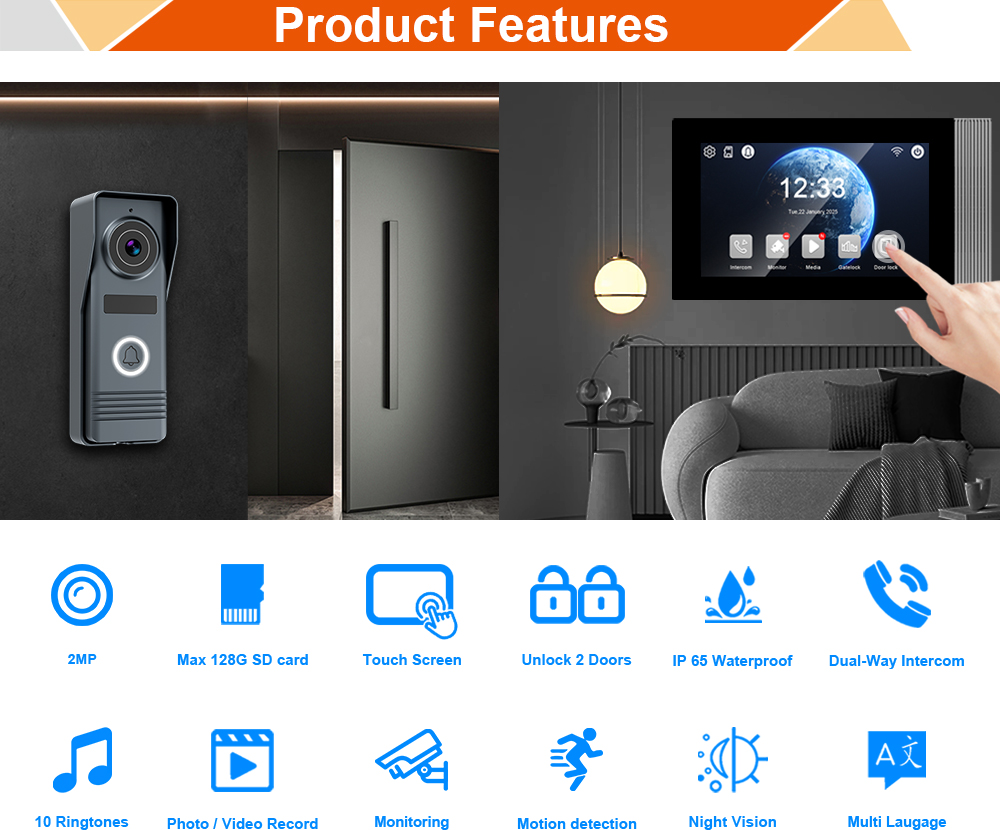
4. Smart Video Doorbell Features to Look for in 2025
The smart home market is rapidly evolving, and video doorbells are no exception. For homeowners and video doorbell distributors alike, staying updated with the latest features can significantly impact product selection and customer satisfaction.
Must-Have Smart Doorbell Features in 2025
Whether you’re buying for personal use or sourcing products in bulk for resale, prioritize the following features:
| Feature | Description | Why It Matters |
|---|---|---|
| AI-Powered Motion Detection | Distinguishes between humans, vehicles, animals | Reduces false alarms |
| 2K or 4K Resolution | Higher video quality | Enhances facial and license plate recognition |
| Night Vision with IR or Color | Clear images in darkness | Protects your entryway 24/7 |
| Two-Way Audio | Talk to visitors or couriers | Improves communication and safety |
| Cloud & Local Storage Options | Video retention flexibility | Meets varied user needs |
| Battery & Wired Hybrid Power | Dual powering modes | Ensures continuous operation |
| Weatherproofing (IP65/IP66) | Protection against rain, snow, dust | Ideal for outdoor use |
| Smart Home Ecosystem Integration | Alexa, Google Home, Apple HomeKit | Offers voice control and automation |
| Tamper Alerts & Theft Protection | Sends alerts if device is removed | Enhances security and deterrence |
| Multi-User Access | Multiple family or staff members can access | Ideal for homes and businesses |
Features Tailored for B2B Use Cases
If you’re a video doorbell wholesaler, security integrator, or property developer, look for models that also offer:
- Multi-Doorbell Management Dashboard
- Customizable Firmware (for branding or regional compliance)
- ONVIF Protocol Support (for integration with NVR systems)
- Bulk Configuration Tools for large-scale deployments
Tip for B2B Buyers: Partner with a manufacturer like FARHD for access to OEM/ODM customization options, firmware tuning, and hardware flexibility.
5. Wired vs Wireless Video Doorbells: Pros and Cons
Choosing between a wired and wireless smart video doorbell depends on the installation environment, budget, and technical requirements. Here’s a breakdown to help both individual consumers and B2B smart doorbell suppliers make the right choice.
Comparison Table: Wired vs Wireless Smart Doorbells
| Criteria | Wired Doorbell | Wireless Doorbell |
|---|---|---|
| Power Source | Existing electrical wiring | Rechargeable battery or solar |
| Installation Complexity | Moderate (requires wiring) | Easy (no wiring needed) |
| Reliability | High; consistent power | Depends on battery life |
| Video Quality | Usually higher | Comparable, varies by model |
| Maintenance | Low | Requires battery charging |
| Ideal Use Case | Permanent homes, new builds | Rentals, apartments, retrofits |
| Integration | Seamless with existing chimes | May need wireless chime module |
| Cost (B2B Bulk) | Medium to high | Low to medium |
B2B Considerations
- Wired Models are ideal for:
- New residential developments
- Commercial buildings with existing wiring
- Long-term installations where maintenance should be minimal
- Wireless Models are ideal for:
- Rental properties and temporary setups
- Retail sales where DIY installation is key
- International shipments where power standards vary
For a complete solution, some manufacturers like FARHD offer both wired and hybrid models designed for villa and apartment systems with modular expansion options.
6. How to Use a Smart Doorbell with Alexa or Google Home
For consumers and smart home integrators, seamless integration with voice assistants is a major selling point. Let’s explore how to set up and use video doorbells with Alexa and Google Home.
Alexa Integration
Most modern smart doorbells are compatible with Amazon Alexa. Here’s how to set it up:
- Install the Native App: Set up your doorbell using the manufacturer’s app.
- Enable the Skill: Open Alexa app → Skills & Games → Search for your doorbell brand → Enable it.
- Link Account: Log in to your doorbell account to authorize Alexa.
- Discover Devices: Alexa will automatically detect and add your doorbell.
- Use Commands:
- “Alexa, show the front door.”
- “Alexa, talk to the visitor at the front door.”
Google Home Integration
Similar to Alexa, Google Home allows you to control and view your doorbell feed.
- Open Google Home App.
- Tap ‘+’ to Add Device.
- Choose ‘Works with Google’ and search for your doorbell.
- Log in and Authorize.
- Use Voice Commands:
- “Hey Google, show me the front door.”
- “Hey Google, talk to the front door.”
B2B Relevance
If you’re a video doorbell OEM supplier, make sure your product supports:
- RTSP or WebRTC protocols
- API/SDK for third-party integrations
- Dual-platform compatibility (Alexa & Google)
This is particularly important for distributors targeting markets in North America and Europe, where voice assistant usage is high.
Pro Tip: When sourcing from manufacturers like FARHD, you can request firmware integrations preloaded to optimize compatibility with smart ecosystems.
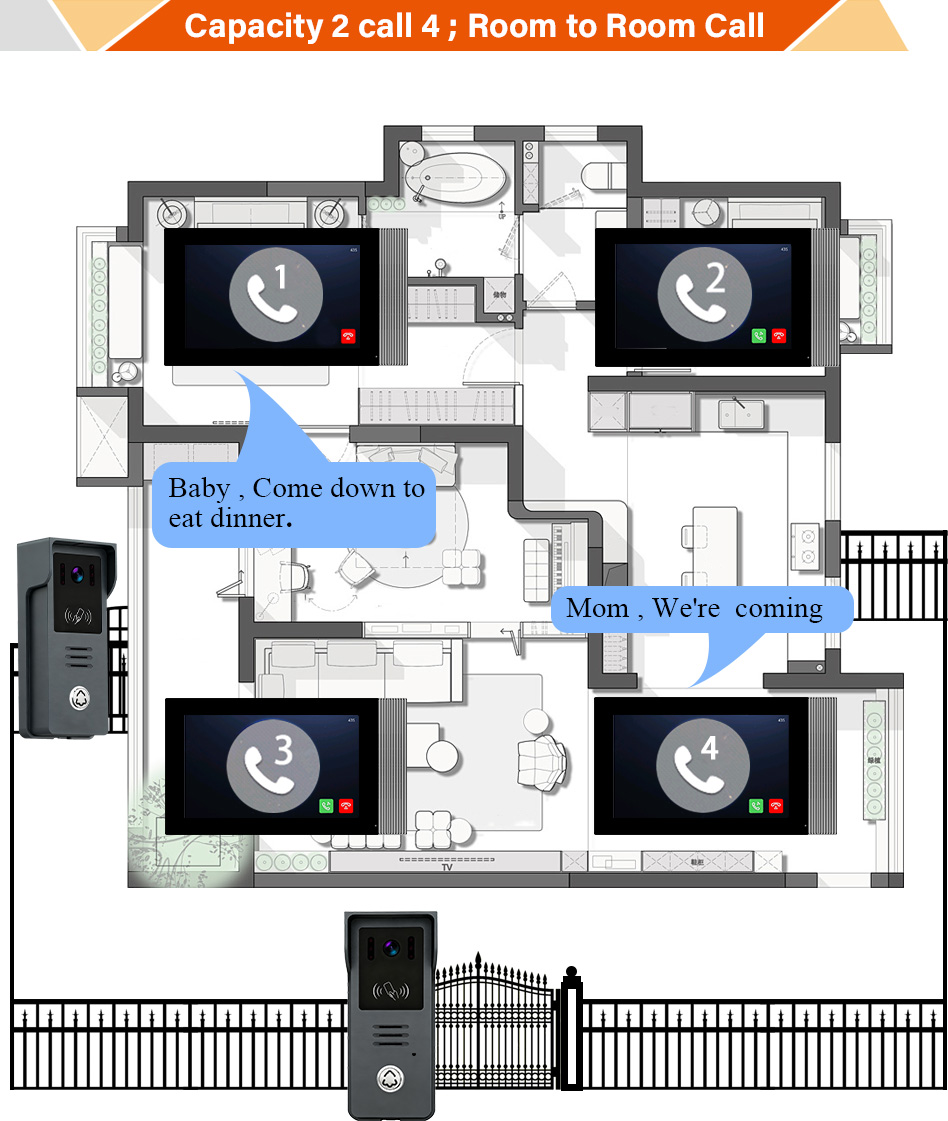
7. Best Smart Video Doorbells for Home and Business Use
Choosing the right smart video doorbell depends on the use case—whether you’re a homeowner, a landlord, or a video doorbell distributor sourcing for resale. Below is a curated list of top-performing models for 2025, categorized by purpose and market segment.
For Residential Use
| Brand | Model | Key Features | Market Position |
|---|---|---|---|
| Ring | Video Doorbell Pro 2 | 1536p HD, Alexa integration, 3D motion detection | Premium |
| Eufy | Video Doorbell Dual | Dual-camera, AI detection, no subscription | High-end |
| Google Nest | Nest Doorbell (Battery) | 24/7 streaming, Google Assistant | Mid-range |
| Arlo | Essential Video Doorbell | HD video, direct-to-mobile calls | Mid-range |
For Commercial or Multi-Family Installations
| Brand | Model | Key Features | Market Position |
|---|---|---|---|
| FARHD | 4-Wire Villa Intercom Series | Integrated LCD display, indoor monitor, access control | Enterprise-grade |
| FARHD | Multi-Apartment Intercom Kit | Supports up to 999 units, modular installation, elevator control | High-density buildings |
| DoorBird | IP Video Door Station | IP65, PoE, remote access | Premium commercial |
| Akuvox | R20 Series | SIP protocol, access control integration | Commercial/Office |
Why FARHD Stands Out for B2B Buyers
Shenzhen FARHD Tech Co., Ltd. (FARHD) is a leader in OEM/ODM video doorbell manufacturing, offering scalable, high-quality, and customizable solutions for global markets.
FARHD Highlights:
- 13 production lines in a 5,500m² factory
- 60%+ China market share, strong presence in Italy, Korea, Turkey
- End-to-end manufacturing: from LCD modules to complete intercom systems
- ISO 9001, CE, ROHS, FCC, SGS certified
- R&D-driven, with vertical supply chain integration
FARHD offers comprehensive solutions for:
- Smart home brands looking to private label
- Property developers building integrated access control
- Security system distributors in need of bulk, ready-to-install kits
Explore their full range of smart video intercom products for residential and commercial applications.
8. Top Smart Video Doorbell OEM Manufacturer: Why Choose FARHD
If you’re a B2B buyer, security solution integrator, or distributor looking for a trusted OEM partner, FARHD is the go-to name in China. Here’s why:
What Makes FARHD Unique?
| Feature | Benefit |
|---|---|
| Complete Manufacturing Control | From LCD to finished intercom ensures consistent quality |
| OEM/ODM Services | Custom hardware, firmware, branding |
| Global Certifications | ISO 9001, CE, ROHS, FCC, SGS |
| R&D Capabilities | 260+ employees with a dedicated innovation team |
| Advanced Equipment | YAMAHA SMT lines ensure precision and scale |
| After-Sales Support | Global service network and technical support |
Core Offerings
- OEM Smart Doorbell with App Integration
- 4-Wire and IP Villa Intercom Systems
- Multi-Apartment Intercom Kits
- LCD/LCM Modules for Custom Displays
- Battery and Wired Hybrid Solutions
- AI-Powered Smart Access Control
Ideal For:
- Private label brands seeking fast time-to-market
- Smart home system integrators needing embedded solutions
- Real estate developers building smart communities
- Retailers sourcing bulk smart doorbells at competitive prices
Get in touch with FARHD through their contact page to request a quote, sample, or OEM consultation.
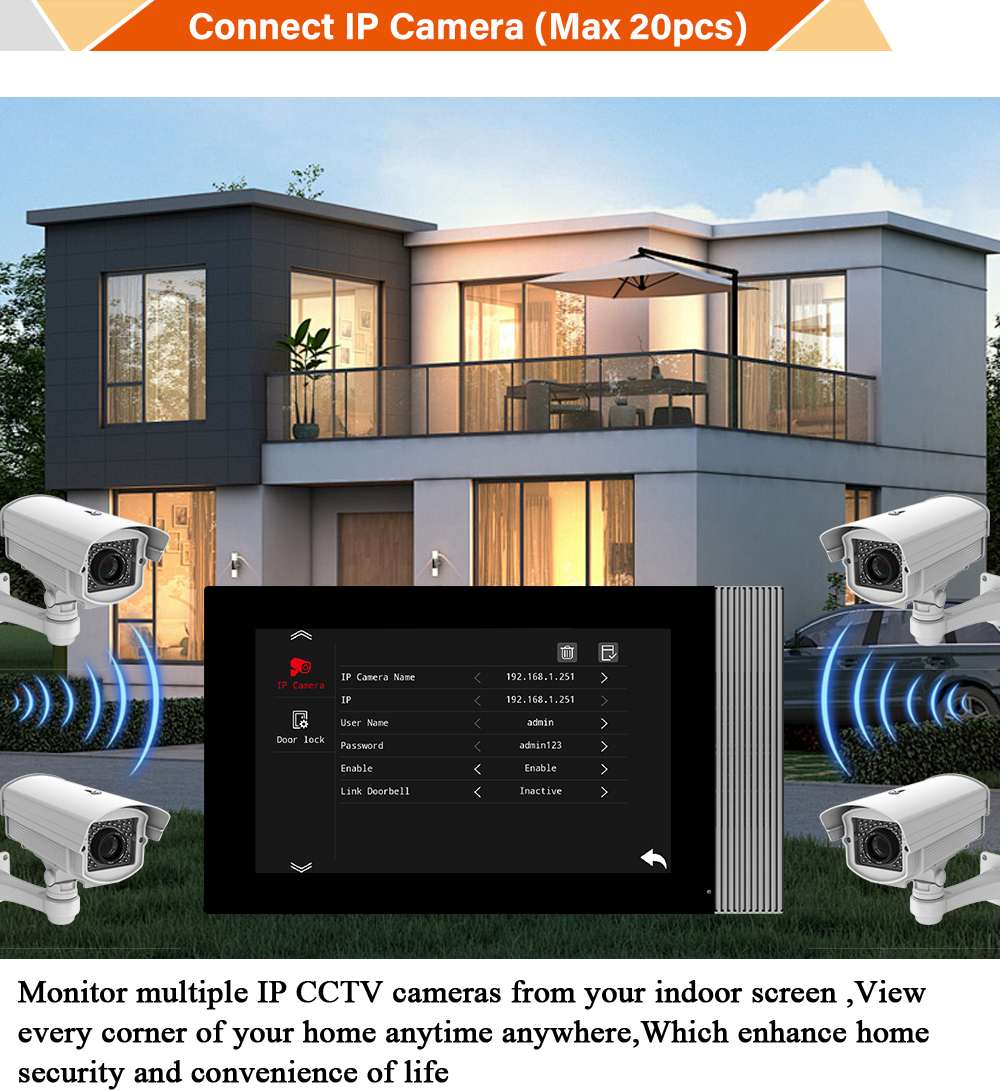
9. FAQ: Replacing a Wired Doorbell with a Smart Doorbell
Q1: Can I use the existing doorbell wiring for my new smart doorbell?
A: Yes, most smart doorbells are designed to be compatible with standard 16–24V AC wiring from traditional setups.
Q2: Do I need a subscription to use smart doorbells?
A: Not always. Brands like Eufy and FARHD offer local storage options, while others like Ring or Arlo may charge for cloud storage.
Q3: What if my doorbell is not near my WiFi router?
A: Use a WiFi extender or mesh system to improve signal strength. Some models also support PoE (Power over Ethernet) for a wired connection.
Q4: Is a wired or wireless doorbell better for rental properties?
A: Wireless models are ideal because they’re easier to install and remove without damaging the property.
Q5: Can I integrate smart doorbells into my existing security system?
A: Yes, many doorbells support RTSP, ONVIF, or proprietary protocols for integration. FARHD offers customizable firmware for this purpose.
Q6: How secure are smart video doorbells?
A: Look for models with end-to-end encryption, two-factor authentication, and tamper alerts. Always change default passwords and keep firmware updated.
Looking to future-proof your security system or launch your own smart doorbell brand? Partner with FARHD, the trusted name in global OEM video doorbell manufacturing, and gain access to high-performance hardware, expert R&D, and unmatched supply chain control.
🛠️ Ready for wholesale quote or sample testing? Contact FARHD now and start building your smart security ecosystem today.
You may also Interest
-

FARHD to Showcase All-Climate Technology at 2026 China Security Expo, Empowering Smart Communities in Northern China
From November 3 to 6, 2026, FARHD, a global leader in smart security and communication solutions, will unveil its full range of products deeply optimized for the harsh winter conditions of northern China at the 18th China International Social Public Security Products Expo (Security China). Under the theme “Digital Intelligence World, Total Security,” the expo…
-

FARHD to Showcase All-Climate Hard-Tech Solutions at Securika Moscow 2026
From April 22 to 24, 2026, FARHD, a global leader in smart security and communication solutions, will unveil its full range of products engineered for extreme climates at Securika Moscow 2026, held at Crocus Expo in Moscow, Russia. At booth A-9101, FARHD will present its smart intercom, access control, and smart home solutions—all deeply optimized…
-

FARHD Honored with Multiple Prestigious Awards in China’s Building Intercom Industry, 28 Years of Deep Engagement in the Chinese Market Solidifying Its Position as a Leading Brand
Recently, in the annual selection event jointly organized by the China Security and Protection Industry Association and multiple authoritative media outlets, FARHD, by virtue of its profound industry experience, outstanding technological innovation capabilities, and extensive market recognition, was awarded the prestigious “Most Influential Brand in China’s Building Intercom Industry” . These accolades not only affirm FARHD’s 28…
-

FARHD Honored with Multiple Prestigious Awards in China’s Building Intercom Industry, 28 Years of Deep Engagement in the Chinese Market Solidifying Its Position as a Leading Brand
Recently, in the annual selection event jointly organized by the China Security and Protection Industry Association and multiple authoritative media outlets, FARHD, by virtue of its profound industry experience, outstanding technological innovation capabilities, and extensive market recognition, was awarded the prestigious “National Top 10 Quality Brands in the Security Industry” . These accolades not only affirm FARHD’s…



