
Cómo Restablecer un Timbres Inteligente: Guía Completa para Propietarios e Instaladores
noviembre 26, 2025
Comparte este artículo

1. ¿Qué es un Timbres Inteligente y Por Qué Podrías Necesitar Restablecerlo?
A timbre inteligente es un dispositivo habilitado para Wi-Fi que permite a propietarios de hogares o negocios ver, oír y hablar con visitantes en su puerta a través de un smartphone o tablet. Estos dispositivos suelen incluir cámaras de video HD, audio bidireccional, visión nocturna y detección de movimiento.
Aunque los timbres inteligentes están diseñados para fiabilidad y conveniencia, hay situaciones en las que un restablecimiento se hace necesario:
- El dispositivo no responde
- Las configuraciones de red necesitan cambiarse
- Estás transfiriendo la propiedad a un nuevo usuario
- No se sincroniza correctamente con la app
- Estás resolviendo problemas de conectividad o funcionalidad
Restablecer un timbres inteligente puede devolverlo a configuraciones de fábrica, borrando todas las configuraciones previas, incluidas credenciales de Wi-Fi, ajustes de usuario y preferencias guardadas.
Características Clave de un Timbres Inteligente:
| Característica | Descripción |
|---|---|
| HD Vídeo | Permite monitoreo de video en tiempo real en alta resolución |
| Audio bidireccional | Te permite comunicarte con visitantes a través de la app |
| Detección de movimiento | Te alerta cuando se detecta movimiento cerca de tu puerta |
| Almacenamiento en la nube o local | Guarda grabaciones para revisión |
| Integración de aplicaciones | Se sincroniza con apps móviles y plataformas de hogar inteligente como Alexa o Google Home |
| Visión nocturna | Proporciona visibilidad en entornos de baja luz |
2. Razones Comunes para Restablecer un Timbres de Video Inteligente
Ya sea que seas un propietario, administrador de propiedades o distribuidor de timbres con vídeo, entender cuándo y por qué restablecer un timbres inteligente es crucial. Aquí están los escenarios más comunes:
A. Problemas de Conectividad
Si tu timbres se desconecta frecuentemente o falla en conectarse a Wi-Fi, un restablecimiento puede ayudar a restablecer una conexión limpia.
B. Mal funcionamiento del Dispositivo
Botones no responsivos, feeds de video congelados o fallos en la app pueden requerir un restablecimiento completo.
C. Cambiar Redes Wi-Fi
Al mudarte a un nuevo hogar o cambiar tu router, restablecer el timbres permite reconfigurarlo con una nueva red.
D. Transferir Propiedad
Si estás vendiendo o regalando el dispositivo, un restablecimiento asegura que el nuevo usuario obtenga un lienzo limpio.
E. Actualizaciones de Software que Salen Mal
A veces, las actualizaciones pueden causar problemas de compatibilidad o errores. Un restablecimiento puede eliminar datos corruptos y restaurar el rendimiento óptimo.
Escenarios de Uso para Compradores Empresariales:
| Escenario B2B | Beneficio del Restablecimiento |
|---|---|
| Empresas de gestión de propiedades | Restablecer dispositivos entre cambios de inquilinos |
| Instaladores de hogares inteligentes | Asegurar instalación y configuración limpias |
| Integradores de sistemas de seguridad | Resolver problemas de conectividad a nivel de sistema |
| Compradores OEM/ODM | Probar funcionalidad de restablecimiento durante control de calidad |
| Distribuidores al por mayor | Ofrecer soporte de resolución de problemas amigable para el cliente |
3. Cómo Restablecer un Timbres Inteligente: Instrucciones Paso a Paso para Marcas Populares
Restablecer un timbres inteligente varía ligeramente según la marca y modelo. A continuación, se detallan los procesos generales de restablecimiento para algunas de las marcas de timbres más reconocidas:
A. Timbres de Video Ring
Restablecimiento Suave:
- Abre la app Ring
- Navega a los ajustes del dispositivo
- Elige “Eliminar Dispositivo”
- Reconecta usando la nueva red o cuenta
Restablecimiento Duro:
- Presiona y mantén el botón naranja en la parte trasera por 15 segundos
- Suelta y espera a que la luz parpadee, indicando un restablecimiento
B. Timbres de Video Arlo
- Presiona el botón de restablecimiento en la parte trasera por 10 segundos
- Espera a que el LED parpadee en ámbar
- Vuelve a agregar el dispositivo en la app Arlo
C. Timbres Inteligente Eufy
- Localiza el botón de sincronización/restablecimiento
- Presiona y mantén por 10 segundos
- El LED se pondrá rojo, indicando un restablecimiento exitoso
- Reconecta a través de la app Eufy Security
D. Timbres Google Nest
- Elimina el dispositivo de la app Nest
- Presiona y mantén el orificio de restablecimiento por 10 segundos
- Espera un timbre y luz parpadeante
- El timbres ahora está restablecido
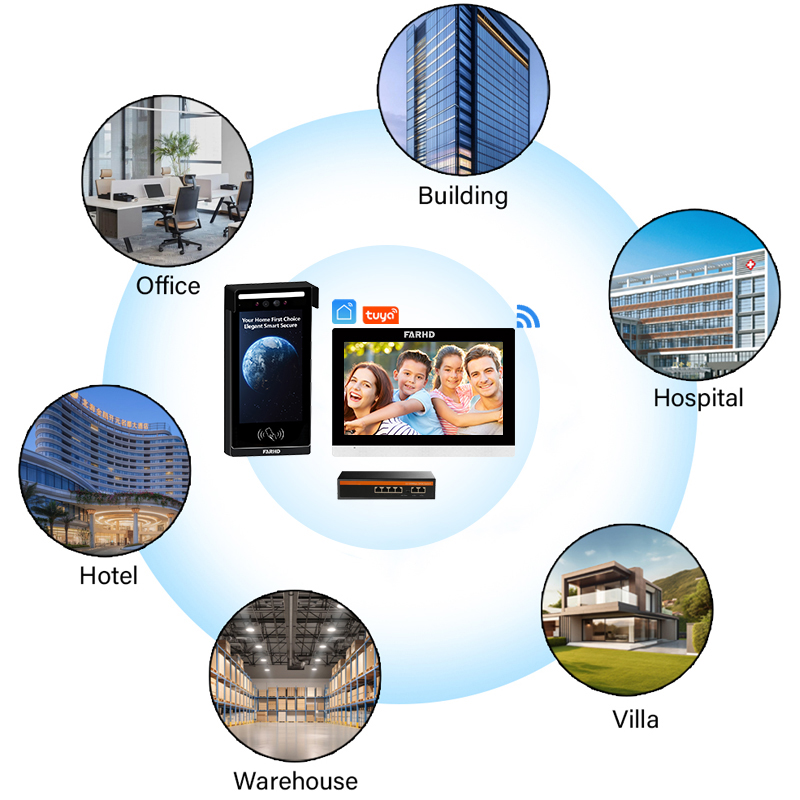
E. Timbrés de Video Inteligentes FARHD
Como un premium fabricante de timbres inteligentes OEM/ODM, FARHD diseña sus timbres inteligentes con funciones de restablecimiento amigables para el usuario:
- Presiona y mantén el botón multifunción por 12 segundos
- El indicador LED cambia de azul sólido a rojo parpadeante
- El dispositivo se reinicia y regresa a configuraciones de fábrica
- Reconecta vía la app móvil FARHD o integración de terceros
Soluciones personalizadas para su segmento de mercado Soluciones de timbres inteligente FARHD diseñadas para aplicaciones tanto residenciales como comerciales.
Comparación de Tiempo de Restablecimiento por Marca:
| Marca | Método de Restablecimiento | Tiempo Promedio de Restablecimiento | App requerida |
|---|---|---|---|
| Ring | Botón + App | 2-3 minutos | Sí |
| Arlo | Botón | 1-2 minutos | Sí |
| Eufy | Botón de Sincronización | 2 minutos | Sí |
| Nido de Google | Pin de Restablecimiento + App | 3-4 minutos | Sí |
| FARHD | Botón + App | 1-2 minutos | Opcional |
Mejores Prácticas Durante el Restablecimiento:
- Asegúrate de que el timbres esté encendido
- Ten a mano tus credenciales de Wi-Fi para la reconexión
- Asegúrate de que tu teléfono tenga la versión más reciente de la app
- Mantente cerca del dispositivo durante el restablecimiento
4. ¿Retienen Datos los Timbrés Inteligentes Después de un Restablecimiento? Explicación de Privacidad y Seguridad
Una de las principales preocupaciones tanto para usuarios individuales como para compradores B2B de timbres inteligentes—incluyendo desarrolladores de propiedades, integradores de seguridad y distribuidores al por mayor— es retención de datos y privacidad durante y después de un restablecimiento de fábrica.
A. ¿Qué Sucede con Tus Datos al Restablecer?
Cuando un timbres inteligente se restablece a configuraciones de fábrica, típicamente elimina todo:
- Credenciales de usuario
- Configuraciones de Wi-Fi
- Grabaciones de video (si se almacenan localmente)
- Preferencias personalizadas (zonas de movimiento, tonos de llamada, etc.)
- Cuentas vinculadas y ajustes de app
Sin embargo, datos almacenados en la nube pueden seguir retenidos en tu cuenta a menos que se eliminen manualmente. Esto es particularmente importante para el cumplimiento de RGPD y leyes de privacidad de datos en Europa y Norteamérica.
B. Almacenamiento Local vs Almacenamiento en la Nube
| Tipo de almacenamiento | Retención Después del Restablecimiento | Control de acceso | Caso de uso B2B |
|---|---|---|---|
| Tarjeta SD local | Los datos permanecen a menos que se retire o formatee la tarjeta | Requiere acceso físico | Bueno para alquileres o modelos de bajo costo |
| Almacenamiento en la nube | Los datos pueden permanecer en la cuenta a menos que se eliminen | Basado en la aplicación | Mejor para acceso a flota y respaldos |
| Modelos Híbridos | Combinación de ambos | Flexible | Ideal para integradores y compradores OEM |
C. Consejos de Privacidad para Usuarios Finales e Instaladores
- Elimina manualmente los datos en la nube antes de restablecer
- Elimina dispositivos/cuentas vinculadas en la app móvil
- Formatea la tarjeta SD si el dispositivo soporta almacenamiento local
- Cambia contraseñas y revoca permisos de app si el dispositivo fue comprometido
D. Compromiso de FARHD con la Seguridad de Datos
FARHD toma la privacidad de datos en serio al ofrecer firmware personalizable que se adhiere a estrictos protocolos de seguridad. Para clientes empresariales y revendedores, FARHD proporciona:
- Opciones seguras de borrado de datos en firmware OEM
- Integración con nube privada para empresas que necesitan acceso exclusivo
- Permisos multiusuario para instalaciones grandes (p. ej., apartamentos u oficinas)
- Cumplimiento con RGPD, CE, FCCy ROHS estándares
🔐 Para clientes OEM/ODM, FARHD ofrece personalización de firmware para cumplir con las políticas de retención de datos regulatorias en su región.
5. Reinicio de Timbre Inteligente con Cable vs. Inalámbrico: ¿Hay Diferencias?
Sí, los timbres inteligentes con cable e inalámbricos suelen tener procedimientos de reinicio diferentes debido a cómo se alimentan y conectan. Conocer las diferencias es crucial para instaladores, proveedoresy proveedores de soluciones para el hogar inteligente.
A. Diferencias en la Fuente de Alimentación
| Tipo de Timbre | Fuente de energía | Complejidad del Reinicio | Caso de Uso Común |
|---|---|---|---|
| Cableado | Conectado directamente al transformador del timbre | Medio | Instalaciones permanentes, villas |
| Inalámbrico | Alimentado por batería o USB | Fácil | Unidades de alquiler, apartamentos, casas móviles |
B. Consideraciones para el Reinicio de Timbre con Cable
- A menudo requiere quitar la placa frontal para acceder al botón de reinicio
- Puede implicar apagar la energía en el interruptor de circuito
- Los modelos con cable suelen requerir reconexión basada en app después del reinicio
C. Consideraciones para el Reinicio de Timbre Inalámbrico
- Generalmente más fácil de reiniciar con un solo botón
- Las unidades alimentadas por batería se pueden quitar y reiniciar en interiores
- Reconexión más rápida ya que no están atadas a una fuente de energía fija
D. Desde la Perspectiva de un Proveedor
Si eres un proveedor o distribuidor de timbres con vídeo, ofrecer ambos tipos asegura que satisfaga las diversas necesidades de los clientes:
| Tipo de negocio | Tipo de timbre recomendado | Simplicidad del Reinicio | Consideración para compras al por mayor |
|---|---|---|---|
| Complejos de apartamentos | Cableado | Moderada | Considere el tiempo de instalación |
| Empresas de gestión de propiedades | Inalámbrico | Alta | Más fácil de reemplazar/restablecer |
| Vendedores OEM de hogares inteligentes | Ambos | Varía | Flexibilidad de mercado |
E. Diseño de doble alimentación de FARHD
FARHD ofrece tanto modelos cableados como inalámbricos optimizados para restablecimiento y reconfiguración fáciles, incluso en implementaciones a gran escala. Esto es especialmente beneficioso para clientes B2B que necesitan:
- Restablecer dispositivos de forma remota a través de la aplicación
- Realizar restablecimientos rápidos sin quitar el dispositivo
- Instalar dispositivos en masa sin instrucciones complejas
🔧 Aprenda más sobre los sistemas de timbre cableado de FARHD ideales para edificios residenciales y comerciales de alta gama.
6. Consejos de resolución de problemas antes de realizar un restablecimiento completo
Antes de proceder con un restablecimiento de fábrica completo, puede querer probar los siguientes pasos de resolución de problemas para resolver problemas menores. Estas estrategias son útiles para propietarios de viviendas, instaladores y equipos de soporte al cliente.
A. Problemas comunes y soluciones rápidas
| Edición | Consejo de resolución de problemas |
|---|---|
| El timbre no se conecta al Wi-Fi | Reinicia el router, asegúrate de que la banda de 2.4 GHz esté activada |
| La transmisión de video está en blanco o con retrasos | Verifica actualizaciones de la app, cierra y vuelve a abrir la aplicación |
| La detección de movimiento no funciona | Ajusta las zonas de movimiento o la sensibilidad en la app |
| El audio está distorsionado o silenciado | Verifica los permisos del micrófono en la configuración de la app |
| La batería se agota demasiado rápido | Desactiva la grabación continua, reduce la sensibilidad de movimiento |
B. Cuándo reiniciar frente a cuándo resolver problemas
| Situación | Acción recomendada |
|---|---|
| Nueva configuración de Wi-Fi | Reinicia y reconfigura |
| La app no se sincroniza | Resuelve problemas primero |
| Múltiples funciones no funcionan | Se recomienda reiniciar |
| El dispositivo está congelado o no responde | Reinicio completo |
| Transferencia de propiedad | Reinicio de fábrica completo |
C. Para socios B2B y distribuidores
Si estás gestionando múltiples instalaciones, como en hoteles o comunidades cerradas, minimizar los reinicios innecesarios puede reducir la carga de trabajo de soporte.
- Usa las herramientas de diagnóstico remoto de FARHD para evaluar el estado del dispositivo
- Capacita a los instaladores en pasos de resolución de problemas escalonados
- Proporciona manuales fáciles de usar para los usuarios finales
📘 Para guías de instalación empresarial y herramientas de reinicio remoto, contacta al equipo de soporte de FARHD.

7. Cómo elegir un timbre inteligente fácil de mantener y reiniciar
Ya seas un propietario de vivienda que busca simplificar la configuración de su hogar inteligente o un comprador B2B evaluando inventario para reventa, elegir un timbre inteligente que sea fácil de reiniciar y mantener puede afectar significativamente la satisfacción a largo plazo, las demandas de soporte al cliente y la eficiencia de instalación.
A. Criterios clave para un mantenimiento fácil
Al seleccionar un timbre inteligente, especialmente en escenarios B2B o de compra al por mayor, considera las siguientes características que contribuyen a un diseño de bajo mantenimiento y amigable para el usuario:
| Característica | Por qué es importante |
|---|---|
| Reinicio de fábrica con un botón | Reduce las llamadas de soporte y simplifica la resolución de problemas |
| Reinicio remoto basado en app | Esencial para administradores de propiedades e implementaciones remotas |
| Indicadores LED claros | Ayuda a los usuarios a entender el estado del dispositivo de inmediato |
| Flexibilidad entre batería y cableado | Permite un reemplazo o servicio fácil |
| Componentes modulares | Permite reemplazos de partes sin cambiar la unidad completa |
| Soporte para actualizaciones de firmware | Mantiene los dispositivos seguros sin intervención manual |
B. Ideal para instaladores y distribuidores
Si eres un instalador, distribuidor o integrador de timbres inteligentes, la facilidad de reinicio puede tener un impacto directo en:
- Tiempo de instalación
- Satisfacción del cliente
- Costos de soporte técnico
- Tasas de devolución por dispositivos "defectuosos"
Al elegir modelos que admitan reinicio y diagnósticos remotos, las empresas pueden escalar sus instalaciones mientras minimizan la sobrecarga de mantenimiento.
C. Mejores prácticas para compradores B2B
| Práctica | Beneficio |
|---|---|
| Solicita una demostración o unidad de prueba | Evalúa la facilidad de uso y funcionalidad de reinicio antes de comprometerte con compras al por mayor |
| Capacita a tus equipos de soporte | Asegúrate de que puedan guiar a los usuarios finales a través de reinicios sin visitas al sitio |
| Opta por manuales y guías con marca | Reduce la confusión del usuario y aumenta la satisfacción con el producto |
| Elige proveedores con personalización | Permite la marca y simplificación de la interfaz de usuario para tu mercado |
D. Por qué FARHD destaca
Como líder fabricante de timbres inteligentes OEM/ODM, FARHD proporciona sistemas de timbres inteligentes que son:
- Diseñados con funcionalidad de reinicio con un botón herramientas de gestión remota
- Equipado con para uso empresarial Construidos con
- arquitectura de hardware modular para servicio en campo firmware y manuales de etiqueta blanca
- Compatible con para distribuidores Estas características hacen de FARHD un socio ideal para:
Distribuidores mayoristas
- Integradores de sistemas de seguridad
- Proveedores de soluciones para el hogar inteligente
- Promotores inmobiliarios
- 🛠️ Explora cómo
puede ayudarte a desarrollar una línea de timbres inteligentes con marca propia incorporando facilidad de mantenimiento. Capacidades OEM/ODM de FARHD 8. Timbre inteligentes al por mayor y OEM con funciones de reinicio fácil
, como revendedor, instalador de seguridad o marca de hogar inteligente, obtener timbres de video inteligentes que sean tanto
Si eres un Comprador B2Btécnicamente confiables amigables para el usuario y es esencial para el éxito empresarial a largo plazo. A. Lo que buscan los compradores B2B
Los compradores de alto volumen y distribuidores priorizan:
Facilidad de instalación y reinicio
- Marca personalizada (etiqueta privada/OEM)
- Certificaciones (CE, FCC, ROHS, ISO)
- Escalabilidad de producción
- Soporte postventa y logística
- B. FARHD: Un fabricante OEM/ODM confiable
es el principal fabricante OEM/ODM de China para timbres inteligentes y sistemas de intercomunicación. Como proveedor de soluciones integradas verticalmente, FARHD ofrece:
Shenzhen FARHD Tech Co., Ltd. Ventaja para compradores B2B
| Característica | Tarifas competitivas para pedidos al por mayor y en bulk |
|---|---|
| Producción de extremo a extremo | Desde módulos LCD hasta sistemas completos de timbre |
| Precios directos de fábrica | Soporte para etiqueta blanca |
| Soluciones listas para marcar para revendedores y startups | Manufactura certificada CE, FCC, ROHS, ISO 9001, SGS |
| Certificaciones mundiales | Equipo dedicado de I+D |
| Firmware y funciones de app personalizadas para mercados regionales | Mecanismos de reinicio fácil |
| Reduce los requisitos de soporte postventa | 📦 Explora |
modelos de timbres inteligentes disponibles para compra al por mayor, marca OEM y integración personalizada. catálogo de productos de FARHD C. Casos de uso ideales B2B
Industria/Aplicación
| Beneficio del timbre inteligente de FARHD | Integración fluida en hogares inteligentes y apartamentos |
|---|---|
| : Ring para sistemas integrados con | Operadores de telecomunicaciones |
| Servicios de hogar inteligente empaquetados con necesidades mínimas de soporte | Instaladores de sistemas de seguridad |
| Configuración rápida, reinicio fácil y diagnósticos remotos | Minoristas de comercio electrónico (etiqueta privada) |
| Entrada rápida al mercado con soluciones listas para marcar | Control centralizado y reinicio para múltiples unidades |
| Empresas de gestión de propiedades | 9. Preguntas frecuentes sobre el reinicio de timbres inteligentes |
P1: ¿Reiniciar mi timbre inteligente eliminará todos mis videos guardados?
Si tus videos se almacenan localmente en una tarjeta SD, podrían permanecer a menos que se formatee la tarjeta. Para almacenamiento en la nube, los videos permanecerán en tu cuenta en la nube a menos que se eliminen manualmente.
R: P2: ¿Necesito reiniciar mi timbre al cambiar la red Wi-Fi?
Sí. La mayoría de los timbres inteligentes requieren reinicio o reconfiguración al cambiar a una nueva red Wi-Fi, especialmente si el SSID o la contraseña han cambiado.
R: P3: ¿Cómo sé si el reinicio de mi timbre fue exitoso?
La mayoría de los dispositivos parpadearán una secuencia específica de luces LED (como parpadeo rojo o azul) y emitirán un sonido para confirmar un reinicio exitoso.
R: P4: ¿Es seguro comprar un timbre inteligente OEM?
Absolutamente, siempre y cuando provenga de un fabricante confiable como FARHD. Proporcionan productos certificados globalmente con personalización completa OEM/ODM y cumplimiento normativo.
R: P5: ¿Puedo realizar un reinicio de forma remota?
Algunos modelos avanzados, especialmente los de FARHD, permiten reinicio remoto a través de su app propietaria o sistemas de control integrados, ideal para la gestión de múltiples unidades.
R: 🔚 Reflexiones finales y llamada a la acción
Reiniciar un timbre inteligente es un aspecto fundamental pero a menudo pasado por alto de la usabilidad del producto, especialmente a escala. Ya seas un propietario de vivienda resolviendo problemas en un dispositivo o un distribuidor planificando un lanzamiento regional, elegir un timbre inteligente con opciones de reinicio accesibles ahorra tiempo, dinero y frustración.
no solo fabrica timbres inteligentes de alta calidad, sino que también integra funcionalidad de reinicio fácil y características de grado empresarial en cada producto.
FARHD ✅ ¿Interesado en timbres inteligentes de etiqueta privada o OEM?
✅ ¿Necesitas una solución amigable con reinicios para tu proyecto de integración de hogar inteligente?
✅ ¿Quieres reducir costos de soporte e aumentar la satisfacción del cliente?
Contacta al equipo de FARHD hoy
👉 para precios al por mayor, opciones de personalización y muestras de productos! 7. Cómo elegir un timbre inteligente fácil de mantener y reiniciar
También le puede interesar
-

FARHD to Showcase All-Climate Technology at 2026 China Security Expo, Empowering Smart Communities in Northern China
From November 3 to 6, 2026, FARHD, a global leader in smart security and communication solutions, will unveil its full range of products deeply optimized for the harsh winter conditions of northern China at the 18th China International Social Public Security Products Expo (Security China). Under the theme “Digital Intelligence World, Total Security,” the expo…
-

FARHD to Showcase All-Climate Hard-Tech Solutions at Securika Moscow 2026
From April 22 to 24, 2026, FARHD, a global leader in smart security and communication solutions, will unveil its full range of products engineered for extreme climates at Securika Moscow 2026, held at Crocus Expo in Moscow, Russia. At booth A-9101, FARHD will present its smart intercom, access control, and smart home solutions—all deeply optimized…
-

FARHD Honored with Multiple Prestigious Awards in China’s Building Intercom Industry, 28 Years of Deep Engagement in the Chinese Market Solidifying Its Position as a Leading Brand
Recently, in the annual selection event jointly organized by the China Security and Protection Industry Association and multiple authoritative media outlets, FARHD, by virtue of its profound industry experience, outstanding technological innovation capabilities, and extensive market recognition, was awarded the prestigious “Most Influential Brand in China’s Building Intercom Industry” . These accolades not only affirm FARHD’s 28…
-

FARHD Honored with Multiple Prestigious Awards in China’s Building Intercom Industry, 28 Years of Deep Engagement in the Chinese Market Solidifying Its Position as a Leading Brand
Recently, in the annual selection event jointly organized by the China Security and Protection Industry Association and multiple authoritative media outlets, FARHD, by virtue of its profound industry experience, outstanding technological innovation capabilities, and extensive market recognition, was awarded the prestigious “National Top 10 Quality Brands in the Security Industry” . These accolades not only affirm FARHD’s…



