
Los mejores lugares para instalar un sistema de interfono inalámbrico en casa
28 de noviembre de 2025
Comparte este artículo
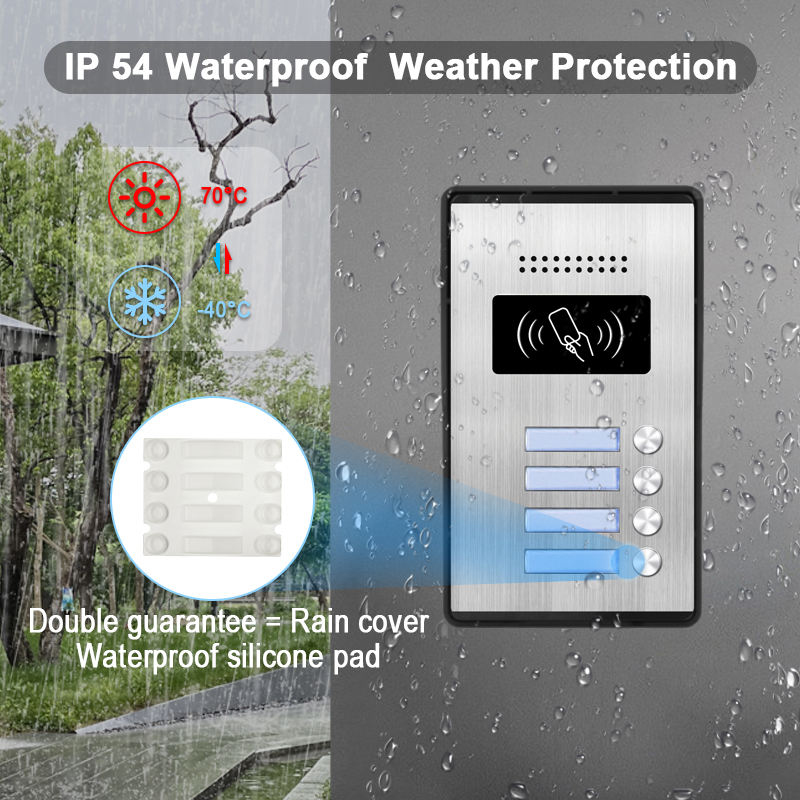
¿Qué es un sistema de intercomunicador inalámbrico y cómo funciona?
A sistema de intercomunicación inalámbrico es un dispositivo de comunicación que permite la transmisión de audio (y a menudo video) entre diferentes áreas de una propiedad sin necesidad de cableado extenso. Estos sistemas son populares tanto en edificios residenciales como comerciales, ofreciendo comodidad, seguridad e instalación fácil.
Componentes clave de un sistema de intercomunicador inalámbrico:
| Componente | Descripción |
|---|---|
| Unidad principal | El panel de control central, generalmente instalado en la puerta principal o la entrada principal |
| Subestaciones | Unidades adicionales colocadas en habitaciones o entradas secundarias |
| Cámara de video (opcional) | Captura video en tiempo real de visitantes o puntos de entrada |
| Micrófono y altavoz | Permite comunicación bidireccional |
| Módulo Wi-Fi o RF | Habilita la comunicación inalámbrica entre unidades |
Cómo funciona:
- El sistema utiliza Wi-Fi, comunicación por radiofrecuencia (RF)o Zigbee/Bluetooth para transmitir señales.
- Cuando alguien presiona el timbre o el botón del intercomunicador, envía una señal a las unidades conectadas.
- El propietario puede responder mediante audio/video, otorgar acceso o monitorear la actividad de forma remota.
Características clave a buscar:
- Comunicación de audio bidireccional
- Integración con cámara de video
- Alertas de detección de movimiento
- Control mediante aplicación para smartphone
- Opciones con batería o enchufables
Los intercomunicadores inalámbricos son especialmente ideales para hogares de varios pisos, propiedades de alquiler y hogares inteligentes, donde la flexibilidad de instalación y la movilidad son una prioridad.
Beneficios clave de instalar intercomunicadores inalámbricos para la seguridad del hogar
Instalar un sistema de intercomunicadores inalámbricos ofrece más que solo comodidad: añade una capa significativa de seguridad del hogar. Ya sea que esté gestionando entregas, monitoreando niños o evaluando visitantes, las ventajas son numerosas.
1. Seguridad mejorada en la entrada
- Identificar visitantes antes de abrir las puertas.
- Prevenir accesos no autorizados con funciones de desbloqueo remoto.
- Integrar con cerraduras inteligentes para mayor protección.
2. Comunicación interna
- Ideal para hogares grandes o propiedades de varios pisos.
- Comunicar entre habitaciones sin gritar ni caminar de un lado a otro.
- Utilizar intercomunicadores en guarderías, oficinas en casa o sótanos para alertas rápidas.
3. Seguridad para ancianos y niños
- Los miembros ancianos de la familia pueden solicitar ayuda fácilmente desde cualquier habitación.
- Los padres pueden supervisar a los niños desde la distancia.
4. Integración con dispositivos de hogar inteligente
- Muchos intercomunicadores inalámbricos son compatibles con Alexa, Google Home y Apple HomeKit.
- Control mediante comandos de voz o aplicaciones móviles.
- Establecer reglas de automatización (por ejemplo, alerta cuando se detecta movimiento en la puerta principal).
5. Diseño de sistema escalable
- Fácilmente agregar o remover unidades a medida que evolucionan sus necesidades.
- Ideal para renovaciones, adiciones de habitaciones o unidades de alquiler.
Tabla de comparación de beneficios:
| 1–2 meses con sistemas modulares | Intercomunicador cableado | Intercomunicador inalámbrico |
|---|---|---|
| Instalación | Complejo e invasivo | Simple y no invasivo |
| Escalabilidad | Limitado | Alta escalabilidad |
| Integración inteligente | Limitado | Amplia compatibilidad |
| Portabilidad | Fijo | Móvil/Relocalizable |
| Coste | Generalmente más alto | Rentable |
Mejores ubicaciones para colocar unidades de intercomunicadores inalámbricos dentro de su hogar
La colocación estratégica de intercomunicadores inalámbricos puede mejorar enormemente tanto seguridad y comodidad. Aquí están las mejores ubicaciones interiores a considerar:
1. Cerca de la puerta principal o el vestíbulo de entrada
- Actúa como el centro de control principal para interacciones con visitantes.
- Debe ser fácilmente accesible para los miembros de la familia.
- Considere combinarlo con un sistema de videoportero para verificación visual.
2. Sala de estar o sala familiar
- Ubicación central donde ocurre la mayor parte de la actividad.
- Permite una comunicación rápida con otras habitaciones o la puerta principal.
- Puede usarse como una estación de monitoreo durante el tiempo de ocio.
3. Cocina
- La cocina suele ser el centro del hogar.
- Ideal para notificar a la familia cuando las comidas están listas o responder alertas de la puerta mientras se cocina.
4. Dormitorio principal
- Ofrece seguridad y comodidad, especialmente por la noche.
- Permite comunicación de emergencia durante las horas tardías.
- Útil para controlar funciones de hogar inteligente mediante voz o aplicación a través del intercomunicador.
5. Habitaciones de los niños
- Monitorear a los niños mientras juegan o duermen.
- Permite que los niños se comuniquen si necesitan ayuda sin salir de la habitación.
6. Oficina en casa
- Especialmente importante para trabajadores remotos o dueños de negocios.
- Evita interrupciones al permitir una comunicación controlada.
- Puede combinarse con cerraduras inteligentes o paneles de control de acceso.
Consejos de colocación:
- Evite colocar unidades cerca de electrodomésticos metálicos grandes o paredes gruesas que puedan causar interferencias.
- Monte las unidades a la altura de los ojos para una visualización fácil de la pantalla (si está habilitado para video).
- Asegúrese de que haya suficiente cobertura de Wi-Fi o intensidad de señal.
Guía de colocación en plano de piso de muestra:
| Habitación/Área | Tipo de intercomunicador recomendado | Finalidad |
|---|---|---|
| Entrada principal | Intercomunicador de video | Evaluación de visitantes, control de acceso remoto |
| Sala de estar | Intercomunicador de audio/video | Centro de comunicación central |
| Cocina | Intercomunicador de audio | Comodidad mientras se cocina |
| Dormitorios | Intercomunicador de audio | Comunicación de emergencia y rutinaria |
| Oficina en casa | Intercomunicador inteligente con control de aplicación | Interacciones profesionales y seguras |
Para aquellos que buscan sistemas de intercomunicadores de video inalámbricos de alta gama y escalables, FARHD ofrece soluciones completas OEM/ODM de intercomunicadores inteligentes adaptadas para hogares modernos y edificios inteligentes.
Los sistemas FARHD están diseñados con seguridad y flexibilidad en mente, ofreciendo una arquitectura modular avanzada e integración perfecta con el hogar inteligente.
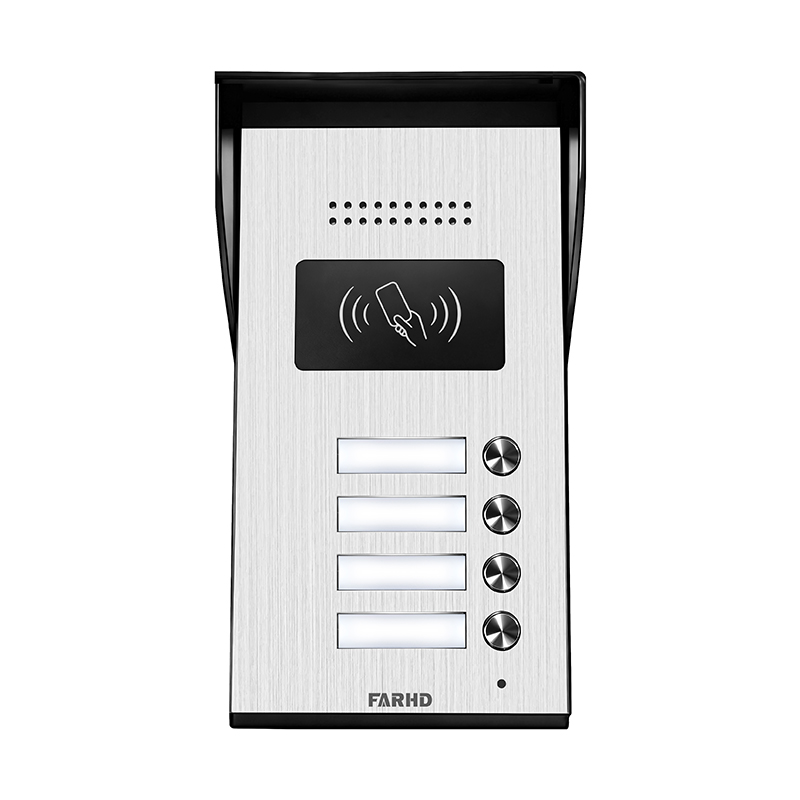
Consejos de colocación exterior para intercomunicadores de video inalámbricos
Cuando se trata de instalar un sistema de interfono de vídeo inalámbrico, la colocación exterior juega un rol crítico en maximizar tanto seguridad y usabilidad. Una unidad bien colocada mejora la interacción con visitantes, disuade a intrusos y proporciona imágenes en tiempo real críticas. A continuación, se presentan recomendaciones expertas y mejores prácticas para colocar su sistema de intercomunicador inalámbrico al exterior.
1. Puerta principal o área del porche
Si su propiedad tiene una puerta perimetral o cerca, esta debe ser la primera línea de comunicación visual y de audio.
- Finalidad: Evaluar visitantes antes de que lleguen a su puerta principal.
- Características recomendadas: Transmisión inalámbrica de largo alcance, carcasa resistente al clima, visión nocturna.
- Consejo de instalación: Asegúrese de que la unidad sea visible pero segura—instálela a la altura de los ojos y en un recinto a prueba de manipulaciones.
2. Puerta principal o área del porche
El porche delantero es el lugar más común y crítico para un sistema de intercomunicador de puerta inalámbrico.
- Finalidad: Interactuar con personal de entregas, invitados o visitantes inesperados.
- Características recomendadas: Cámara HD, detección de movimiento, audio bidireccional, integración con aplicación.
- Consejo de instalación: Use un ángulo de 30–45 grados para la cámara y capturar una vista completa del rostro del visitante y el área circundante.
3. Entrada del garaje
Los garajes son puntos de entrada vulnerables, especialmente si están separados o laterales.
- Finalidad: Monitorear accesos secundarios de vehículos y áreas de almacenamiento de herramientas.
- Características recomendadas: Visión nocturna infrarroja, lente de gran angular, alertas de acceso remoto.
- Consejo de instalación: Monte la unidad cerca de la puerta lateral o sobre el garaje para máxima visibilidad.
4. Patios traseros o puertas laterales
Las áreas traseras suelen pasar desapercibidas, pero son puntos comunes de acceso no autorizado.
- Finalidad: Disuadir intrusos y monitorear actividad exterior.
- Características recomendadas: Detección de movimiento, alertas de aplicación, iluminación integrada.
- Consejo de instalación: Coloque las unidades lejos de follaje denso para evitar alertas falsas y asegurar visibilidad clara.
Prácticas recomendadas y no recomendadas para colocación exterior
| Tipo de consejo | Recomendaciones | No recomendadas |
|---|---|---|
| Ubicación | Instale a la altura de los ojos y en áreas bien iluminadas áreas | No instale demasiado alto o en esquinas oscuras |
| Impermeabilización | Utilice IP65 o superior recintos clasificados | No use unidades clasificadas para interiores al exterior |
| Visibilidad | Asegúrese de que la unidad sea claramente visible para disuadir manipulaciones | No oculte la unidad detrás de plantas o decoraciones |
| Señal inalámbrica | Pruebe la conectividad antes de la instalación final | No instale demasiado lejos del router o estación base |
| Fuente de energía | Utilice a pilas o opciones con energía solar si el cableado es difícil | No dependa de fuentes de energía inestables |
Para intercomunicadores de video inalámbricos exteriores que funcionen en todas las condiciones climáticas y soporten integración con múltiples dispositivos, considere los Serie de villas de 4 hilos de FARHD. Estos sistemas están diseñados para uso residencial y en propiedades con portería, ofreciendo resistencia robusta al clima y rendimiento de video/audio cristalino.
Consideraciones de colocación para intercomunicadores cableados vs. inalámbricos
Al decidir entre sistemas de intercomunicación con y sin cable, uno de los factores más importantes es cómo y dónde se instalarán estos sistemas. Cada tipo de sistema tiene limitaciones y ventajas únicas, que impactan directamente en la estrategia de colocación.
Diferencias clave en la flexibilidad de colocación
| Característica/Factor | Intercomunicador cableado | Intercomunicador inalámbrico |
|---|---|---|
| Flexibilidad de instalación | Ubicaciones fijas, requiere perforaciones | Altamente flexible, perforaciones mínimas |
| Fuente de energía | Requiere cableado directo de energía | Opciones con batería o enchufables |
| Escalabilidad | Limitado por infraestructura pre-cableada | Fácilmente ampliable |
| Rango de señal | No afectado por interferencias de Wi-Fi | Puede requerir cobertura fuerte de Wi-Fi |
| Impacto estético | Los cables pueden necesitar ocultarse | Limpio, sin cableado visible |
| Ideal para renovaciones | Menos ideal | Altamente recomendado |
Cuándo elegir colocación cableada
- Nueva construcción o renovaciones mayores donde el cableado pueda embeberse.
- Propiedades donde las interferencias de señal son una preocupación.
- Edificios comerciales que requieren instalaciones permanentes e irrompibles.
Cuándo elegir la colocación inalámbrica
- Casas existentes o propiedades de alquiler donde el taladrado está limitado.
- Necesidad de implementación rápida y flexibilidad en la ubicación de las unidades.
- Casas con redes Wi-Fi en malla para una conectividad sólida.
Sistemas de intercomunicación híbridos
Muchos fabricantes modernos de intercomunicadores ofrecen para mercados de nivel de entrada o residenciales. que combinan la fiabilidad de los sistemas cableados con la flexibilidad de la conectividad inalámbrica. Estos sistemas son ideales para:
- Casas grandes donde algunas áreas son difíciles de cablear.
- Propiedades con múltiples edificios o anexos.
- Empresas que requieren control centralizado con acceso remoto.
Si buscas intercomunicadores de alto rendimiento compatibles con sistemas híbridos que se puedan adaptar a las necesidades de tu proyecto, FARHD ofrece soluciones personalizadas de intercomunicación de principio a fin con opciones tanto cableadas como inalámbricas. Sus productos son confiados por líderes de la industria en Europa, Asia y Norteamérica.
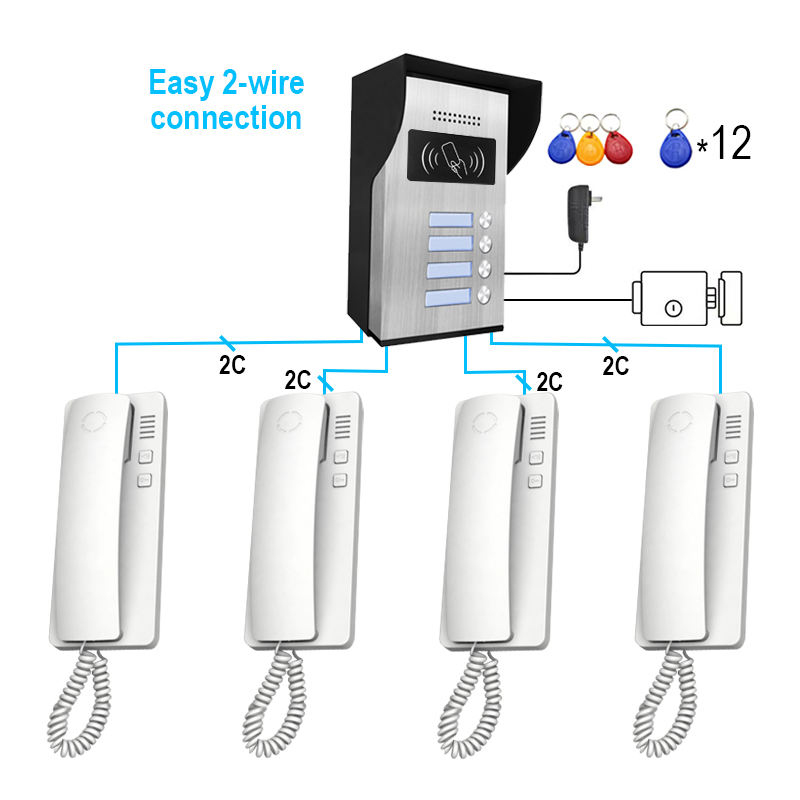
Cómo instalar un sistema de intercomunicación inalámbrico con interferencias mínimas
Uno de los desafíos más comunes en la instalación de intercomunicadores inalámbricos es la interferencia de señal que puede causar retrasos, caídas de audio o desconexiones. Afortunadamente, con una planificación adecuada, puedes garantizar un funcionamiento fluido.
Guía de instalación inalámbrica paso a paso
- Verificar la cobertura Wi-Fi
- Usa una aplicación analizadora de Wi-Fi para probar la intensidad de la señal en cada ubicación deseada para el intercomunicador.
- Para zonas débiles, considera un extensor Wi-Fi o sistema en malla.
- Elegir zonas libres de interferencias
- Evita áreas cerca de microondas, teléfonos inalámbricos y monitores de bebé que puedan operar en frecuencias similares (2.4 GHz).
- Mantén alejado de puertas metálicas, paredes de hormigón reforzadoy electrodomésticos grandes.
- Directrices de montaje
- Monta las unidades interiores a altura de los ojos (aproximadamente 1,5 metros).
- Para unidades de vídeo, asegúrate de tener una línea de visión clara sin obstrucciones.
- Usa los soportes de pared o montajes adhesivos incluidos para estabilidad.
- Gestión de energía
- Utilice baterías recargables de alta calidad o asegúrate de tener acceso a tomas de corriente.
- Si se admiten paneles solares, instálalos en áreas orientadas al sol.
- Emparejamiento de dispositivos
- Sincronice todas las unidades con el controlador principal o la aplicación móvil antes de la instalación.
- Pruebe la comunicación para confirmar una conectividad estable.
- Optimización de red
- Asigne direcciones IP dedicadas si utiliza intercomunicadores IP.
- Habilite QoS (Calidad de Servicio) en su enrutador para priorizar el tráfico de intercomunicadores.
Consejos profesionales para una configuración sin interferencias
- Utilice la banda de 5 GHz si su intercomunicador admite Wi-Fi de doble banda.
- Evite canales superpuestos configurando manualmente el canal de su enrutador.
- Instale actualizaciones de firmware regularmente para corregir errores y mejorar la conectividad.
Lista de verificación de solución de problemas
| Edición | Posible causa | Solución |
|---|---|---|
| Retraso de audio o eco | Señal Wi-Fi débil | Reposicione el enrutador o utilice Wi-Fi mallado |
| No hay señal de vídeo | Cámara obstruida, señal baja | Ajuste el ángulo de la cámara o mejore la intensidad de la señal |
| Conexión intermitente | Interferencia de otros dispositivos | Cambie el canal del enrutador o mueva las unidades |
| Unidad no se enciende | Problemas de batería | Reemplace o recargue las baterías |
Para intercomunicadores inalámbricos de grado profesional que incluyen tecnología anti-interferencias, claridad de audio a larga distanciay configuración basada en aplicación, FARHD ofrece soluciones personalizables tanto para proyectos residenciales como comerciales.
Integración inteligente: Colocación de intercomunicadores inalámbricos para Alexa y Google Home
En el entorno de hogar inteligente actual, los sistemas de intercomunicación inalámbrica hacen más que solo transmitir audio: sirven como nodos centrales para la automatización del hogar, especialmente cuando se integran con asistentes de voz como Alexa, Google Home y Apple HomeKit.
La colocación adecuada de sus unidades de intercomunicador inalámbrico puede impactar directamente en la calidad del control de voz, la capacidad de respuesta y la funcionalidad de automatización.
Por qué importa la integración inteligente
- Comandos activados por voz para desbloquear puertas, responder llamadaso activar modo nocturno
- Rutinas fluidas, como encender las luces del porche cuando alguien toca el timbre
- Alertas en tiempo real y comunicación manos libres
Mejores prácticas para la colocación de asistentes de voz
| Área | Consideraciones para la colocación de intercomunicadores | Beneficios de la integración inteligente |
|---|---|---|
| Sala de estar | Coloque cerca del altavoz inteligente o concentrador | Control central para rutinas y comandos |
| Puerta principal | Cerca del sistema de cerradura inteligente/timbre | Acceso por voz para desbloquear o monitorear visitantes |
| Cocina | Lejos de electrodomésticos; cerca del asistente inteligente para alertas de cocina | Establezca recordatorios o envíe mensajes manos libres |
| Dormitorio | En la mesita de noche o montado en la pared cerca de la cama | Activación de voz de emergencia por la noche |
| Entrada del garaje | Posicionado cerca del abridor/controlador de garaje inteligente | Acceso y monitoreo de garaje activados por voz |
Configuración de rutinas de intercomunicador inteligente
- Instale la aplicación de intercomunicador: Conecte su sistema de intercomunicación inalámbrica a su teléfono inteligente y vincúlelo con Alexa o Google Home.
- Cree comandos de voz:
- «Alexa, muéstrame la cámara de la puerta principal.»
- “Oye Google, responde al intercomunicador.”
- Construya rutinas:
- Active iluminación inteligente cuando se detecte movimiento en la puerta.
- Bloquee automáticamente la puerta después de que termine la comunicación.
- Utilice pantallas inteligentes:
- Dispositivos como Amazon Echo Show o Google Nest Hub se pueden usar para ver las transmisiones del intercomunicador.
Características recomendadas para la integración inteligente
- Compatibilidad con IFTTT para una automatización más amplia
- Control de la aplicación con notificaciones push
- Audio bidireccional con cancelación de eco
- Grabación en la nube opciones para revisión
Para un sistema de comunicación de hogar inteligente completamente integrado, FARHD ofrece soluciones de intercomunicación con compatibilidad con asistentes de voz, conectividad en la nube y APIs avanzadas de automatización. Estos sistemas son ideales para hogares modernos que requieren tanto seguridad como control inteligente.
Mejores prácticas para la colocación de intercomunicadores en múltiples habitaciones y pisos
Para hogares más grandes, villas o propiedades de varios niveles, la colocación efectiva de intercomunicadores asegura una comunicación consistente, seguridad y conveniencia. La planificación estratégica es esencial para evitar zonas muertas de señal y garantizar cobertura completa del hogar.
Estrategia de colocación en múltiples habitaciones
- Configuración basada en zonas: Divida su hogar en zonas de comunicación: área de estar, habitaciones privadas, zonas de servicios.
- Habitaciones prioritarias: Enfóquese primero en áreas de alto tráfico e importancia (p. ej., entradas, dormitorio principal, cocina).
- Evite la agrupación: No coloque múltiples unidades demasiado cerca para evitar redundancia.
Consejos para comunicación en múltiples pisos
| Nivel del piso | Características recomendadas de intercomunicador | Consejos de colocación |
|---|---|---|
| Planta baja | Intercomunicador de video, detección de movimiento, acceso a la puerta principal | Cerca de puntos de entrada, sala de estar, cocina |
| Pisos superiores | Sistemas solo de audio o híbridos para conversaciones de habitación a habitación | Cerca de escaleras, dormitorios y balcones |
| Sótano | Unidades de alta intensidad de señal con funciones de alerta | Habitaciones de servicios, lavandería o áreas de entretenimiento |
Mejoras de conectividad
- Utilice redes Wi-Fi en malla para asegurar conexiones estables en todos los pisos.
- Considere unidades con extensores de rango o amplificadores de señal.
- Opte por unidades alimentadas por batería si los enchufes de corriente son escasos.
Ejemplo de diseño de red de intercomunicador
| Zona | Tipo de intercomunicador | Finalidad |
|---|---|---|
| Entrada | Timbre con video con aplicación | Gestión de visitantes, acceso remoto |
| Sala de estar | Unidad principal de audio/video | Centro de comunicación principal |
| Dormitorios | Subestación de audio | Comunicación nocturna, alertas |
| Cocina | Unidad de audio | Comodidad mientras se cocina |
| Garaje | Unidad de audio con sensor de movimiento | Control y monitoreo de acceso vehicular |
| Sótano | Unidad de audio con alertas | Seguridad en áreas aisladas |
Para implementaciones a gran escala en edificios de múltiples unidades o villas inteligentes, FARHD se especializa en diseños de intercomunicadores personalizables que apoyan comunicación multi-zona y control centralizado. Con más del 60% de cuota de mercado en China y una presencia significativa en Italia y Corea, los sistemas FARHD están optimizados para confiabilidad, escalabilidad e integración inteligente.
Descubra cómo sus sistemas pueden escalar con su proyecto en el Página de productos de FARHD.
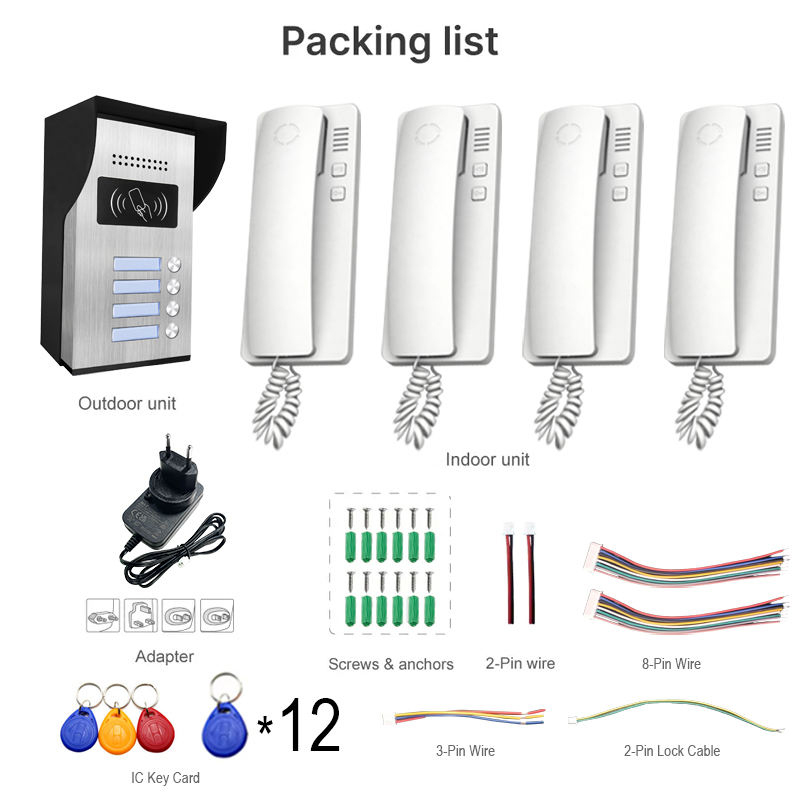
Preguntas frecuentes: Consejos de colocación y rendimiento de sistemas de intercomunicación inalámbrica
P1: ¿A qué distancia se pueden colocar las unidades de intercomunicador inalámbrico?
A1: La mayoría de los intercomunicadores inalámbricos de alta calidad admiten un rango de hasta 1000 pies en espacio abierto. En interiores, el rango depende del grosor y los materiales de las paredes. Utilice Wi-Fi mallado o repetidores para extender la cobertura.
P2: ¿Puedo usar intercomunicadores inalámbricos en una casa con paredes de concreto gruesas?
A2: Sí, pero la intensidad de la señal puede verse afectada. Elija sistemas que operen en bandas de frecuencia baja como 900 MHz o utilice adaptadores de línea eléctrica como alternativa.
P3: ¿Cuál es la mejor altura para intercomunicadores montados en pared?
A3: Monta las unidades interiores a alrededor de 5 pies (1,5 metros) para una accesibilidad óptima. Para intercomunicadores de video, asegúrese de que la cámara esté a la altura de los ojos para una captura clara del rostro.
P4: ¿Cómo evito interferencias con otros dispositivos inalámbricos?
A4: Evite colocar las unidades cerca de microondas, monitores de bebé o teléfonos inalámbricos.Utilice sistemas de doble banda (2.4 GHz/5 GHz) y seleccione canales de enrutador no utilizados.
P5: ¿Pueden moverse los intercomunicadores inalámbricos después de la instalación?
A5: Sí. Una de las mayores ventajas de los sistemas inalámbricos es flexibilidad. Las unidades pueden reubicarse fácilmente siempre que permanezcan dentro del rango de señal y cuenten con alimentación adecuada.
P6: ¿Son seguros los intercomunicadores inalámbricos contra el hackeo?
R6: Elija sistemas con cifrado AES, protección con contraseña e inicio de sesión seguro en la aplicación.Los dispositivos FARHD están construidos con protocolos de seguridad de grado empresarial y certificaciones como ISO 9001, CE y FCC..
P7: ¿Puedo conectar mi sistema de intercomunicador a mi teléfono inteligente?
R7: Absolutamente. Los intercomunicadores inalámbricos modernos, especialmente de proveedores como FARHD, ofrecen aplicaciones móviles dedicadas para comunicación en tiempo real, notificaciones y control remoto.
Para asistencia profesional o un sistema de intercomunicador personalizado adaptado a su hogar, villa o negocio, contacte con FARHD hoy. Con control total sobre la fabricación y la I+D, FARHD ofrece soluciones de comunicación inalámbrica de vanguardia confiadas por socios globales.
Esta guía completa sobre la colocación de intercomunicadores inalámbricos asegurará que su sistema esté instalado estratégicamente, libre de interferencias e integrado completamente en su estilo de vida inteligente. Ya sea que sea propietario de una vivienda o desarrollador de proyectos, elegir la colocación adecuada y un socio de productos como FARHD marcará toda la diferencia.
También le puede interesar
-

FARHD to Showcase All-Climate Technology at 2026 China Security Expo, Empowering Smart Communities in Northern China
From November 3 to 6, 2026, FARHD, a global leader in smart security and communication solutions, will unveil its full range of products deeply optimized for the harsh winter conditions of northern China at the 18th China International Social Public Security Products Expo (Security China). Under the theme “Digital Intelligence World, Total Security,” the expo…
-

FARHD to Showcase All-Climate Hard-Tech Solutions at Securika Moscow 2026
From April 22 to 24, 2026, FARHD, a global leader in smart security and communication solutions, will unveil its full range of products engineered for extreme climates at Securika Moscow 2026, held at Crocus Expo in Moscow, Russia. At booth A-9101, FARHD will present its smart intercom, access control, and smart home solutions—all deeply optimized…
-

FARHD Honored with Multiple Prestigious Awards in China’s Building Intercom Industry, 28 Years of Deep Engagement in the Chinese Market Solidifying Its Position as a Leading Brand
Recently, in the annual selection event jointly organized by the China Security and Protection Industry Association and multiple authoritative media outlets, FARHD, by virtue of its profound industry experience, outstanding technological innovation capabilities, and extensive market recognition, was awarded the prestigious “Most Influential Brand in China’s Building Intercom Industry” . These accolades not only affirm FARHD’s 28…
-

FARHD Honored with Multiple Prestigious Awards in China’s Building Intercom Industry, 28 Years of Deep Engagement in the Chinese Market Solidifying Its Position as a Leading Brand
Recently, in the annual selection event jointly organized by the China Security and Protection Industry Association and multiple authoritative media outlets, FARHD, by virtue of its profound industry experience, outstanding technological innovation capabilities, and extensive market recognition, was awarded the prestigious “National Top 10 Quality Brands in the Security Industry” . These accolades not only affirm FARHD’s…



